Independent download guide for HP printer and scanner drivers
hpdrivers.net is an independent website and is not affiliated with, endorsed by, or sponsored by HP Inc. Download links point to HP's official servers (ftp.hp.com). Read the full disclaimer
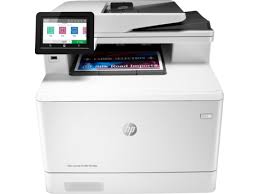
HP Color LaserJet Pro M183FDW Printer Driver and Scanner Driver Download for Windows 11/10/8/7 64Bit-32Bit
Download HP Color LaserJet Pro MFP M 183FDW Printer Full Software Solution (Recommended Driver)
Description for HP M183 fdw MFP Driver
The full solution software includes everything you need to install your HP printer. This collection of software includes the complete set of drivers, installer software, and other administrative tools found on the printer’s software CD.
HP Color LaserJet Pro MFP M183fdw Software Driver Download
Microsoft Windows 11, Microsoft Windows 10 (32-bit), Microsoft Windows 10 (64-bit), Microsoft Windows 8.1 (32-bit), Microsoft Windows 8.1 (64-bit), Microsoft Windows 8 (32-bit), Microsoft Windows 8 (64-bit), Microsoft Windows 7 (32-bit), Microsoft Windows 7 (64-bit)
HP MFP M183fw Easy Start Printer Setup Software (Internet connection required for driver installation)
HP Easy Start provides guided setup and drivers for your HP printer. Furthermore, installation Software and Driver-Includes print, scan, latest features, and solutions.
Fix and enhancements: Improved user experience. Moreover, performance Optimizations. Additionally, added support for newest printer models.
Operating Systems : Microsoft Windows 11 All Editions, Microsoft Windows 10 (32-bit), Microsoft Windows 10 (64-bit)
Installation Software and Driver-Includes print, scan, latest features, and solutions.
Version : 16.7.5 Release date: Jul 18, 2024 File Name : HPEasyStart_16_7_5.exe
The full solution software includes everything you need to install your HP printer. This collection of software includes the complete set of drivers, installer software, and other administrative tools found on the printer’s software CD.
Microsoft Windows 10 (32-bit)(64-bit), Microsoft Windows 7 (64-bit)(32-bit), Microsoft Windows 8 (32-bit)(64-bit), Microsoft Windows 8.1 (32-bit)(64-bit)
Microsoft Windows 10 (32-bit)(64-bit), Microsoft Windows 7 (64-bit)(32-bit), Microsoft Windows 8 (32-bit)(64-bit), Microsoft Windows 8.1 (32-bit)(64-bit)
The HP Print and Scan Doctor was designed by HP to provide users with troubleshooting and problem solving features needed to resolve many common problems experienced with HP print and scan products connected to Windows-based computers. Simply run the tool and follow the on-screen instructions.
Version: 5.7.4.006
Relase Date : Dec 8, 2023
Operating Systems: Microsoft Windows 11, Microsoft Windows 10 (32-bit), Microsoft Windows 10 (64-bit), Microsoft Windows 7 (32-bit)Microsoft Windows 7 (64-bit)Microsoft Windows 8 (32-bit)Microsoft Windows 8 (64-bit)Microsoft Windows 8.1 (32-bit)Microsoft Windows 8.1 (64-bit)
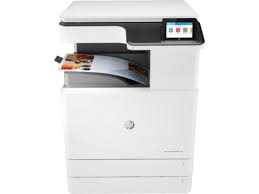
Looking for the HP Color LaserJet Managed MFP E77422 driver? This page lists HP’s official software for the whole HP Color LaserJet Managed MFP E77422-E77428 series. HP lists some packages for specific models in the series, so check that the package title includes your model. For Windows 11; Windows 10, 8.1, 7 (32-bit and 64-bit), the package most people need is the HP Color LaserJet Managed MFP E77422/E77428 series Full Software Solution. For a Mac, HP lists Install HP Easy Start.
Last checked against HP’s download list: November 10, 2026 · Checked by H&G
HP Color LaserJet Managed MFP E77422
Recommended downloads
Windows 11; Windows 10, 8.1, 7 (32-bit and 64-bit): HP Color LaserJet Managed MFP E77422/E77428 series Full Software SolutionVersion 50.2.4593 · Released Nov 18, 2021 · 76.8 MB · HP rating: Recommended
Files download directly from HP’s official servers. hpdrivers.net does not host or modify them.
Models covered by this page
HP’s download list for this series names these models. It covers the whole Color LaserJet Managed MFP E77422-E77428 range, including model variants HP does not list by name:
HP Color LaserJet Managed MFP E77422-E77428dn – Base Product 22-28ppmHP Color LaserJet Managed MFP E77422aHP Color LaserJet Managed MFP E77422dvHP Color LaserJet Managed MFP E77422dnHP Color LaserJet Managed MFP E77428dn
Which Windows package should you choose?
HP publishes 5 kinds of Windows package for the Color LaserJet Managed MFP E77422-E77428:
Firmware update (v2510156_069200, Aug 28, 2026): updates the printer itself, not your PC.
HP Universal Print Driver (v8.2.89, Sep 11, 2026): HP’s shared driver for many models, also listed for this series.
Driver files (no installer) (v50.2.4593, Nov 22, 2021): bare driver files for Windows’ Add Printer wizard.
Full software solution (v50.2.4593, Nov 18, 2021, 76.8 MB): driver plus HP’s setup wizard and tools.
MFP Network Twain Scan Package (v1.0.683, Jun 29, 2020): scanning from the computer.
All downloads for the Color LaserJet Managed MFP E77422-E77428
Windows
Package / Windows
Version
Released
Size
FutureSmart Bundle Version 5.10.0.7 – HP Color LaserJet Managed MFP E77422/28 Series Printer FIRMWARE
HP lists its Universal Print Driver for this series on Windows 11; Windows 10, 8.1, 8, 7 (32-bit and 64-bit). Get it from our HP Universal Print Driver page.
Linux
HP lists a Linux driver for this series: FutureSmart Bundle Version 5.10.0.7 – HP Color LaserJet Managed MFP E77422/28 Series Printer FIRMWARE (Version 2510156_069200 · Released Aug 28, 2026 · 995.2 MB). Download from HP.
Installing the Color LaserJet Managed MFP E77422-E77428 driver
The driver files without an installer are added through Windows’ Add Printer wizard (Have Disk). For step-by-step instructions, see our guide to installing an HP printer driver.
Firmware update 2411226_066584
The newest firmware HP lists for the Color LaserJet Managed MFP E77422-E77428 is version 2411226_066584, released Feb 02, 2023.
Keep the printer and the computer switched on until the update has finished.
Specifications that matter for setup
Connections
2 Hi-Speed USB 2.0 Host; 1 Hi-Speed USB 2.0 Device; 1 Gigabit Ethernet 10/100/1000T network; 1 Hardware Integration Pocket
Wi-Fi
Not built in
Mobile printing
Apple AirPrint™; Google Cloud Print™; HP ePrint; Mopria™ Certified; PrinterOn Print
Print languages
HP PCL 5c, HP PCL 6, HP Postscript level 3 emulation, PDF (v 1.7), AirPrint™ compatible
Front panel applications: Copy; E-mail; Fax; Save to Network Folder; Save to USB; Save to Device Memory; Open Extensibility Platform (OXP) applications
Toner supplies HP lists for the Color LaserJet Managed MFP E77422-E77428
HP’s specifications name these replacement supplies for the Color LaserJet Managed MFP E77422-E77428:
HP Black Managed LJ Toner Cartridge (ISO
What comes in the box
HP lists these items with the Color LaserJet Managed MFP E77422-E77428:
Engine
TCU
Drums
Assy-Color WG Nameplate and Label
Power Cords
Hardware install and setup documentation
Support flyers
Paper handling and hardware details
Values below are HP’s published figures for the Color LaserJet Managed MFP E77422-E77428; they help you check that this page matches your printer before you download anything.
Tray 1: Letter, Letter R, Legal, Executive, Statement, Oficio, 11 x 17, 4 x 6, 5 x 7, 5 x 8,10 x 15, 8k, 16k, envelope #9, Envelope #10, Envelope Monarch
Media types
Plain, HP EcoEFICIENT, HP Matte 90g, Light 60-74g, Bond, Recycled, HP Matte 105g, HP Matte 120g, Mid-Weight 96-110g, Heavy 111-130g, HP Matte 150g, Extra Heavy 131-175g, HP Matte 200g
Paper weight
Tray 1: 16 to 46 lb bond; Tray 2, 3: 16 to 58 lb bond
Print quality (black)
Black: Color: Up to 1200 x 1200 dpi reduced speed
Memory
4.25 GB (Formatter 1.25 GB + ECB 3 GB)
Processor
1.2 GHz
Internal storage
Standard two 16 GB encrypted eMMCs (one is located on formatter board for stored jobs and solutions. Another one is located on ECB for copy/scan function)
No, please purchase USB cable separately (EMEA, Americas; AP) (Service Technician must install units)
Warranty
90 day parts only. Extended
Common setup problems
No Wi-Fi option during setup. HP’s specifications list no built-in Wi-Fi for the Color LaserJet Managed MFP E77422-E77428. Use an Ethernet cable or USB.
You’d rather not install software on a Mac. HP’s specifications list AirPrint support, so macOS can usually add the printer from System Settings without extra software.
Document feeder and Tray 1 jams on the E77422
HP’s jam articles for the E72425, E72430, E77422, E77428, E78223 and E78228 show the code and an animation.
31.13 in the document feeder
Codes 31.13.01 to 31.13.05. Open the feeder cover and remove the paper, turning the green wheel to free it, then close the cover.
To avoid repeats, set the guides against the originals without bending them, remove staples and clips, copy narrow pages on the glass, and expect heavy glossy originals to jam more often.
13.B2.A1, 13.B2.D1 and 13.A8 in Tray 1
Gently pull the sheet out of the multipurpose tray, then open and close the front door so printing resumes.
Let the fuser cool, open the right door and remove any sheet, then open the tray named on the panel, take out jammed or damaged sheets and close it. The optional 2 x 520-sheet trays are cleared the same way.
13.B9 at the right door and fuser
Open the right door, remove the paper and close it.
A firmware communication error. Restart; if it returns, print the Event Log, since HP says once a week or less is not a concern.
10.39.60 to 10.39.70
The document feeder maintenance kit is low or used up. Replace it and select New Document Feeder Kit under Manage Supplies.
Print quality pages
Support Tools, Troubleshooting, Print Quality Pages, PQ Troubleshooting Pages prints a set of pages; a spot or streak in one color points to that color’s toner cartridge.
Grayscale only after installing the Universal Print Driver
Check that color is not restricted by your administrator, clear Print in Grayscale on the Finishing tab, and in the UPD’s Device Settings set Automatic Configuration to Update Now so it detects the color printer.
Humidity and resistance
Under Settings, Print quality, Adjust paper type, HP suggests Humidity Mode High in humid rooms and trying the Resistance Mode up or down, because it changes how toner transfers.
10.99.xx supply codes
10.99.31 non-HP, 10.99.34 used or refilled, 10.99.41 a supply for another product, and 10.99.40 a genuine HP supply installed after a non-HP one.
Start-up stages, feeder loading and a non-printing E77422
Boot progress indicator
FutureSmart printers show eight start-up stages, 1/8 to 8/8, with an activity bar in stages 6 to 8. If the printer never reaches Ready, the stage where it stops is what HP support asks for.
Loading the document feeder
HP’s guide for Managed 700 and 800 class MFPs says to scan creased, curled or torn pages, photos, transparencies and pages with staples, clips or sticky notes on the glass instead.
Latch the feeder hatch until it clicks, set the guides against the page edges and avoid mixing sizes in one stack to prevent skew.
If nothing prints
Check for Ready on the panel, a green light at the network port and a real network cable, the right port in Printer Properties, supported paper in the trays and the supply levels.