Independent download guide for HP printer and scanner drivers
hpdrivers.net is an independent website and is not affiliated with, endorsed by, or sponsored by HP Inc. Download links point to HP's official servers (ftp.hp.com). Read the full disclaimer
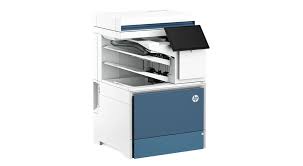
Looking for the HP Color LaserJet Enterprise Flow MFP X58045z driver? This page lists HP’s official software for the whole HP Color LaserJet Enterprise Flow MFP X58045zs serie. For Windows 11; Windows 10 (32-bit and 64-bit), the package most people need is the HP Color LaserJet Enterprise MFP X57945 PCL-6 V4 Printer Driver (no installer). For a Mac, HP lists Install HP Easy Start.
Last checked against HP’s download list: November 13, 2026 · Checked by H&G
HP Color LaserJet Enterprise Flow MFP X58045z
Recommended downloads
Windows 11; Windows 10 (32-bit and 64-bit): HP Color LaserJet Enterprise MFP X57945 PCL-6 V4 Printer Driver (no installer)Version 57.1.5288 · Released Dec 14, 2023 · 51.6 MB
HP lists its Universal Print Driver for this series on Windows 11; Windows 10, 8.1, 8, 7 (32-bit and 64-bit). Get it from our HP Universal Print Driver page.
Installing the Color LaserJet Enterprise Flow MFP X58045zs serie driver
The driver files without an installer are added through Windows’ Add Printer wizard (Have Disk). For step-by-step instructions, see our guide to installing an HP printer driver.
Firmware update 2510156_069190
The newest firmware HP lists for the Color LaserJet Enterprise Flow MFP X58045zs serie is version 2510156_069190, released Aug 28, 2026.
Keep the printer and the computer switched on until the update has finished.
Specifications that matter for setup
Connections
1 Gigabit Ethernet 10/100/1000T network; 1 Hardware Integration Pocket 2nd generation (HIP2); 1 Hi-Speed USB 2.0 (host); 1 SuperSpeed USB 3.0 (device); 1 SuperSpeed USB 3.0 (host)
Mobile printing
Apple AirPrint™; NFC Touch-to-print (optional)
Print languages
HP PCL 6; HP PCL 5c; HP postscript level 3 emulation, native PDF printing (v 1.7)
Functions
Print, copy, scan, fax (optional)
Print speed (black)
Normal: Up to 45 ppm
Recommended monthly volume
Up to 15,000 pages
Two-sided printing
Automatic
Scanner
Flatbed ; ADF
Scan resolution
Up to 600 x 600 dpi
Two-sided ADF scanning
Yes
Document feeder
Standard, 100 sheets
Scan file formats
JPEG; TIFF; MTIFF; XPS; PDF; PDF/A; High-Compression PDF; High-Compression PDF/A; Searchable PDF (OCR); Searchable PDF/A (OCR); High-Compression Searchable PDF (OCR)
Ways to scan
Front panel applications: Copy; E-Mail; Fax; Save to Network Folder; Save to USB; Save to Device Memory; Open Extensibility Platform (OXP) applications
Copy speed
Black: Up to 45 cpm Color: Up to 45 cpm First Copy Out from Ready and Simplex Copy Speed measured using ISO/IEC 29183, Duplex Copy Speed measured using ISO/IEC 24735
Toner supplies HP lists for the Color LaserJet Enterprise Flow MFP X58045zs serie
HP’s specifications name these replacement supplies for the Color LaserJet Enterprise Flow MFP X58045zs serie:
HP W9240MC Black Managed Original LaserJet Toner Cartridge (~21
000 pages)
HP W9241MC Cyan Managed Original LaserJet Toner Cartridge (~14
000 pages)
HP W9242MC Yellow Managed Original LaserJet Toner Cartridge (~14
000 pages)
HP W9243MC Magenta Managed Original LaserJet Toner Cartridge (~14
What comes in the box
HP lists these items with the Color LaserJet Enterprise Flow MFP X58045zs serie:
HP Color LaserJet Multifunction Printer
Documentation (Hardware Install Guide)
Power cord
Tray Lock Kit (Paper-size cassette locks, paper tray interface screws
Paper handling and hardware details
Values below are HP’s published figures for the Color LaserJet Enterprise Flow MFP X58045zs serie; they help you check that this page matches your printer before you download anything.
Tray 1: letter, legal, executive, statement, Oficio, 3 x 5 in, 4 x 6 in, 5 x 7 in, 5 x 8 in, envelopes (No. 9, No. 10, Monarch); Tray 2
Media types
Paper (plain, light, intermediate, light bond, bond, recycled, mid-weight, heavy, mid-weight glossy, heavy glossy, extra heavy, extra heavy glossy, cardstock, card glossy), color transparency, labels
Paper weight
Tray 1: 16 to 58 lb (plain), 32 to 58 lb (glossy); Tray 2: 16 to 58 lb (plain), 32 to 58 lb (glossy); optional 550-sheet input trays: 16 to 58 lb (plain)
Print quality (black)
Black: Up to 1,200 x 1,200 dpi Color: Up to 1200 x 1200 dpi
Control panel
10.1 in (25.6 cm) Color Graphic Display (CGD) with touchscreen; rotating (adjustable angle)
You’d rather not install software on a Mac. HP’s specifications list AirPrint support, so macOS can usually add the printer from System Settings without extra software.
Installing the HP Color LaserJet Enterprise Flow MFP X58045z on Linux (HPLIP)
On Linux the Color LaserJet Enterprise Flow MFP X58045z is handled by HPLIP, HP’s own open-source imaging and printing package, not by the Windows or macOS downloads above. The details below come from the HPLIP model database entry for this printer.
First HPLIP release with support: 3.23.12 (any newer HPLIP also works).
Print technology in the HPLIP database: colour laser.
Connections HPLIP can use: USB, wired network (Ethernet), Wi-Fi.
Beyond printing: scanning through the SANE hpaio backend with the document feeder.
Binary plug-in: not needed; the open-source driver is enough.
USB ID:03f0:1b1b (shown by lsusb when the printer is connected).
Same HPLIP entry also covers: Color LaserJet Enterprise Flow MFP X58045zs.
Install the hplip package from your distribution, then run hp-setup -i (or: hp-setup -i <printer IP> for a network printer) and follow the prompts. hp-check reports anything missing, and hp-toolbox shows ink levels and maintenance tools where the model supports them.
Full HP specifications of the Color LaserJet Enterprise Flow MFP X58045zs serie
The rest of HP’s published specification sheet for this series, beyond the setup details above.
Print Cartridges/Bottle, Number
4 (1 each black, cyan, magenta, yellow)
Print speed black
Normal: Up to 45 ppm [5] [5] Measured using ISO/IEC 24734, excludes first set of test documents. For more information
Print speed color
[5] [5] Measured using ISO/IEC 24734, excludes first set of test documents. For more information
First page out (ready)
Black: As fast as 6.8 sec [6] [6] Measured using ISO/IEC 17629. For more information
Duty cycle (monthly, letter)
Up to 120,000 pages
Connectivity, optional
HP Jetdirect 3100w BLE/NFC/Wireless Accessory 3JN69A; HP Jetdirect LAN Accessory 8FP31A
Media sizes, custom
Tray 1: 2.52 x 5 to 8.5 x 47.24 in; Tray 2, optional 1×550-sheet feeders: 4 x 5.83 to 8.5 x 14 in
Maximum output capacity (sheets)
Up to 750 sheets
Media weights, supported ADF
12 to 53 lb
Scan size (ADF), maximum
8.5 x 14 in
Scan size (ADF), minimum
2.7 x 5 in
Scan speed (normal, letter)
Up to 60 ppm/120 ipm (b&w), up to 60 ppm/120 ipm (color) [8] [8] Scan speeds measured from ADF. Actual processing speeds may vary depending on scan resolution, network conditions, computer performance, and application software.
File Format Supported
CSV (OCR); Hi-Compression PDF; HTML (OCR); JPG; MTIFF; PDF; PDF/A; RTF (OCR); Searchable PDF (OCR); Searchable PDF/A (OCR); TEXT (OCR); TIFF; Unicode TEXT (OCR); XPS; JPEG
Copy reduce / enlarge settings
25 to 400%
Copies, maximum
Up to 9999 copies
Power
Input voltage: 100V to 127V nominal (+/-10%), 50 – 60Hz nominal (+/- 3Hz), 12 A; Input voltage: 220 V to 240V nominal, (+/-10%) 50 – 60Hz nominal (+/- 3Hz), 6 A
Sustainability specifications
15% post-consumer recycled plastic
Blue Angel compliant
Yes, Blue Angel DE-UZ 219—only ensured when using Original HP supplies
Operating temperature range
50 to 91°F
Recommended operating humidity range
30 to 70% RH
Acoustic power emissions (ready)
3.7 Bel(A) Acoustic values are subject to change. For current information
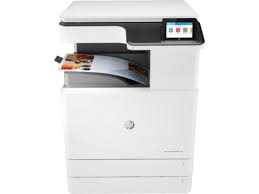
Download HP Color LaserJet Managed MFP E77428a Printer Software Driver for Windows 11/10/8.1/8/7 64bit
HP Color LaserJet Managed MFP E77422/E77428 Series Full Software Solution (Recommended)
Description Hewlett Packard E77428a
The full solution software includes everything you need to install your HP printer. This collection of software includes the complete set of drivers, installer software, and other administrative tools found on the printer’s software CD.
Fix and enhancements: Updated end user license agreement and data collection statement
Release details
Version: 50.2.4593
Relase Date : Nov 18, 2021
Operating Systems: Microsoft Windows 11, Microsoft Windows 10 (32-bit), Microsoft Windows 10 (64-bit), Microsoft Windows 7 (32-bit), Microsoft Windows 7 (64-bit), Microsoft Windows 8 (32-bit), Microsoft Windows 8 (64-bit), Microsoft Windows 8.1 (32-bit), Microsoft Windows 8.1 (64-bit)
Installation instructions for HP Color LaserJet MFP E77428a Driver
Note: Do not connect the USB cable until prompted by the installer. If you are connecting to a network, make sure the network cable is connected before running the installer
Close any software programs running on your computer.
Turn on the printer.
Click on the Download button on this page.
Click the downloaded file. The files will be extracted and the installation process will automatically start.
Follow the on-screen instructions to proceed with and complete the installation.
To install at a later date, select Save on step 4 and select a location on your hard disk. When ready to install, locate and double-click the file. This will automatically extract and start the installation process. Follow the on-screen instructions to proceed with the installation.
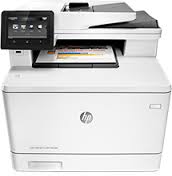
HP Color LaserJet Pro MFP M477nw Driver for Windows 10-8-7
Download HP Color LaserJet Pro MFP M477 Printer Series PCL 6 v3 Full Solution
LaserJet Pro MFP M477nw Printer
HP Color LaserJet Pro MFP M477 Printer Series PCL 6 v3 Full Solution (Recommended)
Details : This solution software includes everything you need to install your HP printer. This installer is optimized for Windows 8 and newer operating systems.
Hp Laserjet M477nw Driver Free Download
HP Color LaserJet Pro MFP M477 PCL 6 Classic Print Driver Version: 16.0.22046.719 Relase Date : Mar 21, 2022
Operating Systems: Microsoft Windows 10 (32-bit), Microsoft Windows 8 (32-bit), Microsoft Windows 8 (64-bit), Microsoft Windows 8.1 (32-bit), Microsoft Windows 8.1 (64-bit), Microsoft Windows 10 (64-bit)
File name : HP_Color_LJ_Pro_MFP_M477-PCL_6_v3_Full_Soln_22046.exe
You can download windows drivers for HP Color LaserJet Pro MFP M477nw from above. Before starting the installation, disconnect the USB cable from the computer. Open the file you downloaded to your computer. Then follow the installation instructions. The warning that you can plug in the USB cable now will appear on the screen. Do not plug in the USB cable until then. When the installation is completed, you can delete the file you downloaded.