
hpdrivers.net is an independent website and is not affiliated with, endorsed by, or sponsored by HP Inc. Download links point to HP's official servers (ftp.hp.com). Read the full disclaimer

HP Smart Tank 619 Wireless Driver Download

HP Smart Tank 619 Wireless All-in-One Driver Download for Windows  11/10/8.1/8/7 (32-Bit)(64-Bit)

Download HP Easy Start Printer Setup Software – Offline Use Only (Update : Dec 13, 2022)
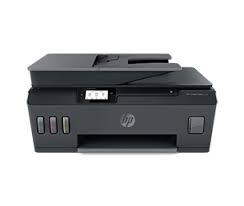
HP Smart Tank 619 Wireless All-in-One Driver Download for Windows 
HP Smart Tank 619 AIO Printer

Details HP Smart Tank 619 Driver

The full solution software includes everything you need to install and use your HP printer. This collection of software includes the complete set of drivers, installer software, and other administrative tools.

Fix and enhancements:

Updated end user license agreement and data collection statement. Improved user experience.

Relase Details HP Smart Tank 619

Version: 48.6.4634_1
Release date: Dec 13, 2022
File name: HPEasyStart-13.6.5-STF610_48_6_4634_2_Webpack.exe

Operating Systems

Microsoft Windows 11, Microsoft Windows 10 (32-bit), Microsoft Windows 10 (64-bit), Microsoft Windows 8.1 (32-bit), Microsoft Windows 8.1 (64-bit), Microsoft Windows 8 (32-bit), Microsoft Windows 8 (64-bit), Microsoft Windows 7 (32-bit), Microsoft Windows 7 (64-bit)

Download

File Size: 211.23MB


HP Universal Fax Driver for Windows

The HP Universal Fax Driver is a solution installed on a client or server PC.

Version: 6.5.117
Release date: Nov 17, 2023
Name: UFD_JEDI_PHASE6.5-6.5.117-HPUFDDriver.exe

Operating Systems: Windows 11 (64-bit), Windows 10 (32-bit), Windows 10 (64-bit), Windows 8.1 (32-bit) Windows 8.1 (64-bit),Windows 7 (32-bit), Windows 7 (64-bit)

Download

Size: 16.42 MB

HP printer setup (HP Smart app)

Install HP Smart app to complete setup and support (Recommended)

Install HP Smart app to setup and use your Printer

  • HP Smart will help you connect your printer, install driver, offer print, scan, fax, share files and Diagnose/Fix top issues. Click here to learn how to setup your Printer successfully (Recommended).
  • Creating an HP Account and registering is mandatory for HP+/Instant-ink customers. It also helps in accessing assisted support options and more.

NOTE:

  • Disconnect from Virtual Private Network (VPN) connection before downloading.
  • Creating an account on Microsoft Store to download HP Smart app is optional.

The HP Smart app is the main software for your printer. Install it on the device you want to print from, and then use it to set up the printer connection. By installing the HP Smart app, you also install all drivers necessary to print and scan.

Install the HP Smart app

Download the HP Smart app from your app store.

Use the guided printer setup in the HP Smart app to connect your printer over USB or to the internet.
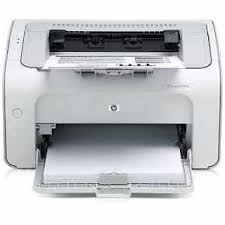
HP Laser P1003w Driver Download

HP Laser P1003w Printer Software Driver for Windows 11/10/8/8.1/Server 2019 [32Bir-64Bit]

Download HP Laser 1000 Printer series Full Feature Solution. HP Laser 1000 Printer series Basic Driver Solution

HP LaserJet P1003w Printer Software Driver for Windows

HP Laser 1003w Printer Series Full Feature Solution Driver

The full solution software includes everything you need to install your HP printer.

Relase Details

File name: HP_Laser_1003-1008_Full_Software_and_Drivers_1.02.exe
Released: Jun 8, 2023
Version : 1.02

Operating Systems:

  • Microsoft Windows 10 (32-bit)
  • Microsoft Windows 10 (64-bit)
  • Microsoft Windows 11
  • Microsoft Windows 7 (32-bit)
  • Microsoft Windows 7 (64-bit)
  • Microsoft Windows 8 (32-bit)
  • Microsoft Windows 8 (64-bit)
  • Microsoft Windows 8.1 (32-bit)
  • Microsoft Windows 8.1 (64-bit)
  • Microsoft Windows Server 2012
  • Microsoft Windows Server 2012 R2
  • Microsoft Windows Server 2016
  • Microsoft Windows Server 2016 R2
  • Microsoft Windows Server 2019

Download

File Size : 48.91Mb

HP Laser 1003 w Printer Series Basic Driver Solution

This solution provides only the print driver without an installer. To install the print driver use the Add Printer Wizard.

File name: HP_Laser_1003-1008_Driver.exe
Released: Jun 8, 2023
Version : 1.02

Operating Systems:

  • Microsoft Windows 10 (32-bit)
  • Microsoft Windows 10 (64-bit)
  • Microsoft Windows 11
  • Microsoft Windows 7 (32-bit)
  • Microsoft Windows 7 (64-bit)
  • Microsoft Windows 8 (32-bit)
  • Microsoft Windows 8 (64-bit)
  • Microsoft Windows 8.1 (32-bit)
  • Microsoft Windows 8.1 (64-bit)
  • Microsoft Windows Server 2012
  • Microsoft Windows Server 2012 R2
  • Microsoft Windows Server 2016
  • Microsoft Windows Server 2016 R2
  • Microsoft Windows Server 2019

Download

File Size : 10.42 Mb

HP LaserJet Pro M402rdn Drivers (LaserJet Pro M402-M403 Series)

Last checked against HP’s download list: November 5, 2026 · Checked by H&G

Looking for the HP LaserJet Pro M402rdn driver? This page lists HP’s official software for the whole HP LaserJet Pro M402-M403 series: the LaserJet Pro M402dw, LaserJet Pro M403d, LaserJet Pro M403dw and LaserJet Pro M402d. HP lists some packages for specific models in the series, so check that the package title includes your model. For Windows 10, 8.1, 8 (32-bit and 64-bit), the package most people need is the HP LaserJet Pro M402d, M402dw, M403d, and M403dw Printer Series PCL 6 V3 Full Solution.

HP LaserJet Pro M402rdn printer
HP LaserJet Pro M402rdn (one model of this series)

Recommended downloads

Windows 10, 8.1, 8 (32-bit and 64-bit): HP LaserJet Pro M402d, M402dw, M403d, and M403dw Printer Series PCL 6 V3 Full SolutionVersion 16.0.19134.668 · Released Mar 04, 2021 · 75.6 MB · HP rating: Recommended
Download

Files download directly from HP’s official servers. hpdrivers.net does not host or modify them.

Models covered by this page

All 4 models share one download list at HP:

HP LaserJet Pro M402dw HP LaserJet Pro M403d HP LaserJet Pro M403dw HP LaserJet Pro M402d

Which Windows package should you choose?

HP publishes 4 kinds of Windows package for the LaserJet Pro M402-M403:

  • Driver files (no installer) (v8.00.1329.6488, Apr 05, 2021): bare driver files for Windows’ Add Printer wizard.
  • Full software solution (v16.0.19134.668, Mar 04, 2021, 75.6 MB): driver plus HP’s setup wizard and tools.
  • Firmware update (v20220414, May 24, 2022): updates the printer itself, not your PC.
  • Driver-only installer (v16.0.19134.668, Mar 04, 2021): print driver only, for PCs that can’t or shouldn’t take the full package.

All downloads for the LaserJet Pro M402-M403

HP’s download list for this series includes Windows 10, 8.1, 8, 7, Vista (32-bit and 64-bit); Windows XP (32-bit) packages. It does not list separate Windows 11 packages.

Windows

Package / Windows
Version
Released
Size
HP LaserJet Pro M402d, M402dw, M403d, and M403dw Printer Series PCL-6 V4 Print Driver (no installer)
Windows: 10, 8.1, 8 (32-bit and 64-bit)
File detailsFile: HP_LJ_Pro_M402-M403_PCL6_Win8_Plus_Print_Driver_no_Installer_20342_1.exe
8.00.1329.6488
Apr 05, 2021
9.6 MB
HP LaserJet Pro M402d, M402dw, M403d, and M403dw Printer Series PCL 6 v3 Print Driver (no installer)
Windows: 10, 8.1, 8, 7 (32-bit and 64-bit)
File detailsFile: HP_LJ_Pro_M402-M403-PCL6_Print_Driver_no_Installer_20342_1.exe
8.00.1329.6488
Apr 05, 2021
11.2 MB
HP LaserJet Pro M402d, M402dw, M403d, and M403dw Printer Series PCL 6 V3 Full Solution
Windows: 10, 8.1, 8 (32-bit and 64-bit)
File detailsFile: HP_LJ_Pro_M402-M403_PCL6_v3_Full_Soln_19134.exe
16.0.19134.668
Mar 04, 2021
75.6 MB
HP LaserJet Pro Series Windows Firmware Update Utility
Windows: 10, 8.1, 8, 7, Vista (32-bit and 64-bit)
File detailsFile: M402_M403_Series_FW_Update-20220414.exe
20220414
May 24, 2022
14.7 MB
HP LaserJet Pro M402d, M402dw, M403d, and M403dw Printer Series Full Software and Drivers
Windows: 7 (32-bit and 64-bit)
File detailsFile: HP_LJ_Pro_M402-M403_Full_Software_and_Drivers_19134.exe
16.0.19134.668
Mar 04, 2021
88.6 MB
HP LaserJet Pro M402d, M402dw, M403d, and M403dw Printer Series PCL 6 v3 Print Driver
Windows: 7 (32-bit and 64-bit)
File detailsFile: HP_LaserJet_Pro_M402-M403_PCL6_Basic_v3_Solution_19134.exe
16.0.19134.668
Mar 04, 2021
74.1 MB
HP LaserJet Pro M402d, M402dw, M403d, and M403dw Printer Series PCL.6 Print Driver (no installer)
Windows: Vista, XP (32-bit)
File detailsFile: HP_LJ_Pro_M402-M403_PCL6_Legacy_Print_Driver_no_Installer_15295.exe
3.01.01.18298
Nov 19, 2015
14.7 MB
HP LaserJet Pro M402d, M402dw, M403d, and M403dw Printer Series PCL.6 Printer Driver
Windows: Vista, XP (32-bit)
File detailsFile: HP_LJ_Pro_M402-M403_PCL6_Basic_Legacy_Solution_17345.exe
16.0.17345.1314
Jan 26, 2018
75.6 MB

Linux

HP lists Linux support for this series through its HPLIP project, outside the regular download list: HP’s Linux printing page (HPLIP).

Installing the LaserJet Pro M402-M403 driver

The driver files without an installer are added through Windows’ Add Printer wizard (Have Disk). For step-by-step instructions, see our guide to installing an HP printer driver.

Firmware update 20220414

The newest firmware HP lists for the LaserJet Pro M402-M403 is version 20220414, released May 24, 2022. HP’s notes for it: Network stack update; Supplies related fixes.

  • Check your current firmware version first on the printer’s Configuration Page, and update only if it is older.
  • Install the printer driver before running the update. HP’s utility needs it to reach the printer.

Specifications that matter for setup

Print languages
HP PCL 5, HP PCL 6, HP postscript level 3 emulation, direct PDF (v 1.7) printing, URF, PCLM, PWG
Print speed (black)
Normal: Up to 40 ppm
Recommended monthly volume
750 to 4000
Two-sided printing
Automatic (standard)

Paper handling and hardware details

Values below are HP’s published figures for the LaserJet Pro M402-M403; they help you check that this page matches your printer before you download anything.

Paper input tray
100-sheet multipurpose Tray 1, 250-sheet input Tray 2
Output tray
150-sheet output bin
Optional trays
Optional third 550-sheet tray
Paper sizes
Tray 1: Letter, Legal, Executive, Oficio (8.5 x 13 in), A4, A5, A6, B5 (JIS), Oficio (216 x 340 mm), 16K (195 x 270 mm), 16K (184 x 260 mm), 16K (197 x 273 mm)
Media types
Paper (plain, EcoFFICIENT, light, heavy, bond, colored, letterhead, preprinted, prepunched, recycled, rough); Envelopes; Labels; Transparencies
Paper weight
Tray 1: 16 to 46.6 lb; Tray 2, Optional 550-sheet Tray 3: 16 to 32 lb
Print quality (black)
Black: HP FastRes 1200
Control panel
2-line backlit LCD graphic display
Processor
1200 MHz
Power use
591 watts (Active Printing), 6.1 watts (Ready), 2.8 watts (Sleep), 0.6 watts (Auto-On/Auto-Off, via USB connectivity), 0.1 watts (Shutdown or Off)
Size (W x D x H)
15 x 14.06 x 8.5 in
Weight
18.92 lb
Warranty
One-year warranty, return to HP Authorized Service Provider

Common setup problems

  • An older driver is still installed. HP’s 2021 packages fixed a security vulnerability, so replace older versions with the current package.