Independent download guide for HP printer and scanner drivers
hpdrivers.net is an independent website and is not affiliated with, endorsed by, or sponsored by HP Inc. Download links point to HP's official servers (ftp.hp.com). Read the full disclaimer
Last checked against HP’s download list: November 10, 2026 · Checked by H&G
Looking for the HP LaserJet Enterprise M506dn driver? This page lists HP’s official software for the whole HP LaserJet Enterprise M506 series: the LaserJet Enterprise M506n, LaserJet Enterprise M506dn, LaserJet Enterprise M506x and LaserJet Enterprise M506dh. HP lists some packages for specific models in the series, so check that the package title includes your model. For Windows 10, 8.1, 8 (32-bit and 64-bit), the package most people need is the HP LaserJet Enterprise M506 Printer Series PCL-6 Win8 Plus Full Solution. For Windows 11, HP lists the HP Universal Print Driver for Windows PCL6 (64-bit). For a Mac, HP lists Install HP Easy Start.
HP LaserJet Enterprise M506dn
Recommended downloads
Windows 10, 8.1, 8 (32-bit and 64-bit): HP LaserJet Enterprise M506 Printer Series PCL-6 Win8 Plus Full SolutionVersion 16.0.18142.654 · Released Mar 10, 2021 · 87.5 MB · HP rating: Recommended
HP lists its Universal Print Driver for this series on Windows 11; Windows 10, 8.1, 8, 7 (32-bit and 64-bit). Get it from our HP Universal Print Driver page.
Linux
HP lists a Linux driver for this series: FutureSmart Bundle Version 3.9.16 – HP LaserJet M506 Series Printer FIRMWARE (Version 2309118_002274 · Released Jan 12, 2025 · 77.5 MB). Download from HP.
Installing the LaserJet Enterprise M506 driver
The driver files without an installer are added through Windows’ Add Printer wizard (Have Disk). For step-by-step instructions, see our guide to installing an HP printer driver.
Firmware update 2309118_002274
The newest firmware HP lists for the LaserJet Enterprise M506 is version 2309118_002274, released Jan 12, 2025.
Keep the printer and the computer switched on until the update has finished.
Specifications that matter for setup
Connections
Hi-Speed USB 2.0 port; built-in Fast Ethernet 10Base-T/100Base-Tx, Gigabit Ethernet 1000Base-T
Mobile printing
HP ePrint; Apple AirPrint™; Mopria™-certified
Print languages
HP PCL 6, HP PCL 5 (HP PCL 5 driver available from the Web only), HP postscript level 3 emulation, native PDF printing (v 1.7)
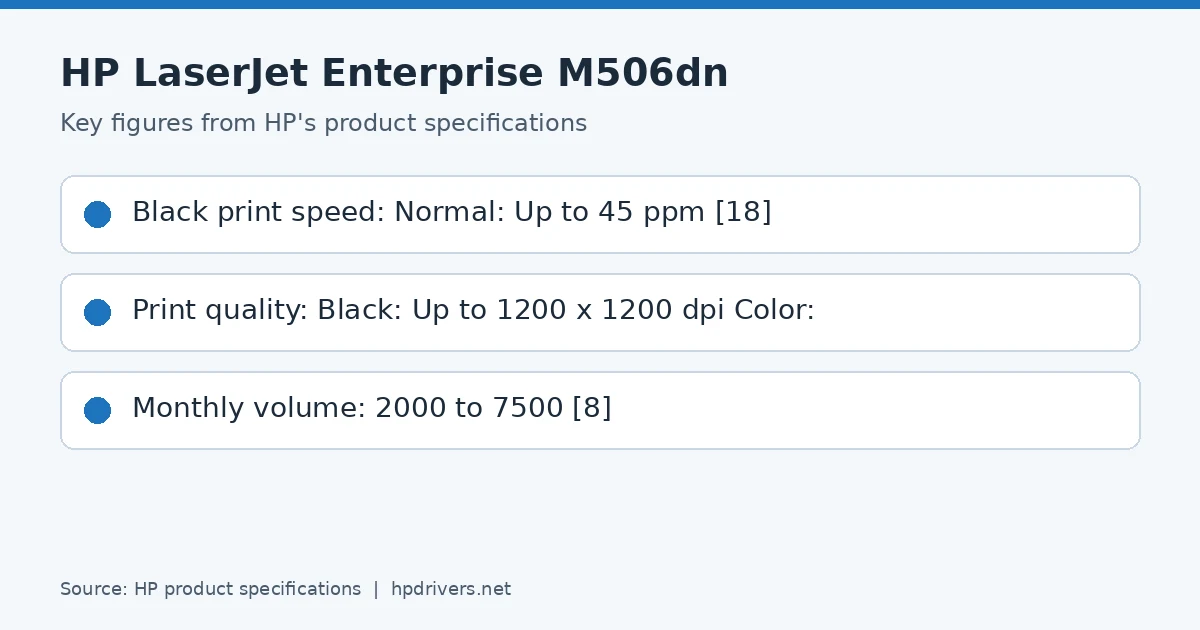
Print speed (black)
Normal: Up to 45 ppm
Recommended monthly volume
2000 to 7500
Toner supplies HP lists for the LaserJet Enterprise M506
HP’s specifications name these replacement supplies for the LaserJet Enterprise M506:
HP 87A Black Original LaserJet Toner Cartridge (~8
Paper handling and hardware details
Values below are HP’s published figures for the LaserJet Enterprise M506; they help you check that this page matches your printer before you download anything.
Output tray
250-sheet output bin
Paper sizes
Tray 1: Letter, legal, executive, 4 x 6, 5 x 8, 8.5 x 13, envelopes (No. 10, Monarch); Tray 2: letter, legal, executive, 8.5 x 13; Optional trays 3+: letter
An older driver is still installed. HP’s 2021 packages fixed a security vulnerability, so replace older versions with the current package.
You’d rather not install software on a Mac. HP’s specifications list AirPrint support, so macOS can usually add the printer from System Settings without extra software.
Last checked against HP’s download list: November 8, 2026 · Checked by H&G
Looking for the HP LaserJet Enterprise M604n driver? This page lists HP’s official software for the whole HP LaserJet Enterprise M604 series: the LaserJet Enterprise M604n and LaserJet Enterprise M604dn. HP lists some packages for specific models in the series, so check that the package title includes your model. For Windows 10, 8.1, 8, 7 (32-bit and 64-bit), the package most people need is the HP LaserJet Enterprise M604 Printer Series PCL 6 Printer Driver. For Windows 11, HP lists the HP Universal Print Driver for Windows PCL6 (64-bit). For a Mac, HP lists Install HP Easy Start.
HP LaserJet Enterprise M604n
Recommended downloads
Windows 10, 8.1, 8, 7 (32-bit and 64-bit): HP LaserJet Enterprise M604 Printer Series PCL 6 Printer DriverVersion 14.0.18142.498 · Released Mar 10, 2021 · 116.8 MB
HP lists its Universal Print Driver for this series on Windows 11; Windows 10, 8.1, 8, 7 (32-bit and 64-bit). Get it from our HP Universal Print Driver page.
Linux
HP lists Linux support for this series through its HPLIP project, outside the regular download list: HP’s Linux printing page (HPLIP).
Installing the LaserJet Enterprise M604 driver
The driver files without an installer are added through Windows’ Add Printer wizard (Have Disk). For step-by-step instructions, see our guide to installing an HP printer driver.
Firmware update 2309110_002016
The newest firmware HP lists for the LaserJet Enterprise M604 is version 2309110_002016, released Mar 22, 2024.
Keep the printer and the computer switched on until the update has finished.
Specifications that matter for setup
Connections
Hi-Speed USB 2.0 ports (Host and Device); built-in Gigabit Ethernet 10/100/1000T network port; Hardware Integration Pocket (HIP)
Wi-Fi
Optional, enabled with purchase of a pending hardware accessory
Mobile printing
HP ePrint; Apple AirPrint™; Mopria™-certified
Print languages
HP PCL 6, HP PCL 5e , HP Postscript Level 3 emulation, native PDF printing (v 1.7)
Print speed (black)
Normal: Up to 52 ppm
Recommended monthly volume
5000 to 13,000
Toner supplies HP lists for the LaserJet Enterprise M604
HP’s specifications name these replacement supplies for the LaserJet Enterprise M604:
HP 81A Black Original LaserJet Toner Cartridge (~10
500 pages) CF281A
Paper handling and hardware details
Values below are HP’s published figures for the LaserJet Enterprise M604; they help you check that this page matches your printer before you download anything.
Output tray
500-sheet output bin; 100-sheet rear output bin
Optional trays
Optional 500-sheet input tray, optional Custom media cassette (for tray 2 position only)
Paper sizes
Multipurpose tray 1: letter, legal, executive, statement, 8.5 x 13 in, 3 x 5 in, 4 x 6 in, 5 x 7 in, 5 x 8 in, envelope (commercial No. 9, No. 10, Monarch)
An older driver is still installed. HP’s 2021 packages fixed a security vulnerability, so replace older versions with the current package.
You’d rather not install software on a Mac. HP’s specifications list AirPrint support, so macOS can usually add the printer from System Settings without extra software.
99.09.64 to 99.09.69 disk errors on the LaserJet Enterprise M604
HP has a single article for the M601 to M606 printers that covers four boot-disk messages shown on the control panel or in the Embedded Web Server.
What the codes mean
99.09.64 Disk nonfunctional: a fatal disk failure occurred.
99.09.65 Disk data error: data on the disk is corrupted.
99.09.66 No boot disk: no drive is installed, the drive is not connected properly, or it has failed.
99.09.69 Unknown error: an unknown boot disk error occurred.
Steps HP gives
Turn the printer off and on again to clear the message.
If it stays, turn the printer off, disconnect the cables and accessories from the formatter and the power cable, slide off the formatter cover by its handle and open the formatter case door.
Remove the hard disk drive or solid-state drive and check the connections for damage. The M604, M605 and M606 use a release tab on the drive, while the M601 to M603 have three connectors to detach (one on the drive, two on the formatter).
Reseat the drive, close the case door, refit the cover and turn the printer on. If the error stays, HP says the drive must be replaced through HP Customer Support.
HP warns to touch the sheet-metal chassis before handling the drive, because it is sensitive to electrostatic discharge.
HP’s article for the M604, M605 and M606 covers 13.B9.Az and 13.B9.Bz fuser jams and is meant for the case where paper is stuck inside the fuser or tears while you clear it.
Order HP uses
Turn the printer off and unplug the power cord. If a duplexer is installed, lift it and pull it straight out.
Open the rear output bin, then remove it by pushing the left hinge-pin to the right until it clears the hole.
HP warns that the fuser is very hot and must cool first. Push up the two blue levers on the fuser sides and pull the fuser straight out.
Lift the black plastic guide on top of the fuser if needed to reach the sheet, and remove the paper without sharp or metal tools.
Push the fuser back until it snaps in place, refit the output bin and duplexer, reconnect the cord and turn the printer on.
HP says a 50.22.00 or 50.22.11 error on the M601 to M606 points to a fuser warm-up problem.
Checks in HP’s order
Turn the printer off and on, plug it directly into a wall socket instead of a power strip or UPS, and confirm the outlet voltage (110 V or 220 V) matches the printer.
Install the latest firmware from HP’s drivers page.
Check that the paper type chosen in the driver matches the paper loaded, then check the print mode for that type under Administration, General Settings, Print Quality, Adjust Paper Types at the control panel.
If the error continues, HP’s step 4 is to reseat the fuser using the same removal procedure as for the 13.B9 jam.
HP lists the pickup, feed and separation rollers for tray 2, the optional 500-sheet feeders and the 1,500-sheet high-capacity feeder as a customer self-repair part.
Details from HP’s article
Part number for the trays 2 to 6 roller set: E6B67-67905 (rollers with an instruction guide). No special tools are needed.
Turn the printer off, wait 30 seconds and unplug it before service.
Do not touch the roller surfaces: skin oils and fingerprints can cause print-quality problems.
After the repair, make sure the printer reaches Ready and print a configuration page as a test.
Looking for the HP LaserJet Pro MFP M427fdn driver? This page lists HP’s official software for the whole HP LaserJet Pro MFP M426-M427 f series: the LaserJet Pro MFP M426fdn, LaserJet Pro MFP M426fdw, LaserJet Pro MFP M427fdn and LaserJet Pro MFP M427fdw. HP lists some packages for specific models in the series, so check that the package title includes your model. For Windows 11; Windows 10, 8.1, 8 (32-bit and 64-bit), the package most people need is the HP LaserJet Pro MFP M426f-M427f PCL 6 v3 Full Solution. For a Mac, HP lists Install HP Easy Start.
Last checked against HP’s download list: November 10, 2026 · Checked by H&G
HP LaserJet Pro MFP M427fdn
Recommended downloads
Windows 11; Windows 10, 8.1, 8 (32-bit and 64-bit): HP LaserJet Pro MFP M426f-M427f PCL 6 v3 Full SolutionVersion 16.0.22049.103 · Released Mar 21, 2022 · 95.4 MB · HP rating: Recommended
HP lists its Universal Print Driver for this series on Windows 8.1, 8, 7 (32-bit and 64-bit). Get it from our HP Universal Print Driver page.
Linux
HP lists Linux support for this series through its HPLIP project, outside the regular download list: HP’s Linux printing page (HPLIP).
Installing the LaserJet Pro MFP M426-M427 f driver
The driver files without an installer are added through Windows’ Add Printer wizard (Have Disk). For step-by-step instructions, see our guide to installing an HP printer driver.
Firmware update 20220414
The newest firmware HP lists for the LaserJet Pro MFP M426-M427 f is version 20220414, released May 24, 2022. HP’s notes for it: Network stack update; Supplies related fixes.
Check your current firmware version first on the printer’s Configuration Page, and update only if it is older.
Install the printer driver before running the update. HP’s utility needs it to reach the printer.
Specifications that matter for setup
Mobile printing
HP ePrint
Print languages
HP PCL 5, HP PCL 6, HP postscript level 3 emulation, direct PDF (v 1.7) printing, URF, PCLM, PWG, Native Office
Functions
Print, Copy, Fax, Scan
Print speed (black)
Normal: Up to 40 ppm
Recommended monthly volume
750 to 4000
Two-sided printing
Automatic (standard)
Scanner
Flatbed, ADF
Scan resolution
Up to 1200 x 1200 dpi
Two-sided ADF scanning
Yes
Document feeder
Standard, 50 sheets
Ways to scan
For Scan software (included in the box) support: Windows [JPG, RAW(BMP), PDF, TIFF, PNG, RTF] and Mac [JPG, JPG-2000, TIFF, PNG, PDF, Searchable PDF, RTF, TXT]; Front-panel scan, copy, email, fax
Copy speed
Black: Up to 40 cpm Color:
Paper handling and hardware details
Values below are HP’s published figures for the LaserJet Pro MFP M426-M427 f; they help you check that this page matches your printer before you download anything.
Paper input tray
100-sheet tray 1, 250-sheet input tray 2
Output tray
150-sheet output bin
Optional trays
Optional third 550-sheet tray
Paper sizes
Tray 1: Letter; Legal; Executive; Oficio (8.5 x 13 in); 16K; Japanese Postcard; Double Japan Postcard Rotated; Envelope #10; Envelope Monarch; Envelope B5