
hpdrivers.net is an independent website and is not affiliated with, endorsed by, or sponsored by HP Inc. Download links point to HP's official servers (ftp.hp.com). Read the full disclaimer

HP LaserJet 2430n Driver Download

HP lists no model-specific print driver for the HP LaserJet 2430n on Windows 10 or 11. Use HP’s Universal Print Driver (UPD) below. The DOT4 file is only a USB communication component, not the print driver. HP offers no Mac or Linux driver for this series, only firmware.
Last checked against HP’s download list: November 20, 2026 · Checked by H&G
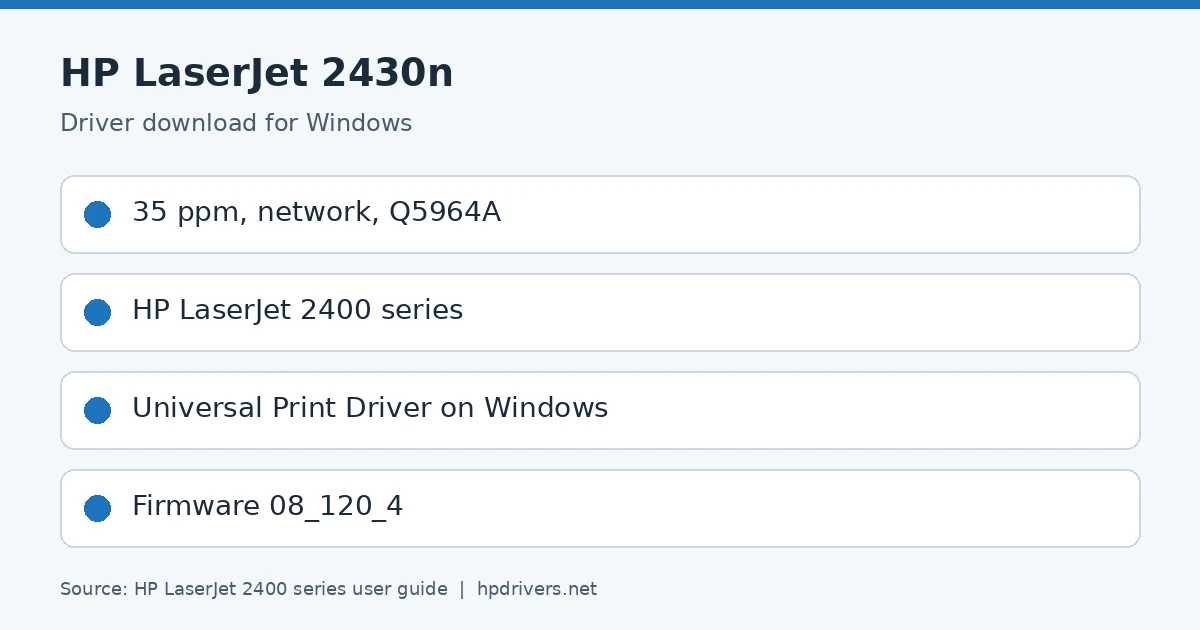
HP LaserJet 2430n spec card driver: key figures from HP's user guide
HP LaserJet 2430n spec card

Recommended LaserJet 2430n driver downloads

Windows 10, 8.1, 8 (64-bit): HP LaserJet USB (DOT4) communication driver for Windows 8 and Higher (64-bit)Version 7.0.0.29 · Released Apr 21, 2015 · 1.5 MB
Download
Windows 11: HP Universal Print Driver for Windows PCL6 (64-bit)Version 8.2.0.26819 · Released Sep 26, 2026 · 20.2 MB
Download

Each LaserJet 2430n file below comes straight from HP’s own servers. hpdrivers.net hosts and changes nothing.

LaserJet 2430n driver: all packages

Windows

Package / Windows
Version
Released
Size
HP LaserJet 2400 Series Printer Firmware (Includes Code Signing) for – All Operating Systems – (Must Read README Before Installing)
Windows: 11, 10, 8.1, 8, 7 (32-bit and 64-bit)
File detailsFile: lj2420_fw_08_120_4.zip
08_120_4
Jan 13, 2012
15.4 MB
HP LaserJet 2400 Series HP Easy Firmware Upgrade Utility (Includes Code Signing) for Windows Operating Systems
Windows: 11, 10, 8.1, 8, 7 (32-bit and 64-bit)
File detailsFile: lj2420_fw_util_08_120_4.exe
08_120_4
Jan 13, 2012
15.6 MB

Other HP software listed for this series

Software / Systems
Version
Size
HP LaserJet USB (DOT4) communication driver for Windows 8 and Higher (32-bit)
Systems: Windows 10, 8.1, 8 (32-bit)
7.0.0.29
1.1 MB
HP LaserJet USB (DOT4) communication driver for Windows 8 and Higher (64-bit)
Systems: Windows 10, 8.1, 8 (64-bit)
7.0.0.29
1.5 MB

HP Universal Print Driver

HP lists its Universal Print Driver for this series on Windows 11, Windows 10, 8.1, 8, 7 (32-bit and 64-bit). Get it from our HP Universal Print Driver page.

Installing the LaserJet 2430n driver

When your LaserJet 2430n download finishes, follow these steps.

  1. Download the Universal Print Driver that matches your Windows (PCL6 is the usual choice).
  2. Unzip the file and run the setup program.
  3. Choose Add a printer and pick the USB or network connection.
  4. Print a test page to confirm.

For step-by-step instructions, see our guide to installing an HP printer driver.

Firmware update 08_120_4

The newest firmware HP lists for the LaserJet 2400 is version 08_120_4, released Jan 13, 2012. HP says it adds code signing, so the printer can check that the firmware really comes from HP.

  • Check your current firmware version first on the printer’s Configuration Page, and update only if it is older.

LaserJet 2430n driver alternatives: HP Universal Print Driver

These are all the files HP lists for the LaserJet 2430n driver, including every Universal Print Driver package:

PackageVersionSizeFile
HP Universal Print Driver for Windows PCL6 (ARM64-bit)8.2.0.2677820.1 MBDownload
HP Universal Print Driver for Windows PCL6 (64-bit)8.2.0.2681920.2 MBDownload
HP Universal Print Driver for Windows PS (64-bit)8.2.0.2681921.4 MBDownload
HP Print Administrator Resource Kit1.9.218.7 MBDownload
HP Universal Print Driver for Windows PostScript (32-bit)8.2.0.2677819.0 MBDownload
HP Universal Print Driver for Windows PCL6 (32-bit)8.2.0.2677817.8 MBDownload
HP Universal Print Driver for Windows PostScript (64-bit)8.2.0.2677821.5 MBDownload
HP Universal Print Driver for Windows PCL6 (64-bit)8.2.0.2677820.3 MBDownload

LaserJet 2430n speed and processor

The LaserJet 2430n belongs to the fastest series of the 2400 line, at 35 ppm on letter paper and 33 ppm on A4. It has a 400 MHz processor, an embedded Jetdirect server and 64 MB of RAM, expandable to 320 MB. Resolution options are FastRes 1200 for business text and ProRes 1200 for line art and graphics.

Adding a DIMM to the 2430n

Extra memory helps with complex graphics, PostScript documents and many downloaded fonts. Currently, one DIMM sits in slot 1, and slot 2 is free. Compatible 100-pin DDR DIMMs come in 32, 48, 64, 128 and 256 MB.

  1. First, print a configuration page and note the memory.
  2. Next, turn the printer off, unplug it and remove the right side panel.
  3. Open the access door by its metal tab.
  4. Align the DIMM notches, press it in and check that the locks snap shut.
  5. Then close the door, refit the panel and reconnect.

Finally, print another configuration page to confirm the new total.

Operating environment for the LaserJet 2430n

While printing, keep the printer and cartridge between 15 and 32.5 degrees C (59 to 89 degrees F), at 10% to 80% relative humidity. In storage or standby, however, the range widens to -20 to 40 degrees C and 10% to 90% humidity.

Paper matters too. Stock must survive 200 degrees C (392 degrees F) for 0.1 second without scorching or melting. As a result, letterhead printed with low-temperature inks is unsuitable. Paper that has been affected by temperature or humidity can also cause jams.

Fonts and font lists on the LaserJet 2430n

The printer includes 80 fonts for Microsoft Windows. If you need more, add a CompactFlash font card, and up to two cards fit.

To see what is installed, press MENU, open INFORMATION, and choose PRINT PS FONT LIST or PRINT PCL FONT LIST. The PS list shows a sample of each font. In addition, the PCL list adds pitch and point size, plus the escape sequence that selects the font. Fonts marked INTERNAL stay in the printer permanently, whereas SOFT fonts remain only until replaced or until power is turned off.
HP Color LaserJet Enterprise CP4525dn Drivers

Looking for the HP Color LaserJet Enterprise CP4525dn driver? This page lists HP’s official software for the whole HP Color LaserJet Enterprise CP4525 Printer series: the Color LaserJet Enterprise CP4525n, Color LaserJet Enterprise CP4525dn and Color LaserJet Enterprise CP4525xh. HP lists some packages for specific models in the series, so check that the package title includes your model. For Windows 10, 8.1, 8, 7 (32-bit and 64-bit), the package most people need is the HP Color LaserJet CP4525 Full Software and Drivers Solution for EMEA Region. For Windows 11, HP lists the HP Universal Print Driver for Windows PCL6 (64-bit).

Last checked against HP’s download list: November 10, 2026 · Checked by H&G
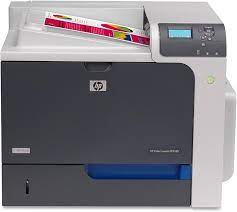
HP Color LaserJet Enterprise CP4525dn printer
HP Color LaserJet Enterprise CP4525dn

Recommended downloads

Windows 10, 8.1, 8, 7 (32-bit and 64-bit): HP Color LaserJet CP4525 Full Software and Drivers Solution for EMEA RegionVersion 2.0 · Released Mar 19, 2021 · 133.4 MB · HP rating: Recommended
Download
Windows 11: HP Universal Print Driver for Windows PCL6 (64-bit)Version 8.2.0.26819 · Released Sep 26, 2026 · 20.2 MB
Download

Files download directly from HP’s official servers. hpdrivers.net does not host or modify them.

Models covered by this page

All 3 models share one download list at HP:

HP Color LaserJet Enterprise CP4525n HP Color LaserJet Enterprise CP4525dn HP Color LaserJet Enterprise CP4525xh

Which Windows package should you choose?

HP publishes 6 kinds of Windows package for the Color LaserJet Enterprise CP4525:

  • Firmware update (v07.250.2, Jan 24, 2017): updates the printer itself, not your PC.
  • HP Universal Print Driver (v8.2.0.26778, Sep 26, 2026): HP’s shared driver for many models, also listed for this series.
  • Full software solution (v2.0, Mar 19, 2021, 133.4 MB): driver plus HP’s setup wizard and tools.
  • Driver files (no installer) (v61.155.01.16418, Apr 09, 2021): bare driver files for Windows’ Add Printer wizard.
  • HP Color LaserJet Enterprise CP4025/CP4525 PCL6 Driver with HP Driver Installation Utility (v61.091.12.102, Oct 21, 2014).
  • Driver-only installer (v61.091.12.102, Oct 21, 2014): print driver only, for PCs that can’t or shouldn’t take the full package.

All downloads for the Color LaserJet Enterprise CP4525

Windows

Package / Windows
Version
Released
Size
HP Color LaserJet CP4525 ICC Profiles
Windows: 11
10, 8.1, 8, 7 (32-bit and 64-bit)
File detailsFile: HP_CLJ_CP4525_ICC_profiles.zip
1.0
Jan 07, 2015
0.2 MB
HP Color LaserJet CP4525 Pantone color palette files (Windows)
Windows: 11
10, 8.1, 8, 7 (32-bit and 64-bit)
File detailsFile: HP_CLJ_4525_Pantone_Files_Windows.zip
1.0
Feb 10, 2014
7.3 MB
HP Color LaserJet Enterprise CP4025/CP4525 Printer series README
Windows: 11
10, 8.1, 8, 7 (32-bit and 64-bit)
File detailsFile: readme_cljCP4525fw_07_250_2.pdf
07.250.2
Jan 24, 2017
0.5 MB
HP Color LaserJet CP4020 HP Easy Firmware Upgrade Utility (Includes Code Signing) for Windows Operating Systems
Windows: 11
10, 8.1, 8, 7 (32-bit and 64-bit)
File detailsFile: cljCP4525_fw_utility_07_250_2.exe
07.250.2
Jan 24, 2017
49.9 MB
HP Color LaserJet Enterprise CP4025/CP4525 Printer series Firmware for All Operating Systems (Includes Code Signing)(Must Read README Before Installing)
Windows: 11
10, 8.1, 8, 7 (32-bit and 64-bit)
File detailsFile: cljCP4525_fw_07_250_2.zip
07.250.2
Jan 24, 2017
40.3 MB
HP Color LaserJet CP4525 Full Software and Drivers Solution for EMEA Region
Windows: 10, 8.1, 8, 7 (32-bit and 64-bit)
File detailsFile: HP_CLJ_CP4020_CP4520_Installer_EMEA_2.exe
2.0
Mar 19, 2021
133.4 MB
HP Color LaserJet CP4525 Full Software and Drivers Solution for Asia Pacific Region
Windows: 10, 8.1, 8, 7 (32-bit and 64-bit)
File detailsFile: HP_CLJ_CP4020_CP4520_Installer_AP_2.exe
2.0
Mar 19, 2021
68.4 MB
HP Color LaserJet Enterprise CP4025/CP4525 Series PCL6 Print Driver (no installer)
Windows: 10, 8.1, 8, 7 (32-bit and 64-bit)
File detailsFile: CLJ_CP4025_CP4525_drv-only_13240_1.exe
61.155.01.16418
Apr 09, 2021
20.3 MB
HP Color LaserJet Enterprise CP4025/CP4525 PCL6 Driver with HP Driver Installation Utility
Windows: 10 (32-bit and 64-bit)
8.1, 8, 7 (64-bit)
File detailsFile: HP_CLJ_CP4020_CP4520_64bit_PCL6_HPDIU.exe
61.091.12.102
Oct 21, 2014
15.2 MB
HP Color LaserJet CP4525 Full Software and Drivers Solution for Americas Region.
Windows: 10, 8.1, 8, 7 (32-bit and 64-bit)
File detailsFile: HP_CLJ_CP4020_CP4520_Installer_AM_2.exe
2.0
Mar 19, 2021
60.6 MB
HP Color LaserJet Enterprise CP4025/CP4525 PCL6 Driver with HP Driver Installation Utility
Windows: 8.1, 8, 7 (32-bit)
File detailsFile: HP_CLJ_CP4020_CP4520_32bit_PCL6_HPDIU.exe
61.091.12.102
Oct 21, 2014
14.4 MB

macOS

Package / macOS
Version
Released
Size
HP Color LaserJet CP4525 Pantone color palette files (Mac)
macOS: 26, 15, 14, 13, 12, 11, 10.13, 10.12, 10.11, 10.10, 10.15, 10.14, 10.9, 10.8, 10.7, 10.6, 10.5
File detailsFile: HP_CLJ_4525_Pantone_Files_Macintosh.zip
1.0
Feb 10, 2014
7.2 MB
HP Color LaserJet CP4525 ICC Profiles
macOS: 26, 15, 14, 13, 12, 11, 10.13, 10.12, 10.11, 10.10, 10.15, 10.14, 10.9, 10.8, 10.7, 10.6, 10.5
File detailsFile: HP_CLJ_CP4525_ICC_profiles.zip
1.0
Jan 07, 2015
0.2 MB
HP Color LaserJet Enterprise CP4025/CP4525 Printer series README
macOS: 26, 15, 14, 13, 12, 11, 10.13, 10.12, 10.11, 10.10, 10.15, 10.14, 10.9, 10.8, 10.7, 10.6, 10.5
File detailsFile: readme_cljCP4525fw_07_250_2.pdf
07.250.2
Jan 24, 2017
0.5 MB
HP Color LaserJet CP4020 HP Easy Firmware Upgrade Utility (Includes Code Signing) for Windows Operating Systems
macOS: 26, 15, 14, 13, 12, 11, 10.13, 10.12, 10.11, 10.10, 10.15, 10.14, 10.9, 10.8, 10.7, 10.6, 10.5
File detailsFile: cljCP4525_fw_utility_07_250_2.exe
07.250.2
Jan 24, 2017
49.9 MB
HP Color LaserJet Enterprise CP4025/CP4525 Printer series Firmware for All Operating Systems (Includes Code Signing)(Must Read README Before Installing)
macOS: 26, 15, 14, 13, 12, 11, 10.13, 10.12, 10.11, 10.10, 10.15, 10.14, 10.9, 10.8, 10.7, 10.6, 10.5
File detailsFile: cljCP4525_fw_07_250_2.zip
07.250.2
Jan 24, 2017
40.3 MB

Other HP software listed for this series

Software / Systems
Version
Size
HP LaserJet USB (DOT4) communication driver for Windows 8 and Higher (32-bit)
Systems: Windows 10, 8.1, 8 (32-bit)
7.0.0.29
1.1 MB
HP LaserJet USB (DOT4) communication driver for Windows 8 and Higher (64-bit)
Systems: Windows 10, 8.1, 8 (64-bit)
7.0.0.29
1.5 MB

HP Universal Print Driver

HP lists its Universal Print Driver for this series on Windows 11; Windows 10, 8.1, 8, 7 (32-bit and 64-bit). Get it from our HP Universal Print Driver page.

Linux

HP lists a Linux driver for this series: HP Color LaserJet CP4525 Pantone color palette files (Mac) (Version 1.0 · Released Feb 10, 2014 · 7.2 MB). Download from HP.

Installing the Color LaserJet Enterprise CP4525 driver

The driver files without an installer are added through Windows’ Add Printer wizard (Have Disk). For step-by-step instructions, see our guide to installing an HP printer driver.

Firmware update 07.250.2

The newest firmware HP lists for the Color LaserJet Enterprise CP4525 is version 07.250.2, released Jan 24, 2017.

  • Keep the printer and the computer switched on until the update has finished.

Specifications that matter for setup

Wi-Fi
Optional, enabled with purchase of a hardware accessory
Print languages
HP PCL 6, HP PCL 5, HP postscript level 3 emulation, direct PDF printing v 1.4
Print speed (black)
Normal: Up to 42 ppm
Recommended monthly volume
2500 to 10,000

Ink supplies HP lists for the Color LaserJet Enterprise CP4525

HP’s specifications name these replacement supplies for the Color LaserJet Enterprise CP4525:

  • HP LaserJet Black Print Cartridge standard capacity (8500 pages)
  • HP LaserJet Black Print Cartridge high capacity (17
  • 000 pages)
  • HP LaserJet Cyan Print Cartridges (11
  • 000 pages)
  • HP LaserJet Yellow Print Cartridge (11
  • 000 pages)
  • HP Magenta Print Cartridge (11

Paper handling and hardware details

Values below are HP’s published figures for the Color LaserJet Enterprise CP4525; they help you check that this page matches your printer before you download anything.

Output tray
500-sheet output bin
Paper sizes
Multipurpose tray: letter, legal, 5 x 8 in, 8.5 x 13 in, statement, executive, postcard, 3 x 5 in, 4 x 6 in; envelopes (No. 9, No. 10, Monarch)
Media types
Paper (plain, light, bond, recycled, mid-weight, heavy, mid-weight glossy, heavy glossy, extra heavy, extra heavy glossy, cardstock, card glossy, preprinted, prepunched, colored, rough)
Paper weight
Multipurpose tray: 16 to 58 lb; 500-sheet input trays, automatic two-sided printing unit: 16 to 32 lb plain paper; 28 to 58 lb glossy paper
Print speed (color)
Up to 42 ppm
Print quality (black)
Black: Up to 1200 x 1200 dpi Color: Up to 1200 x 1200 dpi
Control panel
2.0-in LCD (color graphics)
Processor
800 MHz
Power use
740 watts (printing), 72 watts (ready), 19 watts (sleep), 0.3 watts (off)
USB cable
No, please purchase USB cable separately
Warranty
One-year, next-business day, onsite warranty

Jam messages on the Color LaserJet Enterprise CP4525

HP’s jam article for the CP4025 and CP4525 shows a message and an animation, such as 13.13.00 JAM IN RIGHT DOOR, 13.30.00 JAM IN TRAY 1 or 13.08.00 JAM IN LOWER RIGHT DOOR. HP warns to take off necklaces, bracelets or other metal before reaching inside.

Right door and fuser (13.02, 13.04, 13.12, 13.13, 13.20, 13.21, 13.05, 13.06, 13.1C)

  • 13.05 and 13.06 are fuser area jams and 13.1C a fuser wrap jam. Let the fuser cool, open the right door and pull the paper out of the pickup area.
  • Pull paper entering the bottom of the fuser or the output bin downward, without touching the transfer roller. If none is visible, take the fuser out and check inside it.

Source: HP Support, HP Color LaserJet Enterprise CP4025, CP4525 – Paper jam errors.

Feeding problems and the cleaning page on the CP4525

HP’s feeding article for the CP4020 and CP4520 series lists each symptom with its cause, and starts by saying the paper type on the control panel must match the paper in the tray.

Examples from HP’s table

  • Several sheets at once: the paper is sticking together. Flex it, rotate it 180 degrees or flip it, and do not fan it, because fanning creates static.
  • Other entries cover the wrong page size, the wrong tray, paper not feeding from Trays 2 to 5, transparencies or glossy paper, envelopes, curled or wrinkled output and two-sided printing.

Cleaning the paper path

  • From Home, open CONFIGURE DEVICE, then PRINT QUALITY. On models without automatic two-sided printing first choose CREATE CLEANING PAGE and follow the printed instructions.
  • Then choose PROCESS CLEANING PAGE; it takes several minutes, after which the page can be thrown away.

Source: HP Support, HP Color LaserJet Enterprise CP4020/CP4520 Series Printer – Product feeds incorrectly or has wrinkled output. and Clean the paper path.

USB printing errors and control panel messages on the CP4525

PCL-XL errors over USB

  • HP says CP4025 and CP4525 printers on firmware 20090915 (06.072.0) can fail many USB jobs, usually with a PCL-XL error page from the PCL 6 driver.
  • HP’s fix is firmware 20091110 (07.010.3) or newer, installed over a network connection, not over USB. Without a network, HP explains how to connect the printer and computer directly with one network cable (an older computer may need a crossover cable).

Message types

  • Status messages such as Ready need no action. Warning messages alternate with Ready until OK is pressed, and clearable ones disappear with the next job if CLEARABLE WARNINGS is set to JOB. Error messages ask for an action such as loading paper, and some continue on their own when AUTO-CONTINUE is set.

Source: HP Support, HP Color LaserJet CP4025 and CP4525 Printer Series – USB connection causes PCL-XL errors. and Interpret control-panel messages.

Manual print modes on the CP4525

For image quality problems HP’s CP4020 and CP4520 article suggests trying the special modes under PRINT QUALITY, in the ADJUST PAPER TYPES and OPTIMIZE submenus.

Modes and settings

  • Print modes per paper type range from AUTOSENSE, NORMAL, LIGHT and HEAVY to CARDSTOCK, glossy, ROUGH, TRANSPARENCY, TOUGH, LABEL and ENVELOPE; not every mode is offered for every type.
  • RESISTANCE MODE set to UP helps poor secondary transfer on rough or resistive paper in dry rooms.
  • HUMIDITY MODE set to HIGH helps in humid rooms when the first page of a job prints light, or with glossy film, Tough Paper, opaque film or color transparencies.

Colored text printing black

  • If colored text prints black while graphics stay in color, HP says the driver’s Print All Text as Black option is on. Set it to Disabled on the Advanced tab of Printing Preferences, or of Printing Defaults on client computers.

49.XXXX errors

  • HP’s Auto Recovery feature lets the printer restart itself after an intermittent 49 error. HP says it is turned on automatically with current firmware and can be checked or turned off from the control panel or the Embedded Web Server.

Source: HP Support, HP Color LaserJet Enterprise CP4020/4520 Series Printer – Use manual print modes. Print Color Text as Black and White and Using the Auto Recovery Feature for 49.XXXX Errors.

HP LaserJet P1005 Driver Download (P1005, P1005 Limited)

Looking for an HP LaserJet P1005 driver download? This page lists HP’s official software for the HP LaserJet P1005 and LaserJet P1005 Limited, which HP lists with (almost) the same downloads. HP lists some packages for specific models in the series, so check that the package title includes your model. For Windows 7 (32-bit and 64-bit), the package most people need is the HP LaserJet P1005/P1006/P1500 Printer Series Full Feature Software and Driver. For Windows 11, HP lists the HP LaserJet P1000-P1500 Hostbased Plug and Play Basic Driver.

Last checked against HP’s download list: November 17, 2026 · Checked by H&G
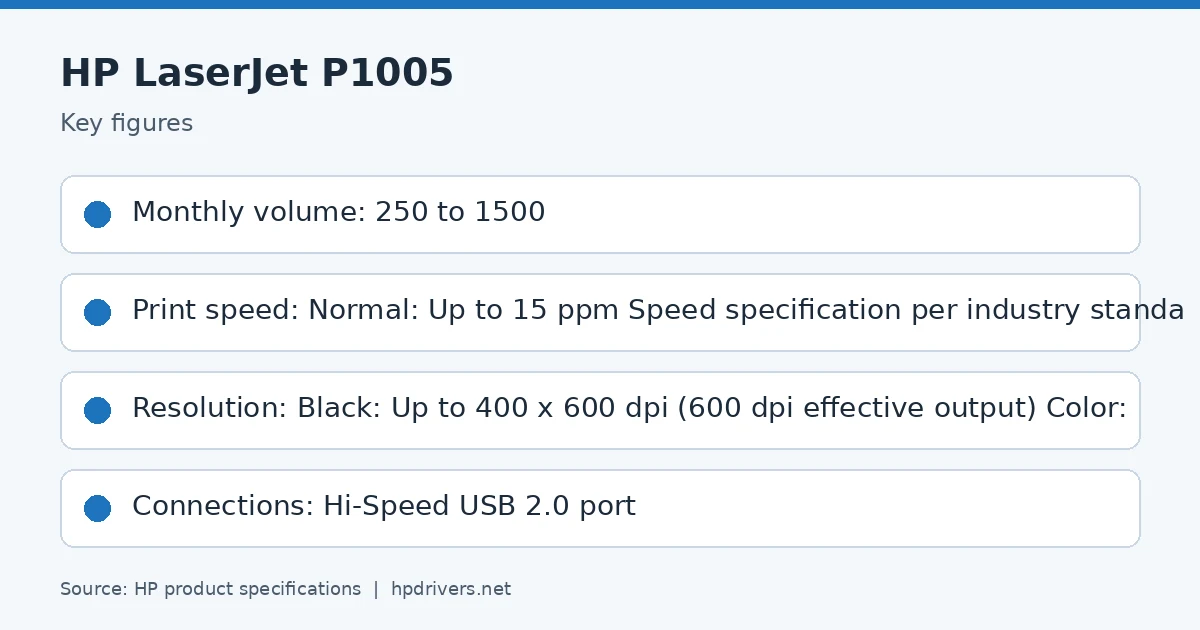
LaserJet P1005 driver: key figures from HP's user guide
LaserJet P1005

Recommended downloads

Windows 7 (32-bit and 64-bit): HP LaserJet P1005/P1006/P1500 Printer Series Full Feature Software and DriverVersion 8.0 · Released Sep 17, 2014 · 163.3 MB · HP rating: Recommended
Download
Windows 11, Windows 10, 8.1, 8, 7 (64-bit): HP LaserJet P1000-P1500 Hostbased Plug and Play Basic DriverVersion 20130415 · Released May 24, 2013 · 3.9 MB
Download

Files download directly from HP’s official servers. hpdrivers.net does not host or modify them.

Models covered by this page

All 2 models share one download list at HP:

HP LaserJet P1005 HP LaserJet P1005 Limited

Which Windows package should you choose?

HP publishes 2 kinds of Windows package for the LaserJet P1005 Printer:

  • Driver-only installer (v20130415, May 24, 2013): print driver only, for PCs that can’t or shouldn’t take the full package.
  • Full software solution (v8.0, Sep 17, 2014, 163.3 MB): driver plus HP’s setup wizard and tools.

All downloads for the LaserJet P1005 Printer

Each LaserJet P1005 driver download below links straight to the file on HP’s servers; HP’s own support page for this series lists the same files.

Windows

Package / Windows
Version
Released
Size
HP LaserJet P1005/P1006/P1500 Printer Series Full Feature Software and Driver
Windows: 7 (32-bit and 64-bit)
File detailsFile: hp_LJ_P1005_P1505_Full_Solution_ROW.exe
8.0
Sep 17, 2014
163.3 MB

Other HP software listed for this series

Software / Systems
Version
Size
HP LaserJet P1000-P1500 Hostbased Plug and Play Basic Driver
Systems: Windows 11
Windows 10, 8.1, 8, 7 (32-bit and 64-bit)
20130415
3.9 MB

Linux

HP lists Linux support for this series through its HPLIP project, outside the regular download list: HP’s Linux printing page (HPLIP).

Installing the LaserJet P1005 Printer driver

Once the LaserJet P1005 driver download from the table above is complete, follow these steps.

  1. Download HP Easy Start or the Full Software package from the Recommended downloads box.
  2. Keep the USB cable unplugged until the installer asks for it; for a network model, connect to your Wi-Fi or Ethernet first.
  3. Run the installer and select your model when it lists the printers it found.
  4. Print a test page and a scan to check that both work.

For step-by-step instructions, see our guide to installing an HP printer driver.

Specifications that matter for setup

Connections
Hi-Speed USB 2.0 port
Wi-Fi
Not built in
Print languages
Host-based printing
Print speed (black)
Normal: Up to 15 ppm Speed specification per industry standard testing methods
Recommended monthly volume
250 to 1500
Two-sided printing
Manual (driver support provided)

Paper handling and hardware details

Values below are HP’s published figures for the LaserJet P1005 Printer; they help you check that this page matches your printer before you download anything.

Paper input tray
150-sheet input tray
Output tray
100-sheet face-down bin
Paper sizes
Letter, legal, executive, postcards, envelopes (No. 10, Monarch)
Media types
Paper (laser, plain, photo, rough, vellum), envelopes, labels, cardstock, transparencies, postcards
Paper weight
150-sheet tray: 16 to 43 lb
Print speed (color)
Speed specification per industry standard testing methods
Print quality (black)
Black: Up to 400 x 600 dpi (600 dpi effective output)
Processor
266 MHz
Power use
315 watts (printing), 3 watts (ready), 3 watts (sleep), 0.6 watts (off) Power reported is the highest value measured using all standard voltages
Size (W x D x H)
13.66 x 8.82 x 7.64 in
Weight
10.3 lb
USB cable
No, please purchase USB cable separately
Warranty
One-year limited warranty

Common setup problems

  • No Wi-Fi option during setup. HP’s specifications list no built-in Wi-Fi for the LaserJet P1005 Printer. Connect it with a USB cable; HP lists no network port for it.

LaserJet P1005: speed, volume and controller

HP rates the LaserJet P1005 at up to 15 ppm Speed specification per industry standard testing methods for black pages, with the first page out as fast as 8.5 sec. The recommended monthly volume is 250 to 1500 pages and the duty cycle is up to 5000 pages.

Inside, it has a 266 MHz processor.

Based on HP’s product specifications for this series.

Paper handling, connections and supplies of the LaserJet P1005

Standard input is 150-sheet input tray; output is 100-sheet face-down bin; the maximum output capacity is up to 100 sheets.

Standard connections are Hi-Speed USB 2.0 port; optional accessories are None; wireless: no.

Based on HP’s product specifications for this series.

Similar models

This page is the LaserJet P1005 driver download page for this model only. The LaserJet P1007 has its own page.