
hpdrivers.net is an independent website and is not affiliated with, endorsed by, or sponsored by HP Inc. Download links point to HP's official servers (ftp.hp.com). Read the full disclaimer

HP Color LaserJet Managed MFP E78228 Drivers (Color LaserJet Managed MFP E78223-E78228 Series)

Last checked against HP’s download list: November 9, 2026 · Checked by H&G

Looking for the HP Color LaserJet Managed MFP E78228 driver? This page lists HP’s official software for the whole HP Color LaserJet Managed MFP E78223-E78228 series. HP lists some packages for specific models in the series, so check that the package title includes your model. For Windows 11; Windows 10, 8.1, 8, 7 (32-bit and 64-bit), the package most people need is the HP Color LaserJet Managed MFP E78223/ E78228 series Full Software Solution. For a Mac, HP lists Install HP Easy Start.
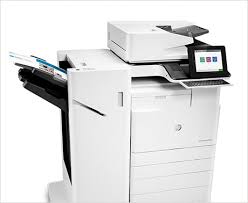
HP Color LaserJet Managed MFP E78228 printer
HP Color LaserJet Managed MFP E78228

Recommended downloads

Windows 11; Windows 10, 8.1, 8, 7 (32-bit and 64-bit): HP Color LaserJet Managed MFP E78223/ E78228 series Full Software SolutionVersion 50.3.4573 · Released Nov 18, 2021 · 76.8 MB · HP rating: Recommended
Download
macOS 26, 15, 14: Install HP Easy StartVersion 2.16.7.260722 · Released Aug 14, 2026 · 6.3 MB
Download

Files download directly from HP’s official servers. hpdrivers.net does not host or modify them.

Models covered by this page

All 9 models share one download list at HP:

HP Color LaserJet Managed MFP E78223dn – Bundle Product 23 ppm HP Color LaserJet Managed MFP E78223dn HP Color LaserJet Managed MFP E78223-28dn – Base Product 23-28ppm HP Color LaserJet Managed MFP E78223a HP Color LaserJet Managed MFP E78223dv HP Color LaserJet Managed MFP E78223dn License HP Color LaserJet Managed MFP E78228dn License HP Color LaserJet Managed MFP E78228dn – Bundle Product 28 ppm HP Color LaserJet Managed MFP E78228dn

Which Windows package should you choose?

HP publishes 5 kinds of Windows package for the Color LaserJet Managed MFP E78223-E78228:

  • Firmware update (v2411226_066584, Feb 02, 2023): updates the printer itself, not your PC.
  • Driver files (no installer) (v50.3.4573, Nov 18, 2021): bare driver files for Windows’ Add Printer wizard.
  • Full software solution (v50.3.4573, Nov 18, 2021, 76.8 MB): driver plus HP’s setup wizard and tools.
  • HP Universal Print Driver (v8.2.89, Sep 11, 2026): HP’s shared driver for many models, also listed for this series.
  • HP Scan and Twain Package for USB (v50.1.4577, May 28, 2020): scanning from the computer.

All downloads for the Color LaserJet Managed MFP E78223-E78228

Windows

Package / Windows
Version
Released
Size
FutureSmart Bundle Version 4.12.0.1 – HP Color LaserJet Managed MFP E78223/28 Series Printer FIRMWARE
Windows: 11
10, 8.1, 8, 7, Vista (32-bit and 64-bit)
XP (32-bit)
File detailsFile: E78223_28_fs4.12.0.1_fw_2411226_066584.zip
2411226_066584
Feb 02, 2023
847.9 MB
FutureSmart Bundle Version 5.10.0.7 – HP Color LaserJet Managed MFP E78223/28 Series Printer FIRMWARE
Windows: 11
10, 8.1, 8, 7, Vista (32-bit and 64-bit)
XP (32-bit)
File detailsFile: E78223_28_fs5.10.0.7_fw_2510156_069200.zip
2510156_069200
Aug 28, 2026
996.6 MB
HP Color LaserJet Managed MFP E78223/ E78228 series PCL-6 V4 Printer Driver (no installer)
Windows: 11
10, 8.1 (32-bit and 64-bit)
File detailsFile: V4_DriveronlyWebpack-50.3.4573-CLJE78223-E78228_V4_DriveronlyWebpack.exe
50.3.4573
Nov 18, 2021
10.3 MB
HP Color LaserJet Managed MFP E78223/ E78228 series Full Software Solution
Windows: 11
10, 8.1, 8, 7 (32-bit and 64-bit)
File detailsFile: Full_Webpack-50.3.4573-CLJE78223-E78228_Full_Webpack.exe
50.3.4573
Nov 18, 2021
76.8 MB
HP Color LaserJet Managed MFP E78223/ E78228 series PCL 6 V3 Printer Driver (no installer)
Windows: 11
10, 8.1, 8, 7 (32-bit and 64-bit)
File detailsFile: V3_DriveronlyWebpack-50.3.4573-CLJE78223-E78228_V3_DriveronlyWebpack.exe
50.3.4573
Nov 18, 2021
14.3 MB

macOS

Package / macOS
Version
Released
Size
FutureSmart Bundle Version 4.12.0.1 – HP Color LaserJet Managed MFP E78223/28 Series Printer FIRMWARE
macOS: 26, 15, 14, 13, 12, 11, 10.13, 10.12, 10.11, 10.10, 10.15, 10.14, 10.9, 10.8
File detailsFile: E78223_28_fs4.12.0.1_fw_2411226_066584.zip
2411226_066584
Feb 02, 2023
847.9 MB
FutureSmart Bundle Version 5.10.0.7 – HP Color LaserJet Managed MFP E78223/28 Series Printer FIRMWARE
macOS: 26, 15, 14, 13, 12, 11, 10.13, 10.12, 10.11, 10.10, 10.15, 10.14, 10.9, 10.8
File detailsFile: E78223_28_fs5.10.0.7_fw_2510156_069200.zip
2510156_069200
Aug 28, 2026
996.6 MB

Other HP software listed for this series

Software / Systems
Version
Size
HP Universal Scan – Full Feature Software and Driver (ARM 64)
Systems: Windows 11
63.8.6459
437.0 MB
HP Universal Scan – Full Feature Software and Driver
Systems: Windows 11
Windows 10, 8.1, 7 (32-bit and 64-bit)
63.8.6459
436.2 MB
HP Universal Scan – Basic Feature Software and Driver
Systems: Windows 11
Windows 10, 8.1, 7 (32-bit and 64-bit)
63.8.6459
113.9 MB
HP Universal Scan – Basic Feature Software and Driver (ARM 64)
Systems: Windows 11
63.8.6459
118.7 MB
HP Scan OCR Add-on Software
Systems: Windows 11
Windows 10, 8.1, 7 (32-bit and 64-bit)
1.0.1020
224.9 MB
HP Smart Universal Printing Driver for Windows V3 (32-bit)
Systems: Windows 11
Windows 10, 7 (32-bit)
4.08.1.3348
25.1 MB
HP Scan and Twain Package for USB
Systems: Windows 10, 8.1, 8, 7 (32-bit and 64-bit)
Windows XP (32-bit)
50.1.4577
15.4 MB
HP Smart Universal Printing Driver for Windows V4 (32-bit)
Systems: Windows 10 (32-bit)
6.03.1.4143
23.0 MB
HP Easy Admin
Systems: macOS 26, 15, 14, 13, 11, 10.13, 10.12, 10.11, 10.10, 10.15, 10.14, 10.9
2.16.0.251010
4.9 MB
Install HP Easy Start
Systems: macOS 26, 15, 14
2.16.7.260722
6.3 MB

HP Universal Print Driver

HP lists its Universal Print Driver for this series on Windows 11; Windows 10, 8.1, 7 (32-bit and 64-bit); Windows 8 (32-bit). Get it from our HP Universal Print Driver page.

Linux

HP lists a Linux driver for this series: FutureSmart Bundle Version 4.12.0.1 – HP Color LaserJet Managed MFP E78223/28 Series Printer FIRMWARE (Version 2411226_066584 · Released Feb 02, 2023 · 847.9 MB). Download from HP.

Installing the Color LaserJet Managed MFP E78223-E78228 driver

The driver files without an installer are added through Windows’ Add Printer wizard (Have Disk). For step-by-step instructions, see our guide to installing an HP printer driver.

Firmware update 2411226_066584

The newest firmware HP lists for the Color LaserJet Managed MFP E78223-E78228 is version 2411226_066584, released Feb 02, 2023.

  • Keep the printer and the computer switched on until the update has finished.

Specifications that matter for setup

Connections
2 Hi-Speed USB 2.0 Host; 1 Hi-Speed USB 2.0 Device; 1 Gigabit Ethernet 10/100/1000T network; 1 Hardware Integration Pocket
Wi-Fi
Not built in
Mobile printing
Apple AirPrint™; Google Cloud Print™; HP ePrint; Mopria™ Certified; PrinterOn Print
Print languages
HP PCL 5c, HP PCL 6, HP Postscript level 3 emulation, PDF (v 1.7), AirPrint™ compatible
Functions
Print, copy, scan, fax (optional)
Recommended monthly volume
Up to 20,000
Two-sided printing
Automatic (standard)
Scanner
Flatbed, ADF
Scan resolution
UP to 600 x 600 dpi
Two-sided ADF scanning
Yes
Document feeder
Standard, 100 sheets
Scan file formats
Digital Send: PDF, Hi-Compression PDF, JPEG, TIFF, MTIFF, XPS, PDF/A; Scan to easy access USB: PDF, JPEG, TIFF, MTIFF, XPS, PDF/A; Print from easy access USB: PDF, PS, Print Ready files (.prn, .pcl
Ways to scan
Front panel applications: Copy; E-mail; Fax; Save to Network Folder; Save to USB; Save to Device Memory; Open Extensibility Platform (OXP) applications

Toner supplies HP lists for the Color LaserJet Managed MFP E78223-E78228

HP’s specifications name these replacement supplies for the Color LaserJet Managed MFP E78223-E78228:

  • HP Black Managed LJ Toner Cartridge (ISO

What comes in the box

HP lists these items with the Color LaserJet Managed MFP E78223-E78228:

  • Engine
  • TCU
  • Drums
  • Assy-Color WG Nameplate and Label
  • Power Cords
  • Hardware install and setup documentation
  • Support flyers
  • (APJ only) Introductory cartridges (APJ only)Introductory cartridges included

Paper handling and hardware details

Values below are HP’s published figures for the Color LaserJet Managed MFP E78223-E78228; they help you check that this page matches your printer before you download anything.

Paper input tray
100-sheet multi-purpose tray, 2 x 520-sheet input tray, 100 sheet ADF
Output tray
500 sheet face-down output bin
Optional trays
Optional 2 x 520-sheet input tray
Paper sizes
Tray 1: Letter, Letter R, Legal, Executive, Statement, Oficio, 11 x 17, 4 x 6, 5 x 7, 5 x 8,10 x 15, 8k, 16k, envelope #9, Envelope #10, Envelope Monarch
Media types
Plain, HP EcoEFICIENT, HP Matte 90g, Light 60-74g, Bond, Recycled, HP Matte 105g, HP Matte 120g, Mid-Weight 96-110g, Heavy 111-130g, HP Matte 150g, Extra Heavy 131-175g, HP Matte 200g
Paper weight
Tray 1: 16 to 46 lb bond; Tray 2, 3: 16 to 58 lb bond
Print quality (black)
Black: Color: Up to 1200 x 1200 dpi
Memory
4.25 GB (Formatter 1.25 GB + ECB 3 GB)
Processor
1.2 GHz
Internal storage
Standard two 16 GB encrypted eMMCs (one is located on formatter board for stored jobs and solutions. Another one is located on ECB for copy/scan function)
Power use
Power requirements are based on the country/region where the printer is sold. Do not convert operating voltages. This will damage the printer and void the produ
USB cable
No, please purchase USB cable separately (EMEA, Americas; AP) (Service Technician must install units)
Warranty
90 day parts only. Extended

Common setup problems

  • No Wi-Fi option during setup. HP’s specifications list no built-in Wi-Fi for the Color LaserJet Managed MFP E78223-E78228. Use an Ethernet cable or USB.
  • You’d rather not install software on a Mac. HP’s specifications list AirPrint support, so macOS can usually add the printer from System Settings without extra software.
HP LaserJet Tank MFP 1005w Drivers

Last checked against HP’s download list: November 5, 2026 · Checked by H&G

Looking for the HP LaserJet Tank MFP 1005w driver? This page lists HP’s official software for the whole HP LaserJet Tank MFP 1005 Printer series: the LaserJet Tank MFP 1005 and LaserJet Tank MFP 1005w. HP lists some packages for specific models in the series, so check that the package title includes your model. For Windows 11; Windows 10, 7 (32-bit and 64-bit), the package most people need is the HP LaserJet Tank MFP 1005w EasyStart Printer Setup Software – Offline Use Only.

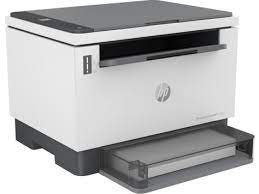
HP LaserJet Tank MFP 1005w printer
HP LaserJet Tank MFP 1005w (one model of this series)

Recommended downloads

Windows 11; Windows 10, 7 (32-bit and 64-bit): HP LaserJet Tank MFP 1005w EasyStart Printer Setup Software – Offline Use OnlyVersion 56.2.5271 · Released Feb 07, 2022 · 201.2 MB
Download

Files download directly from HP’s official servers. hpdrivers.net does not host or modify them.

Models covered by this page

All 2 models share one download list at HP:

HP LaserJet Tank MFP 1005 HP LaserJet Tank MFP 1005w

Which Windows package should you choose?

HP publishes 2 kinds of Windows package for the LaserJet Tank MFP 1005:

  • Firmware update (v12500, Apr 30, 2024): updates the printer itself, not your PC.
  • Full software solution (v56.2.5271, Feb 07, 2022, 201.2 MB): driver plus HP’s setup wizard and tools.

All downloads for the LaserJet Tank MFP 1005

Windows

Package / Windows
Version
Released
Size
HP LaserJet Tank MFP 1005, 1602-1604, 2602 – 2606 Printer Series
Windows: 11
10, 8.1, 8, 7, Vista (32-bit and 64-bit)
XP (32-bit)
File detailsFile: 1005_160x_260x_LaserJetTank_ControllerFirmware_12500.exe
12500
Apr 30, 2024
0.9 MB
HP LaserJet Tank MFP 1005, 1602-1604, 2602 – 2606 Printer Series
Windows: 11
10, 8.1, 8, 7, Vista (32-bit and 64-bit)
XP (32-bit)
File detailsFile: 160x-260x_Series_FW_Update-20240813.exe
20240813
Sep 27, 2024
8.8 MB
HP LaserJet Tank MFP 1005w EasyStart Printer Setup Software – Offline Use Only
Windows: 11
10, 7 (32-bit and 64-bit)
File detailsFile: HPEasyStart-13.6.5-LJTMFP1005_UWL_56_2_5271_1_Webpack.exe
56.2.5271
Feb 07, 2022
201.2 MB
HP LaserJet Tank MFP 1005 EasyStart Printer Setup Software – Offline Use Only
Windows: 11
10, 7 (32-bit and 64-bit)
File detailsFile: HPEasyStart-13.6.5-LJTMFP1005_U_56_2_5271_1_Webpack.exe
56.2.5271
Feb 07, 2022
201.2 MB

Other HP software listed for this series

Software / Systems
Version
Size
HP Universal Scan – Full Feature Software and Driver (ARM 64)
Systems: Windows 11
63.8.6459
437.0 MB
HP Universal Scan – Full Feature Software and Driver
Systems: Windows 11
Windows 10, 8.1, 7 (32-bit and 64-bit)
63.8.6459
436.2 MB
HP Universal Scan – Basic Feature Software and Driver
Systems: Windows 11
Windows 10, 8.1, 7 (32-bit and 64-bit)
63.8.6459
113.9 MB
HP Universal Scan – Basic Feature Software and Driver (ARM 64)
Systems: Windows 11
63.8.6459
118.7 MB
HP Easy Start Printer Setup Software (Internet connection required for driver installation)
Systems: Windows 11
Windows 10, 7 (32-bit and 64-bit)
17.6.15
26.5 MB
ReadIRIS Advanced OCR
Systems: Windows 11
Windows 10 (32-bit and 64-bit)
17.4.211
448.6 MB
ReadIRIS Advanced PDF
Systems: Windows 11
Windows 10 (64-bit)
27.0.577.2
532.8 MB
HP Scan OCR Add-on Software
Systems: Windows 11
Windows 10, 8.1, 7 (32-bit and 64-bit)
1.0.1020
224.9 MB
Install HP app to complete setup and support
Systems: Windows 11
Windows 10 (64-bit)
–
–
Install HP Smart app to complete setup and support
Systems: Windows 10 (32-bit)
–
–

Linux

HP lists Linux support for this series through its HPLIP project, outside the regular download list: HP’s Linux printing page (HPLIP).

Installing the LaserJet Tank MFP 1005 driver

For step-by-step instructions, see our guide to installing an HP printer driver.

Firmware update 20240813

The newest firmware HP lists for the LaserJet Tank MFP 1005 is version 20240813, released Sep 27, 2024. HP’s notes for it: General improvements and bug fixes Contains all previous fixes and enhancements.

  • Check your current firmware version first on the printer’s Configuration Page, and update only if it is older.
  • Install the printer driver before running the update. HP’s utility needs it to reach the printer.

Specifications that matter for setup

Mobile printing
Mobile device needs to be connected to Wi-Fi Direct® signal of a Wi-Fi Direct-supported AiO or printer prior to printing. Details at hp.com/go/mobileprinting . Wi-Fi Direct® is a registered tradem
Print languages
PCLmS; URF; PWG
Print speed (black)
Normal: Up to 23 ppm
Recommended monthly volume
250-2500
Two-sided printing
Manual (driver support provided)

Toner supplies HP lists for the LaserJet Tank MFP 1005

HP’s specifications name these replacement supplies for the LaserJet Tank MFP 1005:

  • HP 158A Black LaserJet Tank Toner Reload Kit (Yield ~2500 pages)

Paper handling and hardware details

Values below are HP’s published figures for the LaserJet Tank MFP 1005; they help you check that this page matches your printer before you download anything.

Paper input tray
Up to 150 sheets
Output tray
Up to 100 sheets
Paper sizes
Letter; envelopes (No.10); Legal; Postcard; Double Postcard; Executive; Officio; Custom
Media types
Plain paper, Heavy paper, Bond paper, Label, Light paper, Envelope
Paper weight
16 to 43 lb
Print quality (black)
Black: Up to 600 x 600 dpi
Control panel
Icon LCD
Processor
500 MHz
Power use
Active printing: 390w, Ready: 2.7w, Sleep: 0.51w, Manual Off: 0.05w, Auto Off/Manual On: 0.05w
Size (W x D x H)
14.5 X 12.83 X 10 in
Weight
17.4 lb
USB cable
Yes, 1 USB Cable for 1005 and 1005w (China and India)
Warranty
One-year limited hardware warranty. For more info, please visit us at https://support.hp.com

HP LaserJet Tank 1502w Drivers (LaserJet Tank 1502-1504 Series)

Last checked against HP’s download list: November 13, 2026 · Checked by H&G

Looking for the HP LaserJet Tank 1502w driver? This page lists HP’s official software for the whole HP LaserJet Tank 1502-1504 Printer series. HP lists some packages for specific models in the series, so check that the package title includes your model. For Windows 11; Windows 10, 7 (32-bit and 64-bit), the package most people need is the HP LaserJet Tank 1502w/1504w EasyStart Printer Setup Software – Offline Use Only. For a Mac, HP lists Install HP app to complete setup and support.

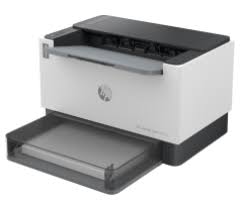
HP LaserJet Tank 1502w printer
HP LaserJet Tank 1502w

Recommended downloads

Windows 11; Windows 10, 7 (32-bit and 64-bit): HP LaserJet Tank 1502w/1504w EasyStart Printer Setup Software – Offline Use OnlyVersion 56.2.5271 · Released Feb 07, 2022 · 150.6 MB
Download
macOS 26, 15, 14, 13, 12, 11: Install HP app to complete setup and supportReleased Aug 29, 2025 · HP rating: Recommended
Download

Files download directly from HP’s official servers. hpdrivers.net does not host or modify them.

Which Windows package should you choose?

HP publishes 2 kinds of Windows package for the LaserJet Tank 1502-1504:

  • Full software solution (v56.2.5271, Feb 07, 2022, 150.6 MB): driver plus HP’s setup wizard and tools.
  • Firmware update (v12500, Apr 30, 2024): updates the printer itself, not your PC.

All downloads for the LaserJet Tank 1502-1504

Windows

Package / Windows
Version
Released
Size
HP LaserJet Tank 1502w/1504w EasyStart Printer Setup Software – Offline Use Only
Windows: 11
10, 7 (32-bit and 64-bit)
File detailsFile: HPEasyStart-13.6.5-LJT150x_UWL_56_2_5271_1_Webpack.exe
56.2.5271
Feb 07, 2022
150.6 MB
HP LaserJet Tank 1020 Series, 1502-1504 Series, 2502 – 2506 Series
Windows: 11
10, 8.1, 8 (32-bit and 64-bit)
File detailsFile: 1020_150x_250x_LaserJetTank_Controllerfirmware_12500.exe
12500
Apr 30, 2024
0.9 MB
HP LaserJet Tank 1020 Series, 1502-1504 Series, 2502 – 2506 Series
Windows: 11
10, 8.1, 8, 7 (32-bit and 64-bit)
File detailsFile: 150x-250x_Series_FW_Update-20240813.exe
20240813
Sep 27, 2024
5.4 MB

macOS

Package / macOS
Version
Released
Size
HP LaserJet Tank 1020, 1502-1504, 2502 – 2506 Printer series Controller Firmware Utility
macOS: 14, 13, 12, 11, 10.13, 10.12, 10.11, 10.10, 10.15, 10.14, 10.9, 10.8, 10.7, 10.6, 10.5
File detailsFile: 1020_150x_250x_LaserJetTank_Controllerfirmware_12500.dmg
12500
Jun 06, 2024
6.3 MB
HP LaserJet Tank 1020 Series, 1502-1504 Series, 2502 – 2506 Series
macOS: 14, 13, 12, 11, 10.13, 10.12, 10.11, 10.10, 10.15, 10.14, 10.9, 10.8, 10.7, 10.6, 10.5
File detailsFile: 150x-250x_Series_FW_Update-20240813.dmg
20240813
Sep 27, 2024
10.9 MB

Other HP software listed for this series

Software / Systems
Version
Size
HP Easy Start Printer Setup Software (Internet connection required for driver installation)
Systems: Windows 11
Windows 10, 7 (32-bit and 64-bit)
17.6.15
26.5 MB
Install HP app to complete setup and support
Systems: Windows 11
Windows 10 (64-bit)
–
–
Install HP Smart app to complete setup and support
Systems: Windows 10 (32-bit)
–
–
Install HP app to complete setup and support
Systems: macOS 26, 15, 14, 13, 12, 11
–
–

Linux

HP lists Linux support for this series through its HPLIP project, outside the regular download list: HP’s Linux printing page (HPLIP).

Installing the LaserJet Tank 1502-1504 driver

For step-by-step instructions, see our guide to installing an HP printer driver.

Firmware update 20240813

The newest firmware HP lists for the LaserJet Tank 1502-1504 is version 20240813, released Sep 27, 2024. HP’s notes for it: General improvements and bug fixes Contains all previous fixes and enhancements.

  • Check your current firmware version first on the printer’s Configuration Page, and update only if it is older.
  • Install the printer driver before running the update. HP’s utility needs it to reach the printer.

Specifications that matter for setup

Connections
Hi-Speed USB (compatible with USB 2.0 specifications); Ethernet 10/100 BT; 802.11a/b/g/n (2.4/5 GHz) Wi-Fi radio
Mobile printing
Mobile device needs to be connected to Wi-Fi Direct® signal of a Wi-Fi Direct-supported AiO or printer prior to printing. Details at hp.com/go/mobileprinting . Wi-Fi Direct® is a registered tradem
Print languages
PCLmS; URF; PWG
Recommended monthly volume
250-2500
Two-sided printing
Manual (driver support provided)

Toner supplies HP lists for the LaserJet Tank 1502-1504

HP’s specifications name these replacement supplies for the LaserJet Tank 1502-1504:

  • DM: HP 153A Black LaserJet Tank Toner Reload Kit (Yield ~2500 pages)
  • HP 153X Black LaserJet Tank Toner Reload Kit (Yield ~5000 pages); RoEM: HP 154A Black LaserJet Tank Toner Reload Kit (Yield ~2500 pages)
  • HP 154X Black LaserJet Tank Toner Reload Kit (Yield ~5000 pages); China and India: HP 158A Black LaserJet Tank Toner Reload Kit (Yield ~2500 pages)

Paper handling and hardware details

Values below are HP’s published figures for the LaserJet Tank 1502-1504; they help you check that this page matches your printer before you download anything.

Paper input tray
Up to 150sheets input
Output tray
Up to 100 sheets
Optional trays
NA
Media types
Plain paper, Heavy paper, Bond paper, Label, Light paper, Envelope
Print quality (black)
Black: Up to 600 x 600 dpi
Processor
500 MHz
Power use
Active printing: 354w, Ready: 1.59w, Sleep: 0.46w, Manual Off: 0.05w, Auto Off/Manual On: 0.05w
USB cable
USB Cable (AP and WW Wireless bundle only except DM standard)
Warranty
One-year limited hardware warranty. For more info, please visit us at https://support.hp.com

Installing the HP LaserJet Tank 1502w on Linux (HPLIP)

On Linux the LaserJet Tank 1502w is handled by HPLIP, HP’s own open-source imaging and printing package, not by the Windows or macOS downloads above. The details below come from the HPLIP model database entry for this printer.

  • First HPLIP release with support: 3.22.2 (any newer HPLIP also works).
  • Print technology in the HPLIP database: mono laser.
  • Connections HPLIP can use: USB, wired network (Ethernet), Wi-Fi.
  • Binary plug-in: not needed; the open-source driver is enough.
  • USB ID: 03f0:0474 (shown by lsusb when the printer is connected).
  • Same HPLIP entry also covers: LaserJet Tank 1502a, LaserJet Tank 1504w.

Install the hplip package from your distribution, then run hp-setup -i (or: hp-setup -i <printer IP> for a network printer) and follow the prompts. hp-check reports anything missing, and hp-toolbox shows ink levels and maintenance tools where the model supports them.

‘Printer Cooling’ message on the LaserJet Tank 1502

HP lists this notice for its Laser, LaserJet and LaserJet Tank printers. Printing slows down or pauses, the lights may blink, and the printer software, the Embedded Web Server or the HP Smart app shows ‘Printer cooling in progress’ or ‘Cooling down’. It means the printer is too hot to continue and has nothing to do with a fault: HP says cool-down mode does not damage the printer and printing resumes by itself when it is finished.

Do not switch the printer off while it cools. HP names high-quality printing, poor ventilation and large print jobs as causes, and its tips are to put the printer somewhere cool with good airflow, away from sunlight and heat sources, and to set Print Quality to Draft when you do not need fine detail.

Based on HP support document ish_6589770 (“HP Laser, LaserJet, LaserJet Tank Printers – ‘Printer Cooling’ message displays”).

‘Door Open’ error on the LaserJet Tank 1502

HP lists a short ‘Door Open’ guide on the support page of the LaserJet Tank 1502-1504. The message appears on the control panel and printing stops. The usual cause is a cartridge door that is not fully closed, so HP starts there: open the door, look around it for scraps of paper, packing material or tape that keep it from seating, then close it until it rests firmly against the body of the printer.

If the message stays, HP asks for a reset: switch the printer off (or pull the cord if it will not switch off), unplug it from the power source, wait 60 seconds, plug it straight into a wall outlet and turn it on. Only after that does HP suggest service or replacement.

Based on HP support document ish_12088685 (“HP Printers – ‘Door Open’ error Message”).

‘Install Black Cartridge’ on the LaserJet Tank 1502

This message is confusing because it can appear while a toner cartridge is already in place. HP says it means the cartridge is not recognised: it may not be installed properly, may not be genuine, or something may be blocking it. HP’s first advice is to use genuine HP supplies and, if in doubt, to check authenticity through its anti-counterfeiting programme.

The second step is a physical check. Switch the printer off, unplug it, open the toner door and look for cardboard, tape or paper debris. Take the cartridge out and check that the orange tab and the protective sealing tape are gone; HP warns that toner on clothing should be wiped off dry and washed in cold water, because hot water sets it into the fabric.

Based on HP support document ish_11118243 (“Fix ‘Install Black Cartridge’ errors on HP LaserJet Printers”).