Independent download guide for HP printer and scanner drivers
hpdrivers.net is an independent website and is not affiliated with, endorsed by, or sponsored by HP Inc. Download links point to HP's official servers (ftp.hp.com). Read the full disclaimer
HP LaserJet Tank 1020 Printer Driver Download for Windows 11/10/7 (32-Bit)(64-Bit)
Download HP LaserJet Tank 1020 EasyStart Printer Setup Software – Offline Use Only
HP LaserJet Tank 1020 Printer
Details HP LaserJet Tank HP LaserJet Tank 1020
The full solution software includes everything you need to install and use your HP printer. This collection of software includes the complete set of drivers, installer software, and other administrative tools.
Fix and enhancements: Original Software/Drivers
Relase Details
Version: 56.2.5271 Release date: Feb 7, 2022 File name: HPEasyStart-13.6.5-LJT1020_UWL_56_2_5271_1_Webpack.exe
Operating Systems
Microsoft Windows 11 All Editions (64-bit), Microsoft Windows 10 (32-bit), Microsoft Windows 10 (64-bit), Microsoft Windows 7 (32-bit), Microsoft Windows 7 (64-bit)
Looking for the HP LaserJet Tank MFP 1602w driver? This page lists HP’s official software for the whole HP LaserJet Tank MFP 1602-1604 Printer series. HP lists some packages for specific models in the series, so check that the package title includes your model. For Windows 11; Windows 10, 7 (32-bit and 64-bit), the package most people need is the HP LaserJet Tank MFP 1602w/1604w EasyStart Printer Setup Software – Offline Use Only. For a Mac, HP lists Install HP app to complete setup and support.
Last checked against HP’s download list: November 4, 2026 · Checked by H&G
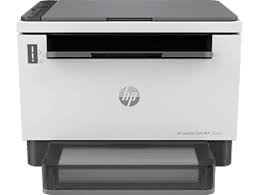
HP LaserJet Tank MFP 1602w
Recommended downloads
Windows 11; Windows 10, 7 (32-bit and 64-bit): HP LaserJet Tank MFP 1602w/1604w EasyStart Printer Setup Software – Offline Use OnlyVersion 56.2.5271 · Released Feb 07, 2022 · 201.2 MB
The newest firmware HP lists for the LaserJet Tank MFP 1602-1604 is version 20240813, released Sep 27, 2024. HP’s notes for it: General improvements and bug fixes Contains all previous fixes and enhancements.
Keep the printer and the computer switched on until the update has finished.
Specifications that matter for setup
Connections
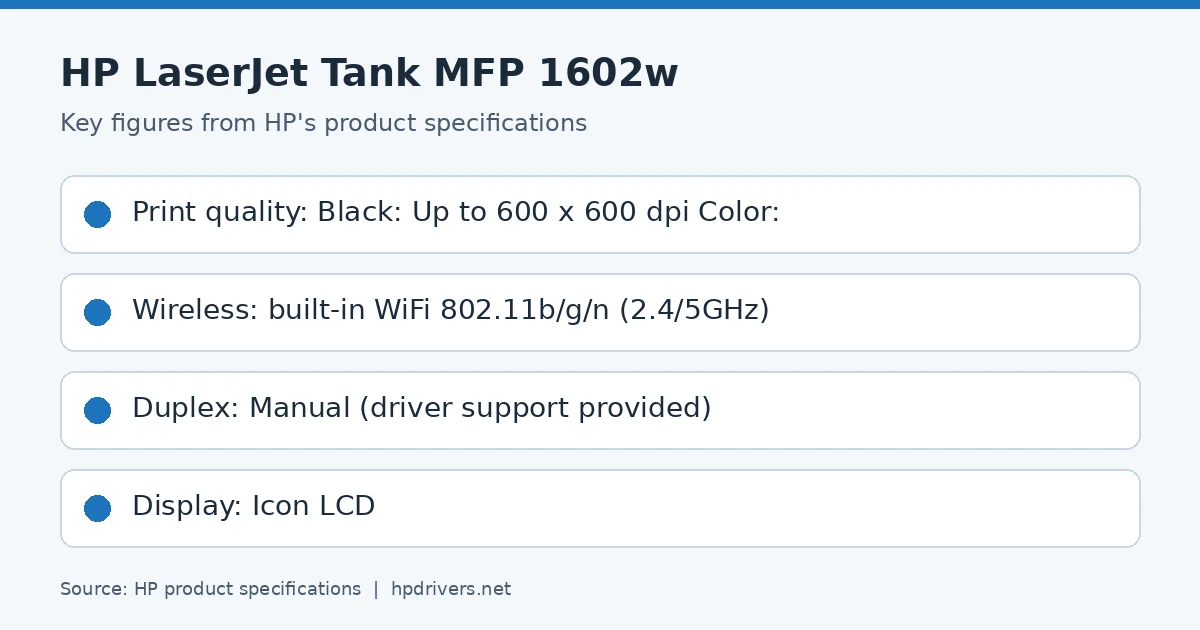
Hi-Speed USB (compatible with USB 2.0 specifications; Ethernet 10/100 BT; 802.11a/b/g/n (2.4/5 GHz) Wi-Fi radio
Mobile printing
Apple AirPrint™; Mopria™ certified; HP app
Print languages
PCLmS; URF; PWG
Recommended monthly volume
250-2500
Two-sided printing
Manual (driver support provided)
Toner supplies HP lists for the LaserJet Tank MFP 1602-1604
HP’s specifications name these replacement supplies for the LaserJet Tank MFP 1602-1604:
DM: HP 153A Black LaserJet Tank Toner Reload Kit (Yield ~2500 pages)
HP 153X Black LaserJet Tank Toner Reload Kit (Yield ~5000 pages); RoEM: HP 154A Black LaserJet Tank Toner Reload Kit (Yield ~2500 pages)
HP 154X Black LaserJet Tank Toner Reload Kit (Yield ~5000 pages); China and India: HP 158A Black LaserJet Tank Toner Reload Kit (Yield ~2500 pages)
Paper handling and hardware details
Values below are HP’s published figures for the LaserJet Tank MFP 1602-1604; they help you check that this page matches your printer before you download anything.
Paper input tray
150 sheet input tray
Output tray
100 sheet output
Optional trays
envelope and labels
Media types
Plain paper, Heavy paper, Bond paper, Label, Light paper, Envelope
Print quality (black)
Black: Up to 600 x 600 dpi
Control panel
Icon LCD
Processor
500 MHz
Power use
Active printing: 390w, Ready: 2.7w, Sleep: 0.51w, Manual Off: 0.05w, Auto Off/Manual On: 0.05w
USB cable
Yes, 1 USB Cable for 1602w. No USB Cable for 1604w
Warranty
One-year limited hardware warranty. For more info, please visit us at https://support.hp.com
HP LaserJet Tank 1020w Printer Driver Download for Windows 11/10/7 (32-Bit)(64-Bit)
Download HP LaserJet Tank 1020w EasyStart Printer Setup Software – Offline Use Only
HP LaserJet Tank 1020w Printer
Details HP LaserJet Tank 1020w Driver
The full solution software includes everything you need to install and use your HP printer. This collection of software includes the complete set of drivers, installer software, and other administrative tools.
Fix and enhancements: Original Software/Drivers
Relase Details
Version: 56.2.5271 Release date: Feb 7, 2022 File name: HPEasyStart-13.6.5-LJT1020_UWL_56_2_5271_1_Webpack.exe
Operating Systems
Microsoft Windows 11 All Editions (64-bit), Microsoft Windows 10 (32-bit), Microsoft Windows 10 (64-bit), Microsoft Windows 7 (32-bit), Microsoft Windows 7 (64-bit)