Independent download guide for HP printer and scanner drivers
hpdrivers.net is an independent website and is not affiliated with, endorsed by, or sponsored by HP Inc. Download links point to HP's official servers (ftp.hp.com). Read the full disclaimer
Last checked against HP’s download list: November 10, 2026 · Checked by H&G
Looking for the HP LaserJet Pro P1606 driver? This page lists HP’s official software for the whole HP LaserJet Pro P1606 Printer series. HP lists some packages for specific models in the series, so check that the package title includes your model. For Windows 11; Windows 10, 8.1, 8, 7 (32-bit and 64-bit), the package most people need is the HP LaserJet Pro P1100 (includes P1106/P1108), P1560, P1600 Series Full Feature Software and Driver. For a Mac, HP lists Mac Printer Driver.
HP LaserJet Pro P1606
Recommended downloads
Windows 11; Windows 10, 8.1, 8, 7 (32-bit and 64-bit): HP LaserJet Pro P1100 (includes P1106/P1108), P1560, P1600 Series Full Feature Software and DriverVersion 50157037_1 · Released Jul 29, 2021 · 157.4 MB · HP rating: Recommended
macOS 12, 11, 10.13, 10.12, Mac OS X 10.11, Mac OS X 10.10, 10.15, 10.14, Mac OS X 10.9: Mac Printer DriverVersion 5.1 · Released Aug 18, 2022 · 557.4 MB
The newest firmware HP lists for the LaserJet Pro P1606 is version 20201023, released Oct 23, 2020.
Check your current firmware version first on the printer’s Configuration Page, and update only if it is older.
Specifications that matter for setup
Connections
1 Hi-Speed USB 2.0; 1 Fast Ethernet 10/100
Wi-Fi
Optional, enabled with purchase of a hardware accessory
Mobile printing
HP ePrint, Apple AirPrint™ May require a firmware upgrade to be HP ePrint or AirPrint™ compatible, download at http://www.hp.com/go/support
Print languages
Host-based printing, HP PCL 5
Print speed (black)
Normal: Up to 26 ppm
Recommended monthly volume
250 to 2000
Two-sided printing
Automatic (standard)
Ink supplies HP lists for the LaserJet Pro P1606
HP’s specifications name these replacement supplies for the LaserJet Pro P1606:
HP LaserJet CE278A Black Print Cartridge Replacement cartridge
What comes in the box
HP lists these items with the LaserJet Pro P1606:
Printer
Introductory HP LaserJet Black print cartridge
Power cord
Paper tray cover
CD(s) with printer software and documentation
Getting Started Guide
Support flyer
Paper handling and hardware details
Values below are HP’s published figures for the LaserJet Pro P1606; they help you check that this page matches your printer before you download anything.
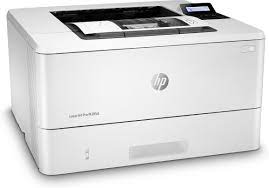
Looking for the HP LaserJet Pro M305dn driver? This page lists HP’s official software for the whole HP LaserJet Pro M304-M305 series. HP lists some packages for specific models in the series, so check that the package title includes your model. For Windows 11; Windows 10, 8.1, 8, 7 (32-bit and 64-bit), the package most people need is the HP LaserJet Pro M305dn Printer Full Software Solution. For a Mac, HP lists Install HP Easy Start.
Last checked against HP’s download list: November 10, 2026 · Checked by H&G
HP LaserJet Pro M305dn
Recommended downloads
Windows 11; Windows 10, 8.1, 8, 7 (32-bit and 64-bit): HP LaserJet Pro M305dn Printer Full Software SolutionVersion 48.6.4638 · Released Feb 23, 2022 · 118.8 MB · HP rating: Recommended
Files download directly from HP’s official servers. hpdrivers.net does not host or modify them.
Models covered by this page
HP’s download list for this series names these models. It covers the whole LaserJet Pro M304-M305 range, including model variants HP does not list by name:
HP LaserJet Pro M304aHP LaserJet Pro M305dn
Which Windows package should you choose?
HP publishes 5 kinds of Windows package for the LaserJet Pro M304-M305:
Firmware update (v002_2626A, Sep 03, 2026): updates the printer itself, not your PC.
HP Universal Print Driver (v8.2.0.26778, Sep 26, 2026): HP’s shared driver for many models, also listed for this series.
Driver-only installer (v48.6.4638, Feb 23, 2022): print driver only, for PCs that can’t or shouldn’t take the full package.
Driver files (no installer) (v48.6.4638, Feb 23, 2022): bare driver files for Windows’ Add Printer wizard.
Full software solution (v48.6.4638, Feb 23, 2022, 118.8 MB): driver plus HP’s setup wizard and tools.
All downloads for the LaserJet Pro M304-M305
Windows
Package / Windows
Version
Released
Size
HP LaserJet Pro M404_M405 Series Firmware Update Utility
HP lists its Universal Print Driver for this series on Windows 11; Windows 10, 8.1, 8, 7 (32-bit and 64-bit). Get it from our HP Universal Print Driver page.
Linux
HP lists Linux support for this series through its HPLIP project, outside the regular download list: HP’s Linux printing page (HPLIP).
Installing the LaserJet Pro M304-M305 driver
The driver files without an installer are added through Windows’ Add Printer wizard (Have Disk). For step-by-step instructions, see our guide to installing an HP printer driver.
Firmware update 002_2626A
The newest firmware HP lists for the LaserJet Pro M304-M305 is version 002_2626A, released Sep 03, 2026. HP’s notes for it: Fixed 2-sided option disappears from printer settings issue; Contains all previous fixes; Security updates.
Keep the printer and the computer switched on until the update has finished.
Specifications that matter for setup
Print languages
HP PCL 6, HP PCL 5c, HP postscript level 3 emulation, PDF, URF, PWG Raster
Recommended monthly volume
750 to 4000
Paper handling and hardware details
Values below are HP’s published figures for the LaserJet Pro M304-M305; they help you check that this page matches your printer before you download anything.
HP’s jam articles for the LaserJet Pro M304, M305, M404 and M405 give a code and a short message for each place.
13.02 in Tray 1
Pull the sheet slowly out of Tray 1.
13.03 in Tray 2
Take Tray 2 out, remove the paper and throw away damaged sheets. Check that the rear guide sits in the notch for the paper size; pinch the release to move it until it clicks.
Reload the paper flat at all four corners and below the height marks, and push the tray back in.
Then press the front door release button, open the front door, take out the toner cartridge, lift the jam access cover and remove any paper before putting the cartridge back and closing the door.
Toner area, duplexer and output bin jams on the M305dn
13.08 and 13.09 in the cartridge or fuser area
Press the front door release, open the door, take out the toner cartridge, lift the jam access cover and remove visible paper. Put the cartridge back and close the door.
If nothing was there, open the front door and then the rear door, and pull any visible sheet straight out.
13.14 and 13.15 in the duplexer
Remove Tray 2 completely, push the green button inside the opening to release the duplex pan, clear the paper, close the pan and put the tray back. Open and close the front door.
13.10, 13.11, 13.13 in the output bin
Pull a visible sheet out by its leading edge. Otherwise open the front door, then the rear door, and clear paper from the rear door area.
With the optional Tray 3 installed, HP gives 13.04.yz for a jam there.
Steps
Take Tray 3 out, remove the paper and discard damaged sheets, check that the rear guide clicks into the notch for the paper size, reload a flat stack below the height marks and push the tray back in.
Then open the front door with its release button, take out the toner cartridge, lift the jam access cover, pull out any sheets gently and put the cartridge back.
HP says the M304 and M305 (and several LaserJet Pro families) cannot enter sleep mode and show Load paper or Cartridges Missing when no paper is detected in any tray or a toner cartridge is not detected.
What HP says to check
Load paper in a tray with the guides set to the size marks and the stack below the full indicators; HP notes that badly set guides can also cause errors or jams during printing.
Make sure the toner cartridge is installed and seated, so the printer can detect it.
HP LaserJet M1005 Multifunction Printer Series Driver for Windows 10/8/8.1/7/Vista/Xp 32bit-64bit – Download HP Lasejet M1005MFP Driver Full Software
HP Lasejet M1005MFP Driver
The HP LaserJet M1005 Mfp can print a4-size pages at approximately 14 pages per minute. Approximately 15 pages of letter sized pages. It offers clarity of approximately 600dpi. Additionally, you can print approximately 2000 pages with the standard original black cartridge. Moreover, the M1005 printer has 32Mb of memory.
The priority input tray of the HP LaserJet M1005 printer holds 10 sheets. Tray 1 has a maximum capacity of 150 sheets. The output tray also holds 100 sheets. You can scan at 1200dpi resolution. You can connect it to your computer via the 2.0 high-speed USB port. What makes this printer different from others is its EconoMode setting. With this feature, it consumes less toner.
If you want to get a quality print, be sure to use high quality papers produced for laser printers. Do not use paper with staples attached. I do not recommend using papers produced for inkjet printers.
You can use OCR software to import the scanned text into your preferred word processing program for editing.
HP Lasejet M1005MFP Full Solution Driver for Windows
The full software solution provides print and scan functionality. This software solution is the same solution as the version 3.0 in-box CD that came with your HP LaserJet M1005mfp.
Fix and enhancements: Windows 8 and Windows 8.1 Compatibility
Operating Systems : Microsoft Microsoft Windows 10 (32-bit), Microsoft Windows 10 (64-bit), Microsoft Microsoft Windows 7 (32-bit), Microsoft Windows 7 (64-bit), Microsoft Microsoft Windows 8 (32-bit), Microsoft Windows 8 (64-bit), Microsoft Microsoft Windows 8.1 (32-bit), Microsoft Windows 8.1 (64-bit), Microsoft Microsoft Windows Vista (32-bit), Microsoft Windows Vista (64-bit), Microsoft Windows XP x64
Version: 4/1/2013 Release date: Oct 22, 2013 File name: LJM1005_Full_Solution.exe