Independent download guide for HP printer and scanner drivers
hpdrivers.net is an independent website and is not affiliated with, endorsed by, or sponsored by HP Inc. Download links point to HP's official servers (ftp.hp.com). Read the full disclaimer
Last checked against HP’s download list: November 1, 2026 · Checked by H&G
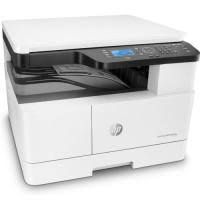
Looking for the HP LaserJet MFP M438n driver? This page lists HP’s official software for the whole HP LaserJet MFP M438 series: the LaserJet MFP M438n, LaserJet MFP M438dn and LaserJet MFP M438nda. HP lists some packages for specific models in the series, so check that the package title includes your model. For Windows 11, Windows 10 (64-bit) and Windows 7 (64-bit), the package most people need is the HP LaserJet MFP M437,M438,M439,M440,M442,M443 Series Full Solution Software and Drivers.
HP LaserJet MFP M438n
Recommended downloads
Windows 11, Windows 10 (64-bit), Windows 7 (64-bit): HP LaserJet MFP M437,M438,M439,M440,M442,M443 Series Full Solution Software and DriversVersion 1.06 · Released May 31, 2023 · 60.5 MB
HP lists Linux support for this series through its HPLIP project, outside the regular download list: HP’s Linux printing page (HPLIP).
Installing the LaserJet MFP M438 driver
The driver files without an installer are added through Windows’ Add Printer wizard (Have Disk). For step-by-step instructions, see our guide to installing an HP printer driver.
Firmware update 3.82.01.21
The newest firmware HP lists for the LaserJet MFP M438 is version 3.82.01.21, released Mar 30, 2026.
Keep the printer and the computer switched on until the update has finished.
Specifications that matter for setup
Connections
Hi-Speed USB 2.0 Device, Ethernet 10/100 Base TX
Wi-Fi
Not built in
Print languages
PS
Functions
Print, Copy, Scan
Recommended monthly volume
2000 to 5000
Scan resolution
Up to 600 dpi
Two-sided ADF scanning
Yes
Scan file formats
PDF, JPEG, TIFF
Common setup problems
No Wi-Fi option during setup. HP’s specifications list no built-in Wi-Fi for the LaserJet MFP M438. Use an Ethernet cable or USB.
Last checked against HP’s download list: November 9, 2026 · Checked by H&G
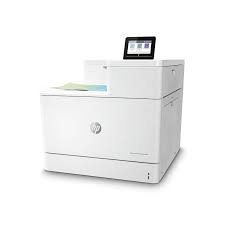
Looking for the HP Color LaserJet Enterprise M856dn driver? This page lists HP’s official software for the whole HP Color LaserJet Enterprise M856 Printer series: the Color LaserJet Enterprise M856dn and Color LaserJet Enterprise M856x. HP lists some packages for specific models in the series, so check that the package title includes your model. For Windows 11; Windows 10, 8.1, 7 (32-bit and 64-bit), the package most people need is the HP Color LaserJet Enterprise M856 Printer series Full Software Solution. For a Mac, HP lists Install HP Easy Start.
HP Color LaserJet Enterprise M856dn
Recommended downloads
Windows 11; Windows 10, 8.1, 7 (32-bit and 64-bit): HP Color LaserJet Enterprise M856 Printer series Full Software SolutionVersion 50.5.4670 · Released Mar 28, 2026 · 68.2 MB · HP rating: Recommended
HP lists its Universal Print Driver for this series on Windows 11; Windows 10, 8.1, 8, 7 (32-bit and 64-bit). Get it from our HP Universal Print Driver page.
Linux
HP lists a Linux driver for this series: FutureSmart Bundle Version 4.12.0.1 – HP Color LaserJet M856 Printer series FIRMWARE (Version 2411226_066587 · Released Feb 02, 2023 · 94.0 MB). Download from HP.
Installing the Color LaserJet Enterprise M856 driver
The driver files without an installer are added through Windows’ Add Printer wizard (Have Disk). For step-by-step instructions, see our guide to installing an HP printer driver.
Firmware update 2411226_066587
The newest firmware HP lists for the Color LaserJet Enterprise M856 is version 2411226_066587, released Feb 02, 2023.
Keep the printer and the computer switched on until the update has finished.
Specifications that matter for setup
Mobile printing
HP ePrint; Apple AirPrint™; Google Cloud Print™; Mopria™ Certified
Print languages
HP PCL 6, HP PCL 5 (HP PCL 5 driver available from the Web only), HP postscript level 3 emulation, native PDF printing (v 1.7), Apple AirPrint™, Google Cloud Print
Print speed (black)
Normal: Up to 56 ppm
Recommended monthly volume
Up to 50,000
Two-sided printing
Automatic (standard)
Toner supplies HP lists for the Color LaserJet Enterprise M856
HP’s specifications name these replacement supplies for the Color LaserJet Enterprise M856:
W2010A HP 659A Black LaserJet Toner Cartridge (~16
000 pages); W2011A HP 659A Cyan LaserJet Toner Cartridge (~13
000 pages); W2012A HP 659A Yellow LaserJet Toner Cartridge (~13
000 pages); W2013A HP 659A Magenta LaserJet Toner Cartridge (~13
000 pages); W2010X HP 659X Black LaserJet Toner Cartridge (~34
000 pages); W2011X HP 659X Cyan LaserJet Toner Cartridge (~29
000 pages); W2012X HP 659X Yellow LaserJet Toner Cartridge (~29
000 pages); W2013X HP 659X Magenta LaserJet Toner Cartridge (~29
Paper handling and hardware details
Values below are HP’s published figures for the Color LaserJet Enterprise M856; they help you check that this page matches your printer before you download anything.
Output tray
500-sheet output bin
Media types
Paper (plain, heavy, extra heavy, glossy, light, recycle, tough), envelopes, labels, glossy film, cardstock, transparencies
Print speed (color)
Normal: Up to 56 ppm
Print quality (black)
Black: Up to 1200 x 1200 dpi Color: Up to 1200 x 1200 dpi
Control panel
4.3-in(10.92 cm) Color Graphics Display(CGD) with touchscreen; rotating (adjustable angle)
You’d rather not install software on a Mac. HP’s specifications list AirPrint support, so macOS can usually add the printer from System Settings without extra software.
Last checked against HP’s download list: October 30, 2026 · Checked by H&G
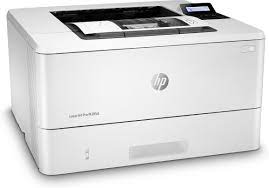
Looking for the HP LaserJet Pro M305d driver? This page lists HP’s official software for the whole HP LaserJet Pro M304-M305 series. HP lists some packages for specific models in the series, so check that the package title includes your model. For Windows 11, Windows 10 (64-bit) and Windows 7 (64-bit), the package most people need is the HP LaserJet Pro M304a/M305d Printer Full Software Solution. For a Mac, HP lists Install HP Easy Start.
HP LaserJet Pro M305d
Recommended downloads
Windows 11, Windows 10 (64-bit), Windows 7 (64-bit): HP LaserJet Pro M304a/M305d Printer Full Software SolutionVersion 48.6.4638 · Released Feb 23, 2022 · 118.8 MB · HP rating: Recommended
Files download directly from HP’s official servers. hpdrivers.net does not host or modify them.
Models covered by this page
HP’s download list for this series names these models. It covers the whole LaserJet Pro M304-M305 range, including model variants HP does not list by name:
HP LaserJet Pro M304aHP LaserJet Pro M305d
Which Windows package should you choose?
HP publishes 5 kinds of Windows package for the LaserJet Pro M304-M305:
Firmware update (v002_2626A, Sep 03, 2026): updates the printer itself, not your PC.
HP Universal Print Driver (v8.2.0.26778, Sep 26, 2026): HP’s shared driver for many models, also listed for this series.
Driver-only installer (v48.6.4638, Feb 23, 2022): print driver only, for PCs that can’t or shouldn’t take the full package.
Driver files (no installer) (v48.6.4638, Feb 23, 2022): bare driver files for Windows’ Add Printer wizard.
Full software solution (v48.6.4638, Feb 23, 2022, 118.8 MB): driver plus HP’s setup wizard and tools.
All downloads for the LaserJet Pro M304-M305
Windows
Package / Windows
Version
Released
Size
HP LaserJet Pro M404_M405 Series Firmware Update Utility
HP lists its Universal Print Driver for this series on Windows 7, Windows 11 and Windows 10. Get it from our HP Universal Print Driver page.
Linux
HP lists Linux support for this series through its HPLIP project, outside the regular download list: HP’s Linux printing page (HPLIP).
Installing the LaserJet Pro M304-M305 driver
The driver files without an installer are added through Windows’ Add Printer wizard (Have Disk). For step-by-step instructions, see our guide to installing an HP printer driver.
Firmware update 002_2626A
The newest firmware HP lists for the LaserJet Pro M304-M305 is version 002_2626A, released Sep 03, 2026. HP’s notes for it: Fixed 2-sided option disappears from printer settings issue; Contains all previous fixes; Security updates.
Keep the printer and the computer switched on until the update has finished.
Specifications that matter for setup
Print languages
HP PCL 6, HP PCL 5c, HP postscript level 3 emulation, PDF, URF, PWG Raster