Independent download guide for HP printer and scanner drivers
hpdrivers.net is an independent website and is not affiliated with, endorsed by, or sponsored by HP Inc. Download links point to HP's official servers (ftp.hp.com). Read the full disclaimer
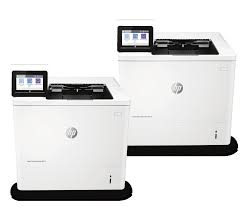
Looking for an HP LaserJet M611 driver download? This page lists HP’s official software for the whole HP LaserJet Enterprise M611 series. HP lists some packages for specific models in the series, so check that the package title includes your model. For Windows 11, Windows 10 (64-bit) and Windows 7 (64-bit), the package most people need is the HP LaserJet Enterprise M610/M611/M612 series Full Software Solution. For a Mac, HP lists Install HP Easy Start.
HP LaserJet Enterprise M611
Last checked against HP’s download list: November 1, 2026 · Checked by H&G
Recommended downloads
Windows 11, Windows 10 (64-bit), Windows 7 (64-bit): HP LaserJet Enterprise M610/M611/M612 series Full Software SolutionVersion 49.13.4899 · Released Mar 25, 2026 · 63.5 MB · HP rating: Recommended
HP lists its Universal Print Driver for this series on Windows 7, Windows 11 and Windows 10. Get it from our HP Universal Print Driver page.
Linux
HP lists Linux support for this series through its HPLIP project, outside the regular download list: HP’s Linux printing page (HPLIP).
Installing the LaserJet Enterprise M611 driver
The driver files without an installer are added through Windows’ Add Printer wizard (Have Disk). For step-by-step instructions, see our guide to installing an HP printer driver.
Firmware update 2411226_066578
The newest firmware HP lists for the LaserJet Enterprise M611 is version 2411226_066578, released Feb 02, 2023.
Keep the printer and the computer switched on until the update has finished.
Specifications that matter for setup
Connections
1 Hi-Speed USB 2.0 Device; 2 Hi-Speed USB 2.0 Host; 1 Gigabit Ethernet 10/100/1000T network; 1 Hardware Integration Pocket
Wi-Fi
Optional, enabled with purchase of a wireless hardware accessory. Single band Wireless Station and Wi-Fi Direct functionality available with HP Jetdirect 3000w NFC/Wireless Accessory J8030A
Print languages
HP PCL 6, HP PCL 5, HP postscript level 3 emulation, native PDF printing (v 1.7), Apple AirPrint™
Print speed (black)
Normal: Up to 65 ppm
Recommended monthly volume
5000 to 25000
Two-sided printing
Automatic (standard)
M611dn and M611x: product numbers and the Tray 3 difference
The M611 sits in the middle of the family at 61 pages per minute on A4 and 65 on Letter. HP’s guide lists the M611dn as 7PS84A and the M611x as 7PS85A. The x model comes with the 1×550-sheet feeder (Tray 3) included, while on the dn it is optional.
Memory is 512 MB, expandable to 1.5 GB with a 1 GB DIMM, and the printer supports up to six input trays with the optional 2,100-sheet high-capacity feeder.
Based on HP user guide c06498743 (“HP LaserJet Enterprise M610, M611, M612 – User Guide”).
Similar models
This page is the LaserJet M611 driver download page. The LaserJet Enterprise M612 has its own page.
Looking for an HP LaserJet M612 driver download? This page lists HP’s official software for the HP LaserJet Enterprise M612dn and M612x, which HP lists with (almost) the same downloads. HP lists some packages for specific models in the series, so check that the package title includes your model. For Windows 11, Windows 10, 8.1, 8, 7 (32-bit and 64-bit), the package most people need is the HP LaserJet Enterprise M610/M611/M612 series Full Software Solution. For a Mac, HP lists Install HP Easy Start.
Last checked against HP’s download list: November 16, 2026 · Checked by H&G
HP LaserJet Enterprise M612
Recommended downloads
Windows 11, Windows 10, 8.1, 8, 7 (32-bit and 64-bit): HP LaserJet Enterprise M610/M611/M612 series Full Software SolutionVersion 49.13.4899 · Released Mar 25, 2026 · 63.5 MB · HP rating: Recommended
HP lists its Universal Print Driver for this series on Windows 11, Windows 10, 8.1, 8, 7 (32-bit and 64-bit). Get it from our HP Universal Print Driver page.
Linux
HP lists a Linux driver for this series: FutureSmart Bundle Version 5.10.0.7 – HP LaserJet Enterprise M610/611/612 Series Printer FIRMWARE (Version 2510156_069212 · Released Aug 29, 2026 · 104.0 MB). Download from HP.
Installing the LaserJet Enterprise M612 driver
Once the LaserJet M612 driver download from the table above is complete, follow these steps. Whichever LaserJet M612 driver download you pick, check that the file name matches your Windows or macOS version before you run it. If the LaserJet M612 driver download you downloaded does not start, download it again from the HP link and disable any download blocker.
Download the Full Software Solution (or the PCL 6 driver without installer if IT adds printers through Windows or a print server).
Connect the printer to the network and note its IP address from the control panel.
Run the package and choose the printer by its IP address or host name.
Update the firmware only after reading HP’s notes on this page, and keep the printer on until it restarts.
The driver files without an installer are added through Windows’ Add Printer wizard (Have Disk). For step-by-step instructions, see our guide to installing an HP printer driver.
Firmware update 2411226_066578
The newest firmware HP lists for the LaserJet Enterprise M612 is version 2411226_066578, released Feb 02, 2023.
Keep the printer and the computer switched on until the update has finished.
Specifications that matter for setup
Connections
1 Hi-Speed USB 2.0 Device; 2 Hi-Speed USB 2.0 Host; 1 Gigabit Ethernet 10/100/1000T network; 1 Hardware Integration Pocket
Wi-Fi
Optional, enabled with purchase of a wireless hardware accessory. Single band Wireless Station and Wi-Fi Direct functionality available with HP Jetdirect 3000w NFC/Wireless Accessory J8030A
Print languages
HP PCL 6, HP PCL 5, HP postscript level 3 emulation, native PDF printing (v 1.7), Apple AirPrint™
Print speed (black)
Normal: Up to 75 ppm
Recommended monthly volume
5000 to 30,000
Two-sided printing
Automatic (standard)
Toner supplies HP lists for the LaserJet Enterprise M612
HP’s specifications name these replacement supplies for the LaserJet Enterprise M612:
HP 147A Black Original LaserJet Toner Cartridge (~10
500 pages) W1470A
HP 147X High
What comes in the box
HP lists these items with the LaserJet Enterprise M612:
Values below are HP’s published figures for the LaserJet Enterprise M612; they help you check that this page matches your printer before you download anything.
Optional 1×550-sheet paper feeder, optional high capacity 1×2100-sheet paper feeder, optional envelope feeder
Paper sizes
100-sheet multipurpose Tray 1: Letter, Legal, Executive, Statement, Oficio (8.5 x 13), 3 x 5 in, 4 x 6 in, 5 x 7 in, 5 x 8 in, Envelopes: #9, #10, Monarch
Media types
Paper (plain, light, bond, recycled, heavy, extra heavy, cardstock, pre-printed, pre-punched, colored, rough, heavy rough), mono transparency, labels, letterhead, envelope, heavy envelope
Paper weight
Automatic Duplexer: 16 to 32 lb
Print quality (black)
Black: Up to 1200 x 1200 dpi
Control panel
4.3-in (10.92 cm) Color Graphics Display (CGD) with touchscreen; rotating (adjustable angle)
HP sells this family in three speeds, and the M612 is the top one: 71 pages per minute on A4 and 75 on Letter, against 61 and 65 for the M611 and 52 and 55 for the M610. HP’s guide lists the M612dn as product number 7PS86A and the M612x as 7PS87A.
The x model comes with the 1×550-sheet feeder (Tray 3) already fitted; on the M612dn it is an option. The printer takes up to six input trays, and the optional 2,100-sheet high-capacity feeder can be combined with up to three 550-sheet feeders. Memory is 512 MB, expandable to 1.5 GB with a 1 GB DIMM, with 8 GB of embedded storage and a Trusted Platform Module that encrypts the data passing through the printer.
Based on HP user guide c06498743 (“HP LaserJet Enterprise M610, M611, M612 – User Guide”).
Toner for the M612: the HP 147 family
The M612 uses the HP 147 toner cartridges: 147A (standard capacity), 147X (high yield) and 147Y (extra high yield), with part numbers in the W1470 series. Easy-access USB printing lets users print from a flash drive without a computer.
Because the M612 is rated at 75 pages per minute, HP expects it to run in busy offices, so choose the high-yield or extra-high-yield cartridge if the printer is used all day, and keep the optional 2,100-sheet feeder in mind for long jobs.
Based on HP user guide c06498743 (“HP LaserJet Enterprise M610, M611, M612 – User Guide”).
Unauthorized and protected cartridge messages on the M612
Two supply messages are specific to managed fleets. 10.0X.30 Unauthorized cartridge appears when the administrator has set the printer to accept only genuine HP supplies that are still under warranty; the cartridge must be replaced with a genuine HP toner to continue printing, and HP points to its anti-counterfeit site if you believe the cartridge is genuine.
10.0X.57 Protected cartridge means the cartridge can only be used in the printer or fleet that first protected it with HP Cartridge Protection, so a cartridge taken from another printer is refused and a new one must be installed. When the toner is only low, HP says to keep printing, and redistribute the toner by rocking the cartridge back and forth before replacing it.
Based on HP user guide c06498743 (“HP LaserJet Enterprise M610, M611, M612 – User Guide”).
Printing from a USB drive on the M612
The printer has easy-access USB printing for files on a USB flash drive, without a computer. Plug the drive into the port near the control panel (the port may be covered, so flip or pull out the cover), choose Print and then Print from USB Drive on the Home screen, pick the document, set the number of copies with the keypad and select Print. HP lists .pdf, .prn, .pcl, .ps and .cht files as supported.
Based on HP user guide c06498743 (“HP LaserJet Enterprise M610, M611, M612 – User Guide”).
Similar models
This page is the LaserJet M612 driver download page for this model only. The LaserJet Enterprise M611 (61 ppm) has its own page.
Last checked against HP’s download list: November 3, 2026 · Checked by H&G
Looking for the HP LaserJet Pro M251n driver? This page lists HP’s official software for the whole HP LaserJet Pro 200 color Printer M251 series: the LaserJet Pro 200 color Printer M251n and LaserJet Pro 200 color Printer M251nw. HP lists some packages for specific models in the series, so check that the package title includes your model. For Windows 10 (64-bit) and Windows 7 (64-bit), the package most people need is the HP LaserJet Pro 200 color M251 Series Full Feature Software and Drivers. For a Mac, HP lists Install HP Easy Start.
HP LaserJet Pro 200 color M251n
Recommended downloads
Windows 10 (64-bit), Windows 7 (64-bit): HP LaserJet Pro 200 color M251 Series Full Feature Software and DriversVersion 15.0.15189.1774 · Released Mar 05, 2021 · 80.1 MB · HP rating: Recommended
HP lists Linux support for this series through its HPLIP project, outside the regular download list: HP’s Linux printing page (HPLIP).
Installing the LaserJet Pro 200 color Printer M251 driver
The driver files without an installer are added through Windows’ Add Printer wizard (Have Disk). For step-by-step instructions, see our guide to installing an HP printer driver.
Firmware update 20150212
The newest firmware HP lists for the LaserJet Pro 200 color Printer M251 is version 20150212, released Feb 24, 2015. HP’s notes for it: Fixes a potential vulnerability issue (CVE-2014-3566) also known as the POODLE SSL v3.0 vulnerability; This release addresses multiple issues which may cause the device to not wake from sleep mode; Fixes an issue that may cause the device to fail to wake from sleep mode when receiving a print job over the network.
Check your current firmware version first on the printer’s Configuration Page, and update only if it is older.
Install the printer driver before running the update. HP’s utility needs it to reach the printer.
Specifications that matter for setup
Mobile printing
HP ePrint:
Print languages
HP PCL 6, HP PCL 5, HP postscript level 3 emulation (via Universal Print Driver)
Print speed (black)
Normal: Up to 14 ppm
Recommended monthly volume
250 to 1500
Two-sided printing
Manual (driver support provided)
Toner supplies HP lists for the LaserJet Pro 200 color Printer M251
HP’s specifications name these replacement supplies for the LaserJet Pro 200 color Printer M251:
HP 131A Black LaserJet Toner Cartridge (~1600 pages) CF210A
HP 131X Black LaserJet Toner Cartridge (~2400 pages) CF210X
HP 131A Cyan LaserJet Toner Cartridge (~1800 pages) CF211A
HP 131A Yellow LaserJet Toner Cartridge (~1800 pages) CF212A
Paper handling and hardware details
Values below are HP’s published figures for the LaserJet Pro 200 color Printer M251; they help you check that this page matches your printer before you download anything.
Paper input tray
150-sheet input tray
Output tray
125-sheet output bin
Paper sizes
Letter, legal, executive, 4 x 6 in, 5 x 8 in, 8.5 x 13 in, envelopes (No. 10, Monarch)