hpdrivers.net is an independent website and is not affiliated with, endorsed by, or sponsored by HP Inc. Download links point to HP's official servers (ftp.hp.com). Read the full disclaimer

HP Neverstop Laser 1000a Drivers (Neverstop Laser 1000 Series)

Last checked against HP’s download list: October 30, 2026 · Checked by H&G

Looking for the HP Neverstop Laser 1000a driver? This page lists HP’s official software for the whole HP Neverstop Laser 1000 Printer series. HP lists some packages for specific models in the series, so check that the package title includes your model. For Windows 11, Windows 10 (64-bit) and Windows 7 (64-bit), the package most people need is the HP Neverstop Laser 1000a EasyStart Printer Setup Software – Offline Use Only.

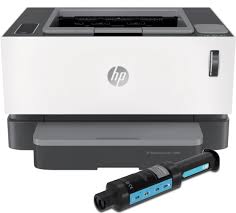
HP Neverstop Laser 1000a printer
HP Neverstop Laser 1000a

Recommended downloads

Windows 11, Windows 10 (64-bit), Windows 7 (64-bit): HP Neverstop Laser 1000a EasyStart Printer Setup Software – Offline Use OnlyVersion 49.10.4644 · Released Nov 25, 2021 · 156.1 MB

Download

Files download directly from HP’s official servers. hpdrivers.net does not host or modify them.


Models covered by this page

HP’s download list for this series names these models. It covers the whole Neverstop Laser 1000 range, including model variants HP does not list by name:

HP Neverstop Laser 1020 HP Neverstop Laser 1020nw HP Neverstop Laser 1000w HP Neverstop Laser 1000a HP Neverstop Laser 1000n HP Neverstop Laser 1020n

Which Windows package should you choose?

HP publishes 3 kinds of Windows package for the Neverstop Laser 1000:

  • Full software solution (v49.10.4644, Nov 25, 2021, 156.1 MB): driver plus HP’s setup wizard and tools.
  • Driver-only installer (v49.11.4679, Feb 22, 2022): print driver only, for PCs that can’t or shouldn’t take the full package.
  • Firmware update (v20230403, Jun 22, 2023): updates the printer itself, not your PC.

All downloads for the Neverstop Laser 1000

Windows

Package / Windows
Version
Released
Size
HP Neverstop Laser 1000w EasyStart Printer Setup Software – Offline Use Only

Windows: 11, 10, 7
File details

File: HPEasyStart-13.4.8-NSL1000_UWL_49_10_4644_1_Webpack.exe

49.10.4644
Nov 25, 2021
156.1 MB
HP Neverstop Laser 1000a EasyStart Printer Setup Software – Offline Use Only

Windows: 11, 10, 7
File details

File: HPEasyStart-13.4.8-NSL1000_U_49_10_4644_1_Webpack.exe

49.10.4644
Nov 25, 2021
156.1 MB
HP Neverstop Laser 1000n EasyStart Printer Setup Software – Offline Use Only

Windows: 11, 10, 7
File details

File: HPEasyStart-13.4.8-NSL1000_UW_49_10_4644_1_Webpack.exe

49.10.4644
Nov 25, 2021
156.1 MB
HP Neverstop Laser 1000n Printer Full Software Solution

Windows: 11, 10, 7
File details

File: Full_Webpack-49.10.4644-NSL1000_UW_Full_Webpack.exe

49.10.4644
Nov 11, 2021
85.2 MB
HP Neverstop Laser 1000a Print and Scan Driver and Accessories

Windows: 11, 10, 7
File details

File: Full_Webpack-49.10.4644-NSL1000_U_Full_Webpack.exe

49.10.4644
Nov 11, 2021
85.2 MB
HP Neverstop Laser 1000w Print and Scan Driver and Accessories

Windows: 11, 10, 7
File details

File: Full_Webpack-49.10.4644-NSL1000_UWL_Full_Webpack.exe

49.10.4644
Nov 11, 2021
85.2 MB
HP Neverstop Laser 1000n Printer-IT Professional Use only

Windows: 11, 10, 7
File details

File: Basic_Webpack_x64-49.10.4644-NSL1000_UW_Basicx64_Webpack.exe

49.10.4644
Nov 11, 2021
44.6 MB
HP Neverstop Laser 1000a Printer-IT Professional Use only

Windows: 11, 10, 7
File details

File: Basic_Webpack_x64-49.10.4644-NSL1000_U_Basicx64_Webpack.exe

49.10.4644
Nov 11, 2021
44.6 MB
HP Neverstop Laser 1000w Printer-IT Professional Use only

Windows: 11, 10, 7
File details

File: Basic_Webpack_x64-49.10.4644-NSL1000_UWL_Basicx64_Webpack.exe

49.10.4644
Nov 11, 2021
44.6 MB
HP Laser NS 1020 /HP Neverstop Laser 1000 Printer series

Windows: 10, 7
File details

File: 100x_Series_FW_Update-20230403.exe

20230403
Jun 22, 2023
4.4 MB

Other HP software listed for this series

Software / Systems
Version
Size
HP Neverstop Laser 1001nw EasyStart Printer Setup Software – Offline Use Only
Systems: Windows 11, Windows 10, Windows 7
49.10.4644
–
HP Neverstop Laser 1001nw Printer Full Software Solution
Systems: Windows 11, Windows 10, Windows 7
49.10.4644
–
HP Neverstop Laser 1020n EasyStart Printer Setup Software – Offline Use Only
Systems: Windows 11, Windows 10, Windows 7
49.11.4679
–
HP Laser NS 1020n Print and Scan Driver and Accessories
Systems: Windows 11, Windows 10, Windows 7
49.11.4679
–
HP Neverstop Laser 1020n Printer-IT Professional Use only
Systems: Windows 11, Windows 10, Windows 7
49.11.4679
–
HP Neverstop Laser 1001nw Printer-IT Professional Use only
Systems: Windows 11, Windows 10, Windows 7
49.7.4546
–
HP Easy Start Printer Setup Software (Internet connection required for driver installation)
Systems: Windows 11, Windows 10, Windows 7
17.6.15
26.5 MB

Linux

HP supports this series on Linux through its HPLIP project, outside the regular download list: HP’s Linux printing page (HPLIP).

Installing the Neverstop Laser 1000 driver

For step-by-step instructions, see our guide to installing an HP printer driver.

Firmware update 20230403

The newest firmware HP lists for the Neverstop Laser 1000 is version 20230403, released Jun 22, 2023. HP’s notes for it: General bug fixes and improvements.

  • Keep the printer and the computer switched on until the update has finished.

Specifications that matter for setup

Mobile printing
Apple AirPrint -Mobile device must have AirPrint®. Google Cloud Print™ 2.0-
Print languages
PCLmS; URF; PWG
Print speed (black)
Normal: Up to 21 ppm
Recommended monthly volume
250-2500
Two-sided printing
Manual (driver support provided)

Common setup problems

  • An older driver is still installed. HP’s 2021 packages fixed a security vulnerability, so replace older versions with the current package.

HP LaserJet Pro M375nw Drivers (LaserJet Pro 300 color MFP M375 Series)

Last checked against HP’s download list: November 4, 2026 · Checked by H&G

Looking for the HP LaserJet Pro M375nw driver? This page lists HP’s official software for the whole HP LaserJet Pro 300 color MFP M375. For Windows 10, 8.1, 8, 7, Vista (32-bit and 64-bit); Windows XP (32-bit), the package most people need is the HP LaserJet Pro 300/400 color M375/M475 Series Full Software and Drivers. For Windows 11, HP lists the HP Universal Print Driver for Windows PCL6 (64-bit). For a Mac, HP lists Install HP Easy Start.

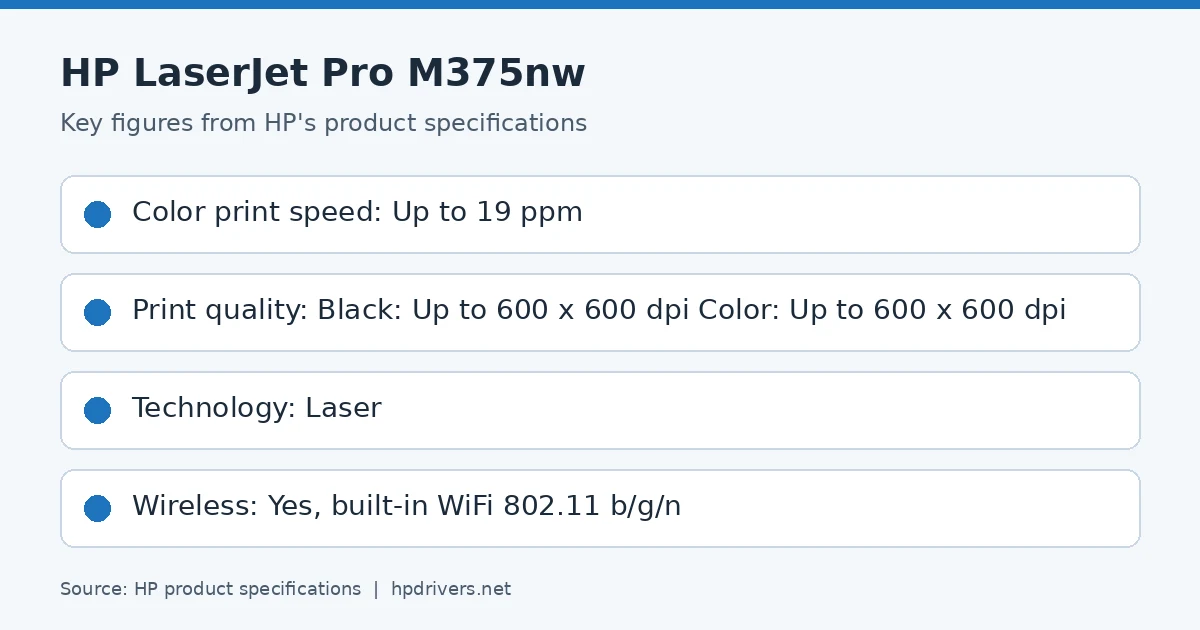
HP LaserJet Pro M375nw driver: key figures from HP's user guide
HP LaserJet Pro M375nw

Recommended downloads

Windows 10, 8.1, 8, 7, Vista (32-bit and 64-bit); Windows XP (32-bit): HP LaserJet Pro 300/400 color M375/M475 Series Full Software and DriversVersion 15.0.16079.1402 · Released Mar 08, 2021 · 140.0 MB · HP rating: Recommended
Download
Windows 11: HP Universal Print Driver for Windows PCL6 (64-bit)Version 8.2.0.26819 · Released Sep 26, 2026 · 20.2 MB
Download
macOS 26, 15, 14: Install HP Easy StartVersion 2.16.7.260722 · Released Aug 14, 2026 · 6.3 MB
Download

Files download directly from HP’s official servers. hpdrivers.net does not host or modify them.

Which Windows package should you choose?

HP publishes 5 kinds of Windows package for the LaserJet Pro 300 color MFP M375:

  • HP Universal Print Driver (v8.2.0.26778, Sep 26, 2026): HP’s shared driver for many models, also listed for this series.
  • Driver files (no installer) (v61.120.05.12262, Apr 08, 2021): bare driver files for Windows’ Add Printer wizard.
  • Driver-only installer (v15.0.16079.1402, Mar 08, 2021): print driver only, for PCs that can’t or shouldn’t take the full package.
  • Full software solution (v15.0.16079.1402, Mar 08, 2021, 140.0 MB): driver plus HP’s setup wizard and tools.
  • Firmware update (v20150126, Feb 26, 2015): updates the printer itself, not your PC.

All downloads for the LaserJet Pro 300 color MFP M375

Windows

Package / Windows
Version
Released
Size
HP LaserJet Pro 300/400 color M375/M475 SeriesPCL 6 Print Driver (no installer)
Windows: 10, 8.1, 8, 7, Vista (32-bit and 64-bit)
XP (32-bit)
File detailsFile: LJ-M375-M475_Series_16078_Driver_Only_1.exe
61.120.05.12262
Apr 08, 2021
23.1 MB
HP LaserJet Pro 300/400 color M375/M475 Series PCL6 Print Driver
Windows: 10, 8.1, 8, 7, Vista (32-bit and 64-bit)
XP (32-bit)
File detailsFile: LJ-M375-M475_Series_16079_Basic_Solution.exe
15.0.16079.1402
Mar 08, 2021
107.7 MB
HP LaserJet Pro 300/400 color M375/M475 Series Full Software and Drivers
Windows: 10, 8.1, 8, 7, Vista (32-bit and 64-bit)
XP (32-bit)
File detailsFile: LJM375_M475_Series-16079_full_solution.exe
15.0.16079.1402
Mar 08, 2021
140.0 MB
HP LaserJet Pro Series Firmware Update Utility
Windows: 10, 8.1, 8, 7, Vista (32-bit and 64-bit)
XP (32-bit)
File detailsFile: M370_M470_colorMFP_Series_FW_Update-20150126.exe
20150126
Feb 26, 2015
13.4 MB

macOS

Package / macOS
Version
Released
Size
HP M375/M475 LaserJet Pro Series Full Solution Software
macOS: 10.10
File detailsFile: HP-LaserJet-SW-OSX-Mavericks_v12.34.34.dmg
12.34.0
Oct 23, 2014
122.0 MB

Other HP software listed for this series

Software / Systems
Version
Size
Fax issue with IE 11 fix utility
Systems: Windows 10, 8.1, 8, 7 (32-bit and 64-bit)
1.0
10.2 MB
HP ePrint Software for Network and Wireless Connected Printers
Systems: Windows 10, 8.1, 8, 7 (32-bit and 64-bit)
5.5.118.22560
26.3 MB
HP Easy Admin
Systems: macOS 26, 15, 14, 13, 11, 10.13, 10.12, 10.11, 10.10
2.16.0.251010
4.9 MB
Install HP Easy Start
Systems: macOS 26, 15, 14
2.16.7.260722
6.3 MB
HP ePrint Software for Network and Wireless Connected Printers
Systems: 10.10
2.5.0
6.7 MB

HP Universal Print Driver

HP lists its Universal Print Driver for this series on Windows 11; Windows 10, 8.1, 8, 7, Vista (32-bit and 64-bit); Windows XP (32-bit). Get it from our HP Universal Print Driver page.

Installing the LaserJet Pro 300 color MFP M375 driver

The driver files without an installer are added through Windows’ Add Printer wizard (Have Disk). For step-by-step instructions, see our guide to installing an HP printer driver.

Firmware update 20150126

The newest firmware HP lists for the LaserJet Pro 300 color MFP M375 is version 20150126, released Feb 26, 2015. HP’s notes for it: Fixed a potential vulnerability issue (CVE-2014-3566) also known as the POODLE SSL v3.0 vulnerability; Fixes an issue the printer may not print where fonts are greater than 72pt; Fixes an issue that could cause loss of network connectivity on wireless networks with multiple access points having the same SSID.

  • Check your current firmware version first on the printer’s Configuration Page, and update only if it is older.
  • Install the printer driver before running the update. HP’s utility needs it to reach the printer.

Specifications that matter for setup

Connections
1 Hi-Speed USB 2.0 port; 1 Host USB port (front-panel); 1 Fast Ethernet 10/100Base-TX network port; 1 WiFi 802.11 b/g/n; 1 RJ -11 (Fax); 1 RJ-11 (Phone only)
Mobile printing
HP ePrint, HP wireless direct printing, Apple AirPrint™, Business Applications
Print languages
HP PCL 6, HP PCL 5c, HP postscript level 3 emulation
Functions
Print, copy, scan, fax
Print speed (black)
Normal: Up to 19 ppm
Recommended monthly volume
500 to 1500
Two-sided printing
Manual (driver support provided)
Scanner
Flatbed, ADF
Scan resolution
Up to 300 dpi (color and mono, ADF); Up to 600 dpi (color, flatbed); Up to 1200 dpi (mono, flatbed)
Two-sided ADF scanning
No
Document feeder
Standard, 50 sheets
Scan file formats
PDF, searchable PDF, JPG, RTF, TXT, BMP, PNG, TIFF
Ways to scan
From PC: Solution Center Lite (Windows Vista®, Windows® XP) or Device Stage (Windows® 7); TWAIN-compliant or WIA-compliant software
Copy speed
Black: Up to 19 cpm Color: Up to 19 cpm From flatbed, exact speed varies depending on the system configuration and document complexity.

Toner supplies HP lists for the LaserJet Pro 300 color MFP M375

HP’s specifications name these replacement supplies for the LaserJet Pro 300 color MFP M375:

  • HP 305A Black LaserJet Toner Cartridge (yield ~2200 pages) CE410A
  • HP 305X Black LaserJet Toner Cartridge (yield ~4000 pages) CE410X
  • HP 305A Cyan LaserJet Toner Cartridge (yield ~2600 pages) CE411A
  • HP 305A Yellow LaserJet Toner Cartridge (yield ~2600 pages) CE412A
  • HP 305A Magenta LaserJet Toner Cartridge (yield ~2600 pages) CE413A Note: ships with preinstalled introductory print cartridges (yield ~1400 pages)

What comes in the box

HP lists these items with the LaserJet Pro 300 color MFP M375:

  • Multifunction printer
  • In-box documentation (Hardware installation guide)
  • Warranty card (for China Indonesia, Argentina, Mexico)
  • Software drivers and documentation on CD-ROMs
  • Power cord
  • Telecom fax cable
  • Built-in Wireless card
  • USB cable Introductory cartridges included

Paper handling and hardware details

Values below are HP’s published figures for the LaserJet Pro 300 color MFP M375; they help you check that this page matches your printer before you download anything.

Paper input tray
50-sheet multipurpose tray, 250-sheet input tray 2
Output tray
150-sheet output bin
Optional trays
Optional 250-sheet tray
Paper sizes
Tray 1: Letter, legal, executive, 8.5 x 13 in, 3 x 5 in, 4 x 6 in, 5 x 8 in, envelopes (No 10, Monarch); Tray 2, optional Tray 3: Letter, legal, executive
Media types
Paper (bond, brochure, colored, glossy, letterhead, photo, plain, preprinted, prepunched, recycled, rough), postcards, transparencies, labels, envelopes
Paper weight
Tray 1: 16 to 47 lb (up to 58 lb with HP Color laser glossy photo papers); Tray 2, optional Tray 3: 16 to 43 lb (up to 47 lb with postcards
Print speed (color)
Up to 19 ppm
Print quality (black)
Black: Up to 600 x 600 dpi Color: Up to 600 x 600 dpi
Control panel
3.5" (8.89 cm) touchscreen, LCD (color graphics)
Memory
192 MB
Processor
600 MHz
Power use
445 watts (Printing), 400 watts (Copying), 18 watts (Ready), 6.0 watts (Sleep)
Size (W x D x H)
16.5 x 19.0 x 19.7 in
Weight
62.2 lb
USB cable
Yes, 1 USB cable
Warranty
One-year unit exchange warranty

Common setup problems

  • An older driver is still installed. HP’s 2021 packages fixed a security vulnerability, so replace older versions with the current package.
  • You’d rather not install software on a Mac. HP’s specifications list AirPrint support, so macOS can usually add the printer from System Settings without extra software.

HP LaserJet Pro M404dn Drivers (LaserJet Pro M404-M405 Series)

Last checked against HP’s download list: November 1, 2026 · Checked by H&G

Looking for the HP LaserJet Pro M404dn driver? This page lists HP’s official software for the whole HP LaserJet Pro M404-M405 series. HP lists some packages for specific models in the series, so check that the package title includes your model. For Windows 11, Windows 10 (64-bit) and Windows 7 (64-bit), the package most people need is the HP LaserJet Pro M404d/M405d/M404dn/M405dn/M404n/M405n/M404m/M404dw/M405dw PCL 6 V3 Printer Driver (no installer). For a Mac, HP lists Install HP Easy Start.

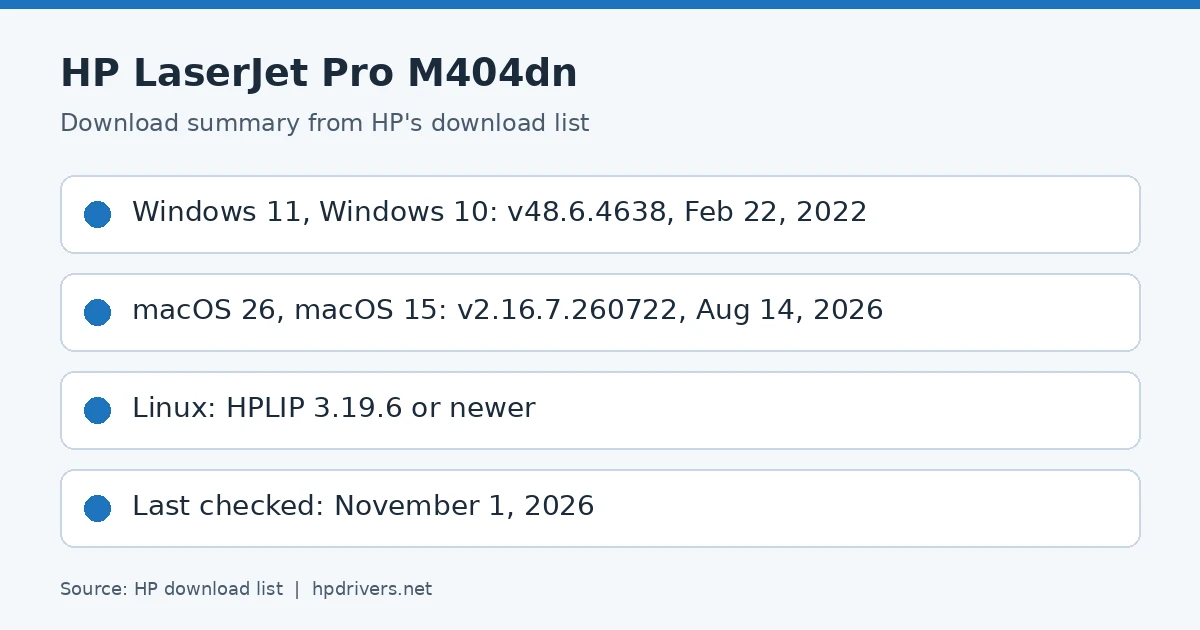
HP LaserJet Pro M404dn driver download summary: HP package versions and release dates
HP LaserJet Pro M404dn download summary

Recommended downloads

Windows 11, Windows 10 (64-bit), Windows 7 (64-bit): HP LaserJet Pro M404d/M405d/M404dn/M405dn/M404n/M405n/M404m/M404dw/M405dw PCL 6 V3 Printer Driver (no installer)Version 48.6.4638 · Released Feb 22, 2022 · 14.8 MB

Download

macOS 26, macOS 15: Install HP Easy StartVersion 2.16.7.260722 · Released Aug 14, 2026 · 6.3 MB

Download

Files download directly from HP’s official servers. hpdrivers.net does not host or modify them.


Models covered by this page

HP’s download list for this series names these models. It covers the whole LaserJet Pro M404-M405 range, including model variants HP does not list by name:

HP LaserJet Pro M404n HP LaserJet Pro M404dn HP LaserJet Pro M404dw HP LaserJet Pro M404d HP LaserJet Pro M405n HP LaserJet Pro M405dw HP LaserJet Pro M405dn HP LaserJet Pro M405d

Which Windows package should you choose?

HP publishes 5 kinds of Windows package for the LaserJet Pro M404-M405:

  • Firmware update (v002_2626A, Sep 03, 2026): updates the printer itself, not your PC.
  • HP Universal Print Driver (v8.2.0.26778, Sep 26, 2026): HP’s shared driver for many models, also listed for this series.
  • Driver-only installer (v48.6.4638, Feb 22, 2022): print driver only, for PCs that can’t or shouldn’t take the full package.
  • Full software solution (v48.6.4638, Feb 22, 2022, 120.0 MB): driver plus HP’s setup wizard and tools.
  • Driver files (no installer) (v48.6.4638, Feb 22, 2022): bare driver files for Windows’ Add Printer wizard.

All downloads for the LaserJet Pro M404-M405

Windows

Package / Windows
Version
Released
Size
HP LaserJet Pro M404_M405 Series Firmware Update Utility

Windows: 11, 10, 7
File details

File: HP_LaserJet_Pro_M304_M305_M404_M405_series_FW_002_2626A.exe

002_2626A
Sep 03, 2026
54.9 MB
HP LaserJet Pro M404/M405dw Printer Basic Software Solution

Windows: 11, 10, 7
File details

File: Basic_Webpack_x64-48.6.4638-LJM404-M405_UWWL_Basicx64_Webpack.exe

48.6.4638
Feb 22, 2022
48.1 MB
HP LaserJet Pro M404/M405d Printer Full Software Solution

Windows: 11, 10, 7
File details

File: Full_Webpack-48.6.4638-LJM404-M405_U_Full_Webpack.exe

48.6.4638
Feb 22, 2022
120.0 MB
HP LaserJet Pro M404d/M405d/M404dn/M405dn/M404n/M405n/M404m/M404dw/M405dw PCL 6 V3 Printer Driver (no installer)

Windows: 11, 10, 7
File details

File: V3_DriveronlyWebpack-48.6.4638-LJM404-M405_V3_DriveronlyWebpack.exe

48.6.4638
Feb 22, 2022
14.8 MB
HP LaserJet Pro M404/M405dw Printer Full Software Solution

Windows: 11, 10, 7
File details

File: Full_Webpack-48.6.4638-LJM404-M405_UWWL_Full_Webpack.exe

48.6.4638
Feb 22, 2022
120.0 MB
HP LaserJet Pro M404/M405d Printer Basic Software Solution

Windows: 11, 10, 7
File details

File: Basic_Webpack_x64-48.6.4638-LJM404-M405_U_Basicx64_Webpack.exe

48.6.4638
Feb 22, 2022
48.0 MB
HP LaserJet Pro M404/M405dn/M404/M405n/M404m Printer Full Software Solution

Windows: 11, 10, 7
File details

File: Full_Webpack-48.6.4638-LJM404-M405_UW_Full_Webpack.exe

48.6.4638
Feb 22, 2022
120.1 MB
HP LaserJet Pro M404/M405dn/M404/M405n/M404m Printer Basic Software Solution

Windows: 11, 10, 7
File details

File: Basic_Webpack_x64-48.6.4638-LJM404-M405_UW_Basicx64_Webpack.exe

48.6.4638
Feb 22, 2022
48.0 MB
HP LaserJet Pro M404d/M405d/M404dn/M405dn/M404n/M405n/M404m/M404dw/M405dw PCL-6 V4 Printer Driver (no installer)

Windows: 11, 10
File details

File: V4_DriveronlyWebpack-48.6.4638-LJM404-M405_V4_DriveronlyWebpack.exe

48.6.4638
Feb 22, 2022
10.3 MB

macOS

Package / macOS
Version
Released
Size
HP LaserJet Pro M404_M405 Series Firmware Update Utility

macOS: 15, 13
File details

File: HP_LaserJet_Pro_M304_M305_M404_M405_series_FW_002_2626A.dmg

002_2626A
Sep 03, 2026
57.6 MB

Other HP software listed for this series

Software / Systems
Version
Size
HP Easy Start Printer Setup Software (Internet connection required for driver installation)
Systems: Windows 11, Windows 10, Windows 7
17.6.15
26.5 MB
HP Roam App for Windows
Systems: Windows 10, Windows 7
1.2.83.79
23.6 MB
HP ePrint Software for Network and Wireless Connected Printers
Systems: Windows 10, Windows 7
5.5.118.22560
31.2 MB
HP Easy Admin
Systems: macOS 26, macOS 15, macOS 13
2.16.0.251010
4.9 MB
Install HP Easy Start
Systems: macOS 26, macOS 15
2.16.7.260722
6.3 MB

HP Universal Print Driver

HP lists its Universal Print Driver for this series on Windows 7, Windows 11 and Windows 10. Get it from our HP Universal Print Driver page.

Linux

HP lists Linux support for this series through its HPLIP project, outside the regular download list: HP’s Linux printing page (HPLIP).

Installing the LaserJet Pro M404-M405 driver

The driver files without an installer are added through Windows’ Add Printer wizard (Have Disk). For step-by-step instructions, see our guide to installing an HP printer driver.

Firmware update 002_2626A

The newest firmware HP lists for the LaserJet Pro M404-M405 is version 002_2626A, released Sep 03, 2026. HP’s notes for it: Fixed 2-sided option disappears from printer settings issue; Contains all previous fixes; Security updates.

  • Keep the printer and the computer switched on until the update has finished.

Specifications that matter for setup

Print languages
HP PCL 6, HP postscript level 3 emulation, PDF, URF, PWG Raster
Print speed (black)
Normal: Up to 40 ppm (default) ; Up to 42 ppm (HP High Speed)

Recommended monthly volume
750 to 4000