
hpdrivers.net is an independent website and is not affiliated with, endorsed by, or sponsored by HP Inc. Download links point to HP's official servers (ftp.hp.com). Read the full disclaimer

HP Laser NS MFP 1005w Drivers

Last checked against HP’s download list: November 8, 2026 · Checked by H&G

Looking for the HP Laser NS MFP 1005w driver? This page lists HP’s official software for the whole HP Laser NS MFP 1005 Printer series: the Neverstop Laser MFP 1005nw, Laser NS MFP 1005, Laser NS MFP 1005w, Laser NS MFP 1005c and Laser NS MFP 1005n. HP lists some packages for specific models in the series, so check that the package title includes your model. For Windows 11; Windows 10, 8.1, 8, 7 (32-bit and 64-bit), the package most people need is the HP Laser NS MFP 1005w Print and Scan Driver and Accessories. For a Mac, HP lists Install HP app to complete setup and support.
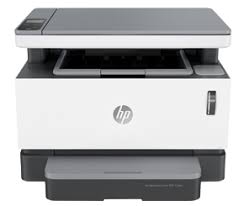
HP Laser NS MFP 1005w printer
HP Laser NS MFP 1005w

Recommended downloads

Windows 11; Windows 10, 8.1, 8, 7 (32-bit and 64-bit): HP Laser NS MFP 1005w Print and Scan Driver and AccessoriesVersion 49.12.4698 · Released Feb 29, 2024 · 119.1 MB
Download
macOS 26, 15, 14, 13, 12, 11: Install HP app to complete setup and supportReleased Aug 29, 2025 · HP rating: Recommended
Download

Files download directly from HP’s official servers. hpdrivers.net does not host or modify them.

Models covered by this page

All 5 models share one download list at HP:

HP Neverstop Laser MFP 1005nw HP Laser NS MFP 1005 HP Laser NS MFP 1005w HP Laser NS MFP 1005c HP Laser NS MFP 1005n

Which Windows package should you choose?

HP publishes 3 kinds of Windows package for the Laser NS MFP 1005:

  • Driver-only installer (v49.12.4698, Feb 29, 2024): print driver only, for PCs that can’t or shouldn’t take the full package.
  • Full software solution (v49.12.4698, Feb 29, 2024, 119.1 MB): driver plus HP’s setup wizard and tools.
  • Firmware update (v20230403, Jun 20, 2023): updates the printer itself, not your PC.

All downloads for the Laser NS MFP 1005

Windows

Package / Windows
Version
Released
Size
HP Laser NS MFP 1005/1005c Printer-IT Professional Use only
Windows: 11
10, 8.1, 8, 7 (64-bit)
File detailsFile: Basic_Webpack_x64-49.12.4698-NSL1005_U_Basicx64_Webpack.exe
49.12.4698
Feb 29, 2024
62.2 MB
HP Laser NS MFP 1005w Print and Scan Driver and Accessories
Windows: 11
10, 8.1, 8, 7 (32-bit and 64-bit)
File detailsFile: Full_Webpack-49.12.4698-NSL1005_UWL_Full_Webpack.exe
49.12.4698
Feb 29, 2024
119.1 MB
HP Laser NS MFP 1005n Print and Scan Driver and Accessories
Windows: 11
10, 8.1, 8, 7 (32-bit and 64-bit)
File detailsFile: Full_Webpack-49.12.4698-NSL1005_UW_Full_Webpack.exe
49.12.4698
Mar 01, 2024
119.1 MB
HP Laser NS MFP 1005/1005c EasyStart Printer Setup Software – Offline Use Only
Windows: 11
10, 8.1, 8, 7 (32-bit and 64-bit)
File detailsFile: HPEasyStart-13.4.8-NSL1005_U_49_10_4644_1_Webpack.exe
49.10.4644
Apr 12, 2022
290.7 MB
HP Laser NS MFP 1005w EasyStart Printer Setup Software – Offline Use Only
Windows: 11
10, 8.1, 8, 7 (32-bit and 64-bit)
File detailsFile: HPEasyStart-13.4.8-NSL1005_UWL_49_10_4644_1_Webpack.exe
49.10.4644
Apr 12, 2022
290.7 MB
HP Laser NS MFP 1005w Printer-IT Professional Use only
Windows: 11
10, 8.1, 8, 7 (64-bit)
File detailsFile: Basic_Webpack_x64-49.12.4698-NSL1005_UWL_Basicx64_Webpack.exe
49.12.4698
Mar 01, 2024
62.2 MB
HP Laser NS MFP 1005n EasyStart Printer Setup Software – Offline Use Only
Windows: 11
10, 8.1, 8, 7 (32-bit and 64-bit)
File detailsFile: HPEasyStart-13.4.8-NSL1005_UW_49_10_4644_1_Webpack.exe
49.10.4644
Apr 12, 2022
290.7 MB
HP Laser NS MFP 1005/1005c Print and Scan Driver and Accessories
Windows: 11
10, 8.1, 8, 7 (32-bit and 64-bit)
File detailsFile: Full_Webpack-49.12.4698-NSL1005_U_Full_Webpack.exe
49.12.4698
Feb 29, 2024
119.1 MB
HP Laser NS MFP 1005n Printer-IT Professional Use only
Windows: 11
10, 8.1, 8, 7 (64-bit)
File detailsFile: Basic_Webpack_x64-49.12.4698-NSL1005_UW_Basicx64_Webpack.exe
49.12.4698
Feb 29, 2024
62.2 MB
HP Laser NS MFP 1005/1005c Printer-IT Professional Use only
Windows: 10, 8.1, 8, 7 (32-bit)
File detailsFile: Basic_Webpack_x86-49.12.4698-NSL1005_U_Basicx86_Webpack.exe
49.12.4698
Feb 29, 2024
54.6 MB
HP Laser NS MFP 1005w Printer-IT Professional Use only
Windows: 10, 8.1, 8, 7 (32-bit)
File detailsFile: Basic_Webpack_x86-49.12.4698-NSL1005_UWL_Basicx86_Webpack.exe
49.12.4698
Feb 29, 2024
54.6 MB
HP Laser NS MFP 1005n Printer-IT Professional Use only
Windows: 10, 8.1, 8, 7 (32-bit)
File detailsFile: Basic_Webpack_x86-49.12.4698-NSL1005_UW_Basicx86_Webpack.exe
49.12.4698
Feb 29, 2024
54.6 MB
HP Laser NS MFP 1005/HP Neverstop Laser MFP 1200 Printer series Firmware
Windows: 10, 8.1, 8, 7 (32-bit and 64-bit)
File detailsFile: 120x_Series_FW_Update-20230403.exe
20230403
Jun 20, 2023
5.4 MB

macOS

Package / macOS
Version
Released
Size
HP Laser NS MFP 1005/HP Neverstop Laser MFP 1200 Printer series Firmware
macOS: 10.13, 10.12, 10.11, 10.15, 10.14
File detailsFile: 120x_Series_FW_Update-20210413.dmg
20210413
Jun 09, 2021
9.9 MB

Other HP software listed for this series

Software / Systems
Version
Size
HP Universal Scan – Full Feature Software and Driver (ARM 64)
Systems: Windows 11
63.8.6459
437.0 MB
HP Universal Scan – Full Feature Software and Driver
Systems: Windows 11
Windows 10, 8.1, 7 (32-bit and 64-bit)
63.8.6459
436.2 MB
HP Universal Scan – Basic Feature Software and Driver
Systems: Windows 11
Windows 10, 8.1, 7 (32-bit and 64-bit)
63.8.6459
113.9 MB
HP Universal Scan – Basic Feature Software and Driver (ARM 64)
Systems: Windows 11
63.8.6459
118.7 MB
HP Easy Start Printer Setup Software (Internet connection required for driver installation)
Systems: Windows 11
Windows 10, 7 (32-bit and 64-bit)
17.6.15
26.5 MB
ReadIRIS Advanced OCR
Systems: Windows 11
Windows 10 (32-bit and 64-bit)
17.4.211
448.6 MB
ReadIRIS Advanced PDF
Systems: Windows 11
Windows 10 (64-bit)
27.0.577.2
532.8 MB
HP Scan OCR Add-on Software
Systems: Windows 11
Windows 10, 8.1, 7 (32-bit and 64-bit)
1.0.1020
224.9 MB
Install HP app to complete setup and support
Systems: Windows 11
Windows 10 (64-bit)
–
–
Install HP Smart app to complete setup and support
Systems: Windows 10 (32-bit)
–
–
Install HP app to complete setup and support
Systems: macOS 26, 15, 14, 13, 12, 11
–
–

Linux

HP lists Linux support for this series through its HPLIP project, outside the regular download list: HP’s Linux printing page (HPLIP).

Installing the Laser NS MFP 1005 driver

For step-by-step instructions, see our guide to installing an HP printer driver.

Firmware update 20230403

The newest firmware HP lists for the Laser NS MFP 1005 is version 20230403, released Jun 20, 2023. HP’s notes for it: General bug fixes and improvements.

  • Install the printer driver before running the update. HP’s utility needs it to reach the printer.

Specifications that matter for setup

Print languages
PCLmS; URF; PWG
Functions
Print, copy, scan
Print speed (black)
Normal: Up to 21 ppm
Recommended monthly volume
250 to 2500
Two-sided printing
Manual (driver support provided)
Scanner
Flatbed
Scan resolution
Up to 600 dpi
Scan file formats
JPG, RAW (BMP), PNG, TIFF, PDF

Toner supplies HP lists for the Laser NS MFP 1005

HP’s specifications name these replacement supplies for the Laser NS MFP 1005:

  • HP 108A Black Original Laser NS Toner Reload Kit (Yield ~2
  • 500 pages)
  • HP 108AD Dual pack Black Original Laser NS Toner Reload Kit (Yield ~2×2
  • 500 pages)
  • HP 109A Black Original Laser Imaging Drum (inbox ~5
  • 000 page black toner

Paper handling and hardware details

Values below are HP’s published figures for the Laser NS MFP 1005; they help you check that this page matches your printer before you download anything.
Paper input tray
150-sheet input tray
Output tray
100-sheet output bin
Paper sizes
Letter; envelopes (No.10); custom
Media types
Plain paper, Heavy paper, Bond paper, Label, Light paper, Envelope
Paper weight
14 to 27 lb
Print quality (black)
Black: Up to 600 x 600 x 2 dpi
Control panel
ICON LCD
Memory
64 MB
Processor
500 MHz
Size (W x D x H)
14.98 x 11.55 x 11.3 in
Warranty
HP one year hardware limited warranty. For full terms and conditions, visit: www.hp.com/go/orderdocuments

HP Color LaserJet Enterprise M552 Drivers

Last checked against HP’s download list: October 30, 2026 · Checked by H&G

Looking for the HP Color LaserJet Enterprise M552 driver? This page lists HP’s official software for the whole HP Color LaserJet Enterprise M552 series. For Windows 10 (64-bit) and Windows 7 (64-bit), the package most people need is the HP Color LaserJet Enterprise M552 Printer Series Full Software and PCL 6 Driver. For Windows 11, HP lists the HP Universal Print Driver for Windows PCL6 (64-bit). For a Mac, HP lists Install HP Easy Start.

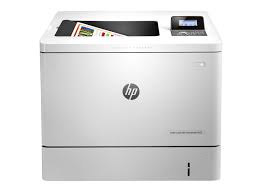
HP Color LaserJet Enterprise M552 printer
HP Color LaserJet Enterprise M552

Recommended downloads

Windows 10 (64-bit), Windows 7 (64-bit): HP Color LaserJet Enterprise M552 Printer Series Full Software and PCL 6 DriverVersion 14.0.19241.351 · Released Mar 10, 2021 · 91.0 MB · HP rating: Recommended

Download

Windows 11: HP Universal Print Driver for Windows PCL6 (64-bit)Version 8.2.0.26819 · Released Sep 26, 2026 · 20.2 MB

Download

macOS 26, macOS 15: Install HP Easy StartVersion 2.16.7.260722 · Released Aug 14, 2026 · 6.3 MB

Download

Files download directly from HP’s official servers. hpdrivers.net does not host or modify them.


Which Windows package should you choose?

HP publishes 5 kinds of Windows package for the Color LaserJet Enterprise M552:

  • HP Universal Print Driver (v8.2.0.26778, Sep 26, 2026): HP’s shared driver for many models, also listed for this series.
  • Firmware update (v2309118_002275, Jan 12, 2025): updates the printer itself, not your PC.
  • Driver files (no installer) (v8.00.1329.6764, Apr 08, 2021): bare driver files for Windows’ Add Printer wizard.
  • Full software solution (v14.0.19241.351, Mar 10, 2021, 91.0 MB): driver plus HP’s setup wizard and tools.
  • Driver-only installer (v14.0.19241.351, Mar 10, 2021): print driver only, for PCs that can’t or shouldn’t take the full package.

All downloads for the Color LaserJet Enterprise M552

Windows

Package / Windows
Version
Released
Size
FutureSmart Bundle Version 3.9.16 – HP Color LaserJet Enterprise M552/M553 Printer FIRMWARE

Windows: 11, 10, 7
File details

File: cljM552_553_fs3.9.16_fw_2309118_002275.zip

2309118_002275
Jan 12, 2025
80.3 MB
HP LaserJet Enterprise M552 PCL 6 V3 Print Driver (no installer)

Windows: 10, 7
File details

File: HP_Color_LJ_Ent_M552_PCL6_Print_Driver_no_Installer-21028_1.exe

8.00.1329.6764
Apr 08, 2021
11.1 MB
HP Color LaserJet Enterprise M552 Printer Series Full Software and PCL 6 Driver

Windows: 10, 7
File details

File: HP_Color_LJ_Ent_M552-full-solution-19241.exe

14.0.19241.351
Mar 10, 2021
91.0 MB
HP LaserJet Enterprise M552 PCL-6 V4 Print Driver (no installer)

Windows: 10
File details

File: HP_Color_LJ_Ent_M552_PCL6_Win8_Plus_Print_Driver_no_Installer-19240_1.exe

8.00.1329.6764
Apr 08, 2021
9.6 MB
HP Color LaserJet Enterprise M552 Printer Series PCL 6 Printer Driver

Windows: 10, 7
File details

File: HP_Color_LJ_Ent_M552-basic-solution-19241.exe

14.0.19241.351
Mar 10, 2021
87.2 MB

macOS

Package / macOS
Version
Released
Size
FutureSmart Bundle Version 3.9.16 – HP Color LaserJet Enterprise M552/M553 Printer FIRMWARE

macOS: 26, 15, 13
File details

File: cljM552_553_fs3.9.16_fw_2309118_002275.zip

2309118_002275
Jan 12, 2025
80.3 MB

Other HP software listed for this series

Software / Systems
Version
Size
HP Roam App for Windows
Systems: Windows 10, Windows 7
1.2.83.79
23.6 MB
HP Easy Admin
Systems: macOS 26, macOS 15, macOS 13
2.16.0.251010
4.9 MB
Install HP Easy Start
Systems: macOS 26, macOS 15
2.16.7.260722
6.3 MB

HP Universal Print Driver

HP lists its Universal Print Driver for this series on Windows 7, Windows 11 and Windows 10. Get it from our HP Universal Print Driver page.

Linux

HP lists Linux support for this series through its HPLIP project, outside the regular download list: HP’s Linux printing page (HPLIP).

Installing the Color LaserJet Enterprise M552 driver

The driver files without an installer are added through Windows’ Add Printer wizard (Have Disk). For step-by-step instructions, see our guide to installing an HP printer driver.

Firmware update 2309118_002275

The newest firmware HP lists for the Color LaserJet Enterprise M552 is version 2309118_002275, released Jan 12, 2025.

  • Keep the printer and the computer switched on until the update has finished.

Specifications that matter for setup

Connections
Hi-Speed USB 2.0 port; built-in Fast Ethernet 10/100/1000Base-TX network port
Wi-Fi
Optional, enabled with purchase of a hardware accessory
Mobile printing
HP ePrint; Apple AirPrint™; Mopria™-certified May require a firmware upgrade to be compatible, download at http://www.hp.com/go/support
Print languages
HP PCL 6; HP PCL 5c; HP postscript level 3 emulation, native PDF printing (v 1.7), XPS
Recommended monthly volume
2000 to 6000
Two-sided printing
Automatic (standard)

Common setup problems

  • An older driver is still installed. HP’s 2021 packages fixed a security vulnerability, so replace older versions with the current package.
  • You’d rather not install software on a Mac. HP’s specifications list AirPrint support, so macOS can usually add the printer from System Settings without extra software.

HP Color LaserJet 5550dn Printer Driver Download

Find HP 5550dn driver downloads, package details and supported operating systems for

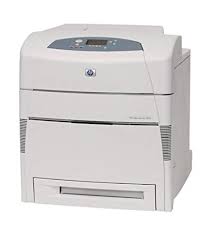
HP Color LaserJet 5550dn Printer

HP Color LaserJet 5550dn Printer printer

Driver Download HP Color LaserJet 5550DN Printer Series for Windows 11/10/8.1/8/7 64-bit/32-bit. Latest Drivers. Quick And Easy Installation

Specifications

Product number
406808
Recommended monthly page volume
2500 to 10,000 HP recommends that the number of printed pages per month be within the stated range for optimum device performance, based on factors including supplies replacement intervals and device life over an extended warranty period.
Print quality black (best)
Black: Up to 600 x 600 dpi Color: Up to 600 x 600 dpi
Duty cycle (monthly, letter)
Up to 120,000 pages Duty cycle is defined as the maximum number of pages per month of imaged output. This value provides a comparison of product robustness in relation to other HP LaserJet or HP Color LaserJet devices, and enables appropriate deployment of printers and MFPs to satisfy the demands of connected individuals or groups.

HP 5550dn driver download for Windows

DescriptionVersionRelease dateFile sizeDownload

Recommended software

HP Universal Print Driver for Windows PCL6 (ARM64-bit)
v8.2.0.26778
Sep 25, 2026
20.1 MB
See full detailsWindows 11
Type:
Driver-Universal Print Driver
Version:
v8.2.0.26778
Operating systems:
Windows 11
Release date:
Sep 25, 2026
File name:
upd-pcl6-win11-ARM64-8.2.0.26778.zip
(20.1 MB)

Package notes

Description:

This is the most current PCL6 driver of the HP Universal Print Driver (UPD) for Windows ARM64 bit systems.

Alternative packages

HP Universal Print Driver for Windows PCL6 (64-bit)
V8.2.0.26819
Sep 25, 2026
20.2 MB
See full detailsWindows 11
Type:
Driver-Universal Print Driver
Version:
V8.2.0.26819
Operating systems:
Windows 11
Release date:
Sep 25, 2026
File name:
upd-pcl6-win11-x64-8.2.0.26819.zip
(20.2 MB)

Package notes

Description:

This is the most current PCL6 driver of the HP Universal Print Driver (UPD) for Windows 64 bit systems. It is intended for Windows 11 and Windows Server 2025.

Setup options

HP Universal Print Driver for Windows PS (64-bit)
V8.2.0.26819
Sep 25, 2026
21.4 MB
See full detailsWindows 11
Type:
Driver-Universal Print Driver
Version:
V8.2.0.26819
Operating systems:
Windows 11
Release date:
Sep 25, 2026
File name:
upd-ps-win11-x64-8.2.0.26819.zip
(21.4 MB)

Package notes

Description:

This is the most current PostScript® emulation driver of the HP Universal Print Driver (UPD) for Windows 64 bit systems. It is intended for Windows 11 and Windows Server 2025.

Additional software

HP Color LaserJet 5550 Printer README
07.220.1
Oct 17, 2013
0.4 MB
See full detailsWindows 11; Windows 10, 7 (64-bit); macOS 13, 15, 26; Linux
Type:
Firmware
Version:
07.220.1
Operating systems:
Windows 11; Windows 10, 7 (64-bit); macOS 13, 15, 26; Linux
Release date:
Oct 17, 2013
File name:
readme_clj5550fw_07_220_1.pdf
(0.4 MB)

Package notes

Description:

This Readme file provides specific

Also applies to: HP Color LaserJet 5550 HP Easy Firmware Upgrade Utility (Includes Code Signing) for Windows Operating Systems. ; HP Color LaserJet 5550 Printer Firmware (Includes Code Signing) for – All Operating Systems – (Must Read README Before Installing)

Compatibility packages

HP LaserJet USB (DOT4) communication driver for Windows 8 and Higher (64-bit)
7.0.0.29
Apr 20, 2015
1.5 MB
See full detailsWindows 10 (64-bit)
Type:
Driver-USB
Version:
7.0.0.29
Operating systems:
Windows 10 (64-bit)
Release date:
Apr 20, 2015
File name:
Dot4x64.msi
(1.5 MB)

Package notes

Description:

This driver only solution provides DOT4 USB bi-directional communication functionality on Windows 8 and higher operating systems.

More available software

HP Universal Print Driver for Windows PostScript (64-bit)
v8.2.0.26778
Sep 25, 2026
21.5 MB
See full detailsWindows 10, 7 (64-bit)
Type:
Driver-Universal Print Driver
Version:
v8.2.0.26778
Operating systems:
Windows 10, 7 (64-bit)
Release date:
Sep 25, 2026
File name:
upd-ps-win10-x64-8.2.0.26778.zip
(21.5 MB)

Package notes

Description:

This is the most current PostScript® emulation driver of the HP Universal Print Driver (UPD) for Windows 64 bit systems; Level 2 and 3 emulation.

Download options

HP Universal Print Driver for Windows PCL6 (64-bit)
v8.2.0.26778
Sep 25, 2026
20.3 MB
See full detailsWindows 10, 7 (64-bit)
Type:
Driver-Universal Print Driver
Version:
v8.2.0.26778
Operating systems:
Windows 10, 7 (64-bit)
Release date:
Sep 25, 2026
File name:
upd-pcl6-win10-x64-8.2.0.26778.zip
(20.3 MB)

Package notes

Description:

This is the most current PCL6 driver of the HP Universal Print Driver (UPD) for Windows 64 bit systems.

Firmware and utilities

HP Color LaserJet 5550 HP Easy Firmware Upgrade Utility (Includes Code Signing) for Windows Operating Systems.
07.220.1
Oct 17, 2013
13.8 MB
See full detailsWindows 11; Windows 10, 7 (64-bit); macOS 13, 15, 26; Linux
Type:
Firmware
Version:
07.220.1
Operating systems:
Windows 11; Windows 10, 7 (64-bit); macOS 13, 15, 26; Linux
Release date:
Oct 17, 2013
File name:
clj5550_fw_utility_07_220_1.exe
(13.8 MB)

Package notes

Description: This package uses the same description as another package in this group.

More firmware and utilities

HP Color LaserJet 5550 Printer Firmware (Includes Code Signing) for – All Operating Systems – (Must Read README Before Installing)
07.220.1
Oct 17, 2013
13.3 MB
See full detailsWindows 11; Windows 10, 7 (64-bit); macOS 13, 15, 26; Linux
Type:
Firmware
Version:
07.220.1
Operating systems:
Windows 11; Windows 10, 7 (64-bit); macOS 13, 15, 26; Linux
Release date:
Oct 17, 2013
File name:
clj5550_fw_07_220_1.zip
(13.3 MB)

Package notes

Description: This package uses the same description as another package in this group.

More firmware and utilities

HP Print Administrator Resource Kit
v1.9.2
Nov 17, 2024
18.7 MB
See full detailsWindows 11; Windows 10, 7 (64-bit)
Type:
Utility-Universal Print Driver
Version:
v1.9.2
Operating systems:
Windows 11; Windows 10, 7 (64-bit)
Release date:
Nov 17, 2024
File name:
HP-PARK-v1.9.2.zip
(18.7 MB)

Package notes

Description:

The HP Print Administrator Resource Kit (PARK) is a collection of tools, scripts and documentation to help print administrators install, deploy, configure and manage the HP Universal Print Driver. The PARK contains both supported and unsupported software tools, scripts and documentation.

HP 5550dn installation and support

Use these resources after choosing the package that matches your operating system.

Driver assistance

Installation instructions

Common setup problems

Official resources

Package versions are listed in the download sections above. Check the operating-system list before downloading.