hpdrivers.net is an independent website and is not affiliated with, endorsed by, or sponsored by HP Inc. Download links point to HP's official servers (ftp.hp.com). Learn more

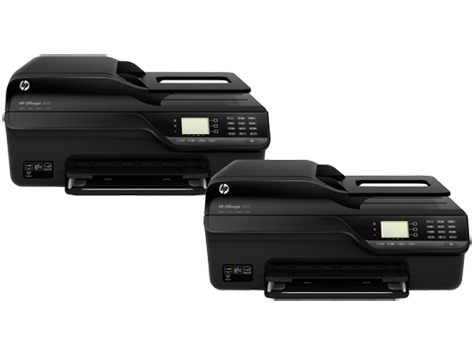
HP Officejet J4540 Driver

HP Officejet J4540 All-in-One Printer Software for Windows 8-7

Download HP Print and Scan Doctor for Windows

HP Officejet J4540 Printer www.hpdrivers.net

Software for HP Officejet J4540

Diagnostic Tool-Fixes Installation and Driver Issues.

Download HP Print and Scan Doctor for Windows

The HP Print and Scan Doctor was designed by HP to provide users with troubleshooting and problem solving features needed to resolve many common problems experienced with HP print and scan products connected to Windows-based computers. Simply run the tool and follow the on-screen instructions.

Relase Details

File name: HPPSdr.exe
Released: Sep 3, 2021
Version 5.6.2.008
Compatibility: Microsoft Windows 10 (32-bit)(64-bit), Microsoft Windows 8 (32-bit)(64-bit), Microsoft Windows 8.1 (32-bit)(64-bit), Microsoft Windows 7 (32-bit)(64-bit)

Download

File Size : 11.3 Mb

HP Officejet 4575 Printer Driver K710a

Find HP K710a driver downloads, package details and supported operating systems for

HP Officejet 4575 All-in-One Printer – K710a Printer

HP Officejet 4575 All-in-One Printer - K710a printer

HP Officejet 4575 All-in-One Printer – K710a

Specifications

Product number
4181270
Duplex printing
None (not supported)
Recommended monthly page volume
350 to 600
Paper handling input, standard
100-sheet input tray, 20-sheet automatic document feeder
Print quality black (best)
Black: Up to 600 x 600 dpi rendered dpi black Color: Up to 4800 x 1200 dpi optimized on select HP photo papers with 1200 x 1200 input dpi
Functions
Print, copy, scan, fax
Connectivity, standard
1 USB; 1 Phone; 1 RJ-45 (10/100Base-TX)
Source verification: The model and driver information on this page was reviewed against archived HP source records on .

You can compare the MD5 value shown in each package's details with the downloaded file to confirm that it matches the original HP file record.

HP K710a driver download for Windows

DescriptionVersionRelease dateFile sizeDownload

Recommended software

Installing Your Printer Driver Using the Windows Built-in Solution
N/A
Dec 20, 2021
N/A
See full detailsWindows 11; Windows 10, 7 (64-bit)
Type:
Driver-Product Installation Software
Version:
N/A
Operating systems:
Windows 11; Windows 10, 7 (64-bit)
Release date:
Dec 20, 2021
File name:
HP support instructions
(N/A)

Package notes

Description:

Install the HP Printer Driver and Software provided within your operating system.

Firmware and utilities

HP Officejet Driver Removal Utility
14.0.0
Aug 30, 2010
2.4 MB
See full detailsWindows 7 (64-bit)
Type:
Utility
Version:
14.0.0
Operating systems:
Windows 7 (64-bit)
Release date:
Aug 30, 2010
File name:
OJ4500vK710_Scrubber_14.exe
(2.4 MB)
MD5:
2f3b51a44c1bff087c03b3d33a7cdb32

Package notes

Description:

This Software and Driver Removal Utility is intended for users to remove the HP software from their system. If problems arise while installing or uninstalling the HP software, download this removal utility to uninstall the software before attempting reinstallation.

HP K710a Linux Support

DescriptionVersionRelease dateFile sizeDownload

Recommended software

HP Printers – Driver Support for Linux OS
N/A
Nov 7, 2016
N/A
See full detailsLinux
Type:
Driver-Product Installation Software
Version:
N/A
Operating systems:
Linux
Release date:
Nov 7, 2016
File name:
HP support instructions
(N/A)

Package notes

Description:

For Linux downloads, HP recommends another website. If you need to download Linux drivers, you will be directed to a website that is outside HP Customer Support.

HP K710a installation and support

Use these resources after choosing the package that matches your operating system.

Driver assistance

Installation instructions

Common setup problems

Official resources

Package versions are listed in the download sections above. Check the operating-system list before downloading.

HP Officejet 4622 Driver

Find HP Officejet 4622 e-All-in-One driver downloads, package details and supported operating systems for

HP Officejet 4622 e-All-in-One Printer

HP Officejet 4622 e-All-in-One Printer printer

HP Officejet 4622 e-All-in-One Printer Driver for Windows 11/10/8/7/Vista/Xp

Specifications

Product number
CZ294A
Recommended monthly page volume
150 to 600
Paper handling input, standard
80-sheet input tray, 35-sheet automatic document feeder (ADF)
Print quality black (best)
Black: Up to 1200 x 600 dpi Color: Up to 4800 x 1200 dpi optimized on select HP photo papers with 1200 x 1200 input dpi
Functions
Print, copy, scan, fax
Duty cycle (monthly, letter)
Up to 3000 pages
Connectivity, standard
1 USB 2.0; 802.11b/g/n wireless; 1 Phone

HP Officejet 4622 e-All-in-One driver download for Windows

DescriptionVersionRelease dateFile sizeDownload

Recommended software

HP Officejet 4620 e-All-in-One Printer series Basic Driver – IT Professional Use only Recommended
28.1.1307
Dec 6, 2021
29.0 MB
See full detailsWindows 11; Windows 10, 8.1, 8, 7 (64-bit); Windows Vista (64-bit)
Type:
Driver-Product Installation Software
Version:
28.1.1307
Operating systems:
Windows 11; Windows 10, 8.1, 8, 7 (64-bit); Windows Vista (64-bit)
Release date:
Dec 6, 2021
File name:
Basic_Webpack_x64-1307-OJ4620_Basicx64_Webpack.exe
(29.0 MB)

Package notes

Description:

IT Managed solutions are a subset of the HP printer software and are provided for corporate customers. This software includes an installer, a printer driver and a scan driver.

Also applies to: HP Officejet 4620 e-All-in-One Printer series Basic Driver – IT Professional Use only

Alternative packages

Install HP app to complete setup and support Recommended
N/A
Jun 17, 2026
Size not listed
See full detailsWindows 11; Windows 10 (64-bit)
Type:
Installation Software and Driver
Version:
N/A
Operating systems:
Windows 11; Windows 10 (64-bit)
Release date:
Jun 17, 2026
File name:
9N9PHDT62W94

Package notes

Description:

Install HP app to setup and use your Printer HP app will help you connect your printer, install driver, offer print, scan, fax, share files and Diagnose/Fix top issues. Click here to learn how to setup your Printer successfully (Recommended).

Setup options

HP Officejet 4620 e-All-in-One Printer series Basic Driver – IT Professional Use only Recommended
28.1.1307
Dec 6, 2021
26.9 MB
See full detailsWindows 10, 8.1, 8, 7 (32-bit); Windows Vista (32-bit); Windows XP (32-bit)
Type:
Driver-Product Installation Software
Version:
28.1.1307
Operating systems:
Windows 10, 8.1, 8, 7 (32-bit); Windows Vista (32-bit); Windows XP (32-bit)
Release date:
Dec 6, 2021
File name:
Basic_Webpack_x86-1307-OJ4620_Basicx86_Webpack.exe
(26.9 MB)

Package notes

Description: This package uses the same description as another package in this group.

Additional software

Install HP Smart app to complete setup and support Recommended
N/A
Dec 15, 2024
Size not listed
See full detailsWindows 10 (32-bit)
Type:
Installation Software and Driver
Version:
N/A
Operating systems:
Windows 10 (32-bit)
Release date:
Dec 15, 2024
File name:
9wzdncrfhwlh

Package notes

Description:

HP Smart will help you: Install printer software and drivers Create an HP account and register your printer Connect your printer to Wi-Fi, load paper, and install cartridges After installation, you can use the HP Smart software to print, scan and copy files, print remotely, sign up for instant ink* and more. NOTE: Disconnect from Virtual Private Network (VPN) connection before downloading.

Compatibility packages

HP Officejet 4620 e-All-in-One Print and Scan Driver and Accessories
28.1.1307_1
May 17, 2022
75.6 MB
See full detailsWindows 11; Windows 10, 8.1, 8, 7 (32/64-bit); Windows Vista (32-bit); Windows Vista (64-bit); Windows XP (32-bit)
Type:
Software-Utility
Version:
28.1.1307_1
Operating systems:
Windows 11; Windows 10, 8.1, 8, 7 (32/64-bit); Windows Vista (32-bit); Windows Vista (64-bit); Windows XP (32-bit)
Release date:
May 17, 2022
File name:
Full_Webpack-1307_1-OJ4620_Full_Webpack.exe
(75.6 MB)

Package notes

Description:

The full solution software includes everything you need to install and use your HP printer. This collection of software includes the complete set of drivers, installer and optional software.

More available software

HP ePrint Software for Network and Wireless Connected Printers
5.5.118.22560
Sep 17, 2017
26.3 MB
See full detailsWindows 10, 8.1, 8, 7 (32-bit)
Type:
Software-ePrint
Version:
5.5.118.22560
Operating systems:
Windows 10, 8.1, 8, 7 (32-bit)
Release date:
Sep 17, 2017
File name:
HPEPrintAppSetupx86.exe
(26.3 MB)

Package notes

Description:

HP ePrint Software makes it easy to print from a desktop or laptop PC to any HP ePrinter. You can easily print your digital content wirelessly to supported HP printers on a local wireless network (Wi-Fi), HP printer enabled Wireless or WiFi Direct, or over the wired LAN.

Also applies to: HP ePrint Software for Network and Wireless Connected Printers

Download options

HP ePrint Software for Network and Wireless Connected Printers
5.5.118.22560
Sep 17, 2017
31.2 MB
See full detailsWindows 10, 8.1, 8, 7 (64-bit)
Type:
Software-ePrint
Version:
5.5.118.22560
Operating systems:
Windows 10, 8.1, 8, 7 (64-bit)
Release date:
Sep 17, 2017
File name:
HPEPrintAppSetupx64.exe
(31.2 MB)

Package notes

Description: This package uses the same description as another package in this group.

Other available packages

Recommended update to resolve the ePrintCenter window from opening in front of the HP Printer Assistant
1.0
Apr 11, 2012
1.0 MB
See full detailsWindows 7 (32/64-bit); Windows Vista (32-bit); Windows Vista (64-bit); Windows XP (32-bit); +1 versions
Type:
Update
Version:
1.0
Operating systems:
Windows 7 (32/64-bit); Windows Vista (32-bit); Windows Vista (64-bit); Windows XP (32-bit); +1 versions
Release date:
Apr 11, 2012
File name:
HPCOM_5477_EPC_UDC_UPDATE_000_001.exe
(1.0 MB)

Package notes

Description:

This update prevents ePrintCenter from opening in a web browser in front of HP Printer Assistant when launched from Desktop icon or Start Menu.

Firmware and utilities

HP Officejet/Deskjet Ink Advantage 4610/4620 Firmware Update
1829A
Jul 30, 2018
2.5 MB
See full detailsWindows 10, 8.1, 8, 7 (32/64-bit); Windows Vista (32-bit); Windows Vista (64-bit)
Type:
Firmware
Version:
1829A
Operating systems:
Windows 10, 8.1, 8, 7 (32/64-bit); Windows Vista (32-bit); Windows Vista (64-bit)
Release date:
Jul 30, 2018
File name:
OJ4620_1829A.exe
(2.5 MB)

Package notes

Description:

This software tool will help you update your printer to the latest firmware. Please refer to Enhancements/Fixes for more detail about the firmware update.

Also applies to: HP Officejet/Deskjet Ink Advantage 4610/4620 Firmware Update

HP Officejet 4622 e-All-in-One driver download for macOS

DescriptionVersionRelease dateFile sizeDownload

Recommended software

Install HP Easy Start Recommended
2.16.7.260722
Aug 13, 2026
6.3 MB
See full detailsmacOS 14–15, 26
Type:
Driver
Version:
2.16.7.260722
Operating systems:
macOS 14–15, 26
Release date:
Aug 13, 2026
File name:
HP_Easy_Start.app.zip
(6.3 MB)

Package notes

Description:

HP Easy Start is the new way to set up your HP printer and prepare your Mac for printing. HP Easy Start will locate and install the latest software for your printer and then guide you through printer setup.

Alternative packages

Install HP app to complete setup and support Recommended
N/A
Aug 28, 2025
Size not listed
See full detailsmacOS 11–15, 26
Type:
Installation Software and Driver-Includes print, scan, latest features, and solutions
Version:
N/A
Operating systems:
macOS 11–15, 26
Release date:
Aug 28, 2025
File name:
id1474276998

Package notes

Description:

HP app will help you: Install printer software and drivers Create an HP account and register your printer Connect your printer to Wi-Fi, load paper, and install cartridges After installation, you can use the HP app software to print, scan and copy files, print remotely, sign up for instant ink* and more. NOTE: Disconnect from Virtual Private Network (VPN) connection before downloading.

Setup options

HP Officejet 4620 series Full Feature Software and Drivers Recommended
12.34
Oct 21, 2014
142.9 MB
See full detailsOS X 10.9–10.11
Type:
Driver-Product Installation Software
Version:
12.34
Operating systems:
OS X 10.9–10.11
Release date:
Oct 21, 2014
File name:
HP-OfficeJet_4620_e-All-in-One_v12.34.40.dmg
(142.9 MB)

Package notes

Description:

This download package contains the full software solution for Mac OS X including all necessary software and drivers.

Also applies to: HP Officejet Full Feature Software and Drivers – Mac OS X 10.6, OS X 10.7, OS X 10.8

Additional software

HP Officejet Full Feature Software and Drivers – Mac OS X 10.6, OS X 10.7, OS X 10.8 Recommended
12.23.0
Jan 22, 2014
214.5 MB
See full detailsOS X 10.6–10.8
Type:
Driver-Product Installation Software
Version:
12.23.0
Operating systems:
OS X 10.6–10.8
Release date:
Jan 22, 2014
File name:
Officejet-4620-series_v12.23.0.dmg
(214.5 MB)

Package notes

Description: This package uses the same description as another package in this group.

Compatibility packages

HP Officejet Full Feature Software and Drivers – Mac OS X v10.5 Recommended
12.16
Apr 1, 2012
198.2 MB
See full detailsOS X 10.5
Type:
Driver-Product Installation Software
Version:
12.16
Operating systems:
OS X 10.5
Release date:
Apr 1, 2012
File name:
Officejet-4620-series_v12.16.0.dmg
(198.2 MB)

Package notes

Description:

This download includes the HP print driver, HP Printer Utility and HP Scan software.

More available software

HP ePrint Software for Network and Wireless Connected Printers
2.5.0
Feb 11, 2015
6.7 MB
See full detailsmacOS 10.12; OS X 10.8–10.11
Type:
Software-ePrint
Version:
2.5.0
Operating systems:
macOS 10.12; OS X 10.8–10.11
Release date:
Feb 11, 2015
File name:
HP-ePrint_v2.5.0.dmg
(6.7 MB)

Package notes

Description: This package uses the same description as another package in this group.

Firmware and utilities

HP Officejet/Deskjet Ink Advantage 4610/4620 Firmware Update
1829A
Aug 9, 2018
5.6 MB
See full detailsmacOS 10.12–10.13; OS X 10.9–10.11
Type:
Firmware
Version:
1829A
Operating systems:
macOS 10.12–10.13; OS X 10.9–10.11
Release date:
Aug 9, 2018
File name:
OJ4620_1829A.dmg
(5.6 MB)

Package notes

Description: This package uses the same description as another package in this group.

HP Officejet 4622 e-All-in-One Linux Support

DescriptionVersionRelease dateFile sizeDownload

Recommended software

Linux β€” HP Support
Version not listed
Date not listed
Size not listed
See full detailsLinux
Type:
HP Support
Version:
Version not listed
Operating systems:
Linux
Release date:
Date not listed
File name:
HP Support

Package notes

Description: HP does not provide a separate package description for this download.

HP Officejet 4622 e-All-in-One Mobile Apps

DescriptionVersionRelease dateFile sizeDownload

Recommended software

HP App β€” Android Recommended
Version not listed
Date not listed
Size not listed
See full detailsAndroid
Type:
Mobil uygulama
Version:
Version not listed
Operating systems:
Android
Release date:
Date not listed
File name:
Google Play

Package notes

Description: HP does not provide a separate package description for this download.

Alternative packages

HP App β€” iOS / iPadOS Recommended
Version not listed
Date not listed
Size not listed
See full detailsiPhone / iPad
Type:
Mobil uygulama
Version:
Version not listed
Operating systems:
iPhone / iPad
Release date:
Date not listed
File name:
App Store

Package notes

Description: HP does not provide a separate package description for this download.

HP Officejet 4622 e-All-in-One installation and support

Use these resources after choosing the package that matches your operating system.

Driver assistance

Installation instructions

Common setup problems

Official resources

Package versions are listed in the download sections above. Check the operating-system list before downloading.