
hpdrivers.net is an independent website and is not affiliated with, endorsed by, or sponsored by HP Inc. Download links point to HP's official servers (ftp.hp.com). Read the full disclaimer

HP Universal Print Driver for Windowsn

HP Universal Print Driver for Windows PCL6 (Update : Jun 12, 2023)

Drivers & Software

Description : This is the most current PCL6 driver of the HP Universal Print Driver (UPD) for Windows 32/64 bit systems.

Driver – Universal Print Driver

Description

This is the most current PCL6 driver of the HP Universal Print Driver (UPD) for Windows 32 bit and 64 bit systems.

The HP Universal Print Driver is a single driver that provides access to a variety of HP printing options. This driver supports many HP printer models. You do not need to install separate drivers for all of them. However, you may not be able to use all the features of your printer. If there is a driver produced for your printer, it would be better to install it. However, HP company only releases universal drivers for some of its models.

Release details

Version: v7.3.0.25919

Relase Date : Nov 18, 2024

Operating Systems:
Microsoft Windows 10 (32-bit), Microsoft Windows 7 (32-bit), Microsoft Windows 8 (32-bit), Microsoft Windows 8.1 (32-bit), Microsoft Windows Server 2012, Microsoft Windows Server 2016, Microsoft Windows Server 2019
File name: upd-pcl6-x32-7.3.0.25919.zip

Download

File Size : 18.51 MB

Operating Systems:
Microsoft Windows 11, Microsoft Windows 10 (64-bit), Microsoft Windows 7 (64-bit), Microsoft Windows 8 (64-bit), Microsoft Windows 8.1 (64-bit), Microsoft Windows Server 2012, Microsoft Windows Server 2016, Microsoft Windows Server 2019
File name: upd-ps-x64-7.3.0.25919.zip

Download

File Size : 22.13Mb

Before you start installing the driver for your printer, you need to download the driver suitable for your operating system above to your computer. Additionally, when the driver installation is completed, you can delete the file you downloaded if you wish. Moreover, all the drivers published on our site are taken from HP’s original website. All are completely safe. Our goal is to help you find the driver you are looking for more easily and quickly. However, if you want to see more detailed drivers for your printer, you can visit HP’s original site. You can find a shortcut to the original site at the top right of our site. Also, if you need drivers for different operating systems or different printers, you can share this with us. We’d be happy to help you.
Download HP ePrint

HP ePrint Software Download for Windows

HP ePrint Software for Network and Wireless Connected Printers

Description

HP ePrint Software makes it easy to print from a desktop or laptop PC to any HP ePrinter. You can easily print your digital content wirelessly to supported HP printers on a local wireless network (Wi-Fi), HP printer enabled Wireless or WiFi Direct, or over the wired LAN. Additionally, you can print to your HP ePrint-enabled printer via the cloud at home, the office, or on-the-go, whenever the printer is connected to the Internet. You can even print to thousands of HP ePrint Public Print Locations worldwide.

Fixes

Support for Secure Internet Printing Protocol (IPPS) User Authentication.
Support for printing to HP JA Connect Server pullprint solution.
Support for unicast DNS service discovery to discover wide-area printers.
Dynamic splash screens for HP Jet Advantage.
Fixed the failure to print to HP ePrint Cloud in some cases where Asian characters are used in the name of the document printed.
Fixed the display name of the printer in the ePrint SW UI containing junk characters in some cases where Asian characters are used to name the printer.
Fixed the intermittent failure to establish printer connection when using wireless direct print path.
Fixed various string translation issues in localized (non-English) environments.

Release details

Version: 5.5.118.22560
Relase Date : Sep 18, 2017

Operating Systems:
Microsoft Windows 7 (32-bit)
Microsoft Windows 8 (32-bit)
Microsoft Windows 8.1 (32-bit)
Microsoft Windows 10 (32-bit)

Download

File name: HPEPrintSetupx86.exe (26 MB)

Operating Systems:
Microsoft Windows 7 (64-bit)
Microsoft Windows 8 (64-bit)
Microsoft Windows 8.1 (64-bit)
Microsoft Windows 10 (64-bit)

Download

File name: HPEPrintSetupx64.exe (31.2 MB)

HP Print and Scan Doctor Discontinued: What to Use Instead

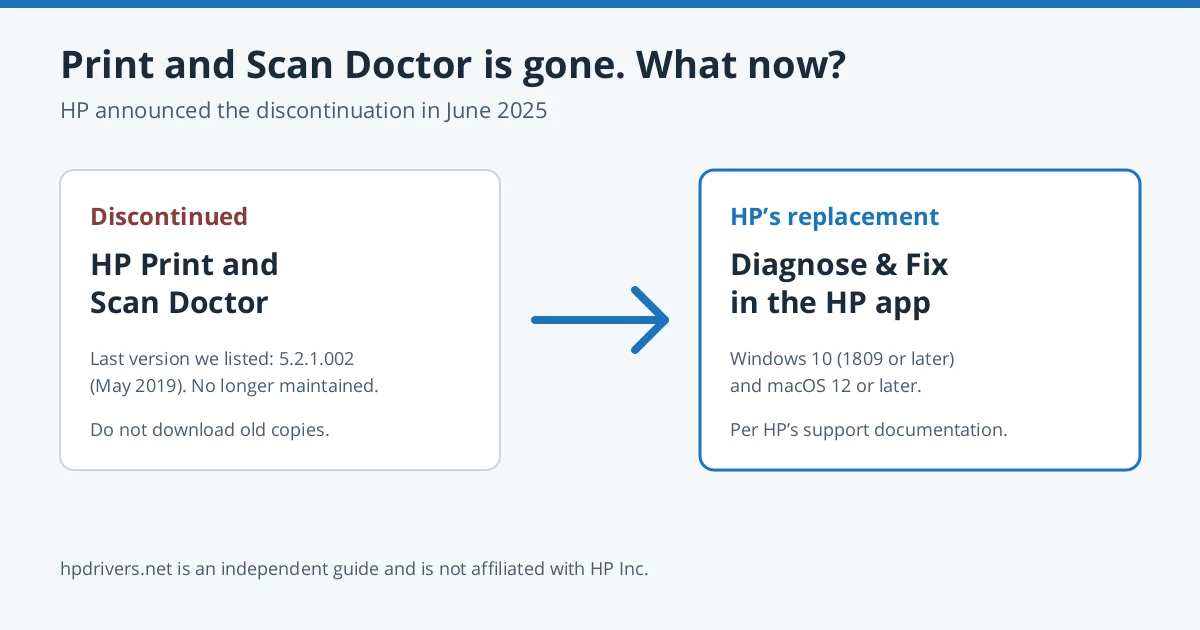
HP Print and Scan Doctor, the small Windows tool many people used to fix printing and scanning problems, has been discontinued. HP announced this on its support community blog in June 2025. It points users to the Diagnose & Fix feature in the HP app instead. This page used to offer a download of the old tool. We removed it, because HP no longer maintains that software and we cannot vouch for copies of it.

Last checked against HP’s published support information: October 31, 2026 · Checked by H&G
Diagram: HP Print and Scan Doctor is discontinued; HP recommends Diagnose & Fix in the HP app

The short version

  • HP Print and Scan Doctor is discontinued. HP gave no reason in its announcement.
  • HP’s replacement is Diagnose & Fix inside the HP app, for Windows and macOS.
  • Do not download “HPPSdr.exe” from third-party sites. You cannot verify what those copies contain, and the tool is no longer updated.
  • HP’s own instructions: Use Diagnose & Fix in the HP app to repair common printing issues.

What HP has said about HP Print and Scan Doctor

HP’s community blog post, published in June 2025, says HP Print & Scan Doctor (PSDR) is discontinued. According to HP, its functions live on in other HP tools. The post does not explain why the tool was retired, and we will not guess. HP has separately published security bulletins about older Print and Scan Doctor versions (for example HPSBHF03875). HP has not said the two are connected.

How to use Diagnose & Fix instead

These are the steps HP documents for Windows and macOS:

  1. Install the HP app from your device’s app store (or follow the setup at HP’s 123.hp.com) and add your printer.
  2. Open the app, select your printer, and choose Diagnose & Fix. In some versions it sits under the printer’s settings or a Diagnostics section. If you see a different label, look for the wrench-style Diagnose & Fix icon.
  3. Click Start and keep the app open until the analysis finishes.
  4. Follow the instructions on the results screen.

HP says the tool needs Windows 10 version 1809 or later, or macOS 12.0 or later. It works only with HP printers that the app supports. Menu names changed when HP moved from the older HP Smart app to the HP app. The screens on your computer may not match the list exactly.

What Diagnose & Fix checks

According to HP’s documentation, Diagnose & Fix can:

  • clear print jobs stuck in the queue and resume paused jobs;
  • check whether the printer shows as offline and try to reconnect it;
  • resolve print spooler errors;
  • on Windows only, install available driver updates and correct port mismatches.

HP describes it as a tool for common printing problems. If your printer prints but will not scan, look at the scan software. If the problem started after a Windows update, check the printer driver. Our guides on installing an HP printer driver and on HP printer drivers for Windows 11 cover that.

If the tool does not fix it

  1. Restart the printer and the computer, then run Diagnose & Fix again.
  2. Remove the printer in the HP app (or in Windows under Printers & scanners) and add it again.
  3. For a job that will not leave the queue, HP also has a page on fixing a print job stuck in the queue.
  4. If the HP app does not support your printer, install the driver for your exact model from HP. Then use Windows’ built-in printer troubleshooter.

I still have HPPSdr.exe. Should I run it?

We recommend against it. The last version we listed on this page was 5.2.1.002 from May 2019, and HP no longer supports the tool. If you still have the file, you can delete it. If Print and Scan Doctor appears in your list of installed apps, uninstall it there.

Frequently asked questions

Is HP Print and Scan Doctor still available from HP?

No. HP announced in June 2025 that it is discontinued and recommends Diagnose & Fix in the HP app. We do not offer a download of it.

Why did this page stop offering a download?

It linked to a 2019 release that HP no longer maintains. Pointing visitors to an unsupported tool would not be helpful or safe.

Is Diagnose & Fix an exact replacement?

HP presents it as the replacement. HP’s documentation lists checks for the queue, offline status, spooler and, on Windows, drivers and ports. These cover many everyday printing problems. HP does not say it matches every function of the old tool.

Does Diagnose & Fix work on a Mac?

Yes. HP documents it for macOS 12.0 and later, although the driver-update and port checks are listed for Windows only.