
The HP Laser MFP 136wm driver download for Windows 11, Windows 10, 8.1, 8, 7 (32-bit and 64-bit) is the HP Laser MFP 130 Printer series Full Solution Software and Drivers, and for a Mac HP lists the package titled “Install HP app to complete setup and support”. This page lists HP’s official software for the HP Laser MFP 136wm.
Recommended Laser MFP 136wm driver downloads
Files download directly from HP’s official servers. hpdrivers.net does not host or modify them.
Which Windows package does the Laser MFP 136wm driver need?
These are the main types of Windows package that HP lists specifically for the Laser MFP 136wm:
- Driver files (no installer) (v1.21, Feb 26, 2026): bare driver files for Windows’ Add Printer wizard.
- Full software solution (v1.21, Feb 26, 2026, 88.8 MB): driver plus HP’s setup wizard and tools.
- HP Laser MFP 130 Printer series Print and Scan Driver (v1.21, Feb 26, 2026): scanning from the computer.
- Firmware update (v3.82.01.27, Jan 06, 2026): updates the printer itself, not your PC.
Laser MFP 136wm driver: all packages
Laser MFP 136wm driver for Windows
File details
File:HP_Laser_MFP_131_133_135-138_Driver_V1.21.exeFile details
File:HP_Laser_MFP_131_133_135-138_Full_Software_and_Drivers_1.21.exeFile details
File:HP_Laser_MFP_131_133_135-138_Print_Drivers_1.21.exeFile details
File:HP_Laser_MFP_131_136_3in1_V3.82.01.27.zipOther HP software listed for this series
Laser MFP 136wm driver for Linux
HP lists a Linux driver for this series: HP MFP 130 and HP Color MFP 170 Printer series Print and Scan Driver (Version 1.00.39:00.12_00.15 · Released Jun 26, 2020 · 11.1 MB). Download from HP.
Which systems the Laser MFP 136wm driver supports
HP’s download list for the Laser MFP 136wm names Windows 11; Windows 10, 8.1, 8, 7 (32-bit and 64-bit); macOS 26, 15, 14, 13, 12, 11; and Linux through HPLIP. On a Mac the setup runs through the HP app.
Installing the Laser MFP 136wm driver
To install it, follow these steps.
- Pick the installer from the table above.
- Run it and follow the prompts on screen.
- Connect the printer by USB or Wi-Fi when the installer asks.
- Print a test page to confirm the connection.
The driver files without an installer are added through Windows’ Add Printer wizard (Have Disk). For step-by-step instructions, see our guide to installing an HP printer driver.
Firmware update 3.82.01.27
For the Laser MFP 136wm, HP lists the HP Laser MFP 131a, 136a, 136w, 136nw, 136wm Firmware File, version 3.82.01.27, released Jan 06, 2026.
- Check your current firmware version first on the printer’s Configuration Page, and update only if it is older.
- Install the printer driver before running the update. HP’s utility needs it to reach the printer.
Specifications that matter for setup
What comes in the box
HP lists these items with the Laser MFP 130:
- HP Laser 130 Printer: HP Black Laser Toner Cartridge (~1.5K pages)
- Preinstalled introductory HP Laser Black print cartridges (~0.5K pages, WW)
- Preinstalled introductory HP Laser Black print cartridges (~0.7K pages, Bidding)
- Preinstalled introductory HP Laser Black print cartridges (~1.5K pages, CH/IN)
- Setup Guide, Reference Guide, Regulatory Statements Flyer
- No CD-ROM
- Power cord
- USB cable (WW)
Paper handling and hardware details
Values below are HP’s published figures for the Laser MFP 130 series, which the Laser MFP 136wm belongs to.
Fixing Wi-Fi connection problems
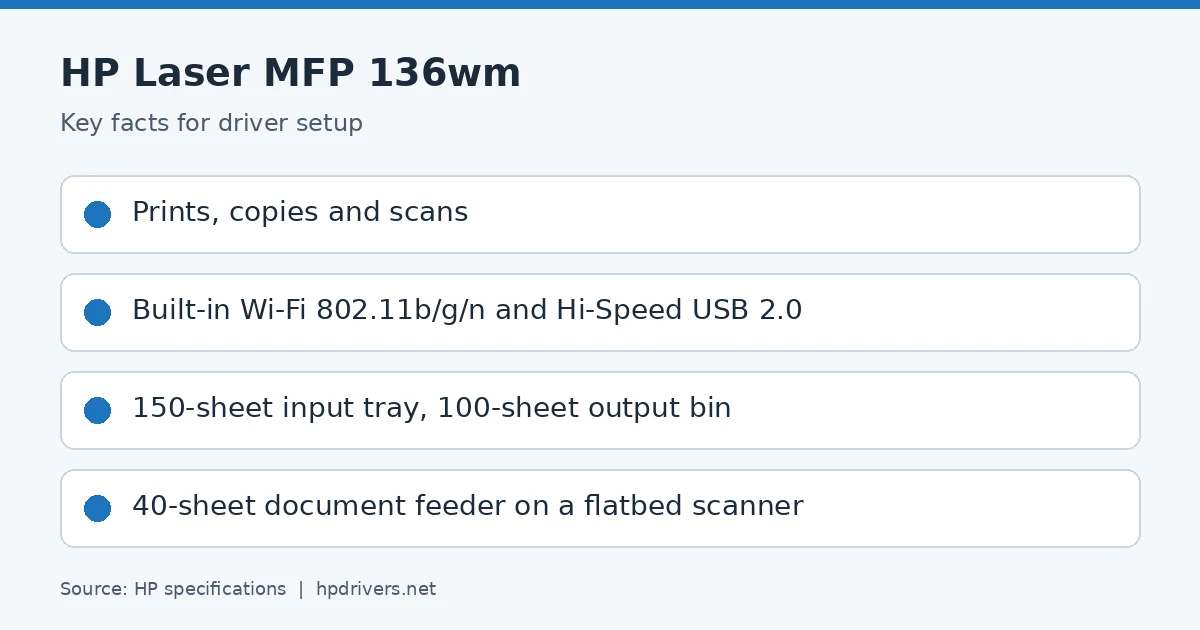
The printer has built-in Wi-Fi 802.11b/g/n, and Wi-Fi Direct printing is among its mobile options. To find out whether Wi-Fi Direct printing is enabled, print a configuration page from the control panel. That page also shows the SSID.
For most networks, the printer must be within 30 m (100 ft) of the wireless access point. However, metal objects, poles, walls or columns containing metal or concrete can block the signal. Motors, cordless phones and security system cameras can interfere with it.
- Check that the printer and wireless router are on and powered.
- Confirm the printer’s wireless radio is turned on.
- Compare the SSID on the configuration page with your network.
- On WPA networks, match the AES or TKIP encryption used by the access point.
Reading control panel messages
Messages on the 2-line display show the machine’s status or errors. The tables in the user guide give the meaning of a message and a suggested solution. If a message is not listed, reboot the power and repeat the print job.
However, if the problem persists, call a service representative and give them the text of the display message. Jam messages cover the document feeder, the tray and the inside of the machine. Toner messages include Low Toner, which says a small amount of toner is left.
Ways to scan your documents
The scanner is a flatbed with a standard 40-sheet document feeder and an optical resolution up to 600 × 600 dpi. You can scan over a USB cable or the network.
The guide lists HP MFP Scan, Scan to WSD, TWAIN, WIA and the HP Smart app. For example, WIA requires the computer to be connected directly by USB cable, while TWAIN works over a local or network connection.
Redistributing toner for print quality
Redistributing the remaining toner in the cartridge can temporarily improve print quality. In some cases, white streaks or light printing still occur even after redistribution. Illustrations in the user guide may differ from your machine.
Do not expose the cartridge to light for more than a few minutes, and cover it with paper if necessary. If toner gets on clothing, wipe it with a dry cloth and wash in cold water, because hot water sets toner into fabric.
Similar models
This page covers the 136wm only. The 135a and the 135w and the 138fnw and the 136a and the 135r and the 136w and the 135wg and the 137fnw have their own pages.