
The HP Laser MFP 135a driver download for Windows 11, Windows 10, 8.1, 8, 7 (32-bit and 64-bit) is the HP Laser MFP 130 Printer series Full Solution Software and Drivers, and for a Mac HP lists the package titled “Install HP app to complete setup and support”. This page lists HP’s official software for the HP opus.
Recommended Laser MFP 135a driver downloads
Files download directly from HP’s official servers. hpdrivers.net does not host or modify them.
Which Windows package does the Laser MFP 135a driver need?
These are the main types of Windows package that HP lists specifically for the Laser MFP 135a:
- Driver files (no installer) (v1.21, Feb 26, 2026): bare driver files for Windows’ Add Printer wizard.
- Full software solution (v1.21, Feb 26, 2026, 88.8 MB): driver plus HP’s setup wizard and tools.
- HP Laser MFP 130 Printer series Print and Scan Driver (v1.21, Feb 26, 2026): scanning from the computer.
- Firmware update (v3.82.01.25, Aug 14, 2025): updates the printer itself, not your PC.
Laser MFP 135a driver: all packages
Laser MFP 135a driver for Windows
File details
File:HP_Laser_MFP_131_133_135-138_Driver_V1.21.exeFile details
File:HP_Laser_MFP_131_133_135-138_Full_Software_and_Drivers_1.21.exeFile details
File:HP_Laser_MFP_131_133_135-138_Print_Drivers_1.21.exeFile details
File:MFP130series_3in1_V3.82.01.25.zipOther HP software listed for this series
Laser MFP 135a driver for Linux
HP lists a Linux driver for this series: HP MFP 130 and HP Color MFP 170 Printer series Print and Scan Driver (Version 1.00.39:00.12_00.15 · Released Jun 26, 2020 · 11.1 MB). Download from HP.
Which systems the Laser MFP 135a driver supports
HP’s download list for the Laser MFP 135a names Windows 11; Windows 10, 8.1, 8, 7 (32-bit and 64-bit); macOS 26, 15, 14, 13, 12, 11; and Linux through HPLIP. On a Mac the setup runs through the HP app.
Installing the Laser MFP 135a driver
To install it, follow these steps.
- Pick the installer from the table above.
- Run it and follow the prompts on screen.
- Connect the printer with the USB cable when the installer asks.
- Print a test page to confirm the connection.
The driver files without an installer are added through Windows’ Add Printer wizard (Have Disk). For step-by-step instructions, see our guide to installing an HP printer driver.
Firmware update 3.82.01.25
For the Laser MFP 135a, HP lists the HP Laser MFP 135a, 135r, 135w, 135ag, 135wg, 135wr Firmware File, version 3.82.01.25, released Aug 14, 2025.
- Check your current firmware version first on the printer’s Configuration Page, and update only if it is older.
- Install the printer driver before running the update. HP’s utility needs it to reach the printer.
Specifications that matter for setup
What comes in the box
HP lists these items with the Laser MFP 130:
- HP Laser 130 Printer: HP Black Laser Toner Cartridge (~1.5K pages)
- Preinstalled introductory HP Laser Black print cartridges (~0.5K pages, WW)
- Preinstalled introductory HP Laser Black print cartridges (~0.7K pages, Bidding)
- Preinstalled introductory HP Laser Black print cartridges (~1.5K pages, CH/IN)
- Setup Guide, Reference Guide, Regulatory Statements Flyer
- No CD-ROM
- Power cord
- USB cable (WW)
Paper handling and hardware details
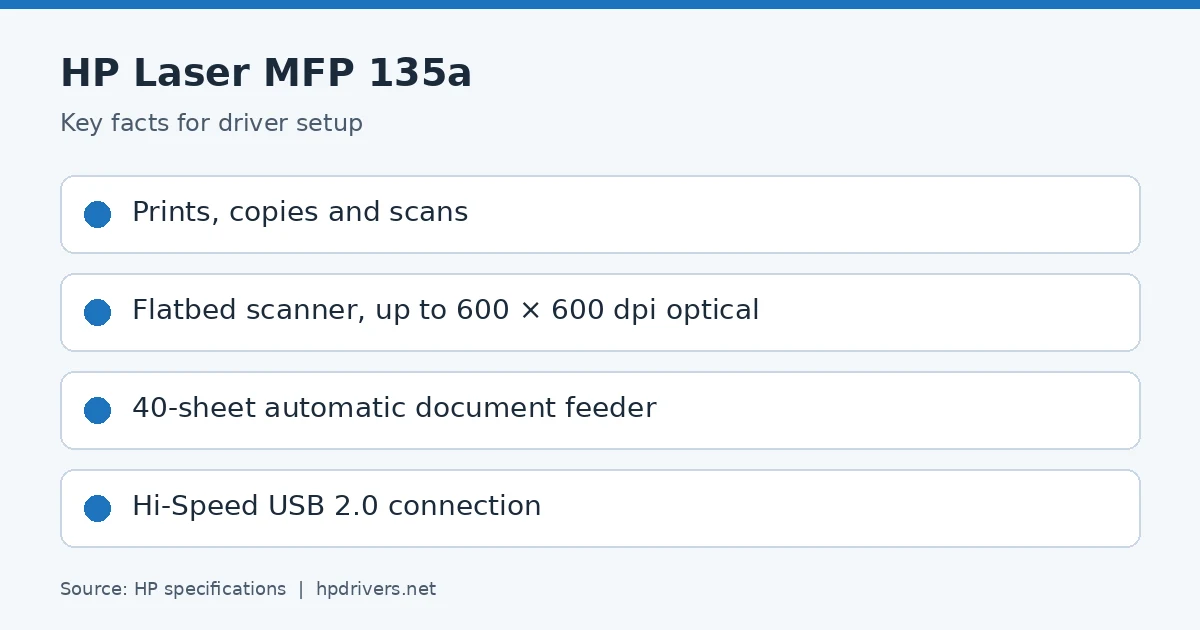
Values below are HP’s published figures for the Laser MFP 130 series, which the Laser MFP 135a belongs to.
Common setup problems
- No Wi-Fi option during setup. HP’s specifications list no built-in Wi-Fi for the Laser MFP 130. Connect it with a USB cable; HP lists no network port for it.
Choosing paper and other print media
You can load plain paper, envelopes, labels and transparencies into the HP Laser MFP 135a, which has a 150-sheet input tray and a 100-sheet output bin. However, media that falls outside the user guide’s guidelines can lead to poor print quality, more paper jams and early wear on the machine.
Also, weight, composition, grain and moisture content affect machine performance and output quality, and repairs caused by media outside the guide’s specifications are not covered by HP’s warranty or service agreements.
Adjusting copy darkness and original type
The machine starts every copy job with default settings, and the copy function buttons on the control panel let you change them for the current job. If you press Cancel while setting options, they return to their defaults. They also reset on their own once the copy in progress is finished.
For example, Darkness ranges from Light+5, the lightest setting, to Dark+5, the darkest, and helps with originals that have faint marks and dark images. Original Type offers Text, Text/Photo and Photo; choose Text when printed text comes out blurry.
- Select Copy > Menu > Copy Feature > Darkness on the control panel, or press the Darkness button.
- Choose the level you want and press OK.
- Press Cancel to return to ready mode.
Fixing a printer that will not print
If the machine is not receiving power, connect it to the electricity supply. Also, make sure it is set as the default machine in Windows. Check that the cover is closed, paper is loaded, no paper is jammed, and the toner cartridge is installed with its protective cover and sheets removed.
Then check the USB cable: reconnect it, or test it on another working computer or with a different cable. In Windows printer settings, confirm the job goes to the correct port. Printing Preferences should show the correct print settings; if the driver is installed incorrectly, uninstall and reinstall it.
Opening Printing Preferences in Windows
Printing Preferences is where you set the driver options for a job. Depending on its symbol, a warning mark next to an option means it can be selected but is not recommended, or that the machine’s setting or environment blocks it.
- Open the document you want to print.
- Select Print from the file menu to open the Print window.
- Choose your machine under Select Printer.
- Click Properties or Preferences, then use the driver tabs to set options.
Similar models
This page covers the 135a only. The 135w and the 138fnw and the 136a and the 135r and the 136w and the 135wg and the 137fnw and the 136wm have their own pages.
download now
Hp Laser MFP 135a newly purchased Device
Help me on how to Download and instal Driver for my HP Laser MFP 135a