
hpdrivers.net is an independent website and is not affiliated with, endorsed by, or sponsored by HP Inc. Download links point to HP's official servers (ftp.hp.com). Read the full disclaimer

HP Color LaserJet Pro M454fw Driver Download

HP Color LaserJet Pro M454fw Software and Driver for Windows & Mac

Download HP Color LaserJet Pro M453-M454 Series Driver
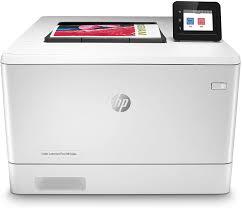
HP Color LaserJet Pro M454fw Printer
HP Color LaserJet Pro M454 fw Printer. Hp 415A

The printer utilizes laser printing technology, providing high-quality color and black-and-white prints.

Description for HP Color LaserJet Pro M454-fw

The full solution software includes everything you need to install and use your HP printer. This collection of software includes the complete set of drivers, installer software, and other administrative tools.

Fix and enhancements: Updated end user license agreement and data collection statement

Operating Systems:

Microsoft Windows 11, Microsoft Windows 10 (32-bit), Microsoft Windows 10 (64-bit), Microsoft Windows 7 (32-bit), Microsoft Windows 7 (64-bit), Microsoft Windows 8 (32-bit), Microsoft Windows 8 (64-bit), Microsoft Windows 8.1 (32-bit), Microsoft Windows 8.1 (64-bit)

Version: 48.6.4642
Release date: Mar 4, 2022
File name: Full_Webpack-48.6.4642-CLJM453-M454_UWWL_Full_Webpack.exe

Download

File Size : 122.42 MB


HP Color LaserJet Pro M454fw Driver for Macintosh

HP Easy Start is the new way to set up your HP printer and prepare your Mac for printing. Easy Start will locate and install the latest software for your printer and then guide you through printer setup.

Operating Systems:

Mac OS X 10.10, Mac OS X 10.11, Mac OS X 10.12, Mac OS X 10.9, macOS 10.13, macOS 10.14, macOS 10.15, macOS 11, macOS 12, macOS 13

File name: HP_Easy_Start.app.zip

Released: Feb 22, 2023

Version : 2.13.3.221209

Download

File Size : 10.92Mb

Fix and enhancements: Update some basic information in installation screen.


HP Color LaserJet Pro MFP M281fdn Driver

Version: 44.5.2693
Release date: Jul 1, 2019
File name: LJM278-M281_UWWL_4_1_Full_WebPack_44.5.2693.exe

Download

File Size : 239.71 MB

Printer Setup Notes

If you have purchased a new printer, you need to install its driver before connecting your device to the computer. Additionally, if you connect with a USB cable before installing the driver, your operating system can install the driver closest to your printer from its own archive. This may cause your printer not to work or to have problems. Therefore, you must first install the driver produced for your printer. If an installation CD was provided with your printer, you can use it. Or you can download the driver suitable for your operating system from our website. When you start the driver program, you can complete the installation by following the instructions. Additionally, when the installation is nearing completion, it will ask you to plug in the printer’s USB cable.

In conclusion, to summarize; First install the driver and then plug in the USB cable. If you still have problems, you can contact us.
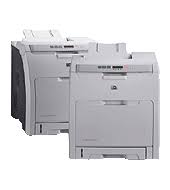
HP Color LaserJet 2700n Printer Driver Download

Find HP 2700n driver downloads, package details and supported operating systems for

HP Color LaserJet 2700n Printer

HP Color LaserJet 2700n Printer printer

HP Color LaserJet 2700n Printer Driver for Windows 11/10/8/7

Specifications

Product number
1839847
Duplex printing
Manual (driver support provided)
Recommended monthly page volume
1000 to 3000 HP recommends that the number of printed pages per month be within the stated range for optimum device performance, based on factors including supplies replacement intervals and device life over an extended warranty period.
Paper handling input, standard
100-sheet multipurpose tray, 250-sheet input tray
Print quality black (best)
Black: Up to 600 x 600 dpi Color: Up to 600 x 600 dpi
Duty cycle (monthly, letter)
Up to 50,000 pages Duty cycle is defined as the maximum number of pages per month of imaged output. This value provides a comparison of product robustness in relation to other HP LaserJet or HP Color LaserJet devices, and enables appropriate deployment of printers and MFPs to satisfy the demands of connected individuals or groups.

HP 2700n driver download for Windows

DescriptionVersionRelease dateFile sizeDownload

Recommended software

HP Universal Print Driver for Windows PCL6 (ARM64-bit)
v8.2.0.26778
Sep 25, 2026
20.1 MB
See full detailsWindows 11
Type:
Driver-Universal Print Driver
Version:
v8.2.0.26778
Operating systems:
Windows 11
Release date:
Sep 25, 2026
File name:
upd-pcl6-win11-ARM64-8.2.0.26778.zip
(20.1 MB)

Package notes

Description:

This is the most current PCL6 driver of the HP Universal Print Driver (UPD) for Windows ARM64 bit systems.

Alternative packages

HP Universal Print Driver for Windows PCL6 (64-bit)
V8.2.0.26819
Sep 25, 2026
20.2 MB
See full detailsWindows 11
Type:
Driver-Universal Print Driver
Version:
V8.2.0.26819
Operating systems:
Windows 11
Release date:
Sep 25, 2026
File name:
upd-pcl6-win11-x64-8.2.0.26819.zip
(20.2 MB)

Package notes

Description:

This is the most current PCL6 driver of the HP Universal Print Driver (UPD) for Windows 64 bit systems. It is intended for Windows 11 and Windows Server 2025.

Setup options

HP Universal Print Driver for Windows PS (64-bit)
V8.2.0.26819
Sep 25, 2026
21.4 MB
See full detailsWindows 11
Type:
Driver-Universal Print Driver
Version:
V8.2.0.26819
Operating systems:
Windows 11
Release date:
Sep 25, 2026
File name:
upd-ps-win11-x64-8.2.0.26819.zip
(21.4 MB)

Package notes

Description:

This is the most current PostScript® emulation driver of the HP Universal Print Driver (UPD) for Windows 64 bit systems. It is intended for Windows 11 and Windows Server 2025.

Additional software

HP Universal Print Driver for Windows PostScript (64-bit)
v8.2.0.26778
Sep 25, 2026
21.5 MB
See full detailsWindows 10, 7 (64-bit)
Type:
Driver-Universal Print Driver
Version:
v8.2.0.26778
Operating systems:
Windows 10, 7 (64-bit)
Release date:
Sep 25, 2026
File name:
upd-ps-win10-x64-8.2.0.26778.zip
(21.5 MB)

Package notes

Description:

This is the most current PostScript® emulation driver of the HP Universal Print Driver (UPD) for Windows 64 bit systems; Level 2 and 3 emulation.

Compatibility packages

HP Universal Print Driver for Windows PCL6 (64-bit)
v8.2.0.26778
Sep 25, 2026
20.3 MB
See full detailsWindows 10, 7 (64-bit)
Type:
Driver-Universal Print Driver
Version:
v8.2.0.26778
Operating systems:
Windows 10, 7 (64-bit)
Release date:
Sep 25, 2026
File name:
upd-pcl6-win10-x64-8.2.0.26778.zip
(20.3 MB)

Package notes

Description:

This is the most current PCL6 driver of the HP Universal Print Driver (UPD) for Windows 64 bit systems.

Firmware and utilities

HP Print Administrator Resource Kit
v1.9.2
Nov 17, 2024
18.7 MB
See full detailsWindows 11; Windows 10, 7 (64-bit)
Type:
Utility-Universal Print Driver
Version:
v1.9.2
Operating systems:
Windows 11; Windows 10, 7 (64-bit)
Release date:
Nov 17, 2024
File name:
HP-PARK-v1.9.2.zip
(18.7 MB)

Package notes

Description:

The HP Print Administrator Resource Kit (PARK) is a collection of tools, scripts and documentation to help print administrators install, deploy, configure and manage the HP Universal Print Driver. The PARK contains both supported and unsupported software tools, scripts and documentation.

HP 2700n installation and support

Use these resources after choosing the package that matches your operating system.

Driver assistance

Installation instructions

Common setup problems

Official resources

Package versions are listed in the download sections above. Check the operating-system list before downloading.

HP LaserJet Tank MFP 1604dw Driver Download

HP LaserJet Tank MFP 1604dw Printer Driver Download for Windows  11/10/7 (32-Bit)(64-Bit)

Download HP LaserJet Tank MFP 1602-1604 Printer Series HP Easy Start Printer Setup Software (Internet connection required for driver installation)

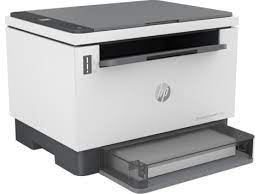
HP LaserJet Tank MFP 1604dw Printer

Details HP LaserJet Tank MFP 1604dw Driver

Print, Copy, Scan.

HP Easy Start Printer Setup Software (Internet connection required for driver installation)

HP Easy Start provides guided setup and drivers for your HP printer. Furthermore, installation Software and Driver-Includes print, scan, latest features, and solutions.

Fix and enhancements: Improved user experience. Moreover, performance Optimizations. Additionally, added support for newest printer models.

Operating Systems : Microsoft Windows 11 All Editions, Microsoft Windows 10 (32-bit), Microsoft Windows 10 (64-bit)

Installation Software and Driver-Includes print, scan, latest features, and solutions.

Version : 16.7.5
Release date: Jul 18, 2024
File Name : HPEasyStart_16_7_5.exe

Download

File Size : 17.21Mb


HP Smart Tank 7602 Driver Download Page

Version: 55.3.5043_1
Release date: May 31, 2022
File name: HPEasyStart-13.6.5-ST7600_55_3_5043_1_Webpack.exe

Download

File Size: 233.49MB

Printer Setup Notes

If you have purchased a new printer, you need to install its driver before connecting your device to the computer. Additionally, if you connect with a USB cable before installing the driver, your operating system can install the driver closest to your printer from its own archive. This may cause your printer not to work or to have problems. Therefore, you must first install the driver produced for your printer. If an installation CD was provided with your printer, you can use it. Or you can download the driver suitable for your operating system from our website. When you start the driver program, you can complete the installation by following the instructions. Additionally, when the installation is nearing completion, it will ask you to plug in the printer’s USB cable.

In conclusion, to summarize; First install the driver and then plug in the USB cable. If you still have problems, you can contact us.