Independent download guide for HP printer and scanner drivers
hpdrivers.net is an independent website and is not affiliated with, endorsed by, or sponsored by HP Inc. Download links point to HP's official servers (ftp.hp.com). Read the full disclaimer
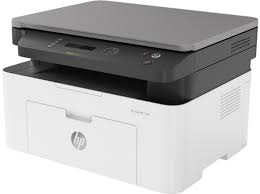
HP Laser MFP 135ag Driver Download for Windows 11/10/8/7 64Bit-32Bit
Download HP Laser MFP 130 Printer series Full Solution Software and Drivers
HP Laser MFP 135FNW Printer
Description for HP Laser MFP 135 fnv
The full solution software includes everything you need to install your HP printer.
HP Laser MFP 130 Printer Series Full Solution Software and Drivers Download
Version: 1.20 Relase Date : May 31, 2023 File Name : HP_Laser_MFP_131_133_135-138_Full_Software_and_Drivers_1.20.exe
Operating Systems : Windows 11, Microsoft Windows 7 (32-bit), Microsoft Windows 7 (64-bit), Microsoft Windows 8 (32-bit), Microsoft Windows 8 (64-bit), Microsoft Windows 8.1 (32-bit), Microsoft Windows 8.1 (64-bit), Microsoft Windows 10 (32-bit), Microsoft Windows 10 (64-bit)
Last checked against HP’s download list: November 10, 2026 · Checked by H&G
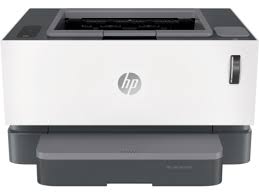
Looking for the HP Laser NS 1020c driver? This page lists HP’s official software for the whole HP Laser NS 1020 Printer series: the Laser NS 1020, Laser NS 1020w and Laser NS 1020c. HP lists some packages for specific models in the series, so check that the package title includes your model. For Windows 11; Windows 10, 8.1, 8, 7 (32-bit and 64-bit), the package most people need is the HP Laser NS 1020/1020c Print and Scan Driver and Accessories. For a Mac, HP lists Install HP app to complete setup and support.
HP Laser NS 1020c
Recommended downloads
Windows 11; Windows 10, 8.1, 8, 7 (32-bit and 64-bit): HP Laser NS 1020/1020c Print and Scan Driver and AccessoriesVersion 49.11.4679 · Released Feb 22, 2022 · 84.6 MB
Last checked against HP’s download list: November 4, 2026 · Checked by H&G
Looking for the HP LaserJet P2010 driver? This page lists HP’s official software for the whole HP LaserJet P2010 Printer series. HP lists some packages for specific models in the series, so check that the package title includes your model. For Windows Vista, XP (32-bit), the package most people need is the HP LaserJet P2010 Printer PCL5 Plug and Play Package. For a Mac, HP lists Mac Printer Driver.
HP LaserJet P2014 (one model of this series)
Recommended downloads
Windows Vista, XP (32-bit): HP LaserJet P2010 Printer PCL5 Plug and Play PackageVersion 61.063.351.00 · Released Jun 12, 2007 · 6.7 MB
Files download directly from HP’s official servers. hpdrivers.net does not host or modify them.
Which Windows package should you choose?
HP publishes 2 kinds of Windows package for the LaserJet P2010:
HP LaserJet P2014 and P2014n Host Based Plug and Play Package (v20130401, Jun 19, 2013).
Firmware update (v20120608, Aug 17, 2012): updates the printer itself, not your PC.
All downloads for the LaserJet P2010
HP’s download list for this series includes Windows 10, 8, 7, Vista (32-bit and 64-bit); Windows XP (32-bit) packages. It does not list separate Windows 11 packages.
The newest firmware HP lists for the LaserJet P2010 is version 20080506, released Jun 19, 2008. HP’s notes for it: Firmware Version 20080506 fix: Euro Font correction PCL.
Check your current firmware version first on the printer’s Configuration Page, and update only if it is older.
Specifications that matter for setup
Wi-Fi
Optional, enabled with purchase of a hardware accessory
Print languages
HP PCL 5
Recommended monthly volume
500 to 2500
Two-sided printing
Manual (driver support provided)
Paper handling and hardware details
Values below are HP’s published figures for the LaserJet P2010; they help you check that this page matches your printer before you download anything.
Paper input tray
250-sheet input tray, 50-sheet multi-purpose tray
Output tray
125-sheet output bin
Optional trays
Optional 250-sheet input tray
Media types
Paper (bond, light, heavy, plain, recycled, rough), envelopes, labels, cardstock, transparencies, heavy media