hpdrivers.net is an independent website and is not affiliated with, endorsed by, or sponsored by HP Inc. Download links point to HP's official servers (ftp.hp.com). Learn more

HP LaserJet P1006 Drivers

Last checked against HP’s download list: November 5, 2026 · Checked by H&G

Looking for the HP LaserJet P1006 driver? This page lists HP’s official software for the whole HP LaserJet P1006 Printer. For Windows 7, Vista (32-bit and 64-bit); Windows XP (32-bit), the package most people need is the HP LaserJet P1005/P1006/P1500 Printer Series Full Feature Software and Driver. For Windows 11, HP lists the HP LaserJet P1000-P1500 Hostbased Plug and Play Basic Driver.

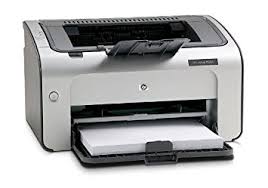
HP LaserJet P1006 printer
HP LaserJet P1006

Recommended downloads

Windows 7, Vista (32-bit and 64-bit); Windows XP (32-bit): HP LaserJet P1005/P1006/P1500 Printer Series Full Feature Software and DriverVersion 8.0 · Released Sep 17, 2014 · 163.3 MB · HP rating: Recommended
Download
Windows 11; Windows 10, 8.1, 8, 7, Vista (64-bit): HP LaserJet P1000-P1500 Hostbased Plug and Play Basic DriverVersion 20130415 · Released May 24, 2013 · 3.9 MB
Download

Files download directly from HP’s official servers. hpdrivers.net does not host or modify them.

Which Windows package should you choose?

HP publishes 2 kinds of Windows package for the LaserJet P1006 Printer:

  • Driver-only installer (v20130415, May 24, 2013): print driver only, for PCs that can’t or shouldn’t take the full package.
  • Full software solution (v8.0, Sep 17, 2014, 163.3 MB): driver plus HP’s setup wizard and tools.

All downloads for the LaserJet P1006 Printer

Windows

Package / Windows
Version
Released
Size
HP LaserJet P1005/P1006/P1500 Printer Series Full Feature Software and Driver
Windows: 7, Vista (32-bit and 64-bit)
XP (32-bit)
File detailsFile: hp_LJ_P1005_P1505_Full_Solution_ROW.exe
8.0
Sep 17, 2014
163.3 MB

Other HP software listed for this series

Software / Systems
Version
Size
HP LaserJet P1000-P1500 Hostbased Plug and Play Basic Driver
Systems: Windows 11
Windows 10, 8.1, 8, 7, Vista (32-bit and 64-bit)
Windows XP (32-bit)
20130415
3.9 MB
HP LaserJet P1000 and P1500 Series Plug and Play Recovery Utility
Systems: Windows Vista (32-bit and 64-bit)
Windows XP (32-bit)
200802
0.1 MB

Linux

HP lists Linux support for this series through its HPLIP project, outside the regular download list: HP’s Linux printing page (HPLIP).

Installing the LaserJet P1006 Printer driver

For step-by-step instructions, see our guide to installing an HP printer driver.

Specifications that matter for setup

Connections
Hi-Speed USB 2.0 port
Wi-Fi
Not built in
Print languages
Host-based printing
Print speed (black)
Normal: Up to 17 ppm Speed specification per industry standard testing methods
Recommended monthly volume
250 to 1500
Two-sided printing
Manual (driver support provided)

Paper handling and hardware details

Values below are HP’s published figures for the LaserJet P1006 Printer; they help you check that this page matches your printer before you download anything.

Paper input tray
10-sheet priority feed slot, 150-sheet input tray
Output tray
100-sheet face-down bin
Paper sizes
Letter, legal, executive, postcards, envelopes (No. 10, Monarch)
Media types
Paper (laser, plain, photo, rough, vellum), envelopes, labels, cardstock, transparencies, postcards
Paper weight
150-sheet tray: 16 to 43 lb; 10-sheet input tray: 16 to 43 lb
Print speed (color)
Speed specification per industry standard testing methods
Print quality (black)
Black: Up to 600 x 600 dpi (1200 dpi effective output)
Processor
266 MHz
Power use
335 watts (printing), 3 watts (ready), 3 watts (sleep), 0.6 watts (off) Power reported is the highest value measured using all standard voltages
Size (W x D x H)
13.66 x 8.82 x 7.64 in
Weight
10.3 lb
USB cable
No, please purchase USB cable separately
Warranty
One-year limited warranty

Common setup problems

  • No Wi-Fi option during setup. HP’s specifications list no built-in Wi-Fi for the LaserJet P1006 Printer. Use an Ethernet cable or USB.

Advertisement


4 thoughts on “HP LaserJet P1006 Drivers”

Leave a Comment