
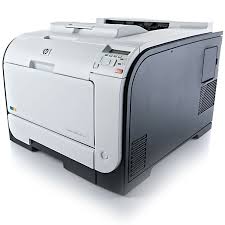
Looking for the HP LaserJet Pro M451dn driver? This page lists HP’s official software for the whole HP LaserJet Pro 400 color Printer M451 series: the LaserJet Pro 400 color Printer M451nw, LaserJet Pro 400 color Printer M451dw and LaserJet Pro 400 color Printer M451dn. HP lists some packages for specific models in the series, so check that the package title includes your model. For Windows 10, 8.1, 8, 7, Vista (32-bit and 64-bit); Windows XP (32-bit), the package most people need is the HP LaserJet Pro 300/400 color M351/M451 Series Software and Drivers. For Windows 11, HP lists the HP Universal Print Driver for Windows PCL6 (64-bit). For a Mac, HP lists Install HP Easy Start.
Recommended downloads
Files download directly from HP’s official servers. hpdrivers.net does not host or modify them.
Models covered by this page
All 3 models share one download list at HP:
HP LaserJet Pro 400 color Printer M451nw HP LaserJet Pro 400 color Printer M451dw HP LaserJet Pro 400 color Printer M451dn
Which Windows package should you choose?
HP publishes 4 kinds of Windows package for the LaserJet Pro 400 color Printer M451:
- HP Universal Print Driver (v8.2.0.26778, Sep 26, 2026): HP’s shared driver for many models, also listed for this series.
- Full software solution (v15.0.15189.1840, Mar 05, 2021, 123.8 MB): driver plus HP’s setup wizard and tools.
- Driver-only installer (v15.0.15189.1840, Mar 05, 2021): print driver only, for PCs that can’t or shouldn’t take the full package.
- Firmware update (v20190306, Mar 12, 2019): updates the printer itself, not your PC.
All downloads for the LaserJet Pro 400 color Printer M451
Windows
XP (32-bit)
File details
File:LJM351_M451_Series-15189-full_solution.exeXP (32-bit)
File details
File:LJM351_M451_Series-15189-drv_installer.exeXP (32-bit)
File details
File:HP_LaserJet_M350_M450_Series_FW_Update_20190306.exemacOS
File details
File:HP_LaserJet_M350_M450_Series_FW_Update_20190306.dmgFile details
File:HP-LaserJet-SW-OSX-Mavericks_v12.34.34.dmgOther HP software listed for this series
HP Universal Print Driver
HP lists its Universal Print Driver for this series on Windows 11; Windows 10, 8.1, 8, 7 (32-bit and 64-bit). Get it from our HP Universal Print Driver page.
Installing the LaserJet Pro 400 color Printer M451 driver
For step-by-step instructions, see our guide to installing an HP printer driver.
Firmware update 20190306
The newest firmware HP lists for the LaserJet Pro 400 color Printer M451 is version 20190306, released Mar 18, 2019. HP’s notes for it: Corrected Bar Mitzvah security vulnerability; Fixed an issue that in rare case printer would send SNMP TRAP to unwanted destination; Fixed a 79 error that would possibly occur during vulnerability scan.
- Check your current firmware version first on the printer’s Configuration Page, and update only if it is older.
Specifications that matter for setup
Toner supplies HP lists for the LaserJet Pro 400 color Printer M451
HP’s specifications name these replacement supplies for the LaserJet Pro 400 color Printer M451:
- HP 305A Black LaserJet Toner Cartridge (yield ~2200 pages) CE410A
- HP 305X Black LaserJet Toner Cartridge (yield ~4000 pages) CE410X
- HP 305A Cyan LaserJet Toner Cartridge (yield ~2600 pages) CE411A
- HP 305A Yellow LaserJet Toner Cartridge (yield ~2600 pages) CE412A
- HP 305A Magenta LaserJet Toner Cartridge (yield ~2600 pages) CE413A [5
- 6] Note: ships with preinstalled introductory print cartridges (yield ~1400 pages)
Paper handling and hardware details
Values below are HP’s published figures for the LaserJet Pro 400 color Printer M451; they help you check that this page matches your printer before you download anything.
Common setup problems
- An older driver is still installed. HP’s 2019/2021 packages fixed a security vulnerability, so replace older versions with the current package.
Advertisement
not work on a windows 10