
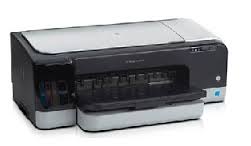
Looking for the HP Officejet Pro K8600dn driver? This page lists HP’s official software for the whole HP Officejet Pro K8600 Printer series: the Officejet Pro K8600 Color and Officejet Pro K8600dn Color. HP lists some packages for specific models in the series, so check that the package title includes your model.
What HP still lists for this series
HP's current download list for the Officejet Pro K8600 no longer includes a full software and driver package. The items HP still lists for this series are in the table below.
The newest Windows version named in that list is Windows 10.
Files download directly from HP’s official servers. hpdrivers.net does not host or modify them.
Models covered by this page
All 2 models share one download list at HP:
HP Officejet Pro K8600 Color HP Officejet Pro K8600dn Color
All downloads for the Officejet Pro K8600
Other HP software listed for this series
Installing the Officejet Pro K8600 driver
For step-by-step instructions, see our guide to installing an HP printer driver.
Models and HP part numbers in the Officejet Pro K8600 series
HP sold the Officejet Pro K8600 under several model names that differ only by region or bundle. The part number on the label at the back of the printer tells you which one you have; all of them use the same software and drivers listed on this page.
Model codes and HP part numbers (for example, the K8600 is the HP Officejet Pro K8600 Color Printer): K8600 CB015A · K8600dn CB016A
Size and weight (HP specification): weight 13 kg (28.7 lb).
Source: HP support document c01287217 (“Printer Specifications for HP Officejet Pro K8600 Printer Series”).
Windows driver for the Officejet Pro K8600 from Microsoft Update Catalog
Microsoft distributes HP’s driver for the Officejet Pro K8600 through Windows Update, and the same packages can be downloaded by hand from the Microsoft Update Catalog. The files below come straight from Microsoft’s download servers. They are driver packages only, not HP’s full software installer.
Windows 8; Server 2012
8.1 MB
Installing a .cab driver: download the file, open it and extract its contents to a new folder. Connect the printer, open Device Manager, right-click the printer (it may appear under Other devices or Print queues), chooseUpdate driver, then Browse my computer for drivers and point it to that folder.
Source: Microsoft Update Catalog (catalog.update.microsoft.com).
Installing the HP Officejet Pro K8600dn on Linux (HPLIP)
On Linux the Officejet Pro K8600dn is handled by HPLIP, HP’s own open-source imaging and printing package, not by the Windows or macOS downloads above. The details below come from the HPLIP model database entry for this printer.
- First HPLIP release with support: 2.7.10 (any newer HPLIP also works).
- Print technology in the HPLIP database: colour inkjet.
- Connections HPLIP can use: USB, wired network (Ethernet).
- Binary plug-in: not needed; the open-source driver is enough.
- USB ID:
03f0:2712(shown bylsusbwhen the printer is connected). - Supply numbers listed by HPLIP: HP 88, 88L (numbers vary by sales region).
- Same HPLIP entry also covers: Officejet Pro K8600 Color Printer, Officejet Pro K8600dn Color Printer.
Install the hplip package from your distribution, then run hp-setup -i (or: hp-setup -i <printer IP> for a network printer) and follow the prompts. hp-check reports anything missing, and hp-toolbox shows ink levels and maintenance tools where the model supports them.
Cleaning the printheads of the Officejet Pro K8600
Broken characters or missing dots and lines usually mean clogged nozzles. HP’s K8600 cleaning takes up to about three and a half minutes, makes some noise and uses ink, so run it only when prints actually show the problem.
From the panel: hold the Power button, press Cancel twice and Resume once, then release Power. From Windows: open HP Solution Center, make sure the K8600 is the selected device, then go to Settings, Printer Toolbox and start the printhead cleaning there.
Based on HP support document c01289507 (“HP Officejet Pro K8600 and K8600dn Color Printers – Cleaning Printheads”).
Advertisement