
Looking for the HP Officejet 4100 driver? This page lists HP’s official software for the whole HP Officejet 4100 All-in-One Printer series. HP lists some packages for specific models in the series, so check that the package title includes your model.
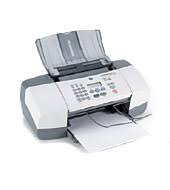
What HP still lists for this series
HP's current download list for the Officejet 4100 All-in-One no longer includes a full software and driver package. The items HP still lists for this series are in the table below.
Files download directly from HP’s official servers. hpdrivers.net does not host or modify them.
All downloads for the Officejet 4100 All-in-One
Other HP software listed for this series
Linux
HP lists Linux support for this series through its HPLIP project, outside the regular download list: HP’s Linux printing page (HPLIP).
Installing the Officejet 4100 All-in-One driver
For step-by-step instructions, see our guide to installing an HP printer driver.
Installing the HP Officejet 4100 on Linux (HPLIP)
On Linux the Officejet 4100 is handled by HPLIP, HP’s own open-source imaging and printing package, not by the Windows or macOS downloads above. The details below come from the HPLIP model database entry for this printer.
- First HPLIP release with support: 0.9.5 (any newer HPLIP also works).
- Print technology in the HPLIP database: colour inkjet.
- Connections HPLIP can use: USB.
- Beyond printing: scanning through the SANE
hpaiobackend with the document feeder; PC fax withhp-sendfax. - Binary plug-in: not needed; the open-source driver is enough.
- USB ID:
03f0:3111(shown bylsusbwhen the printer is connected). - Supply numbers listed by HPLIP: HP 56, 57, 28 (numbers vary by sales region).
- Same HPLIP entry also covers: Officejet 4110xi All-in-One Printer, Officejet 4110 All-in-One Printer, Officejet 4110v All-in-One Printer.
Install the hplip package from your distribution, then run hp-setup -i and follow the prompts. hp-check reports anything missing, and hp-toolbox shows ink levels and maintenance tools where the model supports them.