Independent download guide for HP printer and scanner drivers
hpdrivers.net is an independent website and is not affiliated with, endorsed by, or sponsored by HP Inc. Download links point to HP's official servers (ftp.hp.com). Read the full disclaimer
Last checked against HP’s download list: November 4, 2026 · Checked by H&G
Looking for the HP DesignJet T610 driver? This page lists HP’s official software for the whole HP DesignJet T610 Printer series: the DesignJet T610 24-in and DesignJet T610 44-in. HP lists some packages for specific models in the series, so check that the package title includes your model. For Windows 8.1, 8, 7, Vista (64-bit), the package most people need is the HP Designjet T1100/T1120/T610/T620 Series HP-GL/2 and HP RTL Driver. For a Mac, HP lists HP Designjet Mac PostScript Driver.
HP DesignJet T610
Recommended downloads
Windows 8.1, 8, 7, Vista (64-bit): HP Designjet T1100/T1120/T610/T620 Series HP-GL/2 and HP RTL DriverVersion 61.122.363.41 · Released Aug 18, 2015 · 7.9 MB
macOS 10.13, 10.12, Mac OS X 10.11, Mac OS X 10.10, 10.14, Mac OS X 10.9: HP Designjet Mac PostScript DriverVersion 53 · Released Jan 29, 2021 · 417.4 MB
Files download directly from HP’s official servers. hpdrivers.net does not host or modify them.
Models covered by this page
All 2 models share one download list at HP:
HP DesignJet T610 24-inHP DesignJet T610 44-in
Which Windows package should you choose?
HP publishes 2 kinds of Windows package for the DesignJet T610:
HP Designjet T1100/T1120/T610/T620 Series HP-GL/2 and HP RTL Driver (v61.122.363.41, Aug 18, 2015).
Firmware update (vTJ6-TAJ6_9.0.1.1, Aug 18, 2014): updates the printer itself, not your PC.
All downloads for the DesignJet T610
HP’s download list for this series includes Windows 10, 8.1, 8, 7, Vista (32-bit and 64-bit); Windows XP (32-bit) packages. It does not list separate Windows 11 packages.
Windows
Package / Windows
Version
Released
Size
HP Designjet T1100/T1120/T610/T620 Series HP-GL/2 and HP RTL Driver
HP lists a Linux driver for this series: HP DesignJet T1100 and T610 Printer Series Firmware Upgrade (Version TJ6-TAJ6_9.0.1.1 · Released Oct 06, 2010 · 478.2 MB). Download from HP.
The newest firmware HP lists for the DesignJet T610 is version TJ6-TAJ6_9.0.1.1, released Oct 06, 2010. HP’s notes for it: **Fixes included in 9.0.1.1 version**; Generic firmware errors 79:0x mitigation; **Enhancements included in 9.0.0.2 version**.
Keep the printer and the computer switched on until the update has finished.
HP’s specifications name these replacement supplies for the DesignJet T610:
HP 72 Photo Black Ink Cartridge (69 ml)
HP 72 Cyan Ink Cartridge (69 ml)
HP 72 Magenta Ink Cartridge (69 ml)
HP 72 Yellow Ink Cartridge (69 ml)
HP 72 Gray Ink Cartridge (69 ml)
HP 72 Matte Black Ink Cartridge (130 ml)
HP 72 Photo Black Ink Cartridge (130 ml)
HP 72 Cyan Ink Cartridge (130 ml)
Paper handling and hardware details
Values below are HP’s published figures for the DesignJet T610; they help you check that this page matches your printer before you download anything.
Media types
Bond and coated paper (bond, coated, heavyweight coated, super heavyweight coated, super heavyweight plus matte, colored), photographic paper (satin, gloss, semi-gloss, matte, high-gloss)
Print quality (color)
Up to 2400 x 1200 optimized dpi from 1200 x 1200 input dpi with maximum detail selected
Memory
128 MB
Power use
200 watts maximum
Warranty
One-year limited hardware warranty; including phone support and next business day onsite response when a repair is needed
Last checked against HP’s download list: November 5, 2026 · Checked by H&G
Looking for the HP DesignJet T1700 driver? This page lists HP’s official software for the whole HP DesignJet T1700 Printer series: the DesignJet T1700 44-in, DesignJet T1700 44-in PostScript, DesignJet T1700dr 44-in PostScript, DesignJet T1700dr 44-in and DesignJet T1700dr 44-in PostScript Printer TAA Compliant. HP lists some packages for specific models in the series, so check that the package title includes your model. For Windows 11; Windows 10, 8.1, 8, 7 (64-bit), the package most people need is the HP Windows HPGL2 Driver.
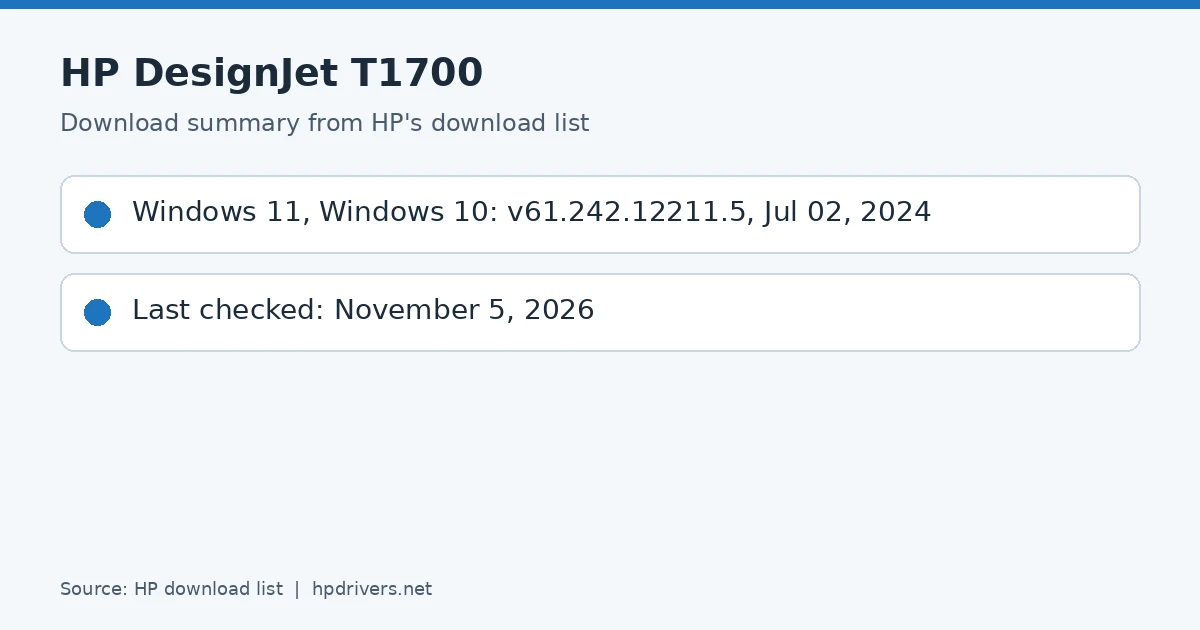
HP DesignJet T1700 download summary
Recommended downloads
Windows 11; Windows 10, 8.1, 8, 7 (64-bit): HP Windows HPGL2 DriverVersion 61.242.12211.50 · Released Jul 02, 2024 · 5.7 MB
The newest firmware HP lists for the DesignJet T1700 is version 09_26_15.1, released Jun 17, 2026. HP’s notes for it: The Out-of-the-box Experience (OOBE) now offers the possibility of setting the password during the initialization process; Fixed an issue causing printers to show the system error 81AA-F2A1-0000 when using the Nesting option under specific circumstances; New presets for production environments available.
Keep the printer and the computer switched on until the update has finished.
Specifications that matter for setup
Connections
Ethernet, Fast Ethernet, Gigabit Ethernet, 10/100/1000Base-T Ethernet (802.3, 802.3u, 802.3ab); USB Type-A host port
Values below are HP’s published figures for the DesignJet T1700; they help you check that this page matches your printer before you download anything.
Media types
Bond and coated paper (bond, coated, heavyweight coated, super heavyweight plus matte), technical paper (natural tracing, translucent bond), film (clear, matte), photographic paper (satin, gloss
Print quality (color)
Up to 2400 x 1200 optimized dpi
Memory
128 GB (virtual)
Internal storage
500 GB self-encrypting
Power use
< 100 W (printing); < 24 W (ready); < 0.3 W (< 6.5 W with embedded Digital Front End) (sleep); 0.1 W (off)
Looking for the HP DesignJet T730 driver? This page lists HP’s official software for the whole HP DesignJet T730 Printer: the DesignJet T730 36-in Printer (without Wi-Fi), DesignJet T730 36-in and DesignJet T730 with Rugged Case. HP lists some packages for specific models in the series, so check that the package title includes your model. For Windows 11; Windows 10, 7 (64-bit), the package most people need is the HP Windows HPGL2 Driver. For a Mac, HP lists HP DesignJet Mac Raster Driver.
Last checked against HP’s download list: November 16, 2026 · Checked by H&G
HP DesignJet T730
Recommended downloads
Windows 11; Windows 10, 7 (64-bit): HP Windows HPGL2 DriverVersion 61.242.12211.50 · Released Jul 02, 2024 · 5.7 MB
HP lists a Linux driver for this series: HP DesignJet T730-T830 Printer Series Firmware Upgrade (Version 2525A · Released Sep 18, 2025 · 80.8 MB). Download from HP.
Installing the T730 driver
Download the T730 driver only from the HP link in the table above. HP’s own support page for the T730 driver lists the same files.
The newest firmware HP lists for the DesignJet T730 Printer is version 2525A, released Sep 18, 2025. HP’s notes for it: Enhancement/Fixes included in current version 2525A (September 2025) RED (Radio Equipment Directive) compliant.
Keep the printer and the computer switched on until the update has finished.
Specifications that matter for setup
Connections
Gigabit Ethernet (1000Base-T), Wi-Fi 802.11b/g/n
Print languages
HP-GL/2, HP-RTL, TIFF, JPEG, CALS G4, URF
Paper handling and hardware details
Values below are HP’s published figures for the DesignJet T730 Printer; they help you check that this page matches your printer before you download anything.
Media types
Bond and coated paper (bond, coated, heavyweight coated, recycled, plain, bright white), technical paper (natural tracing, vellum), film (clear, matte), photographic paper (satin, gloss, semigloss
HP groups the T730 printer with the T830 multifunction model in one guide. Both use four HP 728 ink cartridges and one HP 729 printhead. Cartridges come in 40 ml (yellow, magenta, cyan), 69 ml (black), 130 ml (yellow, magenta, cyan) and 300 ml (black, yellow, magenta and cyan).
Paper widths run from 279 mm (11 in) up to 610 mm (24 in) or 914 mm (36 in), depending on the model. A roll can be 46 m (150 ft) long and 100 mm in diameter, and weighs 4.1 kg at 24 in or 6.2 kg at 36 in.
Based on HP user guide pdf_3692985 (“HP DesignJet T730 Printer, HP DesignJet T830 Multifunction Printer Series – User Guide”).
Print quality settings and the multi-sheet tray of the T730
On glossy paper in Best quality with Maximum detail on, HP lists a rendering resolution of 1200 x 1200 ppi and a printing resolution of 2400 x 1200 dpi; with Maximum detail off it drops to 600 x 600 ppi and 1200 x 1200 dpi. Paper weight ranges from 60 to 280 g/m², or 220 g/m² in the multi-sheet tray.
The multi-sheet tray is a feature of this model: HP states its stacking capacity as 5 mm of height. Paper thickness is limited to 0.3 mm.
Based on HP user guide pdf_3692985 (“HP DesignJet T730 Printer, HP DesignJet T830 Multifunction Printer Series – User Guide”).
What HP’s T730/T830 guide lists as main features
HP lists connection by Ethernet or Wi-Fi, a Hi-Speed USB host port for flash drives, a colour touch-sensitive front panel and handling of roll and cut-sheet paper with a multi-sheet tray. Printing reaches 2400 x 1200 dpi in Best quality with Maximum detail and photo paper.
The scanning features in the guide belong to the T830 multifunction model: up to 600 dpi in 24-bit RGB colour, 8-bit grayscale or 1-bit black and white. The T730 can be run from its front panel, the Embedded Web Server or the HP Utility, and ink and paper usage can be read in the Embedded Web Server.
Based on HP user guide pdf_3692985 (“HP DesignJet T730 Printer, HP DesignJet T830 Multifunction Printer Series – User Guide”).