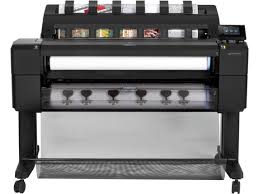
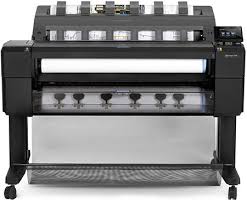
Looking for the HP DesignJet T930 driver? This page lists HP’s official software for the whole HP DesignJet T930 Printer series: the DesignJet T930 36-in, DesignJet T930 36-in PostScript and DesignJet T930 36-in PostScript Printer with Encrypted Hard Disk. HP lists some packages for specific models in the series, so check that the package title includes your model. For Windows 11; Windows 10, 7 (64-bit), the package most people need is the HP Windows HPGL2 Driver. For a Mac, HP lists HP DesignJet Mac Raster Driver.

Recommended downloads
Files download directly from HP’s official servers. hpdrivers.net does not host or modify them.
Models covered by this page
All 3 models share one download list at HP:
HP DesignJet T930 36-in HP DesignJet T930 36-in PostScript HP DesignJet T930 36-in PostScript Printer with Encrypted Hard Disk
Which Windows package should you choose?
HP publishes 3 kinds of Windows package for the DesignJet T930:
- Driver-only installer (v61.242.12211.50, Jul 02, 2024): print driver only, for PCs that can’t or shouldn’t take the full package.
- HP DesignJet and PageWide XL Windows Printer Driver installer (v4.0.0.70, Oct 15, 2025).
- Firmware update (vMRY_07_07_05.1, Nov 09, 2023): updates the printer itself, not your PC.
All T930 driver downloads
Windows
10, 7 (64-bit)
File details
File:MRY_07_07_05.1.fmwFile details
File:MRY_04_01_00.2.fmwOther HP software listed for this series
Windows 10, 7 (64-bit)
Windows 10, 7 (64-bit)
Windows 10, 7 (64-bit)
Linux
HP lists a Linux driver for this series: HP DesignJet T920-T930-T1500-T1530-T2500-T2530 Printer series Firmware update (Version MRY_07_07_05.1 · Released Nov 09, 2023 · 1151.6 MB). Download from HP.
Installing the T930 driver
Download the T930 driver only from the HP link in the table above. HP’s own support page for the T930 driver lists the same files.
For step-by-step instructions, see our guide to installing an HP printer driver.
Firmware update MRY_07_07_05.1
The newest firmware HP lists for the DesignJet T930 is version MRY_07_07_05.1, released Nov 09, 2023. HP’s notes for it: Security fixes.
- Keep the printer and the computer switched on until the update has finished.
Job queue management on the T930
HP’s T900/T1500 guide has a chapter on job queue management that applies to the T920 PS, T930, T930 PS and T1500 series. You can open the queue on the front panel, where a small warning icon appears when jobs are waiting.
The T930, T930 PS and T1500 series can also manage the queue from the Embedded Web Server or the HP Utility; the T920 PS can only do it from the front panel.
Based on HP user guide c04902083 (“DesignJet T900 and T1500 Printer Series – User guide”).
Specifications that matter for setup
Paper handling and hardware details
Values below are HP’s published figures for the DesignJet T930; they help you check that this page matches your printer before you download anything.
The DesignJet T930 in HP’s T900/T1500 guide
HP documents the T930 together with the other T900 and T1500 printers. It is a printer without a scanner, and its ink is also HP 727, but in 130 ml and 300 ml cartridges (gray, photo black, matte black, yellow, magenta, cyan) with one printhead that has doubled nozzles for matte black. The T2530 page lists 40 ml and 130 ml instead.
Roll widths run from 279 to 914 mm (11 to 36 in), rolls can be 91 m long and 140 mm in diameter, and paper weights span 60 to 328 g/m². The guide gives the T900 series 87 kg and the T1500 series 88 kg, and 1,399 mm of width for both.
Based on HP user guide c04902083 (“DesignJet T900 and T1500 Printer Series – User guide”).
Stacker, spindle and mobile printing on the T930
The guide’s index points to a stacker and a spindle (with a spindle adaptor kit) as the paper-path accessories of this family. With the stacker and basket open the printer is 916 mm deep, with them closed 693 mm; the height is 1,110 mm with the stacker and front panel deployed and 950 mm folded.
Mobile printing works through AirPrint on iOS 7 or later and the HP Print Service Plugin on Android 4.4 or later, in PDF or JPEG, and printing by email accepts PDF, JPEG and TIFF up to 10 MB.
Based on HP user guide c04902083 (“DesignJet T900 and T1500 Printer Series – User guide”).
What the T900/T1500 guide lists as main features of the T930
The same built-in stacker for A4 to A0/E sizes (up to 50 A1/D sheets), roll and single-sheet loading from the front and a six-ink system appear in the T900 and T1500 guide. Two rolls with automatic switching are listed for the T1500 series only, so the T930 is a single-roll model in HP’s list.
Printing reaches 2400 x 1200 optimized dpi from a 1200 x 1200 dpi input. Control is from the colour front panel, the Embedded Web Server or the HP Utility, and the printer supports automatic firmware updates, HP ePrint and AirPrint.
Based on HP user guide c04902083 (“DesignJet T900 and T1500 Printer Series – User guide”).