
hpdrivers.net is an independent website and is not affiliated with, endorsed by, or sponsored by HP Inc. Download links point to HP's official servers (ftp.hp.com). Learn more

HP ENVY Photo 7134 Driver

HP ENVY Photo 7134 All-in-One Printer Driver for Windows 11/10/8/7/Vista/Xp (Update : Sep 1, 2022)

Download HP ENVY Photo 7100 All-in-One Print and Scan Driver and Accessories
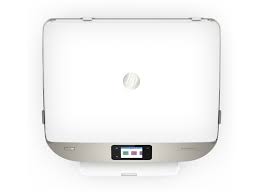
HP ENVY Photo 7134  Printer
HP ENVY Photo 7134 Printer

Details HP ENVY Photo 7134 Printer Driver

The full solution software includes everything you need to install and use your HP printer. This collection of software includes the complete set of drivers, installer and optional software.

Fix and enhancements:

Updated localization string for Korean language.

Relase Details

Version: 44.11.2778
Release date: Sep 1, 2022
File name: Full_Webpack-44.11.2778-EN7100_Full_Webpack.exe

Operating Systems

Microsoft Windows 11, Microsoft Windows 10 (32-bit), Microsoft Windows 10 (64-bit), Microsoft Windows 7 (32-bit), Microsoft Windows 7 (64-bit), Microsoft Windows 8 (32-bit), Microsoft Windows 8 (64-bit), Microsoft Windows 8.1 (32-bit), Microsoft Windows 8.1 (64-bit), Microsoft Windows Vista (32-bit), Microsoft Windows XP (32-bit)

Download

File Size: 137.62MB

Printer Setup Notes

If you have purchased a new printer, you need to install its driver before connecting your device to the computer. Additionally, if you connect with a USB cable before installing the driver, your operating system can install the driver closest to your printer from its own archive. This may cause your printer not to work or to have problems. Therefore, you must first install the driver produced for your printer. If an installation CD was provided with your printer, you can use it. Or you can download the driver suitable for your operating system from our website. When you start the driver program, you can complete the installation by following the instructions. Additionally, when the installation is nearing completion, it will ask you to plug in the printer’s USB cable.

In conclusion, to summarize; First install the driver and then plug in the USB cable. If you still have problems, you can contact us.

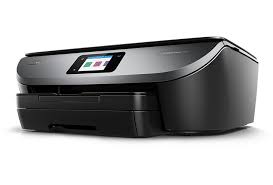
HP ENVY 5000 Drivers (ENVY 5000 All-in-One Series)

Last checked against HP’s download list: November 4, 2026 · Checked by H&G

Looking for the HP ENVY 5000 driver? This page lists HP’s official software for the whole HP ENVY 5000 All-in-One Printer series. HP lists some packages for specific models in the series, so check that the package title includes your model. For Windows 11; Windows 10, 8.1, 8, 7 (32-bit and 64-bit); Windows Vista, XP (32-bit), the package most people need is the HP ENVY 5000 All-in-One Print and Scan Full Driver Solution. For a Mac, HP lists Install HP Easy Start.

HP ENVY 5000 printer
HP ENVY 5000

Recommended downloads

Windows 11; Windows 10, 8.1, 8, 7 (32-bit and 64-bit); Windows Vista, XP (32-bit): HP ENVY 5000 All-in-One Print and Scan Full Driver SolutionVersion 44.11.2778 · Released Sep 01, 2022 · 134.0 MB
Download
macOS 26, 15, 14: Install HP Easy StartVersion 2.16.7.260722 · Released Aug 14, 2026 · 6.3 MB
Download

Files download directly from HP’s official servers. hpdrivers.net does not host or modify them.

Models covered by this page

HP’s download list for this series names these models. It covers the whole ENVY 5000 All-in-One range, including model variants HP does not list by name:

  • HP ENVY 5010
  • HP ENVY 5020
  • HP ENVY 5032
  • HP ENVY 5030
  • HP ENVY 5052
  • HP ENVY 5055
  • HP ENVY 5034
  • HP ENVY 5055 HSN BUNDLE
  • HP ENVY 5012
  • HP ENVY 5050
  • HP ENVY 5014
  • HP ENVY 5070

Which Windows package should you choose?

HP publishes 3 kinds of Windows package for the ENVY 5000 All-in-One:

  • Full software solution (v44.11.2778, Sep 01, 2022, 134.0 MB): driver plus HP’s setup wizard and tools.
  • Firmware update (v003.2421A, Jul 09, 2024): updates the printer itself, not your PC.
  • Driver-only installer (v44.11.2778, Sep 01, 2022): print driver only, for PCs that can’t or shouldn’t take the full package.

All downloads for the ENVY 5000 All-in-One

Windows

PackageWindowsVersionReleasedSize
HP ENVY 5000 All-in-One Print and Scan Full Driver Solution
File detailsFile: Full_Webpack-44.11.2778-EN5000_Full_Webpack.exe
11
10, 8.1, 8, 7 (32-bit and 64-bit)
Vista, XP (32-bit)
44.11.2778Sep 01, 2022134.0 MBDownload
HP ENVY 5000 All-in-One Printer series Firmware Update
File detailsFile: EN5000_2421A.exe
11
10, 8.1, 8, 7, Vista (32-bit and 64-bit)
XP (32-bit)
003.2421AJul 09, 202441.6 MBDownload
HP ENVY 5000 All-in-One Printer series Basic Driver – IT Professional Use only
File detailsFile: Basic_Webpack_x86-44.11.2778-EN5000_Basicx86_Webpack.exe
10, 8.1, 8, 7, Vista, XP (32-bit)44.11.2778Sep 01, 202262.2 MBDownload

macOS

PackagemacOSVersionReleasedSize
HP ENVY 5000 All-in-One Printer series Firmware Update
File detailsFile: EN5000_2421A.dmg
14, 13, 12, 11, 10.13, 10.12, Mac OS X 10.11, Mac OS X 10.10003.2421AJul 09, 202444.9 MBDownload

Other HP software listed for this series

SoftwareSystemsVersion
HP Easy Start Printer Setup Software (Internet connection required for driver installation)Windows 11
Windows 10, 7 (32-bit and 64-bit)
17.6.15Download
Install HP app to complete setup and supportWindows 11
Windows 10 (64-bit)
–Download
Install HP Smart app to complete setup and supportWindows 10 (32-bit)–Download
HP Easy Start Printer Setup SoftwareWindows 8.1, 8 (32-bit and 64-bit)17.6.15Download
Install HP Easy StartmacOS 26, 15, 142.16.7.260722Download
Install HP app to complete setup and supportmacOS 26, 15, 14, 13, 12, 11–Download

Linux

HP lists Linux support for this series through its HPLIP project, outside the regular download list: HP’s Linux printing page (HPLIP).

Installing the ENVY 5000 All-in-One driver

For step-by-step instructions, see our guide to installing an HP printer driver.

Firmware update 003.2421A

The newest firmware HP lists for the ENVY 5000 All-in-One is version 003.2421A, released Jul 09, 2024.

  • Keep the printer and the computer switched on until the update has finished.

Specifications that matter for setup

Connections1 Hi-Speed USB 2.0; 1 WiFi 802.11n (dual band)
Wi-FiYes
Mobile printingHP app; Apple AirPrint; Mopria Print Service; Wi-Fi® Direct Printing
Print languagesHP PCL3 GUI
FunctionsPrint, copy, scan, photo
Recommended monthly volume100 to 400 pages
Two-sided printingAutomatic (standard)
ScannerFlatbed
Scan resolutionUp to 1200 ppi
Document feederNA
Scan file formatsRAW, JPG, PDF
Ways to scanFront Panel, HP Scan software, Mobile app

Paper handling and hardware details

Values below are HP’s published figures for the ENVY 5000 All-in-One; they help you check that this page matches your printer before you download anything.

Paper input trayUp to 100 sheets input tray
Output tray25-sheet output tray
Paper sizesLetter, legal, 4 x 6 in, 5 x 7 in, 8 x 10 in, No. 10 envelopes
Media typesPlain Paper; HP Photo Papers; HP Matte Brochure or Professional Paper; HP Matte Presentation Paper; HP Glossy Brochure or Professional Paper; Other Photo Inkjet Papers; Other Matte Inkjet Papers
Paper weightLetter: 16 to 24 lb; HP envelopes: 20 to 24 lb; HP cards: up to 53 lb; HP 4 x 6 inch photo paper: up to 80 lb
Print quality (black)Black: Up to 1200 x 1200 rendered dpi (when printing from a computer) Color: Up to 4800 x 1200 optimized dpi color (when printing from a computer on selected HP
Control panel5.5 cm (2.2") Hi-Res Mono LCD
Processor800 MHz
Power useUp to 14 watts (Printing), 3.75 watts (Ready), 0.89 watts (Sleep), 0.11 watts (Off)
Size (W x D x H)17.52 x 14.45 x 5.04 in
Weight5.41 kg 11.93 lb
WarrantyOne-year limited hardware warranty; 24-hour, 7 days a week support

Common setup problems

  • You’d rather not install software on a Mac. HP’s specifications list AirPrint support, so macOS can usually add the printer from System Settings without extra software.

HP ENVY Photo 7100 All-in-One Printer Series Driver

HP ENVY Photo 7100 All-in-One Printer Driver for Windows 11/10/8/7/Vista/Xp (Update : Sep 1, 2022)

Download HP ENVY Photo 7100 All-in-One Print and Scan Driver and Accessories

HP ENVY Photo 7100 All-in-One Printer

Details

The full solution software includes everything you need to install and use your HP printer. This collection of software includes the complete set of drivers, installer and optional software.

Fix and enhancements:

Updated localization string for Korean language.

Relase Details

Version: 44.11.2778
Release date: Sep 1, 2022
File name: Full_Webpack-44.11.2778-EN7100_Full_Webpack.exe

Operating Systems

Microsoft Windows 11, Microsoft Windows 10 (32-bit), Microsoft Windows 10 (64-bit), Microsoft Windows 7 (32-bit), Microsoft Windows 7 (64-bit), Microsoft Windows 8 (32-bit), Microsoft Windows 8 (64-bit), Microsoft Windows 8.1 (32-bit), Microsoft Windows 8.1 (64-bit), Microsoft Windows Vista (32-bit), Microsoft Windows XP (32-bit)

Download

File Size: 137.62MB