hpdrivers.net is an independent website and is not affiliated with, endorsed by, or sponsored by HP Inc. Download links point to HP's official servers (ftp.hp.com). Read the full disclaimer

HP Color LaserJet Enterprise M555 Drivers

Last checked against HP’s download list: October 30, 2026 · Checked by H&G

Looking for the HP Color LaserJet Enterprise M555 driver? This page lists HP’s official software for the whole HP Color LaserJet Enterprise M555 Printer series: the Color LaserJet Enterprise M555dn and Color LaserJet Enterprise M555x. HP lists some packages for specific models in the series, so check that the package title includes your model. For Windows 10 (64-bit) and Windows 7 (64-bit), the package most people need is the HP Color LaserJet Enterprise M554dn/M555dn Printer Full Software Solution. For Windows 11, HP lists the HP Color LaserJet Enterprise M554dn/M555dn PCL-6 V3 Printer Driver. For a Mac, HP lists Install HP Easy Start.

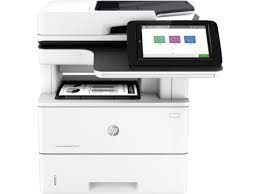
HP Color LaserJet Enterprise M555 printer
HP Color LaserJet Enterprise M555

Recommended downloads

Windows 10 (64-bit), Windows 7 (64-bit): HP Color LaserJet Enterprise M554dn/M555dn Printer Full Software SolutionVersion 14.0.20203.49 · Released Nov 02, 2020 · 112.2 MB · HP rating: Recommended

Download

Windows 11, Windows 10 (64-bit), Windows 7 (64-bit): HP Color LaserJet Enterprise M554dn/M555dn PCL-6 V3 Printer DriverVersion 20335.491.437 · Released Feb 28, 2023 · 10.9 MB

Download

macOS 26, macOS 15: Install HP Easy StartVersion 2.16.7.260722 · Released Aug 14, 2026 · 6.3 MB

Download

Files download directly from HP’s official servers. hpdrivers.net does not host or modify them.


Models covered by this page

All 2 models share one download list at HP:

HP Color LaserJet Enterprise M555dn HP Color LaserJet Enterprise M555x

Which Windows package should you choose?

HP publishes 4 kinds of Windows package for the Color LaserJet Enterprise M555:

  • Driver-only installer (v20335.491.437, Feb 28, 2023): print driver only, for PCs that can’t or shouldn’t take the full package.
  • HP Universal Print Driver (v8.2.0.26778, Sep 26, 2026): HP’s shared driver for many models, also listed for this series.
  • Firmware update (v2510156_069219, Aug 29, 2026): updates the printer itself, not your PC.
  • Full software solution (v14.0.20203.49, Nov 02, 2020, 112.2 MB): driver plus HP’s setup wizard and tools.

All downloads for the Color LaserJet Enterprise M555

Windows

Package / Windows
Version
Released
Size
HP Color LaserJet Enterprise M554dn/M555dn PCL-6 V3 Printer Driver

Windows: 11, 10, 7
File details

File: HP_LJE_M554dn_M555dn_PCL6_Print_Driver_no_Installer-20335.491.437.exe

20335.491.437
Feb 28, 2023
10.9 MB
FutureSmart Bundle Version 5.10.0.7 – HP Color LaserJet Enterprise M554/M555 Printer FIRMWARE

Windows: 11, 10, 7
File details

File: cljM554_555_fs5.10.0.7_fw_2510156_069219.zip

2510156_069219
Aug 29, 2026
95.6 MB
FutureSmart Bundle Version 4.12.0.1 – HP Color LaserJet Enterprise M554/555 Printer FIRMWARE

Windows: 11, 10, 7
File details

File: cljM554_M555_fs4.12.0.1_fw_2411226_066594.zip

2411226_066594
Feb 02, 2023
91.8 MB
HP Color LaserJet Enterprise M554dn/M555dn Printer Full Software Solution

Windows: 10, 7
File details

File: LJE_M554dn_M555dn_14.0.20203.49_Full_Webpack.exe

14.0.20203.49
Nov 02, 2020
112.2 MB

macOS

Package / macOS
Version
Released
Size
FutureSmart Bundle Version 5.10.0.7 – HP Color LaserJet Enterprise M554/M555 Printer FIRMWARE

macOS: 26, 15, 13
File details

File: cljM554_555_fs5.10.0.7_fw_2510156_069219.zip

2510156_069219
Aug 29, 2026
95.6 MB
FutureSmart Bundle Version 4.12.0.1 – HP Color LaserJet Enterprise M554/555 Printer FIRMWARE

macOS: 26, 15, 13
File details

File: cljM554_M555_fs4.12.0.1_fw_2411226_066594.zip

2411226_066594
Feb 02, 2023
91.8 MB

Other HP software listed for this series

Software / Systems
Version
Size
HP System Health Apps Registration Utility
Systems: Windows 10
1.0.0.0
1.3 MB
HP Easy Admin
Systems: macOS 26, macOS 15, macOS 13
2.16.0.251010
4.9 MB
Install HP Easy Start
Systems: macOS 26, macOS 15
2.16.7.260722
6.3 MB

HP Universal Print Driver

HP lists its Universal Print Driver for this series on Windows 7, Windows 11 and Windows 10. Get it from our HP Universal Print Driver page.

Linux

HP lists Linux support for this series through its HPLIP project, outside the regular download list: HP’s Linux printing page (HPLIP).

Installing the Color LaserJet Enterprise M555 driver

For step-by-step instructions, see our guide to installing an HP printer driver.

Firmware update 2411226_066594

The newest firmware HP lists for the Color LaserJet Enterprise M555 is version 2411226_066594, released Feb 02, 2023.

  • Keep the printer and the computer switched on until the update has finished.

Specifications that matter for setup

Connections
1 Hi-Speed Device USB 2.0; 2 Hi-Speed USB 2.0 Host; 1 Gigabit/Fast Ethernet 10/100/1000 Base-TX network; Hardware Integration Pocket
Mobile printing
HP ePrint; Apple AirPrint™; NFC touch-to-print (optional); Mopria™ Certified
Print languages
HP PCL 6; HP PCL 5c; HP postscript level 3 emulation, native PDF printing (v 1.7)
Print speed (black)
Normal: Up to 40 ppm
Recommended monthly volume
2000 to 10,000
Two-sided printing
Automatic (standard)

Common setup problems

  • You’d rather not install software on a Mac. HP’s specifications list AirPrint support, so macOS can usually add the printer from System Settings without extra software.

HP Color LaserJet Managed MFP E67650dh Drivers

Looking for the HP Color LaserJet Managed MFP E67650dh driver? This page lists HP’s official software for the whole HP Color LaserJet Managed MFP E67650 series. For Windows 11; Windows 10, 8.1, 8, 7 (32-bit and 64-bit), the package most people need is the HP Color LaserJet Managed MFP E67650/E67660 series Full Software Solution. For a Mac, HP lists Install HP Easy Start.

Last checked against HP’s download list: November 10, 2026 · Checked by H&G
HP Color LaserJet Managed MFP E67650dh printer
HP Color LaserJet Managed MFP E67650dh

Recommended downloads

Windows 11; Windows 10, 8.1, 8, 7 (32-bit and 64-bit): HP Color LaserJet Managed MFP E67650/E67660 series Full Software SolutionVersion 49.10.4644 · Released Nov 11, 2021 · 76.9 MB · HP rating: Recommended
Download
macOS 26, 15, 14: Install HP Easy StartVersion 2.16.7.260722 · Released Aug 14, 2026 · 6.3 MB
Download

Files download directly from HP’s official servers. hpdrivers.net does not host or modify them.

Which Windows package should you choose?

HP publishes 5 kinds of Windows package for the Color LaserJet Managed MFP E67650:

  • Firmware update (v2411226_066607, Feb 02, 2023): updates the printer itself, not your PC.
  • HP Universal Print Driver (v8.2.89, Sep 11, 2026): HP’s shared driver for many models, also listed for this series.
  • Driver files (no installer) (v49.10.4644, Nov 11, 2021): bare driver files for Windows’ Add Printer wizard.
  • Full software solution (v49.10.4644, Nov 11, 2021, 76.9 MB): driver plus HP’s setup wizard and tools.
  • MFP Network Twain Scan Package (v1.0.683, Jun 29, 2020): scanning from the computer.

All downloads for the Color LaserJet Managed MFP E67650

Windows

Package / Windows
Version
Released
Size
FutureSmart Bundle Version 4.12.0.1 – HP LaserJet Managed MFP E67650/60 Series FIRMWARE
Windows: 11
10, 8.1, 8, 7 (32-bit and 64-bit)
File detailsFile: E67650_60_fs4.12.0.1_fw_2411226_066607.zip
2411226_066607
Feb 02, 2023
472.1 MB
FutureSmart Bundle Version 5.10.0.7 – HP LaserJet Managed MFP E67650/60 Series FIRMWARE
Windows: 11
10, 8.1, 8, 7 (32-bit and 64-bit)
File detailsFile: E67650_60_fs5.10.0.7_fw_2510156_069210.zip
2510156_069210
Aug 29, 2026
616.3 MB
HP Color LaserJet Managed MFP E67650/E67660 series PCL 6 V3 Printer Driver (no installer)
Windows: 11
10, 8.1, 8, 7 (32-bit and 64-bit)
File detailsFile: V3_DriveronlyWebpack-49.10.4644-CLJE67650-E67660_V3_DriveronlyWebpack.exe
49.10.4644
Nov 11, 2021
14.4 MB
HP Color LaserJet Managed MFP E67650/E67660 series Full Software Solution
Windows: 11
10, 8.1, 8, 7 (32-bit and 64-bit)
File detailsFile: Full_Webpack-49.10.4644-CLJE67650-E67660_Full_Webpack.exe
49.10.4644
Nov 11, 2021
76.9 MB
HP Color LaserJet Managed MFP E67650/E67660 series PCL-6 V4 Printer Driver (no installer)
Windows: 11
10, 8.1 (32-bit and 64-bit)
File detailsFile: V4_DriveronlyWebpack-49.10.4644-CLJE67650-E67660_V4_DriveronlyWebpack.exe
49.10.4644
Nov 11, 2021
10.3 MB

macOS

Package / macOS
Version
Released
Size
FutureSmart Bundle Version 4.12.0.1 – HP LaserJet Managed MFP E67650/60 Series FIRMWARE
macOS: 26, 15, 14, 13, 12, 11, 10.13, 10.12, 10.11, 10.10, 10.15, 10.14, 10.9, 10.8, 10.7, 10.6, 10.5
File detailsFile: E67650_60_fs4.12.0.1_fw_2411226_066607.zip
2411226_066607
Feb 02, 2023
472.1 MB
FutureSmart Bundle Version 5.10.0.7 – HP LaserJet Managed MFP E67650/60 Series FIRMWARE
macOS: 26, 15, 14, 13, 12, 11, 10.13, 10.12, 10.11, 10.10, 10.15, 10.14, 10.9, 10.8, 10.7, 10.6, 10.5
File detailsFile: E67650_60_fs5.10.0.7_fw_2510156_069210.zip
2510156_069210
Aug 29, 2026
616.3 MB

Other HP software listed for this series

Software / Systems
Version
Size
HP Easy Start Printer Setup Software (Internet connection required for driver installation)
Systems: Windows 11
Windows 10, 7 (32-bit and 64-bit)
17.6.15
26.5 MB
MFP Network Twain Scan Package
Systems: Windows 10, 8.1, 8, 7 (32-bit and 64-bit)
1.0.683
14.8 MB
HP Easy Admin
Systems: macOS 26, 15, 14, 13, 11, 10.13, 10.12, 10.11, 10.10, 10.15, 10.14, 10.9
2.16.0.251010
4.9 MB
Install HP Easy Start
Systems: macOS 26, 15, 14
2.16.7.260722
6.3 MB

HP Universal Print Driver

HP lists its Universal Print Driver for this series on Windows 11; Windows 10, 8.1, 8, 7 (32-bit and 64-bit). Get it from our HP Universal Print Driver page.

Linux

HP lists a Linux driver for this series: FutureSmart Bundle Version 4.12.0.1 – HP LaserJet Managed MFP E67650/60 Series FIRMWARE (Version 2411226_066607 · Released Feb 02, 2023 · 472.1 MB). Download from HP.

Installing the Color LaserJet Managed MFP E67650 driver

The driver files without an installer are added through Windows’ Add Printer wizard (Have Disk). For step-by-step instructions, see our guide to installing an HP printer driver.

Firmware update 2411226_066607

The newest firmware HP lists for the Color LaserJet Managed MFP E67650 is version 2411226_066607, released Feb 02, 2023.

  • Keep the printer and the computer switched on until the update has finished.

Specifications that matter for setup

Connections
1 Hi-Speed Device USB 2.0; 2 Hi-Speed USB 2.0 Host; 1 Gigabit Ethernet; 1 Hardware Integration Pocket
Wi-Fi
Optional, enabled with purchase of a wireless hardware accessory. Single band Wireless Station and Wi-Fi Direct functionality available with HP Jetdirect 3000w NFC/Wireless Accessory J8030A
Mobile printing
HP ePrint; Apple AirPrint™; Mopria™ Certified; Google Cloud Print™
Print languages
HP PCL 6, HP PCL 5, HP PostScript level 3 emulation, native PDF printing (v 1.7), Apple AirPrint™
Functions
Print, copy, scan and optional fax
Print speed (black)
Normal: Up to 50 ppm
Recommended monthly volume
3000 to 24,000
Two-sided printing
Automatic (standard)
Scanner
Flatbed, ADF
Scan resolution
Up to 600 dpi
Document feeder
Standard, 150 sheets
Scan file formats
Digital Send: PDF, Hi-Compression PDF, JPEG, TIFF, MTIFF, xPS, PDF/A; Scan to easy access USB: PDF, JPEG, TIFF, MTIFF, xPS, PDF/A; Print from easy access USB: PDF, PS, Print Ready files (.prn, .pcl
Ways to scan
Front panel applications: Copy; E-mail; Save to Network Folder; Save to USB; Save to Device Memory; Save to SharePoint; Open Extensibility Platform (OxP) applications
Copy speed
Black: Up to 50 cpm Color: Up to 50 cpm

Toner supplies HP lists for the Color LaserJet Managed MFP E67650

HP’s specifications name these replacement supplies for the Color LaserJet Managed MFP E67650:

  • HP Black Managed LaserJet Toner Cartridge (~32
  • 200 pages) W9030MC
  • HP Cyan Managed LaserJet Toner Cartridge (~28
  • 000 pages) W9031MC
  • HP Yellow Managed LaserJet Toner Cartridge (~28
  • 000 pages) W9032MC
  • HP Magenta Managed LaserJet Toner Cartridge (~28
  • 000 pages) W9033MC

What comes in the box

HP lists these items with the Color LaserJet Managed MFP E67650:

  • HP Color LaserJet Multifunction Printer
  • Documentation (Hardware Install Guide)
  • Power cord
  • Fixed-Size Cassette Guides

Paper handling and hardware details

Values below are HP’s published figures for the Color LaserJet Managed MFP E67650; they help you check that this page matches your printer before you download anything.

Paper input tray
100-sheet multi-purpose tray, 550-sheet input tray 2, 150-sheet automatic document feeder
Output tray
500-sheet output tray, two-sided printing
Optional trays
Optional 550-sheet paper feeder, optional 550 paper feeder and stand with cabinet, optional 3×550-sheet paper feeder and stand
Paper sizes
Tray 1: letter, legal, executive, statement, 3 x 5 in, 4 x 6 in, 5 x 7 in, 5 x 8 in, 8.5 x 13 in, envelopes (No. 9, No. 10, Monarch); Tray 2: letter, legal
Media types
Paper (plain, light, bond, recycled, mid-weight, heavy, mid-weight glossy, heavy glossy, extra heavy, extra heavy glossy, cardstock, card glossy), color transparency, labels, letterhead, envelope
Paper weight
Tray 1: 16 to 58 lb (plain) 32 to 58 lb (glossy); Tray 2: 16 to 90 lb (plain) 32 to 58 lb (glossy)
Print speed (color)
Up to 50 ppm
Print quality (black)
Black: Up to 1200 x 1200 dpi Color: Up to 1200 x 1200 dpi
Control panel
8.0-in (20.3 cm) Color Graphics Display (CGD) with touchscreen; rotating (adjustable angle) display; illuminated Home button (for quick return to the Home menu)
Memory
1.5 GB (printer); 512 MB (scanner)
Processor
1.2 GHz
Internal storage
Standard, minimum 500 GB HP High-Performance Secure Hard Disk
Size (W x D x H)
20.08 x 21.85 x 25.91 in
Weight
94.4 lb
USB cable
No, please purchase USB cable separately
Warranty
One-year, next-business day, onsite warranty

Common setup problems

  • You’d rather not install software on a Mac. HP’s specifications list AirPrint support, so macOS can usually add the printer from System Settings without extra software.

E67650dh: how it differs from the E67660z

The E67650dh is the 50 ppm model: 50 pages per minute in black and color, 50 cpm copying and 75 ppm (120 ipm) scanning, with the first page out in 6.4 seconds. It is rated for 3,000 to 24,000 pages a month and a duty cycle of 150,000 pages.

It has a 500 GB secure hard disk, 512 MB of scanner memory and a single 500-sheet output tray; there is no stapler stacker and no single-pass duplex scanning. The cabinet is shorter (25.9 in against 32.3 in) and lighter, 94.4 lb against 112.8 lb.

Based on HP’s product specifications for this series.

HP LaserJet Managed Flow MFP E52645c Printer Driver Download

Find HP E52645c driver downloads, package details and supported operating systems for

HP LaserJet Managed Flow MFP E52645c Printer

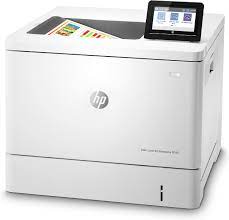
HP LaserJet Managed Flow MFP E52645c printer

This product is listed in the supplied HP printer catalog with its available software and driver packages.

Specifications

Product number
19390485
Recommended monthly page volume
4000 to 15000 [8]
Paper handling input, standard
100-sheet multipurpose Tray 1, 550-sheet input Tray 2, automatic duplex printing
Print quality black (best)
Black: Up to 1200 x 1200 dpi Color:
Functions
Print, copy, scan and optional fax
Duty cycle (monthly, letter)
Up to 150,000 pages
Connectivity, standard
1 Hi-Speed Device USB 2.0; 2 Hi-Speed USB 2.0 Host; 1 Gigabit Ethernet; 1 Hardware Integration Pocket

HP E52645c driver download for Windows

DescriptionVersionRelease dateFile sizeDownload

Recommended software

HP Easy Start Printer Setup Software (Internet connection required for driver installation) Recommended
17.6.15
Oct 13, 2026
26.5 MB
See full detailsWindows 7 (64-bit)
Type:
Installation Software and Full/Basic Driver-Supports print and scan functionality only
Version:
17.6.15
Operating systems:
Windows 7 (64-bit)
Release date:
Oct 13, 2026
File name:
HPEasyStart_17_6_15.exe
(26.5 MB)

Package notes

Description:

HP Easy Start provides guided setup and drivers for your HP printer. Win 7 Service Pack 1 (SP1) is the minimum requirement for HP Easy Start.

Alternative packages

HP LaserJet Managed MFP E52645 series PCL-6 V4 Printer Driver (no installer)
49.13.4899
Mar 25, 2026
10.2 MB
See full detailsWindows 11; Windows 10 (64-bit)
Type:
Driver-Product Installation Software
Version:
49.13.4899
Operating systems:
Windows 11; Windows 10 (64-bit)
Release date:
Mar 25, 2026
File name:
V4_DriveronlyWebpack-49.13.4899-LJE52645_V4_DriveronlyWebpack.exe
(10.2 MB)

Package notes

Description:

This solution provides only the PCL-6 driver without an installer. To install the print driver use the Add Printer Wizard.

Setup options

HP LaserJet Managed MFP E52645 series PCL 6 V3 Printer Driver (no installer)
49.13.4899
Mar 25, 2026
14.3 MB
See full detailsWindows 11; Windows 10, 7 (64-bit)
Type:
Driver-Product Installation Software
Version:
49.13.4899
Operating systems:
Windows 11; Windows 10, 7 (64-bit)
Release date:
Mar 25, 2026
File name:
V3_DriveronlyWebpack-49.13.4899-LJE52645_V3_DriveronlyWebpack.exe
(14.3 MB)

Package notes

Description:

This solution provides only the PCL 6 driver without an installer. To install the print driver use the Add Printer Wizard.

Additional software

HP LaserJet Managed MFP E52645 series Full Software Solution
49.13.4899
Mar 24, 2026
63.7 MB
See full detailsWindows 11; Windows 10, 7 (64-bit)
Type:
Driver-Product Installation Software
Version:
49.13.4899
Operating systems:
Windows 11; Windows 10, 7 (64-bit)
Release date:
Mar 24, 2026
File name:
Full_Webpack-49.13.4899-LJE52645_Full_Webpack.exe
(63.7 MB)

Package notes

Description:

The full solution software includes everything you need to install your HP printer. This collection of software includes the complete set of drivers, installer software, and other administrative tools found on the printer's software CD.

Compatibility packages

HP Universal Scan – Full Feature Software and Driver (ARM 64)
63.8.6459
Aug 5, 2026
437.0 MB
See full detailsWindows 11
Type:
Driver-Universal Scan Driver
Version:
63.8.6459
Operating systems:
Windows 11
Release date:
Aug 5, 2026
File name:
Full_Webpack-63.8.6459_ARM64-SJ0001_Full_Webpack.exe
(437.0 MB)

Package notes

Description:

Full webpack provides various scan functionalities. Supports OCR capabilities and Cloud Destinations.

More available software

HP Universal Scan – Full Feature Software and Driver
63.8.6459
Jul 5, 2026
436.2 MB
See full detailsWindows 11; Windows 10 (64-bit)
Type:
Driver-Universal Scan Driver
Version:
63.8.6459
Operating systems:
Windows 11; Windows 10 (64-bit)
Release date:
Jul 5, 2026
File name:
Full_Webpack-63.8.6459-SJ0001_Full_Webpack.exe
(436.2 MB)

Package notes

Description:

Full webpack provides various scan functionalities. Supports OCR capabilities and Cloud Destinations.

Download options

HP Universal Scan – Basic Feature Software and Driver
63.8.6459
Jul 5, 2026
113.9 MB
See full detailsWindows 11; Windows 10 (64-bit)
Type:
Driver-Universal Scan Driver
Version:
63.8.6459
Operating systems:
Windows 11; Windows 10 (64-bit)
Release date:
Jul 5, 2026
File name:
Basic_Webpack_x64-63.8.6459-SJ0001_Basicx64_Webpack.exe
(113.9 MB)

Package notes

Description:

This is the minimum Scan Software solution which provides basic Scan functionality, WIA and Twain support.Does not include OCR capabilities and Cloud Destinations. Download Full webpack for OCR capabilities.

Other available packages

HP Universal Scan – Basic Feature Software and Driver (ARM 64)
63.8.6459
Aug 5, 2026
118.7 MB
See full detailsWindows 11
Type:
Driver-Universal Scan Driver
Version:
63.8.6459
Operating systems:
Windows 11
Release date:
Aug 5, 2026
File name:
Basic_Webpack_x64-63.8.6459_ARM64-SJ0001_Basicx64_Webpack.exe
(118.7 MB)

Package notes

Description:

This is the minimum Scan Software solution which provides basic Scan functionality, WIA and Twain support.Does not include OCR capabilities and Cloud Destinations. Download Full webpack for OCR capabilities.

Recommended software

HP Easy Start Printer Setup Software (Internet connection required for driver installation)
17.6.15
Oct 13, 2026
26.5 MB
See full detailsWindows 11; Windows 10 (64-bit)
Type:
Installation Software and Driver-Includes print, scan, latest features, and solutions
Version:
17.6.15
Operating systems:
Windows 11; Windows 10 (64-bit)
Release date:
Oct 13, 2026
File name:
HPEasyStart_17_6_15.exe
(26.5 MB)

Package notes

Description:

HP Easy Start provides guided setup and drivers for your HP printer.

Alternative packages

HP Universal Print Driver for Windows PCL6 (ARM64-bit)
v8.2.0.26778
Sep 25, 2026
20.1 MB
See full detailsWindows 11
Type:
Driver-Universal Print Driver
Version:
v8.2.0.26778
Operating systems:
Windows 11
Release date:
Sep 25, 2026
File name:
upd-pcl6-win11-ARM64-8.2.0.26778.zip
(20.1 MB)

Package notes

Description:

This is the most current PCL6 driver of the HP Universal Print Driver (UPD) for Windows ARM64 bit systems.

Setup options

HP Universal Print Driver for Windows PCL6 (64-bit)
V8.2.0.26819
Sep 25, 2026
20.2 MB
See full detailsWindows 11
Type:
Driver-Universal Print Driver
Version:
V8.2.0.26819
Operating systems:
Windows 11
Release date:
Sep 25, 2026
File name:
upd-pcl6-win11-x64-8.2.0.26819.zip
(20.2 MB)

Package notes

Description:

This is the most current PCL6 driver of the HP Universal Print Driver (UPD) for Windows 64 bit systems. It is intended for Windows 11 and Windows Server 2025. If you need a driver for Windows 10 or earlier operating systems, select Choose a different OS above and choose the operating system for your deployment.

Additional software

HP Universal Print Driver for Windows PS (64-bit)
V8.2.0.26819
Sep 25, 2026
21.4 MB
See full detailsWindows 11
Type:
Driver-Universal Print Driver
Version:
V8.2.0.26819
Operating systems:
Windows 11
Release date:
Sep 25, 2026
File name:
upd-ps-win11-x64-8.2.0.26819.zip
(21.4 MB)

Package notes

Description:

This is the most current PostScript® emulation driver of the HP Universal Print Driver (UPD) for Windows 64 bit systems. It is intended for Windows 11 and Windows Server 2025. If you need a driver for Windows 10 or earlier operating systems, select Choose a different OS above and choose the operating system for your deployment.

Compatibility packages

HP Scan and Twain Package for USB
50.1.4560
Jul 22, 2019
15.4 MB
See full detailsWindows 10, 7 (64-bit)
Type:
Driver-Product Installation Software
Version:
50.1.4560
Operating systems:
Windows 10, 7 (64-bit)
Release date:
Jul 22, 2019
File name:
Full_Webpack-50.1.4560-HP_LJ_MFP_E52645_HPScanUSBTwain.exe
(15.4 MB)

Package notes

Description:

This is HP Scan and Twain SW for USB provides various scan functionality

More available software

MFP Network Twain Scan Package
1.0.683
Jun 28, 2020
14.8 MB
See full detailsWindows 10, 7 (64-bit)
Type:
Driver-Product Installation Software
Version:
1.0.683
Operating systems:
Windows 10, 7 (64-bit)
Release date:
Jun 28, 2020
File name:
HPScanTwain-1.0.683-HPScanTwain.msi
(14.8 MB)

Package notes

Description:

Installs network TWAIN Scan drivers and HP TWAIN Scan application

Download options

HP Universal Print Driver for Windows PostScript (64-bit)
v8.2.0.26778
Sep 25, 2026
21.5 MB
See full detailsWindows 10, 7 (64-bit)
Type:
Driver-Universal Print Driver
Version:
v8.2.0.26778
Operating systems:
Windows 10, 7 (64-bit)
Release date:
Sep 25, 2026
File name:
upd-ps-win10-x64-8.2.0.26778.zip
(21.5 MB)

Package notes

Description:

This is the most current PostScript® emulation driver of the HP Universal Print Driver (UPD) for Windows 64 bit systems; Level 2 and 3 emulation.

Other available packages

HP Universal Print Driver for Windows PCL6 (64-bit)
v8.2.0.26778
Sep 25, 2026
20.3 MB
See full detailsWindows 10, 7 (64-bit)
Type:
Driver-Universal Print Driver
Version:
v8.2.0.26778
Operating systems:
Windows 10, 7 (64-bit)
Release date:
Sep 25, 2026
File name:
upd-pcl6-win10-x64-8.2.0.26778.zip
(20.3 MB)

Package notes

Description:

This is the most current PCL6 driver of the HP Universal Print Driver (UPD) for Windows 64 bit systems.

Recommended software

HP Universal Scan – Full Feature Software and Driver
51.7.5630
Apr 14, 2024
410.8 MB
See full detailsWindows 7 (64-bit)
Type:
Driver-Universal Scan Driver
Version:
51.7.5630
Operating systems:
Windows 7 (64-bit)
Release date:
Apr 14, 2024
File name:
Full_Webpack-51.7.5630-SJ0001_Full_Webpack.exe
(410.8 MB)

Package notes

Description:

This full software solution provides various scan functionalities.

Alternative packages

HP Universal Scan – Basic Feature Software and Driver
51.7.5630
Apr 15, 2024
98.8 MB
See full detailsWindows 7 (64-bit)
Type:
Driver-Universal Scan Driver
Version:
51.7.5630
Operating systems:
Windows 7 (64-bit)
Release date:
Apr 15, 2024
File name:
Basic_Webpack_x64-51.7.5630-SJ0001_Basicx64_Webpack.exe
(98.8 MB)

Package notes

Description:

This is the minimum Scan Software solution which provides basic Scan functionality, WIA and Twain support.

Firmware and utilities

HP Universal Fax Driver for Windows
8.2.89
Sep 10, 2026
25.2 MB
See full detailsWindows 11; Windows 10, 7 (64-bit)
Type:
Driver-Universal Fax Driver
Version:
8.2.89
Operating systems:
Windows 11; Windows 10, 7 (64-bit)
Release date:
Sep 10, 2026
File name:
UFD_8.2-8.2.89-HPUFDDriver.exe
(25.2 MB)

Package notes

Description:

The HP Universal Fax Driver is a solution installed on a client PC. Note : This method is not supported for Windows Server PC. Refer HP Universal Fax Driver for Windows – Driver Only package for Server PC.

More firmware and utilities

HP Universal Fax Driver for Windows – Driver Only
8.2.89
Sep 10, 2026
13.8 MB
See full detailsWindows 11; Windows 10, 7 (64-bit)
Type:
Driver-Universal Fax Driver
Version:
8.2.89
Operating systems:
Windows 11; Windows 10, 7 (64-bit)
Release date:
Sep 10, 2026
File name:
UFD_8.2-8.2.89-HPUFD_Driver_Files.exe
(13.8 MB)

Package notes

Description:

The HP Universal Fax Driver works well with a broad range of networked and direct-connected HP fax enabled Enterprise Multifunction Printers (MFPs).

More firmware and utilities

FutureSmart Bundle Version 4.12.0.1 – HP LaserJet Managed E52645 Series Printer FIRMWARE
2411226_066579
Feb 1, 2023
465.2 MB
See full detailsWindows 11; Windows 10, 7 (64-bit); macOS 13, 15, 26; Linux
Type:
Firmware
Version:
2411226_066579
Operating systems:
Windows 11; Windows 10, 7 (64-bit); macOS 13, 15, 26; Linux
Release date:
Feb 1, 2023
File name:
E52645_fs4.12.0.1_fw_2411226_066579.zip
(465.2 MB)

Package notes

Description:

HP LaserJet Managed MFP E52645 Firmware Readme Click here for a FutureSmart comparison guide. The HP firmware bundle available from the HP web site contains firmware for the printer, embedded JetDirect (if applicable), and device paper handling accessories in one convenient file. The Readme provides installation instructions and information you should know before performing firmware updates. Reminder: Dynamic security enabled printer. This Firmware includes dynamic security measures, which are used to block cartridges using a non-HP chip or modified or non-HP electronic circuitry. The printer is intended to work only with new or reused cartridges that have a new or reused HP chip or circuitry. Periodic firmware updates will maintain the effectiveness of the dynamic security measures and block cartridges that previously worked. More at: www.hp.com/learn/ds.

More firmware and utilities

FutureSmart Bundle Version 5.10.0.7 – HP LaserJet Managed E52645 Series Printer FIRMWARE
2510156_069196
Aug 27, 2026
610.2 MB
See full detailsWindows 11; Windows 10, 7 (64-bit); macOS 13, 15, 26; Linux
Type:
Firmware
Version:
2510156_069196
Operating systems:
Windows 11; Windows 10, 7 (64-bit); macOS 13, 15, 26; Linux
Release date:
Aug 27, 2026
File name:
E52645_fs5.10.0.7_fw_2510156_069196.zip
(610.2 MB)

Package notes

Description:

HP LaserJet Managed MFP E52645 Firmware Readme Click here for a FutureSmart comparison guide. The HP firmware bundle available from the HP web site contains firmware for the printer, embedded JetDirect (if applicable), and device paper handling accessories in one convenient file. The Readme provides installation instructions and information you should know before performing firmware updates. Reminder: Dynamic Security enabled Printer. This firmware includes dynamic security measures, which may prevent supplies with non-HP chips or circuitry from working now or in the future. More at: www.hp.com/go/learnaboutsupplies.

More firmware and utilities

HP Scan OCR Add-on Software
1.0.1020
Jan 18, 2024
224.9 MB
See full detailsWindows 11; Windows 10 (64-bit)
Type:
Update
Version:
1.0.1020
Operating systems:
Windows 11; Windows 10 (64-bit)
Release date:
Jan 18, 2024
File name:
Win7plus-1.0.1020-HPOCR_Win7plus.exe
(224.9 MB)

Package notes

Description:

HP Scan OCR Add-on Software provides OCR and OCR related functionalities and is designed to be used as a plugin for HP Scan Software. This add-on is already available as part of the HP Scan Full Webpack.

More firmware and utilities

HP Print Administrator Resource Kit
v1.9.2
Nov 17, 2024
18.7 MB
See full detailsWindows 11; Windows 10, 7 (64-bit)
Type:
Utility-Universal Print Driver
Version:
v1.9.2
Operating systems:
Windows 11; Windows 10, 7 (64-bit)
Release date:
Nov 17, 2024
File name:
HP-PARK-v1.9.2.zip
(18.7 MB)

Package notes

Description:

The HP Print Administrator Resource Kit (PARK) is a collection of tools, scripts and documentation to help print administrators install, deploy, configure and manage the HP Universal Print Driver. The PARK contains both supported and unsupported software tools, scripts and documentation. Supported tools include: HP Driver Configuration Utility HP Driver Deployment Utility HP Managed Printing Administrator HP UPD Active Directory Administrative template AutoUpgradeUPD PRNCon

More firmware and utilities

HP Scan OCR Add-on Software
1.0.1019
Jan 29, 2024
224.9 MB
See full detailsWindows 7 (64-bit)
Type:
Update
Version:
1.0.1019
Operating systems:
Windows 7 (64-bit)
Release date:
Jan 29, 2024
File name:
Win7plus-1.0.1019-HPOCR_Win7plus.exe
(224.9 MB)

Package notes

Description:

HP Scan OCR Add-on Software provides OCR and OCR related functionalities and is designed to be used as a plugin for HP Scan Software. This add-on is already available as part of the HP Scan Full Webpack.

HP E52645c driver download for macOS

DescriptionVersionRelease dateFile sizeDownload

Recommended software

Install HP Easy Start
2.16.7.260722
Aug 13, 2026
6.3 MB
See full detailsmacOS 15, 26
Type:
Driver
Version:
2.16.7.260722
Operating systems:
macOS 15, 26
Release date:
Aug 13, 2026
File name:
HP_Easy_Start.app.zip
(6.3 MB)

Package notes

Description:

HP Easy Start is the new way to set up your HP printer and prepare your Mac for printing. HP Easy Start will locate and install the latest software for your printer and then guide you through printer setup.

Firmware and utilities

HP Easy Admin
2.16.0.251010
Nov 9, 2025
4.9 MB
See full detailsmacOS 13, 15, 26
Type:
Utility-Tools
Version:
2.16.0.251010
Operating systems:
macOS 13, 15, 26
Release date:
Nov 9, 2025
File name:
HP_Easy_Admin.app.zip
(4.9 MB)

Package notes

Description:

HP Easy Admin is the tool that will help to download the available driver packages locally on system for selected device.

HP E52645c installation and support

Use these resources after choosing the package that matches your operating system.

Driver assistance

Installation instructions

Common setup problems

Official resources

Package versions are listed in the download sections above. Check the operating-system list before downloading.