
Looking for an HP LaserJet MFP M440 driver download? This page lists HP’s official software for the HP LaserJet MFP M440n, M440dn and M440nda, which HP lists with (almost) the same downloads. HP lists some packages for specific models in the series, so check that the package title includes your model. For Windows 11, Windows 10, 8.1, 8, 7 (32-bit and 64-bit), the package most people need is the HP LaserJet MFP M437,M438,M439,M440,M442,M443 Series Full Solution Software and Drivers.
Recommended downloads
Files download directly from HP’s official servers. hpdrivers.net does not host or modify them.
Models covered by this page
All 3 models share one download list at HP:
HP LaserJet MFP M440n HP LaserJet MFP M440dn HP LaserJet MFP M440nda
Which Windows package should you choose?
HP publishes 4 kinds of Windows package for the LaserJet MFP M440:
- HP LaserJet MFP M437,M438,M439,M440,M442,M443 Series Print and Scan Driver (v1.06, May 31, 2023): scanning from the computer.
- Full software solution (v1.06, May 31, 2023, 60.5 MB): driver plus HP’s setup wizard and tools.
- Driver files (no installer) (v1.06, May 31, 2023): bare driver files for Windows’ Add Printer wizard.
- Firmware update (v3.82.01.21, Mar 30, 2026): updates the printer itself, not your PC.
All downloads for the LaserJet MFP M440
Each LaserJet MFP M440 driver download below links straight to the file on HP’s servers; HP’s own support page for this series lists the same files.
Windows
10, 8.1, 8, 7 (32-bit and 64-bit)
File details
File:HP_LaserJet_MFP_M437-M443_Print_Scan_Drivers_1.06.exe10, 8.1, 8, 7 (32-bit and 64-bit)
File details
File:HP_LaserJet_MFP_M437-M443_Full_Software_and_Drivers_1.06.exe10, 8.1, 8, 7 (32-bit and 64-bit)
File details
File:HP_LaserJet_MFP_M437-M443_Driver.exe10, 8.1, 8, 7 (32-bit and 64-bit)
File details
File:M440_V3.82.01.21_DS.zipOther HP software listed for this series
Linux
HP lists a Linux driver for this series: HP LaserJet MFP M437,M438,M439,M440,M442,M443, M42523-M42625 Series Print and Scan Driver (Version 1.00.39.15:00.23 · Released Apr 16, 2021 · 9.7 MB). Download from HP.
Installing the LaserJet MFP M440 driver
Once the LaserJet MFP M440 driver download from the table above is complete, follow these steps.
- Download HP Easy Start or the Full Software package from the Recommended downloads box.
- Keep the USB cable unplugged until the installer asks for it; for a network model, connect to your Wi-Fi or Ethernet first.
- Run the installer and select your model when it lists the printers it found.
- Print a test page and a scan to check that both work.
The driver files without an installer are added through Windows’ Add Printer wizard (Have Disk). For step-by-step instructions, see our guide to installing an HP printer driver.
Firmware update 3.82.01.21
The newest firmware HP lists for the LaserJet MFP M440 is version 3.82.01.21, released Mar 30, 2026.
- Keep the printer and the computer switched on until the update has finished.
Specifications that matter for setup
Toner supplies HP lists for the LaserJet MFP M440
HP’s specifications name these replacement supplies for the LaserJet MFP M440:
- HP Original 335A LaserJet Toner Cartridge (yield ~7
- 400 ISO pages*) W1335A
- HP Original 335X High-Yield Black LaserJet Toner Cartridge (yield ~13
- 700 ISO pages*) W1335X
- HP 57A Original LaserJet Imaging Drum (yield ~80
- 000 pages) CF257A
Paper handling and hardware details
Values below are HP’s published figures for the LaserJet MFP M440; they help you check that this page matches your printer before you download anything.
Common setup problems
- No Wi-Fi option during setup. HP’s specifications list no built-in Wi-Fi for the LaserJet MFP M440. Use an Ethernet cable or USB.
LaserJet MFP M440: speed, volume and controller
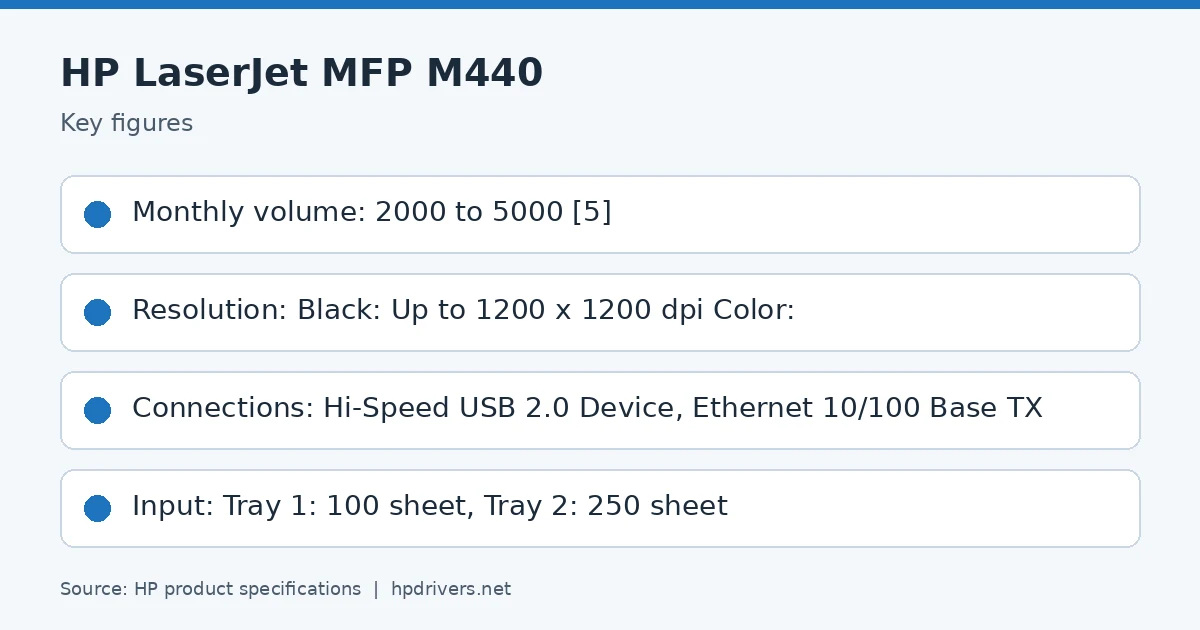
The recommended monthly volume is 2000 to 5000 pages.
Inside, it has a 600 MHz processor, the display: 4-line LCD.
Based on HP’s product specifications for this series.
Paper handling, connections and supplies of the LaserJet MFP M440
Standard input is Tray 1: 100 sheet, Tray 2: 250 sheet; HP lists these input options: Optional 250 sheets; output is Up to 250 Sheets; the maximum output capacity is up to 250 sheets.
Standard connections are Hi-Speed USB 2.0 Device, Ethernet 10/100 Base TX; wireless: no.
Supplies: HP Original 335A LaserJet Toner Cartridge (yield ~7,400 ISO pages*) W1335A, HP Original 335X High-Yield Black LaserJet Toner Cartridge (yield ~13,700 ISO pages*) W1335X, HP 57A Original LaserJet Imaging Drum (yield ~80,000 pages) CF257A.
Based on HP’s product specifications for this series.
Similar models
This page is the LaserJet MFP M440 driver download page for this model only. The LaserJet MFP M442dn has its own page.