
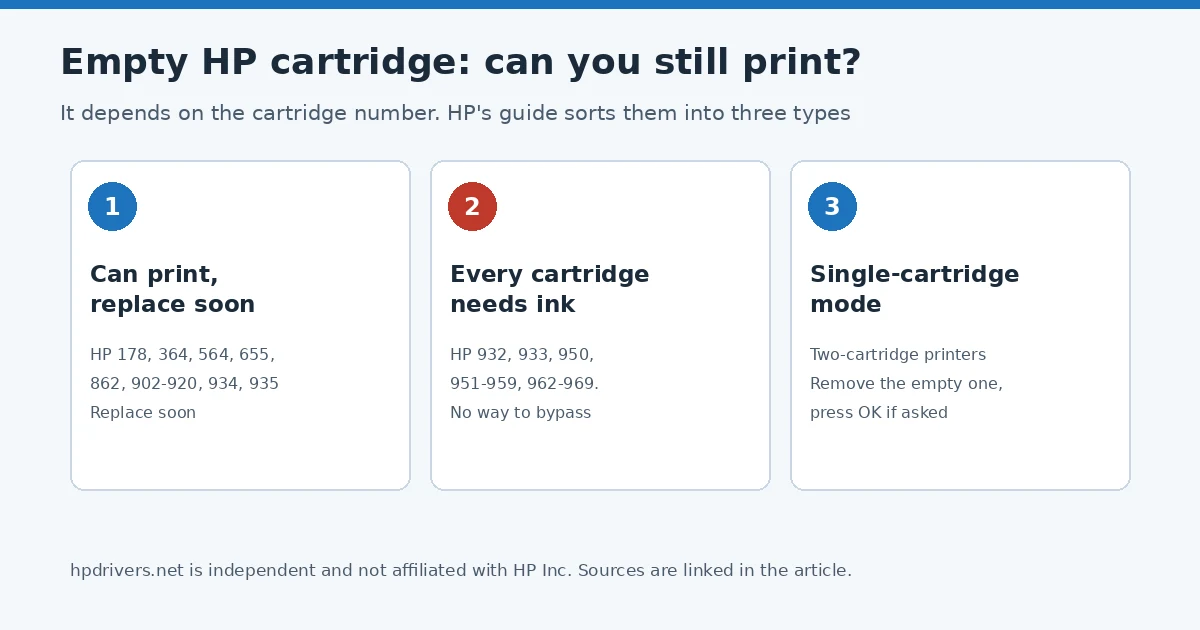
Whether you can keep printing with an empty HP cartridge depends on the cartridge number, not on the printer family. HP’s guide on printing with one or more empty cartridges sorts its inkjet cartridges into three types: some printers keep printing, some refuse until every cartridge has ink, and two-cartridge printers can run on a single one. Find your cartridge number below and you have HP’s answer.
The short version
- Look at the number on your cartridge, for example “HP 63” or “HP 950.”
- Match it to one of the three lists below.
- If it is on the “every cartridge needs ink” list, no setting will let you print with an empty one. Replace it.
Type 1: keep printing with an empty HP cartridge, but replace it soon
HP lists these cartridges: 178, 364, 564, 655, 862, 902 to 920, 934 and 935. HP says you can continue to print with one or more empty cartridges, but recommends replacing them as soon as possible to avoid printhead damage.
Type 2: every cartridge needs ink
HP lists: 932, 933, 950, 951 to 959 and 962 to 969. For these, HP says ink is required in all cartridges, both to print and to perform periodic servicing that prevents clogs and other print quality problems. HP states there is no way to bypass this feature.
If one of these messages appears, replace the cartridge it points to in order to print again: “The cartridges above must be replaced to resume printing,” “Cartridges Depleted,” or “Depleted cartridges must be replaced to resume printing.”
Type 3: two-cartridge printers can run on one
HP lists these numbers: 21, 22, 27, 28, 46, 56 to 68, 61/301, 63/302, 64/303, 65/304, 74, 75, 92 to 98, 110, 121 to 125, 129 to 131, 134, 135, 140, 141, 300 to 305, 308, 336 to 339, 342 to 344, 350, 351, 650 to 654, 662, 664, 667, 668, 675, 678, 680, 682, 683, 703, 704, 802 to 805, 818, 851, 852, 855 and 901.
These are the printers with one black and one tri-color cartridge. HP says they can print if one cartridge is empty. To continue, remove the empty cartridge, and select OK if a Single-cartridge mode message appears. With only the black cartridge in, prints are black and white (grayscale). With only the color cartridge in, colors print normally but black prints lighter than usual. HP says you can keep printing until the print quality becomes unacceptable.
What if my number is not on any list?
HP’s guide lists only the numbers above. If yours is missing, check the guide for your exact printer on HP’s support site rather than assuming it behaves like a similar model. Our cartridge compatibility pages show which cartridge numbers belong to which printer family, for example DeskJet, OfficeJet and ENVY printers.
Questions people ask
Will running on one cartridge hurt the printer?
For Type 1 cartridges HP warns about printhead damage and says to replace the empty cartridge as soon as possible. For Type 3 printers HP describes removing the empty cartridge as the way to continue, with the quality trade-off above.
My printer shows a message and will not print at all. Why?
If your cartridges are on the Type 2 list, that is the expected behavior according to HP. If a new cartridge is not recognized instead, see our article on the “Use SETUP cartridges” error, which applies to new printers.
Source: HP Support, HP inkjet printers – Print with one or more empty ink cartridges.
Advertisement