hpdrivers.net is an independent website and is not affiliated with, endorsed by, or sponsored by HP Inc. Download links point to HP's official servers (ftp.hp.com). Read the full disclaimer

HP DesignJet T230 Driver Download (24-in)

Looking for an HP DesignJet T230 driver download? This page lists HP’s official software for the whole HP DesignJet T230 Printer: the DesignJet T230 24-in Printer with 2-year Warranty and DesignJet T230 24-in. It also covers the HP DesignJet T210 Printer, HP DesignJet T630 Printer series and HP DesignJet T650 Printer series. HP lists some packages for specific models in the series, so check that the package title includes your model. For Windows 11, the package most people need is the Download HP Click Driver to enjoy the best printing experience. For a Mac, HP lists HP DesignJet Mac Raster Driver.

Last checked against HP’s download list: November 13, 2026 · Checked by H&G
HP DesignJet T230 printer
HP DesignJet T230

Recommended downloads

Windows 11: Download HP Click Driver to enjoy the best printing experienceVersion 26.101.51.0 · Released Nov 10, 2026 · 154.3 MB · HP rating: Recommended
Download
macOS 26: HP DesignJet Mac Raster DriverVersion 59 · Released Mar 03, 2026 · 97.7 MB
Download

Files download directly from HP’s official servers. hpdrivers.net does not host or modify them.

Models covered by this page

All 2 models share one download list at HP:

HP DesignJet T230 24-in Printer with 2-year Warranty HP DesignJet T230 24-in

Which Windows package should you choose?

HP publishes 2 kinds of Windows package for the DesignJet T230 Printer:

  • Firmware update (v001.2607A, Feb 16, 2026): updates the printer itself, not your PC.
  • HP DesignJet and PageWide XL Windows Printer Driver installer (v4.0.0.70, Oct 15, 2025).

All downloads for the DesignJet T230 Printer

Windows

Package / Windows
Version
Released
Size
HP DesignJet T200, T600 and Studio Printer Series Firmware
Windows: 11
10, 8.1, 8, 7 (32-bit and 64-bit)
File detailsFile: spark_dist_pr2_001.2607A_nonassert_appsigned_lbi_rootfs_secure_signed.ful2
001.2607A
Feb 16, 2026
187.7 MB

macOS

Package / macOS
Version
Released
Size
HP DesignJet T200, T600 and Studio Printer Series Firmware
macOS: 11, 10.13, 10.12, 10.11, 10.10, 10.15, 10.14
File detailsFile: spark_dist_pr2_001.2607A_nonassert_appsigned_lbi_rootfs_secure_signed.ful2
001.2607A
Feb 16, 2026
187.7 MB

Other HP software listed for this series

Software / Systems
Version
Size
HP DesignJet and PageWide XL PCL3 Driver for Windows
Systems: Windows 11
Windows 10, 8.1, 8, 7 (32-bit and 64-bit)
61.2606.1.100
8.9 MB
HP DesignJet and PageWide XL Windows Printer Driver installer
Systems: Windows 11
Windows 10, 8.1, 8, 7 (64-bit)
4.0.0.70
32.7 MB
HP Print Preview
Systems: Windows 11
Windows 10, 8.1, 8, 7 (32-bit and 64-bit)
2.2405.0.265
251.4 MB
HP DesignJet Utility
Systems: Windows 11
Windows 10, 8.1, 8, 7 (32-bit and 64-bit)
6.4.5.4879
44.3 MB
HP Click Silent Version
Systems: Windows 11
Windows 10, 8.1, 8, 7 (64-bit)
4.13.20
633.9 MB
Download HP Click Driver to enjoy the best printing experience
Systems: Windows 11
26.101.51.0
154.3 MB
HP Click
Systems: Windows 11
Windows 10, 8.1, 8, 7 (64-bit)
4.13.20
440.0 MB
HP Support Assistant
Systems: Windows 10, 8.1, 7 (32-bit and 64-bit)
8.8.24.33
138.8 MB
HP DesignJet Mac Raster Driver
Systems: macOS 26, 15, 13, 14, 12, 11, 10.13, 10.12, 10.11, 10.10, 10.14, 10.9
59
97.7 MB
HP Click
Systems: macOS 26, 15, 14, 13, 12
4.11.32
674.9 MB

Installing the DesignJet T230 Printer driver

For step-by-step instructions, see our guide to installing an HP printer driver.

Firmware update 001.2607A

The newest firmware HP lists for the DesignJet T230 Printer is version 001.2607A, released Feb 16, 2026. HP’s notes for it: Security compliance improvements.

  • Keep the printer and the computer switched on until the update has finished.

Specifications that matter for setup

Connections
Gigabit Ethernet (1000Base-T), Hi-Speed USB 2.0, Wi-Fi 802.11a/b/g/n, Wi-Fi Direct
Print languages
JPEG, URF

Paper handling and hardware details

Values below are HP’s published figures for the DesignJet T230 Printer; they help you check that this page matches your printer before you download anything.

Media types
Bond and coated paper (bond, coated, heavyweight coated, plain, bright white, blueprint), technical paper (natural tracing), film (clear, matte), photographic paper (satin, gloss, semigloss
Print quality (color)
Up to 2400 x 1200 optimized dpi
Memory
512 MB
Power use
<35 W (printing), <5.6 W (ready), <2.1 W (sleep), <0.2 W (off)
Size (W x D x H)
39.9 x 17.3 x 11.2 in
Weight
47.4 lb
Warranty
One-year limited hardware warranty

Full HP specifications of the DesignJet T230 Printer

The rest of HP’s published specification sheet for this series, beyond the setup details above.

Print speed, maximum
35 sec/page on D, 68 D prints per hour[1]
Internal Storage
None
Print technology
HP Thermal Inkjet
Print Cartridges/Bottle, Number
4 (C, M, Y, K)
Ink types
Dye-based (C, M, Y); pigment-based (K)
Non-printable area (cut-sheet)
0.2 x 0.2 x 0.2 x 0.7 in (manual feed); 0.2 x 0.2 x 0.2 x 0.2 in (input tray)
Line accuracy
±0.1%[3]
Maximum optical density (black)
8 L* min/2.10 D[4]
Finished output handling
Sheet feed, roll feed; automatic horizontal cutter
Media sizes standard (sheets, rolls)
11 to 24 in
Media sizes, custom
8.3 x 11 to 24 x 74.7 in
Roll external diameter
3.9 in
Media thickness
Up to 11.8 mil
Printing path
Print Anywhere with HP Smart app, HP Click App, HP Click Driver for Windows 11, HP driver for macOS, HP driver for Windows, printing support for Chrome OS, email printing, HP Print Service Plugin for Android, Apple AirPrint
Ecolabels
ENERGY STAR® qualified
Operating temperature range
41 to 104ºF 5 to 40ºC
Operating humidity range
20 to 80% RH
Package dimensions (W x D x H)
45.5 x 22.6 x 15.9 in
Package weight
61.7 lb
What's in the box
HP DesignJet T230 24-in Printer, printhead, introductory ink cartridges, spindle, quick reference guide, setup poster, power cord
Software included
HP Click App, HP Click Driver for Windows 11, HP Smart app, HP Print Preview for Windows, HP Easy Start, HP DesignJet Utility for Windows, HP Support Assistant

Scuffed or scratched prints on the DesignJet T230

HP warns that the black ink pigment on this printer family can scuff or scratch when touched, most noticeably on coated paper, and glossy paper is very sensitive to the output bin. To reduce the risk, handle prints carefully, do not stack them, catch each print as it is cut from the roll or leave a sheet of paper in the bin so fresh prints do not touch it, and lengthen the drying time on the front panel under Setup, Print Settings, Drying Time, Extended.

Based on HP support document ish_6055096 (“Print is scuffed or scratched”).

Print Quality Diagnostic Report on the DesignJet T230

HP’s alignment-failure topic for the T200 and T600 families starts with the printer’s own test patterns, two designed to reveal printhead clogging or misalignment. Load the same paper type you were using when the fault appeared (plain white paper is easiest to judge), make sure the paper type selected on the printer matches it, then choose Image Reports and Print Quality Report on the front panel. The report takes about two minutes and can also be requested from the Embedded Web Server.

Based on HP support document ish_7853079 (“Alignment Failure – HP DesignJet T200/T600 Printer Series and Studio”).

Similar models

This page is the DesignJet T230 driver download page. The DesignJet T210 has its own page.

HP DesignJet T130 Drivers (DesignJet T100 Series)

Looking for the HP DesignJet T130 driver? This page lists HP’s official software for the whole HP DesignJet T100 Printer series. HP lists some packages for specific models in the series, so check that the package title includes your model. For Windows 11; Windows 10, 8.1, 8, 7 (64-bit), the package most people need is the HP DesignJet and PageWide XL Windows Printer Driver installer.

Last checked against HP’s download list: November 12, 2026 · Checked by H&G
HP DesignJet T130 printer
HP DesignJet T130

Recommended downloads

Windows 11; Windows 10, 8.1, 8, 7 (64-bit): HP DesignJet and PageWide XL Windows Printer Driver installerVersion 4.0.0.70 · Released Oct 15, 2025 · 32.7 MB
Download

Files download directly from HP’s official servers. hpdrivers.net does not host or modify them.

Which Windows package should you choose?

HP publishes 2 kinds of Windows package for the DesignJet T100:

  • HP DesignJet and PageWide XL Windows Printer Driver installer (v4.0.0.70, Oct 15, 2025).
  • Firmware update (vCXP2CN2023AR, Jul 30, 2020): updates the printer itself, not your PC.

All downloads for the DesignJet T100

Windows

Package / Windows
Version
Released
Size
HP DesignJet T100 and T500 Printer Series Firmware
Windows: 11
10, 8.1, 8, 7 (32-bit and 64-bit)
File detailsFile: coulombxl_pr_CXP2CN2023AR_secure_signed_rbx.ful
CXP2CN2023AR
Jul 30, 2020
18.3 MB

macOS

Package / macOS
Version
Released
Size
HP DesignJet T100 and T500 Printer Series Firmware
macOS: 10.9, 10.8, 10.7
File detailsFile: coulombxl_pr_CXP2CN2023AR_secure_signed_rbx.ful
CXP2CN2023AR
Jul 30, 2020
18.3 MB

Other HP software listed for this series

Software / Systems
Version
Size
HP DesignJet and PageWide XL PCL3 Driver for Windows
Systems: Windows 11
Windows 10, 8.1, 8, 7 (32-bit and 64-bit)
61.2606.1.100
8.9 MB
HP Click Silent Version
Systems: Windows 11
Windows 10, 8.1, 8, 7 (64-bit)
4.13.20
633.9 MB
HP DesignJet and PageWide XL Windows Printer Driver installer
Systems: Windows 11
Windows 10, 8.1, 8, 7 (64-bit)
4.0.0.70
32.7 MB
HP Print Preview
Systems: Windows 11
Windows 10, 8.1, 8, 7 (32-bit and 64-bit)
2.2405.0.265
251.4 MB
HP DesignJet Utility
Systems: Windows 11
Windows 10, 8.1, 8, 7 (32-bit and 64-bit)
6.4.5.4879
44.3 MB
HP Click
Systems: Windows 11
Windows 10, 8.1, 8, 7 (64-bit)
4.13.20
440.0 MB
HP Support Assistant
Systems: Windows 11
Windows 10, 8.1, 8, 7 (32-bit and 64-bit)
9.5.353.0/8.8.24.33
138.8 MB
HP DesignJet Mac Raster Driver
Systems: 10.9
53
513.4 MB

Linux

HP lists a Linux driver for this series: HP DesignJet T100 and T500 Printer Series Firmware (Version CXP2CN2023AR · Released Jul 30, 2020 · 18.3 MB). Download from HP.

Installing the DesignJet T100 driver

For step-by-step instructions, see our guide to installing an HP printer driver.

Firmware update CXP2CN2023AR

The newest firmware HP lists for the DesignJet T100 is version CXP2CN2023AR, released Jul 30, 2020. HP’s notes for it: Network component update.

  • Keep the printer and the computer switched on until the update has finished.

Specifications that matter for setup

Connections
Fast Ethernet (100Base-T), Hi-Speed USB 2.0, Wi-Fi
Print languages
JPEG

Paper handling and hardware details

Values below are HP’s published figures for the DesignJet T100; they help you check that this page matches your printer before you download anything.

Media types
Bond and coated paper (bond, coated, heavyweight coated, recycled, plain, bright white), technical paper (natural tracing, vellum), film (clear, matte), photographic paper (satin, gloss, semigloss
Print quality (color)
Up to 1200 x 1200 optimized dpi
Memory
256 MB
Power use
< 35 W (printing), < 6 W (ready), < 4.5 W (sleep), < 0.3 W (off)
Warranty
One-year limited hardware warranty

HP DesignJet T2300 Drivers

Last checked against HP’s download list: November 13, 2026 · Checked by H&G

Looking for the HP DesignJet T2300 driver? This page lists HP’s official software for the whole HP DesignJet T2300 Multifunction Printer series: the DesignJet T2300 Multifunction, DesignJet T2300 PostScript Multifunction and DesignJet T2300 PostScript Multifunction Printer with Encrypted Hard Disk. HP lists some packages for specific models in the series, so check that the package title includes your model. For Windows 11; Windows 10, 8.1, 8, 7 (64-bit), the package most people need is the HP Windows HPGL2 Driver.

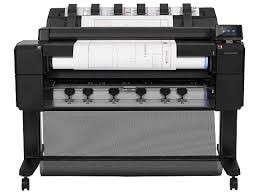
HP DesignJet T2300 printer
HP DesignJet T2300

Recommended downloads

Windows 11; Windows 10, 8.1, 8, 7 (64-bit): HP Windows HPGL2 DriverVersion 61.242.12211.50 · Released Jul 02, 2024 · 5.7 MB
Download

Files download directly from HP’s official servers. hpdrivers.net does not host or modify them.

Models covered by this page

All 3 models share one download list at HP:

HP DesignJet T2300 Multifunction HP DesignJet T2300 PostScript Multifunction HP DesignJet T2300 PostScript Multifunction Printer with Encrypted Hard Disk

Which Windows package should you choose?

HP publishes 3 kinds of Windows package for the DesignJet T2300 Multifunction:

  • Firmware update (vIG_15_01_01.1, Nov 09, 2023): updates the printer itself, not your PC.
  • Driver-only installer (v61.242.12211.50, Jul 02, 2024): print driver only, for PCs that can’t or shouldn’t take the full package.
  • HP DesignJet and PageWide XL Windows Printer Driver installer (v4.0.0.70, Oct 15, 2025).

All downloads for the DesignJet T2300 Multifunction

Windows

Package / Windows
Version
Released
Size
HP Designjet T790, T795, T1300 and T2300 Printer series Firmware (Incremental)
Windows: 11
10, 8.1, 8, 7 (32-bit and 64-bit)
File detailsFile: IG_15_01_01.1.fmw
IG_15_01_01.1
Nov 09, 2023
911.6 MB
HP Designjet T790, T795, T1300 and T2300 Printer series Firmware
Windows: 11
10, 8, 7 (32-bit and 64-bit)
File detailsFile: IG_06_00_00.2.fmw
IG_06_00_00.2
Mar 13, 2015
908.2 MB
HP Designjet T2300 Printer series Firmware Upgrade
Windows: 8, 7 (32-bit and 64-bit)
File detailsFile: MU_01_02_32.6-PLUS-MS_01_01_23.1.fmw
MU_01_02_32.6
Apr 22, 2013
1062.4 MB

macOS

Package / macOS
Version
Released
Size
HP Designjet T790, T795, T1300 and T2300 Printer series Firmware (Incremental)
macOS: 11, 10.13, 10.12, 10.11, 10.10, 10.15, 10.14, 10.9
File detailsFile: IG_15_01_01.1.fmw
IG_15_01_01.1
Nov 09, 2023
911.6 MB
HP Designjet T790, T795, T1300 and T2300 Printer series Firmware
macOS: 11, 10.13, 10.12, 10.11, 10.10, 10.15, 10.14, 10.9
File detailsFile: IG_06_00_00.2.fmw
IG_06_00_00.2
Mar 13, 2015
908.2 MB

Other HP software listed for this series

Software / Systems
Version
Size
HP DesignJet and PageWide XL PCL3 Driver for Windows
Systems: Windows 11
Windows 10, 8.1, 8, 7 (32-bit and 64-bit)
61.2606.1.100
8.9 MB
HP Windows HPGL2 Driver
Systems: Windows 11
Windows 10, 8.1, 8, 7 (32-bit and 64-bit)
61.242.12211.50
5.7 MB
HP DesignJet and PageWide XL Windows Printer Driver installer
Systems: Windows 11
Windows 10, 8.1, 8, 7 (64-bit)
4.0.0.70
32.7 MB
HP Print Preview
Systems: Windows 11
Windows 10, 8.1, 8, 7 (32-bit and 64-bit)
2.2405.0.265
251.4 MB
HP DesignJet and PageWide XL PS Driver for Windows
Systems: Windows 11
Windows 10, 8.1, 8, 7 (32-bit and 64-bit)
61.242.12211.50
5.6 MB
HP Click Silent Version
Systems: Windows 11
Windows 10, 8.1, 8, 7 (64-bit)
4.13.20
633.9 MB
HP Click
Systems: Windows 11
Windows 10, 8.1, 8, 7 (32-bit and 64-bit)
4.13.20
440.0 MB
HP Utility
Systems: Windows 10, 8.1, 8, 7 (32-bit and 64-bit)
1.17.0.3
16.8 MB
HP Click
Systems: macOS 26, 15, 14, 13, 12
4.11.32
674.9 MB
HP DesignJet Utility
Systems: macOS 10.13, 10.12, 10.11, 10.14
1.0.0
51.6 MB

Installing the DesignJet T2300 Multifunction driver

For step-by-step instructions, see our guide to installing an HP printer driver.

Firmware update IG_15_01_01.1

The newest firmware HP lists for the DesignJet T2300 Multifunction is version IG_15_01_01.1, released Nov 09, 2023. HP’s notes for it: Security fixes.

  • Keep the printer and the computer switched on until the update has finished.

Specifications that matter for setup

Connections
Gigabit Ethernet (1000Base-T); EIO Jetdirect accessory slot; Hi-Speed USB 2.0 certified
Scanner
Sheetfed, CIS (Contact Image Sensor)

What comes in the box

HP lists these items with the DesignJet T2300 Multifunction:

  • HP Designjet T2300 eMultifunction Printer
  • printheads
  • introductory ink cartridges
  • printer stand
  • spindle
  • quick reference guide
  • setup poster
  • startup software
  • Scan2CAD software (free trial)
  • USB cable

Paper handling and hardware details

Values below are HP’s published figures for the DesignJet T2300 Multifunction; they help you check that this page matches your printer before you download anything.

Media types
Printer: bond and coated paper, technical paper, film, photographic paper, backlit, self-adhesive; scanner: non-abrasive paper, vellum, translucent, opaque Mylar, recycled, blueprints
Print quality (color)
Up to 2400 x 1200 optimized dpi from 1200 x 1200 input dpi and Optimization For Photo Paper selected
Memory
32 GB (virtual)
Internal storage
Standard, 160 GB
Power use
< 120 watts (printing); < 41 watts (ready); < 11 watts (< 28 watts with embedded Digital Front End) (sleep); < 0.1 watts (off)
Size (W x D x H)
69.7 x 39.8 x 44.3 in
Weight
226 lb
Warranty
One-year limited hardware warranty