Independent download guide for HP printer and scanner drivers
hpdrivers.net is an independent website and is not affiliated with, endorsed by, or sponsored by HP Inc. Download links point to HP's official servers (ftp.hp.com). Read the full disclaimer
Last checked against HP’s download list: November 13, 2026 · Checked by H&G
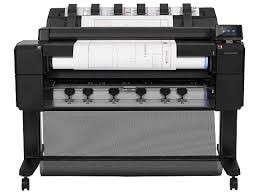
Looking for the HP DesignJet T2300 driver? This page lists HP’s official software for the whole HP DesignJet T2300 Multifunction Printer series: the DesignJet T2300 Multifunction, DesignJet T2300 PostScript Multifunction and DesignJet T2300 PostScript Multifunction Printer with Encrypted Hard Disk. HP lists some packages for specific models in the series, so check that the package title includes your model. For Windows 11; Windows 10, 8.1, 8, 7 (64-bit), the package most people need is the HP Windows HPGL2 Driver.
HP DesignJet T2300
Recommended downloads
Windows 11; Windows 10, 8.1, 8, 7 (64-bit): HP Windows HPGL2 DriverVersion 61.242.12211.50 · Released Jul 02, 2024 · 5.7 MB
Files download directly from HP’s official servers. hpdrivers.net does not host or modify them.
Models covered by this page
All 3 models share one download list at HP:
HP DesignJet T2300 MultifunctionHP DesignJet T2300 PostScript MultifunctionHP DesignJet T2300 PostScript Multifunction Printer with Encrypted Hard Disk
Which Windows package should you choose?
HP publishes 3 kinds of Windows package for the DesignJet T2300 Multifunction:
Firmware update (vIG_15_01_01.1, Nov 09, 2023): updates the printer itself, not your PC.
Driver-only installer (v61.242.12211.50, Jul 02, 2024): print driver only, for PCs that can’t or shouldn’t take the full package.
HP DesignJet and PageWide XL Windows Printer Driver installer (v4.0.0.70, Oct 15, 2025).
All downloads for the DesignJet T2300 Multifunction
Windows
Package / Windows
Version
Released
Size
HP Designjet T790, T795, T1300 and T2300 Printer series Firmware (Incremental)
HP lists these items with the DesignJet T2300 Multifunction:
HP Designjet T2300 eMultifunction Printer
printheads
introductory ink cartridges
printer stand
spindle
quick reference guide
setup poster
startup software
Scan2CAD software (free trial)
USB cable
Paper handling and hardware details
Values below are HP’s published figures for the DesignJet T2300 Multifunction; they help you check that this page matches your printer before you download anything.
Looking for the HP DesignJet T830 driver? This page lists HP’s official software for the whole HP DesignJet T830 Multifunction Printer series: the DesignJet T830 MFP with armor case, DesignJet T830 MFP with armor case (without Wi-Fi), DesignJet T830 24-in Multifunction, DesignJet T830SE 24-in Multifunction, DesignJet T830 36-in Multifunction Printer (without Wi-Fi), DesignJet T830 36-in Multifunction and DesignJet T830 MFP with Rugged Case. HP lists some packages for specific models in the series, so check that the package title includes your model. For Windows 11; Windows 10, 8.1, 8, 7 (64-bit), the package most people need is the HP Windows HPGL2 Driver. For a Mac, HP lists HP DesignJet Mac Raster Driver.
Last checked against HP’s download list: November 4, 2026 · Checked by H&G
HP DesignJet T830
Recommended downloads
Windows 11; Windows 10, 8.1, 8, 7 (64-bit): HP Windows HPGL2 DriverVersion 61.242.12211.50 · Released Jul 02, 2024 · 5.7 MB
HP lists a Linux driver for this series: HP DesignJet T730-T830 Printer Series Firmware Upgrade (Version 2525A · Released Sep 18, 2025 · 80.8 MB). Download from HP.
Installing the T830 driver
Download the T830 driver only from the HP link in the table above. HP’s own support page for the T830 driver lists the same files.
The newest firmware HP lists for the DesignJet T830 Multifunction is version 2525A, released Sep 18, 2025. HP’s notes for it: Enhancement/Fixes included in current version 2525A (September 2025) RED (Radio Equipment Directive) compliant.
Keep the printer and the computer switched on until the update has finished.
What the T830 can scan
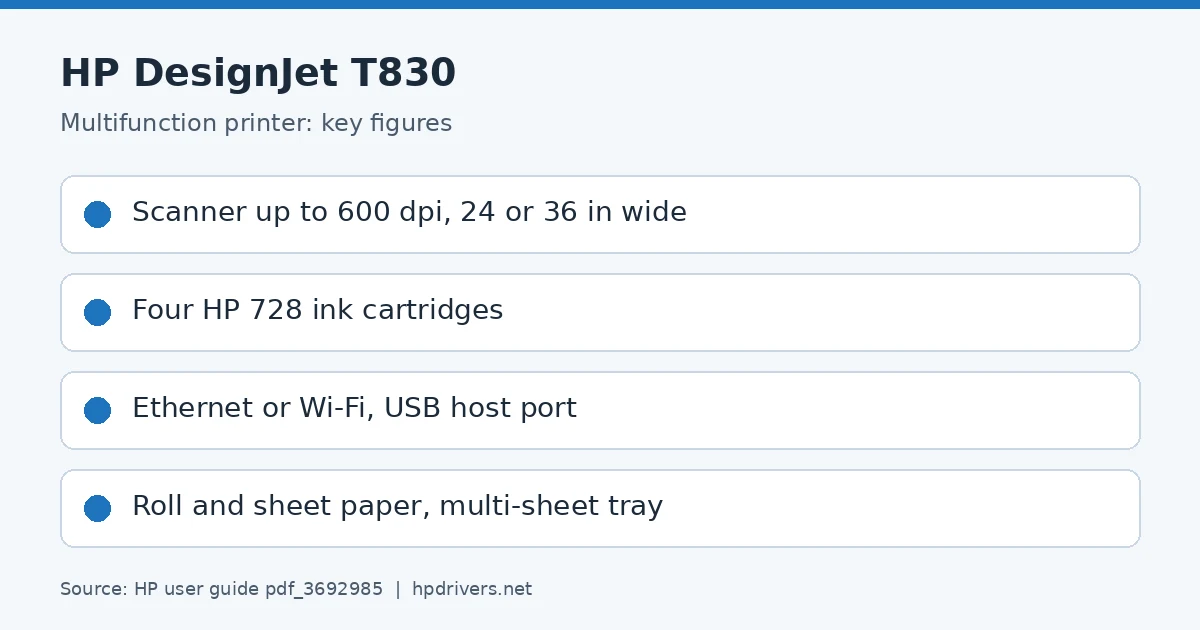
The T830 is the multifunction model in HP’s T730/T830 guide, with an integrated colour scanner that scans images of the same width the printer can print, 610 mm (24 in) or 914 mm (36 in). Scan resolution is up to 600 dpi in 24-bit RGB colour, 8-bit grayscale or 1-bit black and white.
HP lists four categories of paper that suit the scanner: white paper (matte inkjet originals such as HP Universal Inkjet Bond Paper or HP Coated Paper), photo paper (glossy and satin originals), translucent paper above 65 g/m² such as HP Natural Tracing Paper or vellum, and blueprints, which are scanned in grayscale only.
Based on HP user guide pdf_3692985 (“HP DesignJet T730 Printer, HP DesignJet T830 Multifunction Printer Series – User Guide”).
Handling glossy originals on the T830 scanner
HP warns that photo and glossy papers can be scratched while passing through the scanner, and that completely accurate results may not be achieved for some specific photo originals. The scanner also does not support the full range of paper types the printer accepts.
Based on HP user guide pdf_3692985 (“HP DesignJet T730 Printer, HP DesignJet T830 Multifunction Printer Series – User Guide”).
Scanning to file and email on the T830
From the front-panel Scan tab you can send a scan to a computer, a network folder, an email address or a USB flash drive. For email, HP requires the email setup process to be completed first; the sender, recipients (contact, group or addresses) are then chosen on the panel.
HP adds that only one action can be done at a time: do not feed the scanner while the printer is printing, because paper will not be accepted by the scanner during printing.
Based on HP user guide pdf_3692985 (“HP DesignJet T730 Printer, HP DesignJet T830 Multifunction Printer Series – User Guide”).
Specifications that matter for setup
Connections
Gigabit Ethernet (1000Base-T), Wi-Fi 802.11b/g/n
Print languages
HP-GL/2, HP-RTL, TIFF, JPEG, CALS G4, URF
Scanner
Sheetfed, CIS (Contact Image Sensor), media jam detection sensor, front feed scanning method
Paper handling and hardware details
Values below are HP’s published figures for the DesignJet T830 Multifunction; they help you check that this page matches your printer before you download anything.
Media types
Bond and coated paper (bond, coated, heavyweight coated, recycled, plain, bright white), technical paper (natural tracing, vellum), film (clear, matte), photographic paper (satin, gloss, semigloss
HP DesignJet T 1200 Printer Driver for Windows 10-8.1-8-7 32bit/64bit
Software and Drivers for HP DesignJet T1200 44-in Printer
Description for HP DesignJet T1200
This installer contains the HP-GL/2 and HP RTL driver (version 61.123.361.41) for the HP Designjet T1200/T770 printers.
Fixes included in previous versions : Document size incompatibilities fixed for AutoCAD LT. Minor localization errors corrected. Interaction between different printer drivers can cause the system to be unstable, causing application or spooler hangs.
The behavior has been improved with this new driver.
Release HP DesignJet T1200 Printer Driver
Version: 61.123.361.41 File name: HPDesignjetT770andT1200PrinterSeriesHPGL2.exe Release date: Aug 20, 2015 Operating Systems: Windows 10 (32-bit), Windows 10 (64-bit), Windows 7 (32-bit), Windows 7 (64-bit), Windows 8 (32-bit), Microsoft Windows 8 (64-bit), Windows 8.1 (32-bit), Windows 8.1 (64-bit), Windows Server 2012, Windows Vista (32-bit), Windows Vista (64-bit), Windows XP (32-bit), Windows XP x64 Download Size : 44.23 MB