hpdrivers.net is an independent website and is not affiliated with, endorsed by, or sponsored by HP Inc. Download links point to HP's official servers (ftp.hp.com). Learn more

Driver Download HP Officejet Pro L7500

HP Officejet Pro L7500 All-in-One Printer Series

Download HP Officejet Pro Full Feature Software

HP Officejet Pro L7500 Printer

Diagnostic Tool-Fixes Installation and Driver Issues.

HP Print and Scan Doctor for Windows

Details

The HP Print and Scan Doctor was designed by HP to provide users with troubleshooting and problem solving features needed to resolve many common problems experienced with HP print and scan products connected to Windows-based computers. Simply run the tool and follow the on-screen instructions.

Relase Details

File name: HPPSdr.exe
Released: Sep 3, 2021
Version 5.6.2.008
Compatibility: Microsoft Windows 10 (32-bit)(64-bit), Microsoft Windows 8 (32-bit)(64-bit), Microsoft Windows 8.1 (32-bit)(64-bit), Microsoft Windows 7 (32-bit)(64-bit)

Download

File Size : 11.3 Mb


HP ePrint Software for Network and Wireless Connected Printers

HP ePrint Software makes it easy to print from a desktop or laptop PC to any HP ePrinter. You can easily print your digital content wirelessly to supported HP printers on a local wireless network (Wi-Fi), HP printer enabled Wireless or WiFi Direct, or over the wired LAN. Additionally, you can print to your HP ePrint-enabled printer via the cloud at home, the office, or on-the-go, whenever the printer is connected to the Internet. You can even print to thousands of HP ePrint Public Print Locations worldwide.

File name: HPEPrintAppSetupx64.exe
Released: Sep 18, 2017
Version : 5.5.118.22560
Compatibility: Microsoft Windows 10 (64-bit), Microsoft Windows 8 (64-bit), Microsoft Windows 8.1 (64-bit), Microsoft Windows 7 (64-bit)

Download

File Size : 31.21 Mb

HP Officejet Pro L7700 Driver

HP Officejet Pro L7700 Driver Download

Use the HP Officejet Pro L7700 driver guidance below to set up this printer with Windows.

HP Officejet Pro L7700 printer

HP Officejet Pro L7700 All-in-One Printer Series Software for Windows 10/8/8.1

For Windows 10, HP identifies the Windows built-in printer driver instead of a separate full driver package for this model. Therefore, no unrelated or legacy download is presented as a current full driver.

Driver information
Printer model
HP Officejet Pro L7700
Windows method
Windows built-in printer driver
Official source
HP Windows compatibility guidance

HP Officejet Pro L7700 driver for Windows

Windows built-in printer driver

HP’s compatibility guidance lists this model with the Windows in-OS driver. Connect the printer, open Settings → Bluetooth & devices → Printers & scanners, and choose Add device. Windows can then install the available driver through Windows Update.

Open HP guide

HP Officejet Pro L7700 installation help

If Windows does not detect the printer immediately, confirm the USB or network connection and run Windows Update before adding the printer again. The HP Officejet Pro L7700 driver supplied through Windows may provide basic printing functions; features from older HP software are not guaranteed on a current system.

Installing and using the Windows built-in print driver

Sources and review notes

The driver method and model listing were checked in HP’s official Windows compatibility document on October 28, 2026. This page does not claim that HP offers a separate Windows 11 full driver package for this model.

HP Officejet 4610 Driver

HP Officejet 4610 All-in-One Printer Driver Download for Windows 11/10/8/7/Vista/Xp

Download HP Officejet 4610 All-in-One Printer series Full Feature Software and Drivers

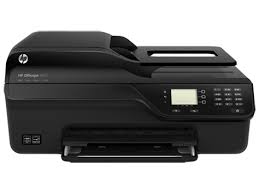
HP Officejet 4610 Printer

Details

The full solution software includes everything you need to install and use your HP printer. This collection of software includes the complete set of drivers, installer and optional software.

Fix and enhancements: Updated end user license agreement and data collection statement

Relase Details

File Version: 28.1.1317_1
Released: May 18, 2022
File name: Full_Webpack-1317_1-OJ4610_Full_Webpack.exe

Operating Systems

Microsoft Windows 11, Windows 10 (64-bit), Windows 10 (32-bit), Windows 8.1 (32-bit), Windows 8.1 (64-bit), Windows 8 (32-bit), Windows 8 (64-bit), Windows 7 (32-bit), Windows 7 (64-bit), Windows Vista (32-bit), Windows Vista (64-bit), Windows XP (32-bit)

Download

File Size: 68.21Mb