
hpdrivers.net is an independent website and is not affiliated with, endorsed by, or sponsored by HP Inc. Download links point to HP's official servers (ftp.hp.com). Read the full disclaimer

HP DesignJet D5800 60-in Production Printer Driver Download

Find HP DesignJet D5800 60-in Production driver downloads, package details and supported operating systems for

HP DesignJet D5800 60-in Production Printer
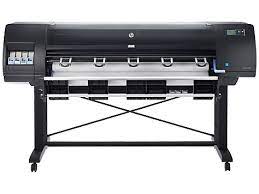
HP DesignJet D5800 60-in Production Printer printer

HP DesignJet D5800 Production Printer Driver for Windows 11/10/8/8.1

Specifications

Product number
6894587
Print quality color (best)
Up to 2400 x 1200 optimized dpi
Connectivity, standard
Gigabit Ethernet (1000Base-T); EIO Jetdirect accessory slot

HP DesignJet D5800 60-in Production driver download for Windows

DescriptionVersionRelease dateFile sizeDownload

Recommended software

HP DesignJet and PageWide XL PCL3 Driver for Windows
61.2606.1.100
Jul 15, 2026
8.9 MB
See full detailsWindows 11; Windows 10 (64-bit)
Type:
IT Advance Installation Package
Version:
61.2606.1.100
Operating systems:
Windows 11; Windows 10 (64-bit)
Release date:
Jul 15, 2026
File name:
win-x64-pcl3-drv.exe
(8.9 MB)

Package notes

Description:

This package contains the INF and necessary driver files for a manual installation using the Windows "Add printer wizard".

Also applies to: HP Windows HPGL2 Driver; HP DesignJet and PageWide XL PS Driver for Windows; HP DesignJet and PageWide XL PCL3 Driver for Windows

Alternative packages

HP Windows HPGL2 Driver
61.242.12211.50
Jul 1, 2024
5.7 MB
See full detailsWindows 11; Windows 10, 7 (64-bit)
Type:
IT Advance Installation Package
Version:
61.242.12211.50
Operating systems:
Windows 11; Windows 10, 7 (64-bit)
Release date:
Jul 1, 2024
File name:
win_x64_hpgl2_drv.exe
(5.7 MB)

Package notes

Description: This package uses the same description as another package in this group.

Setup options

HP Click Silent Version
4.13.20
Nov 9, 2026
633.9 MB
See full detailsWindows 11; Windows 10 (64-bit)
Type:
IT Advance Installation Package
Version:
4.13.20
Operating systems:
Windows 11; Windows 10 (64-bit)
Release date:
Nov 9, 2026
File name:
HPClick_Silent_x64-4.13.20.exe
(633.9 MB)

Package notes

Description:

With HP Click printing software, in one click you can print the most common formats like PDF, JPEG, TIFF, and HP-GL/2 files. Enjoy real-print preview, driverless and multi-page/multi-file PDF printing, and optimize media usage with features like automatic nesting.

Also applies to: HP Click; HP Click Silent Version

Additional software

HP DesignJet and PageWide XL Windows Printer Driver installer
4.0.0.70
Oct 14, 2025
32.7 MB
See full detailsWindows 11; Windows 10, 7 (64-bit)
Type:
Driver
Version:
4.0.0.70
Operating systems:
Windows 11; Windows 10, 7 (64-bit)
Release date:
Oct 14, 2025
File name:
IntegratedInstaller.exe
(32.7 MB)

Package notes

Description:

This is the best way to install the driver and software. The installer automatically selects the most suitable driver type based on your printer model and OS.

Compatibility packages

HP Print Preview
2.2405.0.265
Aug 20, 2024
251.4 MB
See full detailsWindows 11; Windows 10, 7 (64-bit)
Type:
Driver
Version:
2.2405.0.265
Operating systems:
Windows 11; Windows 10, 7 (64-bit)
Release date:
Aug 20, 2024
File name:
HPPrintPreviewFull_x64.exe
(251.4 MB)

Package notes

Description:

This software package installs the HP Print Preview to be used with your HP DesignJet and PageWide XL printers. The HP Print Preview will work with the following drivers: HP DesignJet and PageWide XL PCL3 Driver for Windows modern apps.

More available software

HP DesignJet and PageWide XL PS Driver for Windows
61.242.12211.50
Jul 1, 2024
5.6 MB
See full detailsWindows 11; Windows 10, 7 (64-bit)
Type:
Driver
Version:
61.242.12211.50
Operating systems:
Windows 11; Windows 10, 7 (64-bit)
Release date:
Jul 1, 2024
File name:
win_x64_ps3_drv.exe
(5.6 MB)

Package notes

Description: This package uses the same description as another package in this group.

Download options

HP Click
4.13.20
Nov 9, 2026
440.0 MB
See full detailsWindows 11; Windows 10 (64-bit)
Type:
Software
Version:
4.13.20
Operating systems:
Windows 11; Windows 10 (64-bit)
Release date:
Nov 9, 2026
File name:
HPClick-64bit-Setup-4.13.20.exe
(440.0 MB)

Package notes

Description: This package uses the same description as another package in this group.

Other available packages

HP DesignJet and PageWide XL PCL3 Driver for Windows
61.2405.0.100
Aug 20, 2024
8.9 MB
See full detailsWindows 7 (64-bit)
Type:
Driver-Printer
Version:
61.2405.0.100
Operating systems:
Windows 7 (64-bit)
Release date:
Aug 20, 2024
File name:
win-x64-pcl3-drv.exe
(8.9 MB)

Package notes

Description: This package uses the same description as another package in this group.

Recommended software

HP Click Silent Version
3.5.263
Dec 9, 2021
484.1 MB
See full detailsWindows 7 (64-bit)
Type:
IT Advance Installation Package
Version:
3.5.263
Operating systems:
Windows 7 (64-bit)
Release date:
Dec 9, 2021
File name:
HPClick-Silent_x64.exe
(484.1 MB)

Package notes

Description: This package uses the same description as another package in this group.

Alternative packages

HP Click
3.5.263
Dec 10, 2021
357.8 MB
See full detailsWindows 7 (64-bit)
Type:
Software
Version:
3.5.263
Operating systems:
Windows 7 (64-bit)
Release date:
Dec 10, 2021
File name:
HPClick-64bit-Setup.exe
(357.8 MB)

Package notes

Description: This package uses the same description as another package in this group.

Firmware and utilities

HP DesignJet Utility
6.4.5.4879
May 23, 2022
44.3 MB
See full detailsWindows 11; Windows 10, 7 (64-bit)
Type:
Software
Version:
6.4.5.4879
Operating systems:
Windows 11; Windows 10, 7 (64-bit)
Release date:
May 23, 2022
File name:
HP_DesignJet_Utility_6.4.5.4879.exe
(44.3 MB)

Package notes

Description:

This software package installs the HP DesignJet Utility to be used with your HP DesignJet and PageWide XL printers. The HP Utility will allow you to manage and troubleshoot your printer, calibrate your paper or profile it (options might be different for each printer model).

More firmware and utilities

HP Designjet D5800 Firmware
TGR_03_05_01.7
Oct 9, 2017
645.6 MB
See full detailsWindows 10, 7 (64-bit); Linux
Type:
Firmware
Version:
TGR_03_05_01.7
Operating systems:
Windows 10, 7 (64-bit); Linux
Release date:
Oct 9, 2017
File name:
TGR_03_05_01.7.fmw
(645.6 MB)

Package notes

Description:

This download includes the firmware file for your HP Designjet D5800 Printer (F2L45A and F2L45B)

Also applies to: HP Designjet D5800 Firmware

More firmware and utilities

HP Designjet D5800 Firmware
TGR_03_07_00.1
Nov 20, 2018
645.7 MB
See full detailsWindows 10, 7 (64-bit); Linux
Type:
Firmware
Version:
TGR_03_07_00.1
Operating systems:
Windows 10, 7 (64-bit); Linux
Release date:
Nov 20, 2018
File name:
TGR_03_07_00.1.fmw
(645.7 MB)

Package notes

Description: This package uses the same description as another package in this group.

More firmware and utilities

Security patch firmware
KHN_PTR_TGR_03_00_00.71
Feb 2, 2015
0.4 MB
See full detailsWindows 7 (64-bit); Linux
Type:
Firmware-Patch
Version:
KHN_PTR_TGR_03_00_00.71
Operating systems:
Windows 7 (64-bit); Linux
Release date:
Feb 2, 2015
File name:
KHN_PTR_TGR_03_00_00.71.fmw
(0.4 MB)

Package notes

Description:

This patch fixes a recent Bash vulnerability announced on September 24, 2014. HP detected that certain users that use printers connected to the internet could be affected with this security issue if the network firewall is not properly configured in the customer's environment.

HP DesignJet D5800 60-in Production driver download for macOS

DescriptionVersionRelease dateFile sizeDownload

Recommended software

HP Click
4.12.26
Oct 14, 2026
674.3 MB
See full detailsmacOS 13, 15, 26
Type:
Software
Version:
4.12.26
Operating systems:
macOS 13, 15, 26
Release date:
Oct 14, 2026
File name:
HPClick-4.12.26.dmg
(674.3 MB)

Package notes

Description: This package uses the same description as another package in this group.

HP DesignJet D5800 60-in Production installation and support

Use these resources after choosing the package that matches your operating system.

Driver assistance

Installation instructions

Common setup problems

Official resources

Package versions are listed in the download sections above. Check the operating-system list before downloading.
HP DesignJet T2600dr Drivers

Looking for the HP DesignJet T2600dr driver? This page lists HP’s official software for the whole HP DesignJet T2600 Multifunction Printer series: the DesignJet T2600 36-in Multifunction, DesignJet T2600 36-in PostScript Multifunction, DesignJet T2600dr 36-in Multifunction and DesignJet T2600dr 36-in PostScript Multifunction. HP lists some packages for specific models in the series, so check that the package title includes your model. For Windows 11; Windows 10, 8.1, 8, 7 (64-bit), the package most people need is the HP Windows HPGL2 Driver.

Last checked against HP’s download list: November 5, 2026 · Checked by H&G
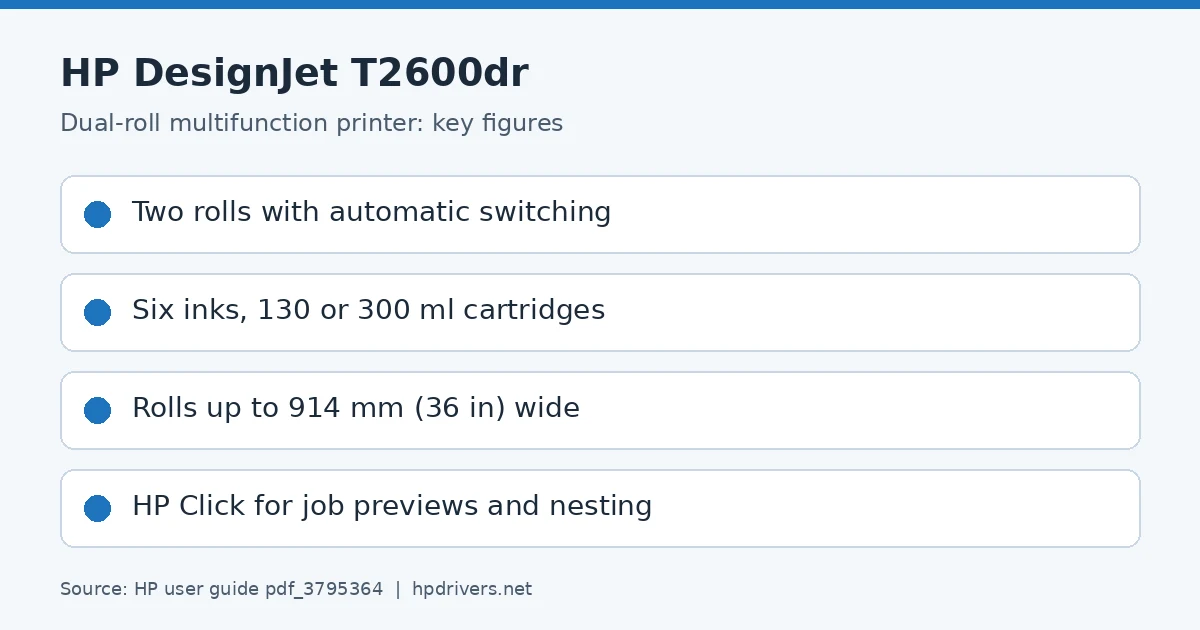
HP DesignJet T2600dr driver: key figures from HP's user guide
HP DesignJet T2600dr

Recommended downloads

Windows 11; Windows 10, 8.1, 8, 7 (64-bit): HP Windows HPGL2 DriverVersion 61.242.12211.50 · Released Jul 02, 2024 · 5.7 MB
Download

Files download directly from HP’s official servers. hpdrivers.net does not host or modify them.

Models covered by this page

All 4 models share one download list at HP:

HP DesignJet T2600 36-in Multifunction HP DesignJet T2600 36-in PostScript Multifunction HP DesignJet T2600dr 36-in Multifunction HP DesignJet T2600dr 36-in PostScript Multifunction

Which Windows package should you choose?

HP publishes 3 kinds of Windows package for the DesignJet T2600 Multifunction:

  • Driver-only installer (v61.242.12211.50, Jul 02, 2024): print driver only, for PCs that can’t or shouldn’t take the full package.
  • Download HP Click Driver to enjoy the best printing experience (v5.0.0.0, Sep 14, 2026).
  • Firmware update (v11_26_37.1, Sep 22, 2026): updates the printer itself, not your PC.

All T2600dr driver downloads

Windows

Package / Windows
Version
Released
Size
HP DesignJet T940-T1600-T2600 Printer series Firmware
Windows: 11
10, 8.1, 8, 7 (32-bit and 64-bit)
File detailsFile: CY_NPT_11_26_37.1.rfu.fmw
11_26_37.1
Sep 22, 2026
1440.1 MB
HP DesignJet T1600 and T2600 series PDF Driver for Windows
Windows: 7 (32-bit)
File detailsFile: win-x86-pdf-drv.exe
61.2206.1.200
Aug 05, 2022
10.8 MB
HP DesignJet T1600 and T2600 series PDF Driver for Windows
Windows: 7 (64-bit)
File detailsFile: win-x64-pdf-drv.exe
61.2206.1.200
Aug 05, 2022
11.6 MB

Other HP software listed for this series

Software / Systems
Version
Size
HP DesignJet and PageWide XL PCL3 Driver for Windows
Systems: Windows 11
Windows 10, 8.1, 8, 7 (32-bit and 64-bit)
61.2606.1.100
8.9 MB
HP Click Silent Version
Systems: Windows 11
Windows 10, 8.1, 8, 7 (64-bit)
4.13.20
633.9 MB
HP Windows HPGL2 Driver
Systems: Windows 11
Windows 10, 8.1, 8, 7 (32-bit and 64-bit)
61.242.12211.50
5.7 MB
HP DesignJet and PageWide XL PDF Driver for Windows
Systems: Windows 11
Windows 10, 8.1, 8 (32-bit and 64-bit)
61.2509.0.200
13.4 MB
HP DesignJet and PageWide XL PS Driver for Windows
Systems: Windows 11
Windows 10, 8.1, 8, 7 (32-bit and 64-bit)
61.194.11905.50
6.1 MB
Download HP Click Driver to enjoy the best printing experience
Systems: Windows 11
5.0.0.0
251.5 MB
HP DesignJet and PageWide XL Windows Printer Driver installer
Systems: Windows 11
Windows 10, 8.1, 8, 7 (64-bit)
4.0.0.70
32.7 MB
HP Print Preview
Systems: Windows 11
Windows 10, 8.1, 8, 7 (32-bit and 64-bit)
2.2405.0.265
251.4 MB
HP Click
Systems: Windows 11
Windows 10, 8.1, 8, 7 (64-bit)
4.13.20
440.0 MB
HP DesignJet Utility
Systems: Windows 11
Windows 10, 8.1, 8, 7 (32-bit and 64-bit)
6.4.5.4879
44.3 MB
HP SmartTracker Client for HP PageWide XL and HP DesignJet Printers
Systems: Windows 11
Windows 10, 8.1, 8, 7 (32-bit and 64-bit)
4.3.20
294.5 MB
HP SmartTracker Driver Add-On Installer for HP PageWide XL and HP DesignJet Printers
Systems: Windows 10, 8.1, 8, 7 (32-bit and 64-bit)
3.0.5.298
10.2 MB
HP SmartTracker Server for HP PageWide XL and HP DesignJet Printers
Systems: Windows 10, 8.1, 8, 7 (64-bit)
4.3.20
287.7 MB

Linux

HP lists Linux support for this series through its HPLIP project, outside the regular download list: HP’s Linux printing page (HPLIP).

Installing the T2600dr driver

Download the T2600dr driver only from the HP link in the table above. HP’s own support page for the T2600dr driver lists the same files.

For step-by-step instructions, see our guide to installing an HP printer driver.

Firmware update 11_26_37.1

The newest firmware HP lists for the DesignJet T2600 Multifunction is version 11_26_37.1, released Sep 22, 2026. HP’s notes for it: Security fixes related to Cyber Resilience Act compliance.

  • Keep the printer and the computer switched on until the update has finished.

The dual-roll DesignJet T2600dr

HP’s T2600 guide names the T2600dr as one of its printer models, next to the single-roll T2600 and the PostScript and Plus Edition versions. The difference is the second roll: the guide’s parts list has a lower roll cover (T2600dr only), and a whole chapter, Working with two rolls, explains how to use it.

HP lists the benefits of a multiroll printer as switching automatically between different paper types and long runs of unattended printing. The Windows driver shows which paper types and widths are loaded on which roll; paper settings are chosen in the driver while the roll switching policy is set on the front panel, and if neither roll suits a job it is held for paper or printed on an unsuitable roll, depending on the paper mismatch action.

Based on HP user guide pdf_3795364 (“HP DesignJet T2600 MFP Printer Series User Guide”).

Models listed with the T2600dr

The guide lists eight printer models: T2600, T2600 PS, T2600dr and T2600dr PS, each also as a Plus Edition. All of them share the six-ink system with 130 ml or 300 ml cartridges, 914 mm maximum roll width and the HP Click Printing Software option for job previews and nesting.

Based on HP user guide pdf_3795364 (“HP DesignJet T2600 MFP Printer Series User Guide”).

How the T2600dr chooses between its two rolls

HP lists three uses of a second roll: switching automatically between paper types, switching between widths so that small images go on narrower paper, and unattended printing when two identical rolls are loaded and the printer moves to the second when the first runs out. Tapping the roll icon on the front panel shows the status of both rolls.

When a job is sent from the Windows driver you can name a paper type or a roll (1 or 2). If both rolls fit, the roll switching policy decides; if only one fits, that roll is used; if neither fits, the job is held for paper or printed on an unsuitable roll, depending on the paper mismatch action. From a USB flash drive you either pick the roll or choose Save paper, which uses the narrowest roll the print fits on.

Based on HP user guide pdf_3795364 (“HP DesignJet T2600 MFP Printer Series User Guide”).

Specifications that matter for setup

Connections
Gigabit Ethernet (1000Base-T), Wi-Fi (with optional Jetdirect accessory), supporting the following standards: TCP/IP, BootP/DHCP (IPv4 only), DHCPv6, TFTP (IPv4 only), SNMP (v1, v2c, v3)
Print languages
PostScript Printer: Adobe PostScript 3, Adobe PDF 1.7, HP-GL/2, HP-RTL, TIFF, JPEG, CALS G4; Non-PostScript Printer: HP-GL/2, HP-RTL, TIFF, JPEG, CALS G4
Scanner
Sheetfed, CIS (Contact Image Sensor)

Paper handling and hardware details

Values below are HP’s published figures for the DesignJet T2600 Multifunction; they help you check that this page matches your printer before you download anything.

Media types
Bond and coated paper (bond, coated, heavyweight coated, super heavyweight plus matte, colored), technical paper (natural tracing, translucent bond, vellum), film (clear, matte, polyester)
Print quality (color)
Up to 2400 x 1200 optimized dpi
Memory
128 GB (file processing)
Internal storage
500 GB self-encrypting removeable
Power use
120 W (printing); <36 W (ready); <10 W (sleep); 0.3 W (off)
Size (W x D x H)
55 x 30 x 49 in
Weight
Single-roll: 234 lb, dual-roll: 240 lb
Warranty
One-year limited hardware warranty

HP DesignJet XL 3600 36-in Multifunction Printer Driver Download

Find HP DesignJet XL 3600 36-in Multifunction driver downloads, package details and supported operating systems for

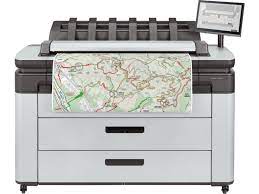
HP DesignJet XL 3600 36-in Multifunction Printer

HP DesignJet XL 3600 36-in Multifunction Printer printer

HP DesignJet XL 3600 Multifunction Printer Series Driver – Installation instructions for Windows 11/10/8/8.1/7 and Mac

Specifications

Product number
27767112
Print quality color (best)
Up to 2400 x 1200 optimized dpi
Connectivity, standard
Gigabit Ethernet (1000Base-T), Wi-Fi (with optional Jetdirect accessory), supporting the following standards: TCP/IP, BootP/DHCP (IPv4 only), DHCPv6, TFTP (IPv4 only), SNMP (v1, v2c, v3), Apple Bonjour Compatible, WS Discovery, Embedded Web Server (HTTP, HTTPS), IPsec, SMTP (email), Raw IP printing (9100), LPD, IPP, WS print, NTLM v2, SMBv3, SSL/TLS, 802.1X authentication (LEAP, PEAP, EAP-TLS), DFS

HP DesignJet XL 3600 36-in Multifunction driver download for Windows

DescriptionVersionRelease dateFile sizeDownload

Recommended software

Download HP Click Driver to enjoy the best printing experience Recommended
5.0.0.0
Sep 13, 2026
251.5 MB
See full detailsWindows 11
Type:
Driver
Version:
5.0.0.0
Operating systems:
Windows 11
Release date:
Sep 13, 2026
File name:
HPClickDriver_Installer.exe
(251.5 MB)

Package notes

Description:

Get HP Click Driver to ensure effortless, high‑quality results. HP Click Driver streamlines your printing workflow with interactive preview and error detection to guarantee optimal output.

Alternative packages

HP DesignJet and PageWide XL PCL3 Driver for Windows
61.2606.1.100
Jul 15, 2026
8.9 MB
See full detailsWindows 11; Windows 10 (64-bit)
Type:
IT Advance Installation Package
Version:
61.2606.1.100
Operating systems:
Windows 11; Windows 10 (64-bit)
Release date:
Jul 15, 2026
File name:
win-x64-pcl3-drv.exe
(8.9 MB)

Package notes

Description:

This package contains the INF and necessary driver files for a manual installation using the Windows "Add printer wizard".

Also applies to: HP Windows HPGL2 Driver; HP DesignJet and PageWide XL PS Driver for Windows; HP DesignJet and PageWide XL PCL3 Driver for Windows

Setup options

HP Click Silent Version
4.13.20
Nov 9, 2026
633.9 MB
See full detailsWindows 11; Windows 10 (64-bit)
Type:
IT Advance Installation Package
Version:
4.13.20
Operating systems:
Windows 11; Windows 10 (64-bit)
Release date:
Nov 9, 2026
File name:
HPClick_Silent_x64-4.13.20.exe
(633.9 MB)

Package notes

Description:

With HP Click printing software, in one click you can print the most common formats like PDF, JPEG, TIFF, and HP-GL/2 files. Enjoy real-print preview, driverless and multi-page/multi-file PDF printing, and optimize media usage with features like automatic nesting.

Also applies to: HP Click; HP Click Silent Version

Additional software

HP Windows HPGL2 Driver
61.242.12211.50
Jul 1, 2024
5.7 MB
See full detailsWindows 11; Windows 10, 7 (64-bit)
Type:
IT Advance Installation Package
Version:
61.242.12211.50
Operating systems:
Windows 11; Windows 10, 7 (64-bit)
Release date:
Jul 1, 2024
File name:
win_x64_hpgl2_drv.exe
(5.7 MB)

Package notes

Description: This package uses the same description as another package in this group.

Compatibility packages

HP SmartStream for PageWide XL and DesignJet software package – Silent version
14.0.0.347
Dec 14, 2025
630.8 MB
See full detailsWindows 11; Windows 10, 7 (64-bit)
Type:
IT Advance Installation Package
Version:
14.0.0.347
Operating systems:
Windows 11; Windows 10, 7 (64-bit)
Release date:
Dec 14, 2025
File name:
HPSmartStream_Silent_Installer64.exe
(630.8 MB)

Package notes

Description:

Execute this package in all the computers you want to install HP SmartStream application. The silent installer enables the possibility for IT administrators to deploy the software to the complete fleet through group policy so that it is installed on a silent way without end user interaction

More available software

HP DesignJet and PageWide XL PDF Driver for Windows
61.2509.0.200
Oct 2, 2025
13.4 MB
See full detailsWindows 11; Windows 10 (64-bit)
Type:
IT Advance Installation Package
Version:
61.2509.0.200
Operating systems:
Windows 11; Windows 10 (64-bit)
Release date:
Oct 2, 2025
File name:
win-x64-pdf-drv.exe
(13.4 MB)

Package notes

Description:

The package contains the INF and necessary driver files needed for a manual installation using the Windows Add printer wizard.

Also applies to: HP DesignJet and PageWide XL PDF Driver for Windows

Download options

HP DesignJet and PageWide XL PS Driver for Windows
61.194.11905.50
Feb 28, 2023
6.1 MB
See full detailsWindows 11; Windows 10, 7 (64-bit)
Type:
Driver
Version:
61.194.11905.50
Operating systems:
Windows 11; Windows 10, 7 (64-bit)
Release date:
Feb 28, 2023
File name:
win_x64_ps3_drv.exe
(6.1 MB)

Package notes

Description: This package uses the same description as another package in this group.

Other available packages

HP DesignJet and PageWide XL Windows Printer Driver installer
4.0.0.70
Oct 14, 2025
32.7 MB
See full detailsWindows 11; Windows 10, 7 (64-bit)
Type:
Driver
Version:
4.0.0.70
Operating systems:
Windows 11; Windows 10, 7 (64-bit)
Release date:
Oct 14, 2025
File name:
IntegratedInstaller.exe
(32.7 MB)

Package notes

Description:

This is the best way to install the driver and software. The installer automatically selects the most suitable driver type based on your printer model and OS.

Recommended software

HP Print Preview
2.2405.0.265
Aug 20, 2024
251.4 MB
See full detailsWindows 11; Windows 10, 7 (64-bit)
Type:
Driver
Version:
2.2405.0.265
Operating systems:
Windows 11; Windows 10, 7 (64-bit)
Release date:
Aug 20, 2024
File name:
HPPrintPreviewFull_x64.exe
(251.4 MB)

Package notes

Description:

This software package installs the HP Print Preview to be used with your HP DesignJet and PageWide XL printers. The HP Print Preview will work with the following drivers: HP DesignJet and PageWide XL PCL3 Driver for Windows modern apps.

Alternative packages

License Manager RMS Installer
9.3
Jul 12, 2018
11.3 MB
See full detailsWindows 11; Windows 10, 7 (64-bit)
Type:
Software
Version:
9.3
Operating systems:
Windows 11; Windows 10, 7 (64-bit)
Release date:
Jul 12, 2018
File name:
RMS_License_Manager_9_3.zip
(11.3 MB)

Package notes

Description:

This package contains the setup.exe file necessary to install License manager RMS for HP Smart Stream.

Setup options

HP SmartStream for PageWide XL and DesignJet software package
14.0.0.347
Dec 14, 2025
630.8 MB
See full detailsWindows 11; Windows 10, 7 (64-bit)
Type:
Software
Version:
14.0.0.347
Operating systems:
Windows 11; Windows 10, 7 (64-bit)
Release date:
Dec 14, 2025
File name:
HPSmartStream_Installer64.exe
(630.8 MB)

Package notes

Description:

Execute this package in all the computers you want to install HP SmartStream application

Additional software

HP Click
4.13.20
Nov 9, 2026
440.0 MB
See full detailsWindows 11; Windows 10 (64-bit)
Type:
Software
Version:
4.13.20
Operating systems:
Windows 11; Windows 10 (64-bit)
Release date:
Nov 9, 2026
File name:
HPClick-64bit-Setup-4.13.20.exe
(440.0 MB)

Package notes

Description: This package uses the same description as another package in this group.

Compatibility packages

HP SmartTracker Client for HP PageWide XL and HP DesignJet Printers
4.3.20
Apr 24, 2024
294.5 MB
See full detailsWindows 11; Windows 10, 7 (64-bit)
Type:
Software
Version:
4.3.20
Operating systems:
Windows 11; Windows 10, 7 (64-bit)
Release date:
Apr 24, 2024
File name:
HP_SmartTracker_Client_Installer_4.3.20.exe
(294.5 MB)

Package notes

Description:

HP SmartTracker Client installer for HP PageWide XL Printer series

More available software

HP SmartTracker Server for HP PageWide XL and HP DesignJet Printers
4.3.20
Apr 24, 2024
287.7 MB
See full detailsWindows 10, 7 (64-bit)
Type:
Software-Solutions
Version:
4.3.20
Operating systems:
Windows 10, 7 (64-bit)
Release date:
Apr 24, 2024
File name:
HP_SmartTracker_Server_Installer_4.3.20.exe
(287.7 MB)

Package notes

Description:

HP SmartTracker Server installer for HP PageWide XL Printer series.

Download options

HP SmartTracker Driver Add-On Installer for HP PageWide XL and HP DesignJet Printers
3.0.5.298
Aug 5, 2020
10.3 MB
See full detailsWindows 10, 7 (64-bit)
Type:
Application-Solutions
Version:
3.0.5.298
Operating systems:
Windows 10, 7 (64-bit)
Release date:
Aug 5, 2020
File name:
HPSmartTrackerAddOn_x64.exe
(10.3 MB)

Package notes

Description:

In order to print to a HP SmartTracker enabled printer from any application, the user must have the latest PageWide XL driver installed as well as the HP SmartTracker Driver add-on. If the add-on is not installed with the driver, a user will still be able to send jobs using the driver to the printer even though the printer is controlled by HP SmartTracker.

Other available packages

HP DesignJet and PageWide XL PCL3 Driver for Windows
61.2405.0.100
Aug 20, 2024
8.9 MB
See full detailsWindows 7 (64-bit)
Type:
Driver-Printer
Version:
61.2405.0.100
Operating systems:
Windows 7 (64-bit)
Release date:
Aug 20, 2024
File name:
win-x64-pcl3-drv.exe
(8.9 MB)

Package notes

Description: This package uses the same description as another package in this group.

Recommended software

HP DesignJet and PageWide XL PDF Driver for Windows
61.2405.0.200
Aug 20, 2024
13.6 MB
See full detailsWindows 7 (64-bit)
Type:
Driver-Printer
Version:
61.2405.0.200
Operating systems:
Windows 7 (64-bit)
Release date:
Aug 20, 2024
File name:
win-x64-pdf-drv.exe
(13.6 MB)

Package notes

Description: This package uses the same description as another package in this group.

Alternative packages

HP Click Silent Version
3.5.263
Dec 9, 2021
484.1 MB
See full detailsWindows 7 (64-bit)
Type:
IT Advance Installation Package
Version:
3.5.263
Operating systems:
Windows 7 (64-bit)
Release date:
Dec 9, 2021
File name:
HPClick-Silent_x64.exe
(484.1 MB)

Package notes

Description: This package uses the same description as another package in this group.

Setup options

HP Click
3.5.263
Dec 10, 2021
357.8 MB
See full detailsWindows 7 (64-bit)
Type:
Software
Version:
3.5.263
Operating systems:
Windows 7 (64-bit)
Release date:
Dec 10, 2021
File name:
HPClick-64bit-Setup.exe
(357.8 MB)

Package notes

Description: This package uses the same description as another package in this group.

Firmware and utilities

HP DesignJet Utility
6.4.5.4879
May 23, 2022
44.3 MB
See full detailsWindows 11; Windows 10, 7 (64-bit)
Type:
Software
Version:
6.4.5.4879
Operating systems:
Windows 11; Windows 10, 7 (64-bit)
Release date:
May 23, 2022
File name:
HP_DesignJet_Utility_6.4.5.4879.exe
(44.3 MB)

Package notes

Description:

This software package installs the HP DesignJet Utility to be used with your HP DesignJet and PageWide XL printers. The HP Utility will allow you to manage and troubleshoot your printer, calibrate your paper or profile it (options might be different for each printer model).

More firmware and utilities

HP DesignJet XL 3600 Printer series Firmware
11_26_37.1
Sep 21, 2026
1440.5 MB
See full detailsWindows 11; Windows 10, 7 (64-bit)
Type:
Firmware
Version:
11_26_37.1
Operating systems:
Windows 11; Windows 10, 7 (64-bit)
Release date:
Sep 21, 2026
File name:
CY_MRS_11_26_37.1.rfu.fmw
(1440.5 MB)

Package notes

Description:

This download includes the latest firmware file for the HP DesignJet XL 3600 Printer series. Reminder: Dynamic security enabled printer.

HP DesignJet XL 3600 36-in Multifunction driver download for macOS

DescriptionVersionRelease dateFile sizeDownload

Recommended software

HP Designjet Mac PostScript Driver
58
Dec 15, 2025
41.6 MB
See full detailsmacOS 26
Type:
Driver-Product Installation Software
Version:
58
Operating systems:
macOS 26
Release date:
Dec 15, 2025
File name:
Universal-PostScript26_0.dmg
(41.6 MB)

Package notes

Description:

This software will install the PostScript driver that will allow you to print to your HP Designjet printer from your Mac computer.

Also applies to: HP Designjet Mac PostScript Driver

Alternative packages

HP DesignJet Mac Raster Driver
59
Mar 2, 2026
97.7 MB
See full detailsmacOS 26
Type:
Driver-Product Installation Software
Version:
59
Operating systems:
macOS 26
Release date:
Mar 2, 2026
File name:
Universal-Raster26_1.dmg
(97.7 MB)

Package notes

Description:

This software will install the Raster driver that will allow you to print to your HP DesignJet printer from your Mac computer.

Also applies to: HP DesignJet Mac Raster Driver

Setup options

HP Click
4.12.26
Oct 14, 2026
674.3 MB
See full detailsmacOS 13, 15, 26
Type:
Software
Version:
4.12.26
Operating systems:
macOS 13, 15, 26
Release date:
Oct 14, 2026
File name:
HPClick-4.12.26.dmg
(674.3 MB)

Package notes

Description: This package uses the same description as another package in this group.

Additional software

HP Designjet Mac PostScript Driver
57
Apr 15, 2025
41.6 MB
See full detailsmacOS 15
Type:
Driver-Product Installation Software
Version:
57
Operating systems:
macOS 15
Release date:
Apr 15, 2025
File name:
Universal-PostScript-15.0.dmg
(41.6 MB)

Package notes

Description: This package uses the same description as another package in this group.

Compatibility packages

HP DesignJet Mac Raster Driver
57
Apr 15, 2025
43.0 MB
See full detailsmacOS 15
Type:
Driver-Product Installation Software
Version:
57
Operating systems:
macOS 15
Release date:
Apr 15, 2025
File name:
Universal-Raster15-1.dmg
(43.0 MB)

Package notes

Description: This package uses the same description as another package in this group.

More available software

HP Designjet Mac PostScript Driver
55
May 9, 2023
97.6 MB
See full detailsmacOS 13
Type:
Driver-Product Installation Software
Version:
55
Operating systems:
macOS 13
Release date:
May 9, 2023
File name:
Universal-PostScript.dmg
(97.6 MB)

Package notes

Description: This package uses the same description as another package in this group.

Download options

HP DesignJet Mac Raster Driver
1.01
Oct 29, 2023
96.6 MB
See full detailsmacOS 13
Type:
Driver-Product Installation Software
Version:
1.01
Operating systems:
macOS 13
Release date:
Oct 29, 2023
File name:
Universal-Raster.dmg
(96.6 MB)

Package notes

Description: This package uses the same description as another package in this group.

HP DesignJet XL 3600 36-in Multifunction installation and support

Use these resources after choosing the package that matches your operating system.

Driver assistance

Installation instructions

Common setup problems

Official resources

Package versions are listed in the download sections above. Check the operating-system list before downloading.