
hpdrivers.net is an independent website and is not affiliated with, endorsed by, or sponsored by HP Inc. Download links point to HP's official servers (ftp.hp.com). Learn more

HP Officejet Pro K5400n Printer Driver Download

Find HP K5400n driver downloads, package details and supported operating systems for

HP Officejet Pro K5400n Printer
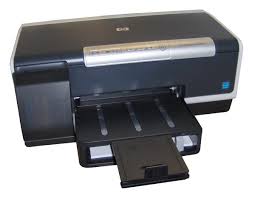
HP Officejet Pro K5400n Printer printer

This product is listed in the supplied HP printer catalog with its available software and driver packages.

Specifications

Product number
3654699
Print quality color (best)
Up to 4800 x 1200 optimized dpi color and 1200 input dpi
Recommended monthly page volume
250 to 1250
Paper handling input, standard
K5400: 250-sheet input tray; K5400dn: 250-sheet input tray, automatic two-sided printing accessory; K5400dtn: 250-sheet input tray, 350-sheet second input tray, automatic two-sided printing accessory
Print quality black (best)
Black: Up to 1200 x 1200 dpi Color: Up to 4800 x 1200 optimized dpi color and 1200 input dpi
Connectivity, standard
1 USB 2.0, 1 Ethernet (standard or optional)

HP K5400n driver download for Windows

DescriptionVersionRelease dateFile sizeDownload

Recommended software

Installing Your Printer Driver Using the Windows Built-in Solution
N/A
Dec 20, 2021
N/A
See full detailsWindows 11; Windows 10, 7 (64-bit)
Type:
Driver-Product Installation Software
Version:
N/A
Operating systems:
Windows 11; Windows 10, 7 (64-bit)
Release date:
Dec 20, 2021
File name:
HP support instructions
(N/A)

Package notes

Description:

Install the HP Printer Driver and Software provided within your operating system.

Alternative packages

HP ePrint Software for Network and Wireless Connected Printers
5.5.118.22560
Sep 17, 2017
31.2 MB
See full detailsWindows 10, 7 (64-bit)
Type:
Software-ePrint
Version:
5.5.118.22560
Operating systems:
Windows 10, 7 (64-bit)
Release date:
Sep 17, 2017
File name:
HPEPrintAppSetupx64.exe
(31.2 MB)

Package notes

Description:

HP ePrint Software makes it easy to print from a desktop or laptop PC to any HP ePrinter. You can easily print your digital content wirelessly to supported HP printers on a local wireless network (Wi-Fi), HP printer enabled Wireless or WiFi Direct, or over the wired LAN. Additionally, you can print to your HP ePrint-enabled printer via the cloud at home, the office, or on-the-go, whenever the printer is connected to the Internet. You can even print to thousands of HP ePrint Public Print Locations worldwide.

Setup options

HP Toolbox
13.0.0
Sep 1, 2014
37.9 MB
See full detailsWindows 7 (64-bit)
Type:
Software
Version:
13.0.0
Operating systems:
Windows 7 (64-bit)
Release date:
Sep 1, 2014
File name:
OJProK5X00_Toolbox_13.exe
(37.9 MB)

Package notes

Description:

This download includes the HP Toolbox software for your printer. The Toolbox provides status and maintenance information about your printer. It also provides access to documentation and online help tools for solving printer problems. This download does NOT include the print driver solution for your HP printer. The print driver solution for this product is included in your Windows 7 operating system and is already on your computer.

Additional software

HP Print Software Patch When Upgrading Vista to Windows 7
1.0
Dec 5, 2009
1.3 MB
See full detailsWindows 7 (64-bit)
Type:
Update
Version:
1.0
Operating systems:
Windows 7 (64-bit)
Release date:
Dec 5, 2009
File name:
dot4patch_reboot.exe
(1.3 MB)

Package notes

Description:

This Windows 7 patch fixes some printer functionality after upgrading Vista to Windows 7. For networked printers, please go to www.hp.com for more support information.

HP K5400n Linux Support

DescriptionVersionRelease dateFile sizeDownload

Recommended software

HP Printers – Driver Support for Linux OS
N/A
Nov 7, 2016
N/A
See full detailsLinux
Type:
Driver-Product Installation Software
Version:
N/A
Operating systems:
Linux
Release date:
Nov 7, 2016
File name:
HP support instructions
(N/A)

Package notes

Description:

For Linux downloads, HP recommends another website. If you need to download Linux drivers, you will be directed to a website that is outside HP Customer Support.

HP K5400n installation and support

Use these resources after choosing the package that matches your operating system.

Driver assistance

Installation instructions

Common setup problems

Official resources

Package versions are listed in the download sections above. Check the operating-system list before downloading.
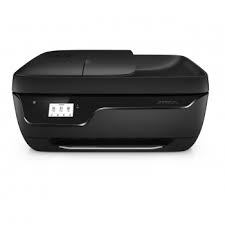
HP OfficeJet 3834 Driver

HP OfficeJet 3834 All-in-One Printer Driver for Windows 1/10/8/7/Vista/Xp 64bit/32bit (Update : Dec 12, 2023)

Download HP OfficeJet 3830 series Print and Scan Driver and Accessories

Hpdrivers.net- OfficeJet 3834 All-in-One Printer
HP OfficeJet 3834 Printer

Details

The full solution software includes everything you need to install and use your HP printer. This collection of software includes the complete set of drivers, installer and optional software.

Fix and enhancements: Updated end user license agreement and data collection statement

Release details

File name: Full_Webpack-40.17.1248-OJ3830_Full_Webpack.exe

Released: Dec 12, 2023

Version : 40.17.1248

Operating Systems :

Microsoft Windows 11, Microsoft Windows 10 (32bit/64bit), Microsoft Windows 8 (32bit/64bit), Microsoft Windows Vista (32bit/64bit), Microsoft Windows 8.1 (32bit/64bit), Microsoft Windows 7 (32bit/64bit), Microsoft Windows XP

Download

File Size : 149.73 Mb

HP printer setup (HP Smart app)

Install HP Smart app to complete setup and support (Recommended)

Install HP Smart app to setup and use your Printer

  • HP Smart will help you connect your printer, install driver, offer print, scan, fax, share files and Diagnose/Fix top issues. Click here to learn how to setup your Printer successfully (Recommended).
  • Creating an HP Account and registering is mandatory for HP+/Instant-ink customers. It also helps in accessing assisted support options and more.

NOTE:

  • Disconnect from Virtual Private Network (VPN) connection before downloading.
  • Creating an account on Microsoft Store to download HP Smart app is optional.

The HP Smart app is the main software for your printer. Install it on the device you want to print from, and then use it to set up the printer connection. By installing the HP Smart app, you also install all drivers necessary to print and scan.

Install the HP Smart app

Download the HP Smart app from your app store.

Use the guided printer setup in the HP Smart app to connect your printer over USB or to the internet.

HP OfficeJet 3832 All-in-One Printer Driver

HP OfficeJet 3832 All-in-One Printer Driver for Windows 11/10/8/7/Vista/Xp (Update : Dec 12, 2023)

Download HP OfficeJet 3830 series Print and Scan Driver and Accessories

Hpdrivers.net- OfficeJet 3832 All-in-One Printer Driver
HP OfficeJet 3832 Printer

Details

The full solution software includes everything you need to install and use your HP printer. This collection of software includes the complete set of drivers, installer and optional software.

Fix and enhancements: Updated end user license agreement and data collection statement

Release details

File name: Full_Webpack-40.17.1248-OJ3830_Full_Webpack.exe

Released: Dec 12, 2023

Version : 40.17.1248

Operating Systems :

Microsoft Windows 11, Microsoft Windows 10 (32bit/64bit), Microsoft Windows 8 (32bit/64bit), Microsoft Windows Vista (32bit/64bit), Microsoft Windows 8.1 (32bit/64bit), Microsoft Windows 7 (32bit/64bit), Microsoft Windows XP

Download

File Size : 149.73 Mb

HP printer setup (HP Smart app)

Install HP Smart app to complete setup and support (Recommended)

Install HP Smart app to setup and use your Printer

  • HP Smart will help you connect your printer, install driver, offer print, scan, fax, share files and Diagnose/Fix top issues. Click here to learn how to setup your Printer successfully (Recommended).
  • Creating an HP Account and registering is mandatory for HP+/Instant-ink customers. It also helps in accessing assisted support options and more.

NOTE:

  • Disconnect from Virtual Private Network (VPN) connection before downloading.
  • Creating an account on Microsoft Store to download HP Smart app is optional.

The HP Smart app is the main software for your printer. Install it on the device you want to print from, and then use it to set up the printer connection. By installing the HP Smart app, you also install all drivers necessary to print and scan.

Install the HP Smart app

Download the HP Smart app from your app store.

Use the guided printer setup in the HP Smart app to connect your printer over USB or to the internet.