Independent download guide for HP printer and scanner drivers
hpdrivers.net is an independent website and is not affiliated with, endorsed by, or sponsored by HP Inc. Download links point to HP's official servers (ftp.hp.com). Read the full disclaimer
Looking for the HP Smart Tank 675 driver? This page lists HP’s official software for the whole HP Smart Tank 670 series. HP lists some packages for specific models in the series, so check that the package title includes your model. For Windows 7 (32-bit and 64-bit), the package most people need is the HP Easy Start Printer Setup Software (Internet connection required for driver installation). For Windows 11, HP lists the HP Easy Start Printer Setup Software (Internet connection required for driver installation). For a Mac, HP lists Install HP app to complete setup and support.
Last checked against HP’s download list: November 6, 2026 · Checked by H&G
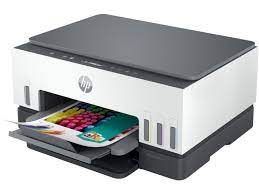
HP Smart Tank 670 (one model of this series)
Recommended downloads
Windows 7 (32-bit and 64-bit): HP Easy Start Printer Setup Software (Internet connection required for driver installation)Version 17.6.15 · Released Oct 14, 2026 · 26.5 MB · HP rating: Recommended
Windows 11; Windows 10 (32-bit and 64-bit): HP Easy Start Printer Setup Software (Internet connection required for driver installation)Version 17.6.15 · Released Oct 14, 2026 · 26.5 MB
Files download directly from HP’s official servers. hpdrivers.net does not host or modify them.
Models covered by this page
HP’s download list for this series names these models. It covers the whole Smart Tank 670 range, including model variants HP does not list by name:
HP Smart Tank 670 All-in-OneHP Smart Tank 674 All-in-OneHP Smart Tank 678 All-in-OneHP Smart Tank 675 All-in-OneHP Smart Tank 677 All-in-OneHP Smart Tank 672 All-in-One
All downloads for the Smart Tank 670
Windows
Package / Windows
Version
Released
Size
HP Smart Tank 660-670/6000 series Printer Firmware Update
HP Easy Start needs an internet connection; it downloads the right software for your exact model during setup. For step-by-step instructions, see our guide to installing an HP printer driver.
Firmware update 002.2630B
The newest firmware HP lists for the Smart Tank 670 is version 002.2630B, released Sep 15, 2026. HP’s notes for it: Fix and Enhancements: Print Performance Improvements; Connectivity Improvements.
Keep the printer and the computer switched on until the update has finished.
Specifications that matter for setup
Connections
1 Wi-Fi Direct; 2 Hi-Speed USB 2.0 (device)
Wi-Fi
Yes, 2.4/5G dual band Wi-Fi, Wi-Fi Direct
Mobile printing
Apple AirPrint; Mopria™ certified; HP Print Service Plugin (Android printing); HP app; Wi-Fi® Direct Printing
Print languages
HP PCL 3 GUI
Functions
Print, Scan, Copy, Wireless
Recommended monthly volume
400 to 800
Two-sided printing
Automatic
Scanner
Flatbed
Scan resolution
Up to 1200 dpi
Scan file formats
JPG; PDF; PNG; TIFF
Ways to scan
Front Panel Copy; HP Software
Ink supplies HP lists for the Smart Tank 670
HP’s specifications name these replacement supplies for the Smart Tank 670:
HP GT53 90-ml Black bottle (~4000 pages)
HP 53XL 135-ml Black bottle (~6000 pages)
HP GT52 70-ml Cyan bottle (~8000 pages)
HP GT52 70-ml Magenta bottle (~8000 pages)
HP GT52 70-ml Yellow bottle (~8000 pages)
Paper handling and hardware details
Values below are HP’s published figures for the Smart Tank 670; they help you check that this page matches your printer before you download anything.
Paper input tray
150-sheet input tray
Output tray
100-sheet output tray
Media types
Plain Paper, HP Photo Papers, HP Matte Brochure or Professional Paper, HP Matte Presentation Paper, HP Glossy Brochure or Professional Paper, Other Photo Inkjet Papers, Other Matte Inkjet Papers
Print quality (black)
Black: Up to 1200 x 1200 rendered dpi Color: Up to 4800 x 1200 optimized dpi color when printing from a computer and 1200 input dpi
Control panel
2-line LCD Smart guided buttons, 50.8 x 10.16 mm (2.0 x 0.4 in)
Processor
800 MHz
Power use
0.10 Watts (Off Mode), 2.00 Watts ( Sleep mode)
Warranty
One-year or 30,000 pages limited hardware warranty, whichever is earlier from the date of purchase. For more info please visit us at http://support.hp.com
Last checked against HP’s download list: November 1, 2026 · Checked by H&G
Looking for the HP Smart Tank 7000 driver? This page lists HP’s official software for the whole HP Smart Tank 7000 series. HP lists some packages for specific models in the series, so check that the package title includes your model. For Windows 7 (64-bit), the package most people need is the HP Easy Start Printer Setup Software (Internet connection required for driver installation). For Windows 11, HP lists the HP Easy Start Printer Setup Software – Offline Use Only.
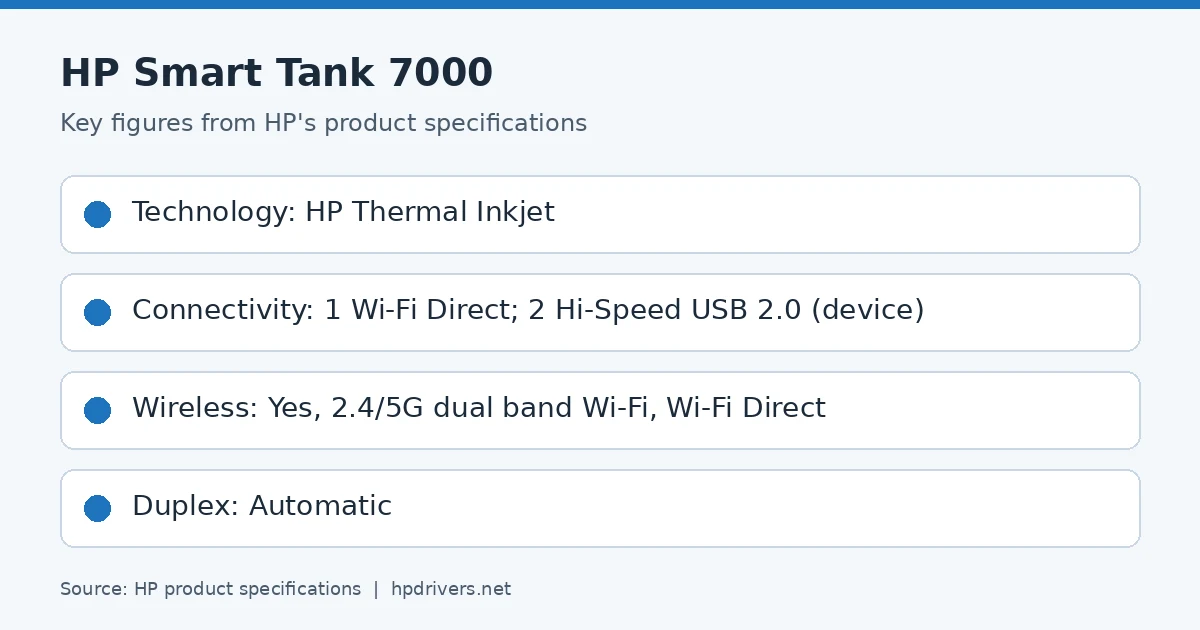
HP product specifications card
Recommended downloads
Windows 7 (64-bit): HP Easy Start Printer Setup Software (Internet connection required for driver installation)Version 17.6.15 · Released Oct 14, 2026 · 26.5 MB · HP rating: Recommended
Windows 11, Windows 10 (64-bit), Windows 7 (64-bit): HP Easy Start Printer Setup Software – Offline Use OnlyVersion 55.3.5043 · Released Jul 12, 2024 · 318.6 MB
Files download directly from HP’s official servers. hpdrivers.net does not host or modify them.
Models covered by this page
HP’s download list for this series names these models. It covers the whole Smart Tank 7000 range, including model variants HP does not list by name:
HP Smart Tank 7001 All-in-OneHP Smart Tank 7005 All-in-OneHP Smart Tank 7002 All-in-OneHP Smart Tank 7006 All-in-OneHP Smart Tank 7007 All-in-OneHP Smart Tank 7008 All-in-One
All downloads for the Smart Tank 7000
Windows
Package / Windows
Version
Released
Size
HP Smart Tank 710-720/7000 series Printer Firmware Update
HP lists Linux support for this series through its HPLIP project, outside the regular download list: HP’s Linux printing page (HPLIP).
Installing the Smart Tank 7000 driver
HP Easy Start needs an internet connection; it downloads the right software for your exact model during setup. For step-by-step instructions, see our guide to installing an HP printer driver.
Firmware update 002.2630B
The newest firmware HP lists for the Smart Tank 7000 is version 002.2630B, released Sep 15, 2026.
Keep the printer and the computer switched on until the update has finished.
Specifications that matter for setup
Connections
1 Wi-Fi Direct; 2 Hi-Speed USB 2.0 (device)
Wi-Fi
Yes, 2.4/5G dual band Wi-Fi, Wi-Fi Direct
Mobile printing
Apple AirPrint; Mopria™ certified; HP Print Service Plugin (Android printing); HP app; Wi-Fi® Direct Printing
Last checked against HP’s download list: November 1, 2026 · Checked by H&G
Looking for the HP Smart Tank 750 driver? This page lists HP’s official software for the whole HP Smart Tank 750 series. HP lists some packages for specific models in the series, so check that the package title includes your model. For Windows 7 (64-bit), the package most people need is the HP Easy Start Printer Setup Software (Internet connection required for driver installation). For Windows 11, HP lists the HP Easy Start Printer Setup Software (Internet connection required for driver installation).
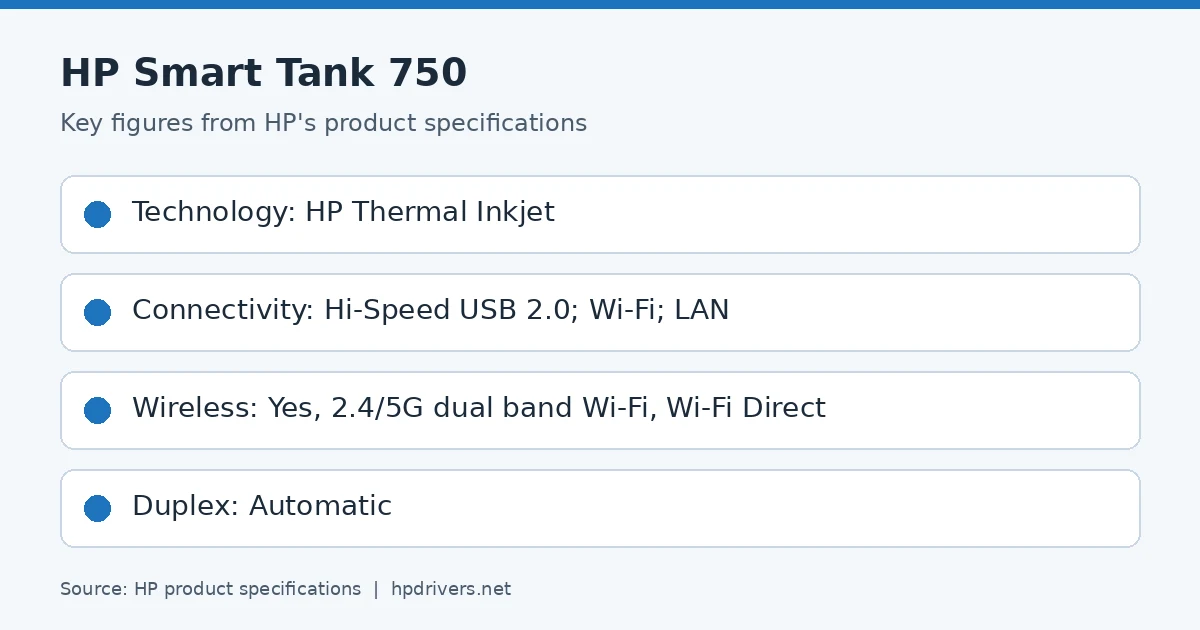
HP product specifications card
Recommended downloads
Windows 7 (64-bit): HP Easy Start Printer Setup Software (Internet connection required for driver installation)Version 17.6.15 · Released Oct 14, 2026 · 26.5 MB · HP rating: Recommended
Windows 11, Windows 10 (64-bit): HP Easy Start Printer Setup Software (Internet connection required for driver installation)Version 17.6.15 · Released Oct 14, 2026 · 26.5 MB
HP lists Linux support for this series through its HPLIP project, outside the regular download list: HP’s Linux printing page (HPLIP).
Installing the Smart Tank 750 driver
HP Easy Start needs an internet connection; it downloads the right software for your exact model during setup. For step-by-step instructions, see our guide to installing an HP printer driver.
Firmware update 002.2630B
The newest firmware HP lists for the Smart Tank 750 is version 002.2630B, released Sep 15, 2026.
Keep the printer and the computer switched on until the update has finished.
Specifications that matter for setup
Connections
Hi-Speed USB 2.0; Wi-Fi; LAN
Wi-Fi
Yes, 2.4/5G dual band Wi-Fi, Wi-Fi Direct
Mobile printing
Apple AirPrint; Mopria™ certified; HP Print Service Plugin (Android printing); HP app; Wi-Fi® Direct Printing